
I wouldn't bother. Unless I start liking Russian Horror, that works for me.
Just thought maybe other users were using something I didn't know about (like a DNR category).
Yes.
I updated my Docker container after backing up my database.
The instructions say to restore it, " replace /data/fastchannels.db with it, then restart the container."
I want to restore from my backup but am having trouble finding the location I'm supposed to restore to!  I looked all over my system and discovered that it's not findable there, since it's hidden under Docker in a way that can't be found in the normal Windows filesystem.
In Docker Desktop, I looked under "files" and found the folder and the db file under it. But how do I copy anything to that? After getting absolutely nowhere useful with Google, in desperation I asked an AI, which said I should use something like:
docker cp "C:\Backups\myfile.db" mycontainer:/data/myfile.db
So, (given where I copied the extracted file, which I renamed from "tmpxxxxx.db" to "fastchannels.db" it should be
docker cp "g:\channels\fastchannels.db fastchannels:/data/fastchannels.db
Is that correct? (Docker is not my friend).
1 Like
just do this from Command Prompt (in the directory your software is saved).
When you say "directory your software is saved," what do you mean? Is it somewhere under program files\docker? I don't see fastchannels anywhere on my computer unless I look inside Docker Desktop. I've also checked Appdata\roaming\docker desktop.
If this involves a docker compose file, I don't have one, as that's not how I set up the container. I don't know how to use a docker compose file. I initially set up with Portainer, which I now consider a mistake, since Portainer promptly locked me out after using it once.
I followed the instructions given by @jtanderson , but that made everything start completely from scratch, and I'm trying to restore the database I had backed up, as all my configuration was wiped by that method.
So assuming I succeed in restoring my backed up database, how would I (I guess) obtain whatever would be needed to use Docker Compose as you describe, or use just plain "docker run..." commands to update nondestructively? Otherwise, I can't see myself trying to update this again anytime soon since the recovery has been so difficult.
I used the "docker cp" command to copy over my restored database, but fastchannels is now stuck in a restart loop. It won't start and I can't stop it. This is getting more and more frustrating by the minute.
Please help me recover all the feed settings, channels enabled/disabled, etc. that I spent so much time on and carefully backed up, but can't seem to restore.
Update: By end-tasking Docker Desktop, I was able to redo the copy of the backup file and everything seems to be working again. But I don't seem to have a reliable way to update nondestructively. I guess Docker Compose is supposed to work for that, but the whole "compose" thing is a mystery to me.
New Version 3.8.0 released
New Scrapers
- Bally Sports Live — Free live sports channels & epg data
- Hallmark — 4 free channels (Hits, Rom-Coms, Christmas, Mysteries) with bundled logos & epg data
Channel Catalog
- New feature under Custom Channels with a list of pre-configured channels (no EPG data though). More to come here.
- ItsRealGoodTV added (Heartland Network, Retro TV, REV'N ACTION)
- AEW FAST Channel added
- Browse Catalog modal on the Custom Channels panel for one-click adds
Feed Improvements
- Native M3U + EPG per feed (/feeds//native/m3u, /feeds//native/epg.xml) — all feed channels in one playlist, no standard/Gracenote split, scraped EPG only; useful for clients that want a single guide source
- Feed edit modal now shows which other feeds each channel already belongs to. Resized modal too.
Admin UI
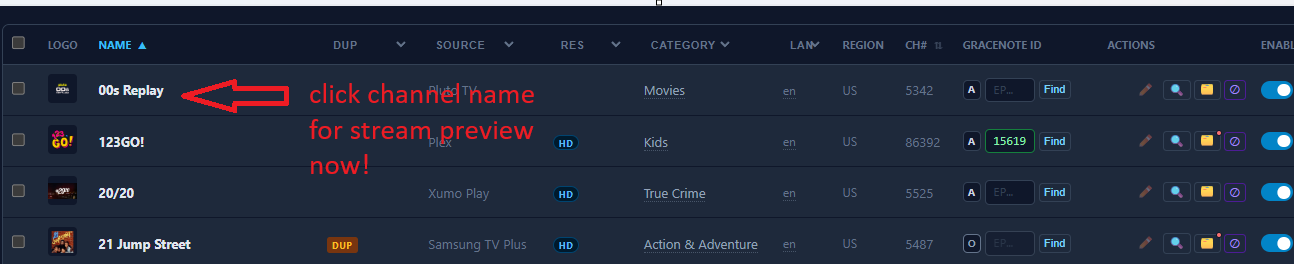
- Channel name click now opens stream preview (was: no action)
- Channel notes — pencil icon on each channel row opens a free-text note modal; amber icon when a note exists. Replaces stream preview button.
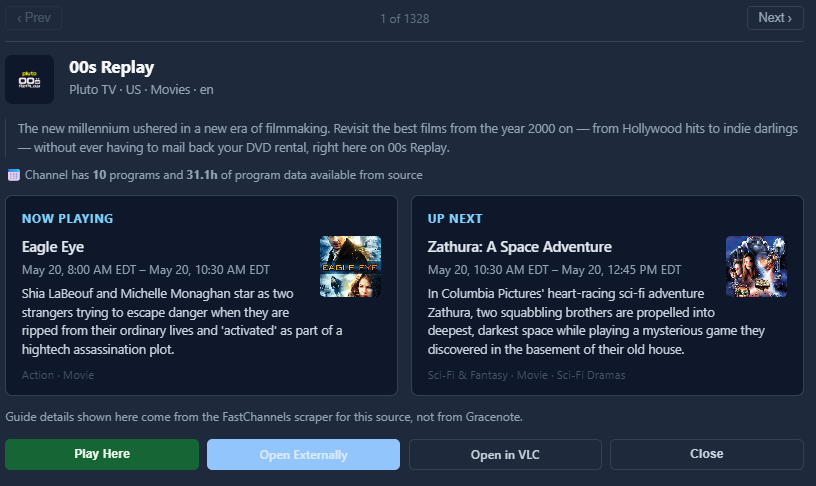
- Prev/Next navigation in the stream preview modal — steps through all filtered channels without closing
- Program poster art shown in preview modal Now Playing / Up Next cards
- VOD flag — channels serving finished VOD playlists get a distinct VOD badge/filter instead of being lumped with Dead
- Global inactive channel cleanup on the Sources page — configurable day threshold, per-source preview with channel names, confirm before delete
- "Missing category" filter on admin/channels
- "Last 1 day" option in the New Channels filter
EPG / Poster Quality
- Correct aspect ratios across Xumo, TCL, Plex, Distro, and Vizio — portrait (2:3) for movies, landscape (4:3) for TV shows, falling back to portrait show art when episode stills aren't available
- Vizio EPG now captures season, episode, and series title fields
Bug fixes covered feed channel number stability (GN status changes no longer renumber channels), Gracenote partitioning edge cases, channel changes report accuracy, Plex token expiry, stream audit false positives, and a handful of scraper and UI correctness fixes. Misc performance improvements.
Worth highlighting -- Stream Preview moved->
*edit - snuck in a quick Bally fix if someone downloaded already whoops.
5 Likes
Question on discrepancy in the total number of channels...
So on the Admin/Sources, I see Output Channels: 5497.
And also Default - All Channels: 5497.
However, on the Admin/Channels, at the bottom, it shows: 6806 channels...
Why the discrepancy?
NOTE: Not complaining, just curious.
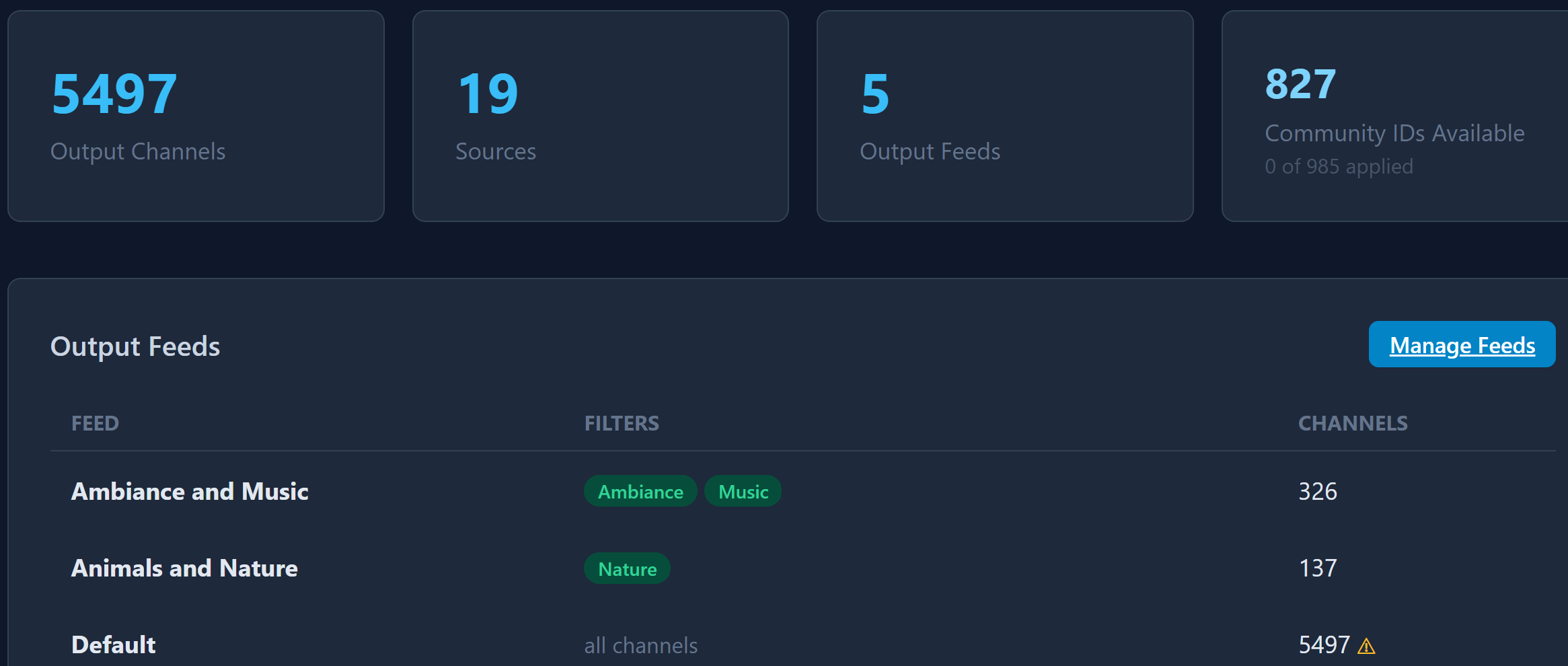

Counts all enabled source channels (including those not assigned to any output feeds)
Wow! Thank You.
Lots of changes and additions.
I like the channel notes 
OK, thanks for the reply... not sure I fully understand this yet, as I thought everything was in the Default Feed... unless the Default Feed is not considered as an Output feed?
I guess I'm not missing anything important then...
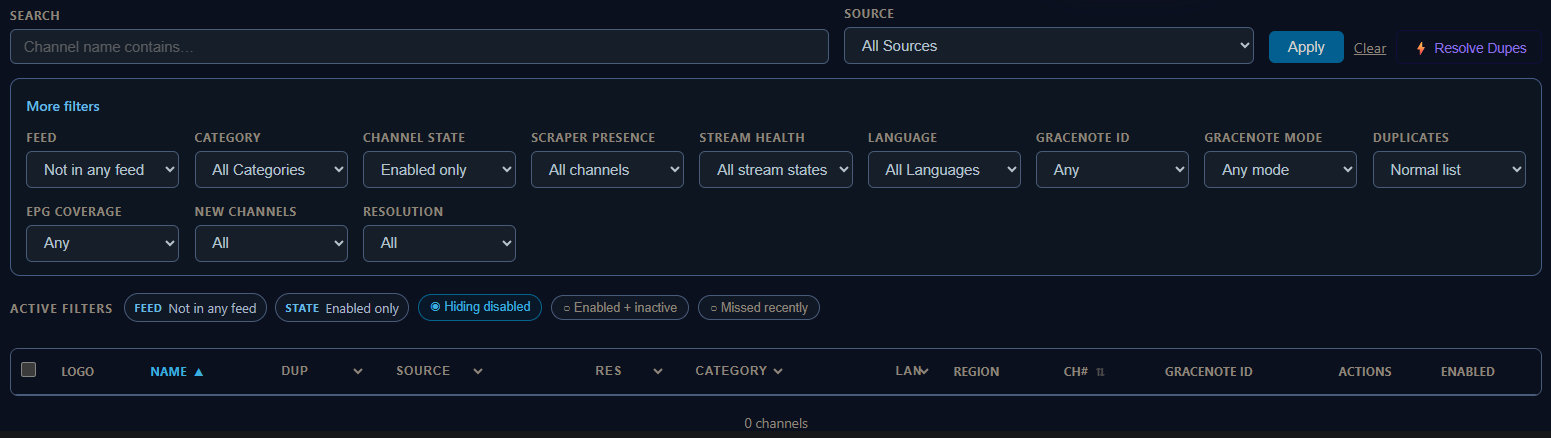
Oh, OK, got it now...
I see that I had not put, or is it "disabled", the non-english channels in any of my feeds...
1 Like
I considered calling that feature "cdDVRuser custom notes"
I'm sure at least one other user will find it useful. Maybe to put their shopping list in.
Should it appear in the CATEGORY filter dropdown?
Not seeing this. Does that mean I don't have any?
1 Like
yep.. it's super rare to happen- i just added as a "just in case"
1 Like
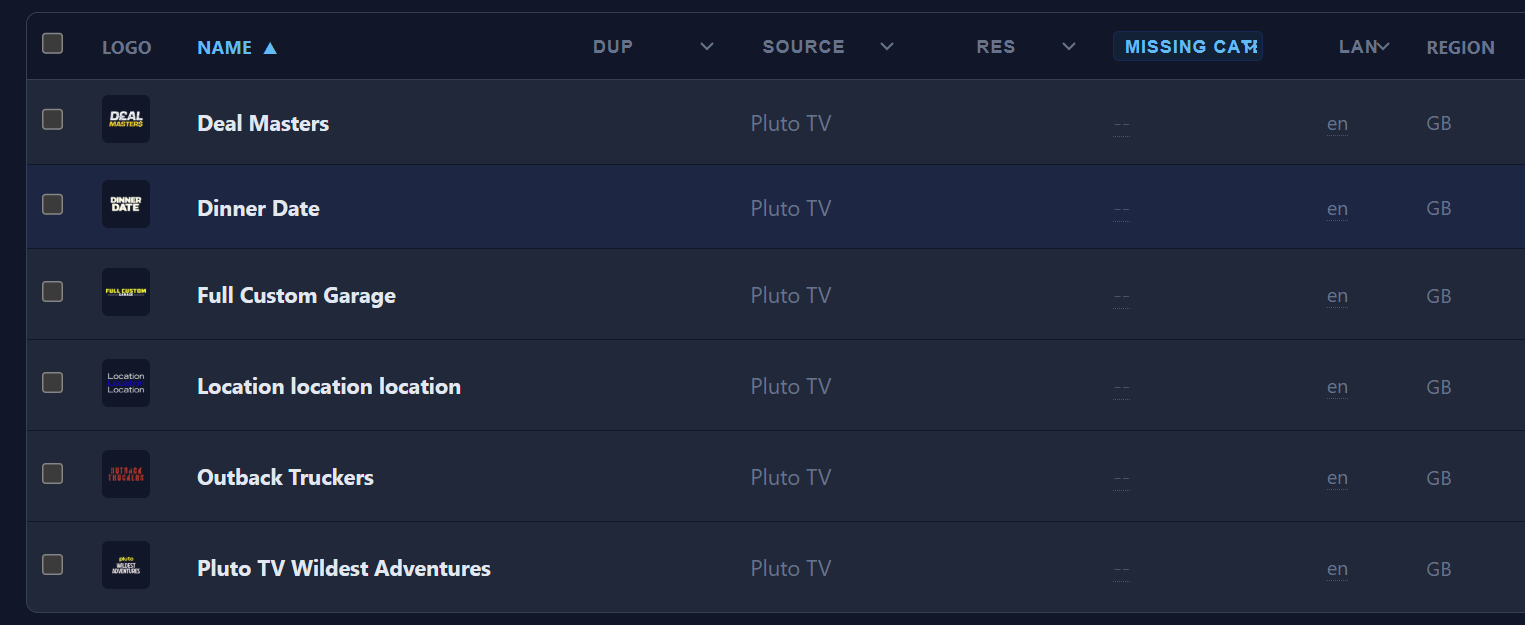
Just FYI... The Pluto GB has 6 channels in the Missing category...
I understand I can add them to the categories of my choice... I just wanted to point it out...
Nice!
I just eliminated close to 1,000 inactive channels.
1 Like
ok.. i will make a good faith effort to clean up those, but i haven't focused and probably wont, on channels not in the default regions (those are GB stations - sorry to the Brits).