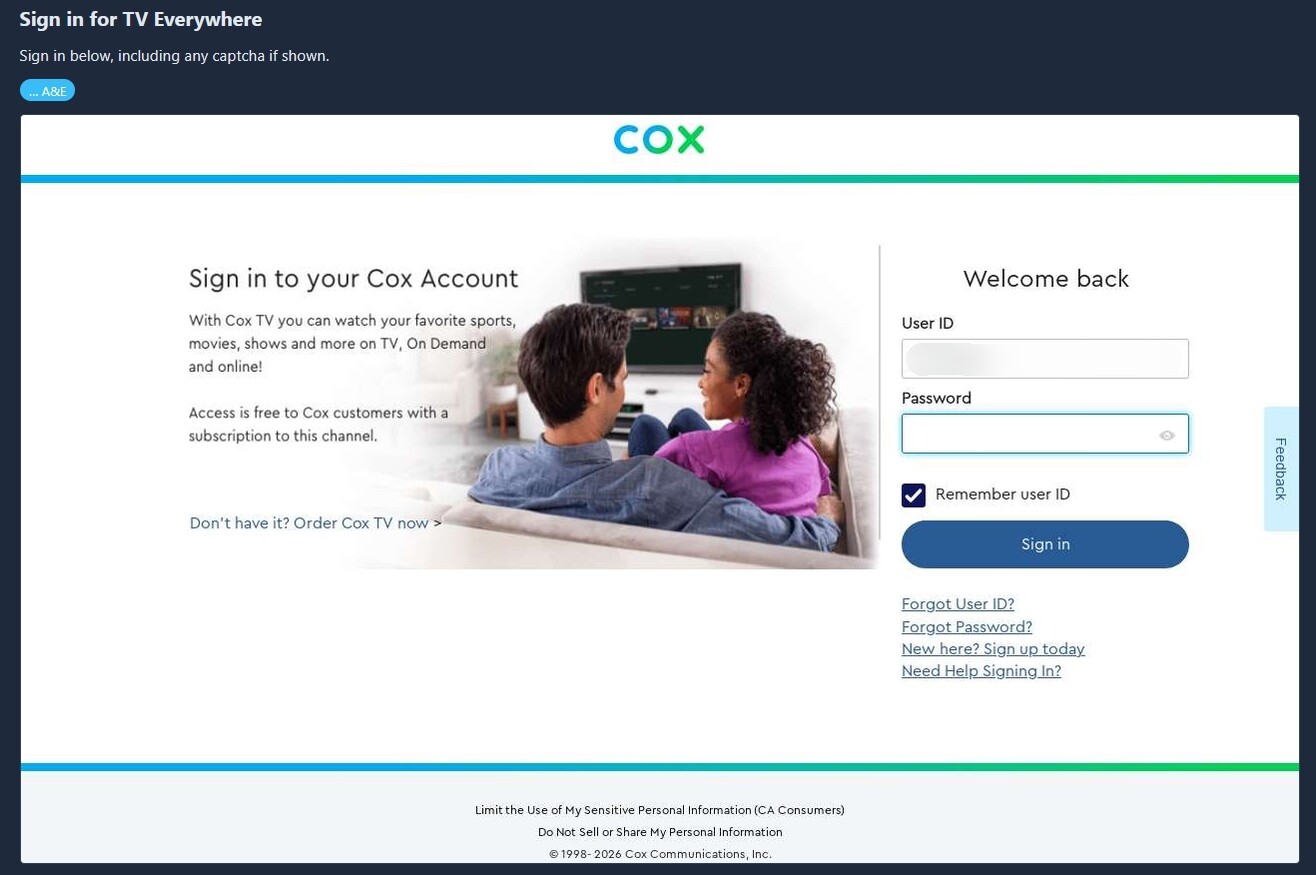
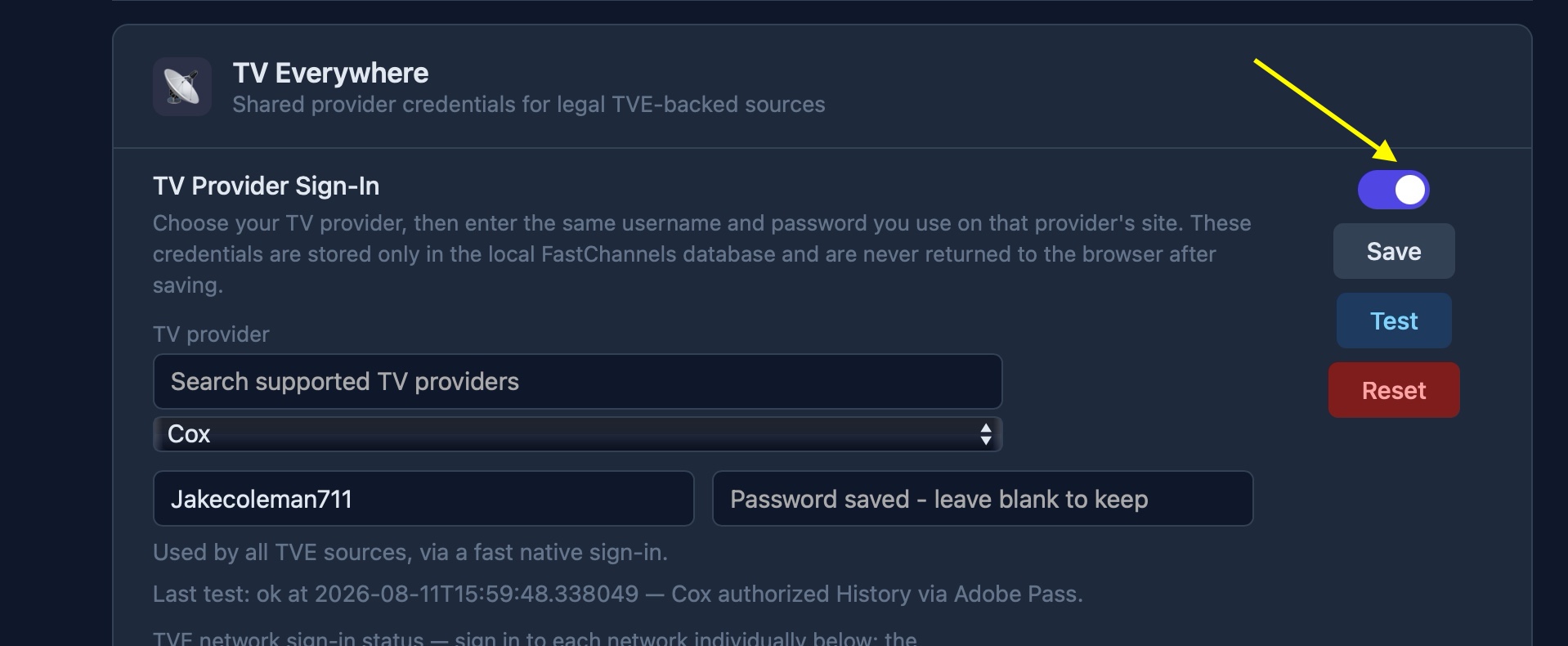
I just went straight to it with A&E and it ended up here:
From the logs:
2026-08-11 10:57:20,118 INFO app.routes.tasks: Enqueued MVPD browser login for requestor_id=AETV mso_id=Cox cascade=False
2026-08-11 10:57:20,223 INFO gunicorn.access: 172.24.0.1 "POST /api/settings/tve/browser-login/start HTTP/1.1" 200 21 2s
2026-08-11 10:58:09,878 INFO app.worker: [mvpd-login] autofill: no visible password field after 12.0s (SSO already past login, a captcha-first page, or an unrecognized form) url=https://www.cox.com/content/dam/cox/okta/loginwidget.html?fromURI=https%3A%2F%2Flogin.cox.com%2Fapp%2Fccires_tveverywhere_1%2Fexk1jha9awwp564kZ0h8%2Fsso%2Fsaml%3FSAMLRequest%3DhVNdc9owEPwrHr3bMo7BoMFkaEimzKQNBScPeckIc2AltuTqZD7%252BfWUDLm3S9FGnu92927vh9b7InS1oFErGpOP5xAGZqpWQm5g8Jndun1yPhsiLPCjZuDKZnMPPCtA4tlAiO%252F7EpNKSKY4CmeQFIDMpW4y%252F3bPA81mplVGpyokzRgRtLNWNklgVoBegtyKFx%252Fl9TDJjSmSUYulxS%252BTxlVqCl6rCRmjNQ2vEdxDEmVg5QnLTtHBGydVGSFu9bxB4WdI0FRrwxWzB9nvYZaDhpUNh%252F9Z5zfiA73Zltxe%252BPftZnyKqhpE4d0qn0PQdkzXPEYgzncSEh5EfXIUw2Ph88HrV7fIo8PtRGPFe1PftEKc444hiC7%252FLECuYSjRcmpgEftBz%252Fb7b6SSdkHUjFoZeLwifiTM7TeuLkEcXPhvt8piE7GuSzNzZwyIhztPZTZtATt6xhl1fmvY5MD%252BPmYxaX2yV986cIb0kaFfldm9A1jJwNDSZLs2BzQFLJVeJOqk4hv8t47w2DPbGJgu9ckuuzeH%252Fiv4mHJ1E%252FinrFPpuSaeTmcpFenDGea52Nxq4scYZXUGzAQU3n0%252BrjoiVu25SmdHccoA0xFnMavgfFc%252FFWoC%252BWPIPpVMl3SVkPF%252B7ak3Ht8kToa3QRapK63X7Ph0i6OlkVKe2TV5%252BtMG2mn5wzKNf%26RelayState%3Def98787c-2825-4db1-8e76-f70b2203db77%26SigAlg%3Dhttp%253A%252F%252Fwww.w3.org%252F2000%252F09%252Fxmldsig%2523rsa-sha1%26Signature%3Dk%252B2QzKgn%252FQLUqg4aVGq11SI77s0tIomXtMWzDcmSpgb%252FdrLUbknJAvPcPkX9yskEvW%252Fk2F37gnS7Ud6g8lhxuNiSgcc1TOz5hQq%252FDCHngedpNONkJqIdVS%252FZc%252BoFRZsNYVIKVzWoSENDsPC8AgB0l%252F7qPbd3YuuujVK%252BWb4t2CUK6Kl6NiQECML9PoHi4WBKKK5g2gfDomKfB2VvnKmMylkP19RJ1SWi8N6Y9cwnVKurpzvKzyZTxr%252FdNp%252BPWR0dA6Cn8zKtV8YGqqvVkxpVNZAxCAvuKpfovXCBqzlcwpfemRcQr2L%252BFnDTEx1i7FuTNpIzJ2VTInjb5RL15oBE4g%253D%253D&partner=aetv
So I hit the Reset button and started over, added credentials, and tested to all checkmarks.
2026-08-11 11:06:23.293 | 2026-08-11 11:06:23,289 INFO     app.routes.api: [tve-reset] cleared TVE account, 7 source configs, browser profile removed=True
2026-08-11 11:06:23.335 | 2026-08-11 11:06:23,334 INFO     gunicorn.access: 172.24.0.1 "POST /api/settings/tve/reset HTTP/1.1" 200 61 1s
2026-08-11 11:06:31.626 | 2026-08-11 11:06:31,616 INFO     gunicorn.access: 172.24.0.1 "GET /api/settings/tve/status HTTP/1.1" 200 1289 7s
2026-08-11 11:07:00.660 | 2026-08-11 11:07:00,654 INFO     gunicorn.access: 172.24.0.1 "POST /api/settings/tve/cox HTTP/1.1" 200 323 2s
2026-08-11 11:07:07.310 | 2026-08-11 11:07:07,301 INFO     gunicorn.access: 172.24.0.1 "POST /api/settings/tve/cox HTTP/1.1" 200 323 2s
2026-08-11 11:07:10.468 | 2026-08-11 11:07:10,463 INFO     gunicorn.access: 172.24.0.1 "POST /api/settings/tve/cox/test HTTP/1.1" 200 514 2s
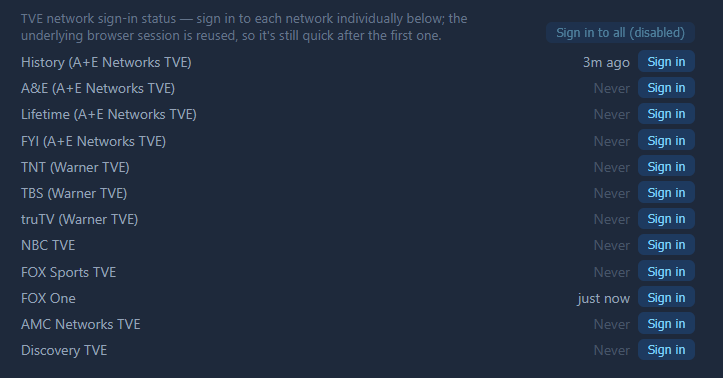
After that, I did the FoxOne signin, and that seemed to work, but for some reason History also started saying it was logged in.
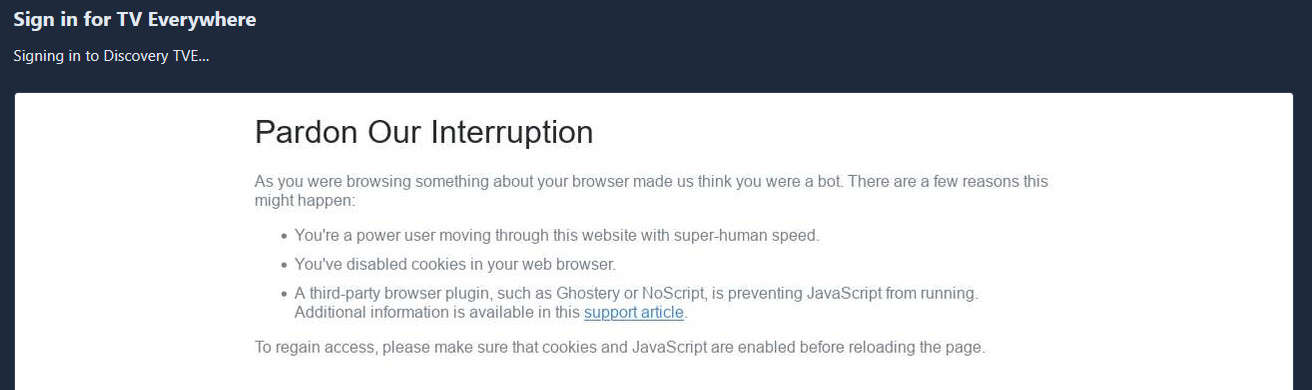
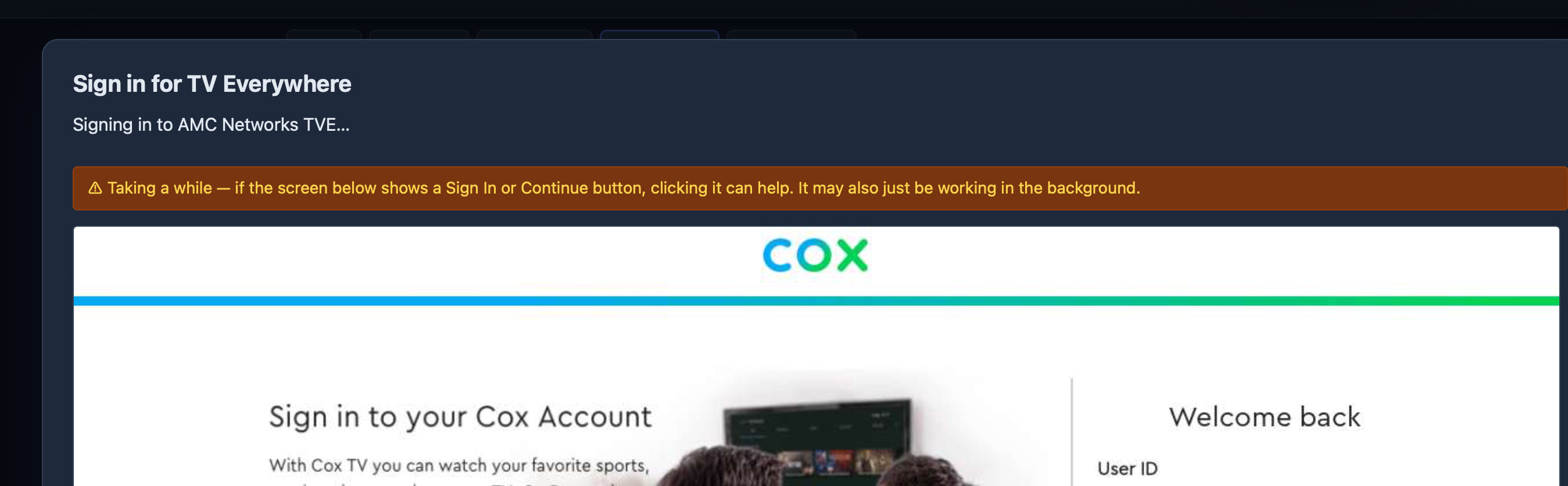
There was also no popup, it just went. In the next test, I went with Discovery, it showed a warning about it taking a while, then this...
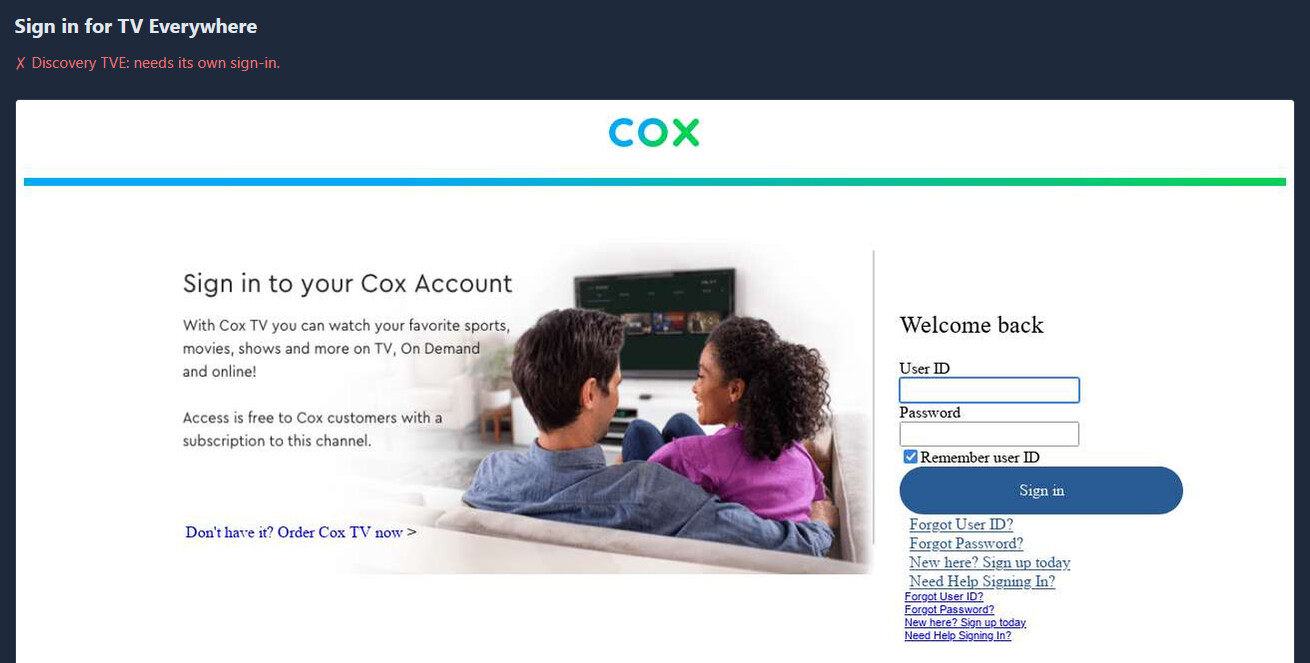
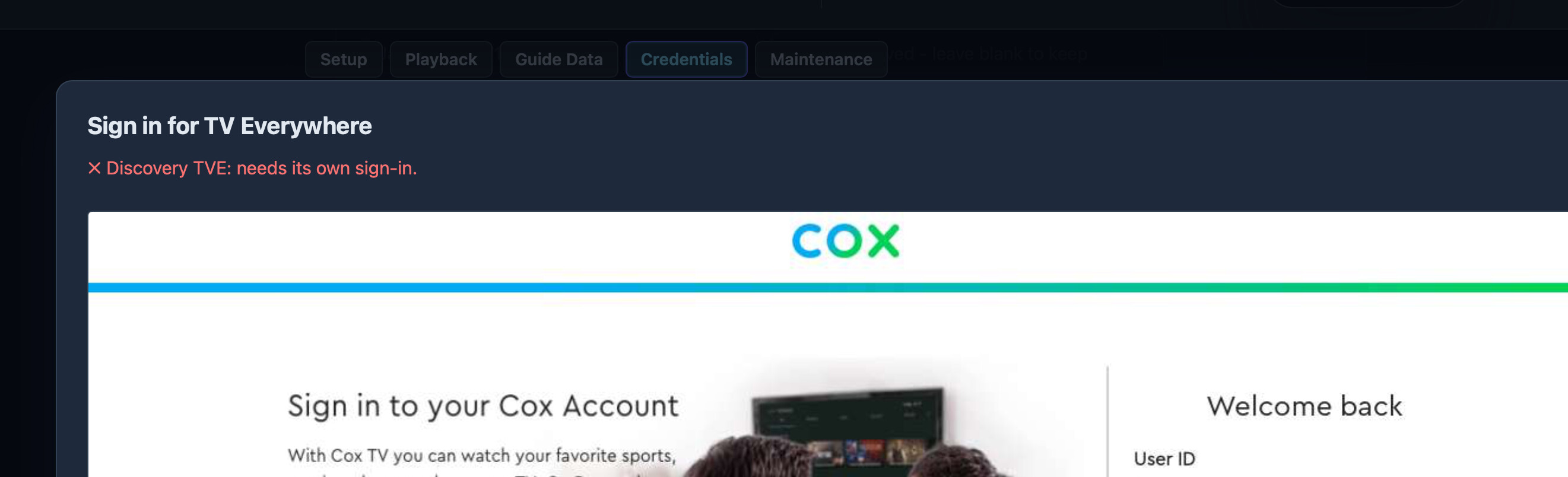
... and finally this...
Logs from all of that:
2026-08-11 11:10:24.260 | 2026-08-11 11:10:24,238 INFO     gunicorn.access: 172.24.0.1 "POST /api/settings/tve/foxone/signin HTTP/1.1" 200 12 5s
2026-08-11 11:10:25.849 | 2026-08-11 11:10:25,826 INFO     gunicorn.access: 172.24.0.1 "GET /api/settings/tve/status HTTP/1.1" 200 1301 1s
2026-08-11 11:11:55.645 | 2026-08-11 11:11:55,623 INFO     app.routes.tasks: Enqueued Discovery TVE browser login for mso_id=Cox
2026-08-11 11:11:55.675 | 2026-08-11 11:11:55,673 INFO     gunicorn.access: 172.24.0.1 "POST /api/settings/tve/discovery/browser-login/start HTTP/1.1" 200 21 0s
2026-08-11 11:12:52.860 | 2026-08-11 11:12:52,784 INFO     app.worker: [mvpd-login] autofill: no visible password field after 12.0s (SSO already past login, a captcha-first page, or an unrecognized form) url=https://www.cox.com/content/dam/cox/okta/loginwidget.html?fromURI=https%3A%2F%2Flogin.cox.com%2Fapp%2Fccires_tveverywhere_1%2Fexk1jha9awwp564kZ0h8%2Fsso%2Fsaml%3FSAMLRequest%3DhVNdc9owEPwrHr3bwuYjiQY7Q0MzZSZtXHD6kJeMkA%252BsxEiuTubj31cYcGmT0kef93b3bk%252FD2%252B2q9NZgUGoVkzDoEA%252BU0LlUy5g8Zff%252BNblNhshXZVSxUW0LNYWfNaD1XKNCdvgTk9oopjlKZIqvAJkVbDb6%252BsCioMMqo60WuiTeCBGMdVJ3WmG9AjMDs5YCnqYPMSmsrZBRilXAnVDAcz2HQOiVq9C9Dt0zvqMg3tjZkYrbZoQTS6mXUrnubcPAq4oKIQ3gi12Dm3e3KcDAS0hh%252Bxa%252BFvyGbzZVf9B7e%252B4U1xRRN4rEu9dGQDN3TBa8RCDeZBwTHolOGMmwu%252BhdXfEi7PYK3u3nr9F8ecO7woEw5YhyDb%252FbEGuYKLRc2ZhEnWjgd679MMzCPgsj1h0E%252Ff7gmXjpcVufpDqkcGm18wMI2ZcsS%252F30cZYR78cpTQcgx%252BxYo27OQ7tMzE9rJkmbi%252BsK3oUzpOcC7al83lpQexuYDG1hKrtjU8BKqzzTRxeH8r9tnM6GwdY6sDS5X3Fjd%252F939LdgcjT5p61j6ZsTnYxTXUqx80ZlqTd3Brh1wVlTQ3MBK24vb2tfkbm%252FaKDMGu40QFnizdI9%252Ffeal3IhwZwd%252BYfWqVb%252BHApeLny9oLlEofe3SmjrdiZ05QJvv4%252BvEcxknLT4dtzzv22xpaAfPOvkFw%253D%253D%26RelayState%3D859811e2-da74-4689-8149-c8a59be82e61%26SigAlg%3Dhttp%253A%252F%252Fwww.w3.org%252F2000%252F09%252Fxmldsig%2523rsa-sha1%26Signature%3DjV%252BU2U1FC%252F484ZZwjTTYnMrYXBSDeZqJdSZr9erQCskFplTTbl%252BjdtcD54UBSb%252BTye%252BEp%252FcZjzfj49gyuinV0W7vOtQUC0IOJwsDLMuIZL67Mw3vPQI8hLNoY1coKk1%252FPO1aKdihnVHEONnu2jPEUDOigJJ7oPsLtiEFMYRqU0tdAppyIn6E1BuqXNCUpwDGPukwAzkUq4GCKfUceoqaF4DMOtqfVR6z1SjkNoAlOfu%252FnpAcVIKiIwgYcmZimaK%252FIslNakGsGx7j0w%252Fe26YXtsHooOQrOIkrbI4OBB5VW2UBdHjGnCJiuRPDd3a6NHQ6qn%252FuhMjCP639gR%252BLiaQ5iA%253D%253D&partner=discovery
2026-08-11 11:13:26.879 | 2026-08-11 11:13:26,732 WARNING  app.worker: [discovery-mvpd-login] page CLOSE event fired
I went for NBC and that one worked!
2026-08-11 11:14:10.193 | 2026-08-11 11:14:10,184 INFO     app.worker: [worker] pruned 2335 expired EPG entries
2026-08-11 11:15:59.334 | 2026-08-11 11:15:59,315 INFO     app.routes.tasks: Enqueued NBC MVPD browser login for mso_id=Cox
2026-08-11 11:15:59.376 | 2026-08-11 11:15:59,365 INFO     gunicorn.access: 172.24.0.1 "POST /api/settings/tve/nbc/browser-login/start HTTP/1.1" 200 21 0s
2026-08-11 11:16:08.129 | 2026-08-11 11:16:08,098 INFO     gunicorn.error: Autorestarting worker after current request.
2026-08-11 11:16:08.523 | 2026-08-11 11:16:08,438 INFO     gunicorn.error: Worker exiting (pid: 565)
2026-08-11 11:16:21.497 | 2026-08-11 11:16:21,414 INFO     gunicorn.error: Booting worker with pid: 1131
2026-08-11 11:17:00.087 | 2026-08-11 11:16:59,939 INFO     app.worker: [mvpd-login] autofill: filled and submitted credentials for [REDACTED] (attempt 1)
2026-08-11 11:17:14.288 | 2026-08-11 11:17:14,261 INFO     app.worker: [nbc-mvpd-login] paired mso_id=Cox
2026-08-11 11:17:14.382 | 2026-08-11 11:17:14,381 WARNING  app.worker: [nbc-mvpd-login] page CLOSE event fired
2026-08-11 11:17:24.363 | 2026-08-11 11:17:24,358 INFO     gunicorn.access: 172.24.0.1 "GET /api/settings/tve/status HTTP/1.1" 200 1307 9s
And that seemed a good point to wrap up this test.