
That is exactly it! It's working on the AppleTV client now. I did have to make a change so the port would be open to the network and I could reach the ADMIN address form other PCs on the network, but I think that was a separate issue. Thank you and everyone for the quick response and follow up help. Greatly appreciated!!!
Thank you all for jumping right in to help! All good. I will be installing another browser on the media server so I can test properly going forward. FastChannels is fantastic and greatly simplifies my setup.
1 Like
Def don't buy the new Vega one - get an older 4K Max - you can pick them up for $25. I had zero issues installing Kodi. I'll include some documentation on how to do it when I get this dialed in, but honestly it took me 10 minutes to setup the stick.
About to cancel Peacock but still need our OPL fix. Does recording Reelz from Frndly via FC require DRM workaround or does it just work?
All channels on FRNDLY are in the clear.
Recording from Reelz is straight forward.
thanks
1 Like
REELZ web stream is DRM free last I checked. Channels had some issue with it while back, but while they fixed the issues in Channels, I found the URL and use that as m3u source since then. Had no issues. Think the link is in one of the thread on here, you may be able to find it via search.
(note, it could change or stop working at anytime, however, it been working fine for me on its own, for just over a year now)
@KineticMan, is this a situation of garbage guide data from Pluto, or is this FC trying to fill in when Pluto gave nothing?
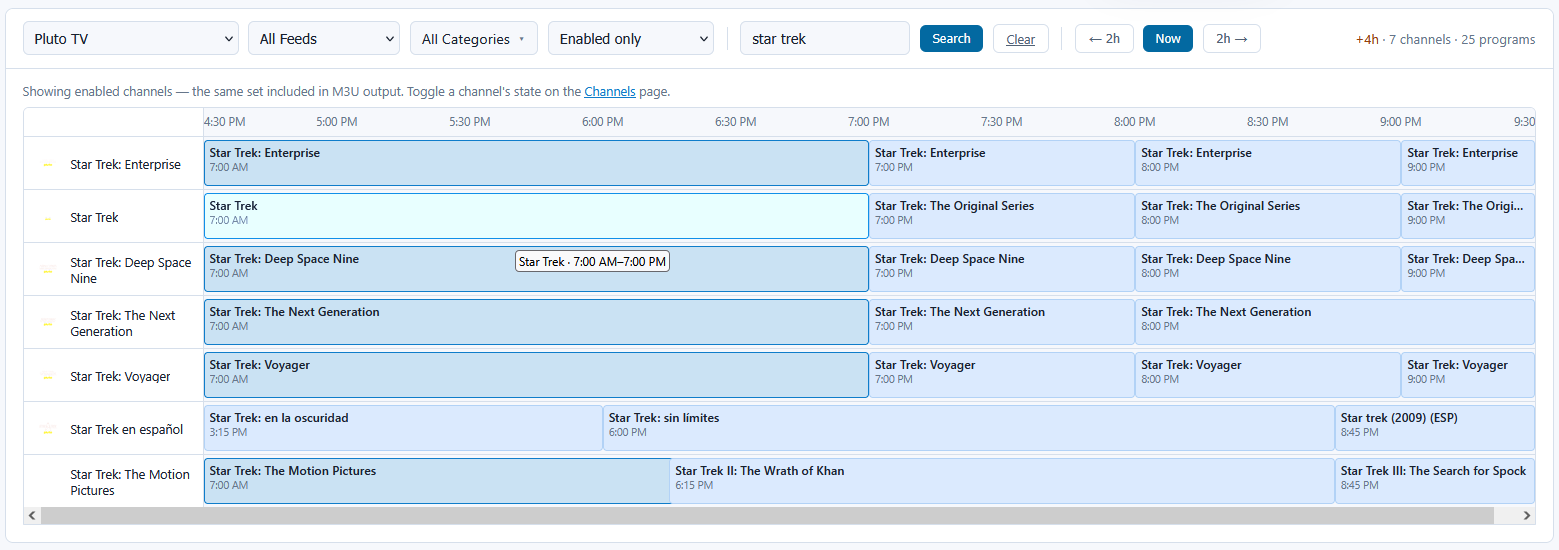
yo I don't do any synthetic EPG with pluto - so blame them!
1 Like
I been having this too. but thought it was some timing issue or something. I do a manual re-scrape in Fastchannels and its fine again.
Looks like Pluto's ears were turning red because everything corrected itself:
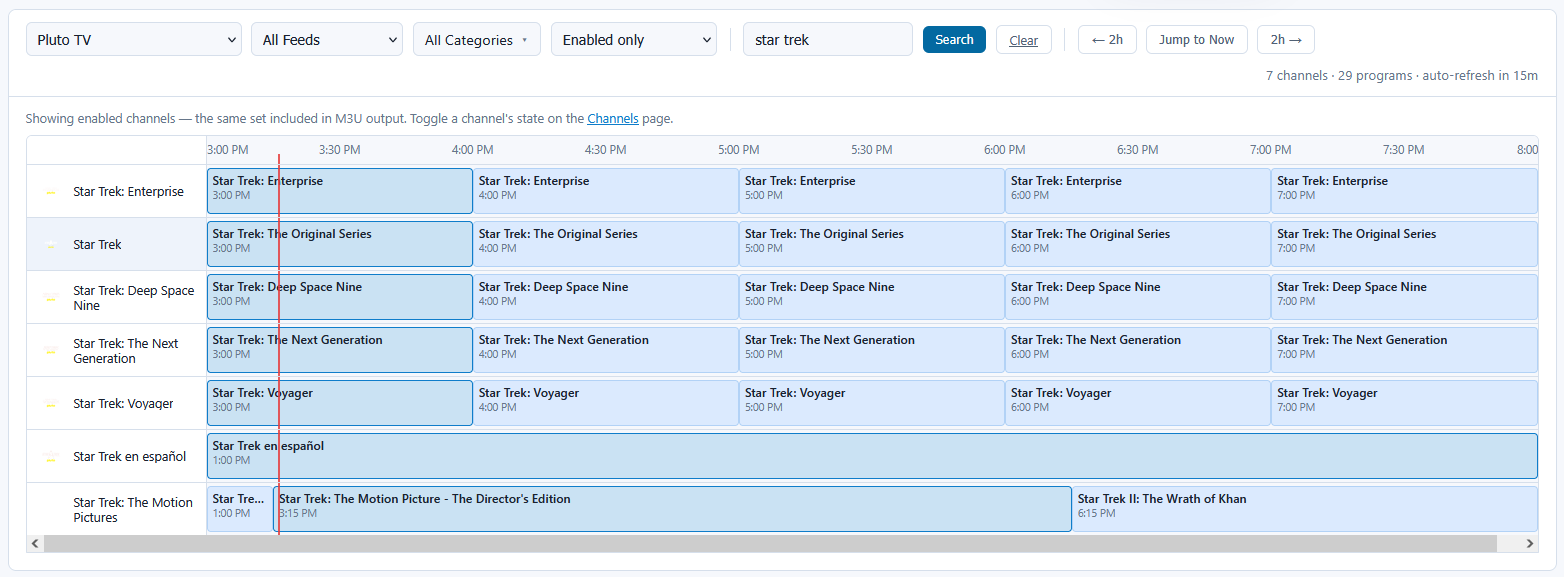
I didn't do a manual re-scrape, just the regular timed one happened. Honestly, I wouldn't have even noticed this if I wasn't testing something else and traced what I was seeing back to FC.
1 Like
I noticed some anomalous looking guide data entries that I think are restricted to the Free Cast channel SWAAGTVonPOYNT. Could be a bug in my PowerShell function, but more likely a problem with the XMLTV data. Maybe a scraper issue. Maybe something completely out of your control.
Here is one of several programme objects:
<programme start="20260820163000 +0000" stop="20260820190000 +0000" channel="freecast.cms-swaagtvonpoynt">
    <title lang="en">TURNING POINT (DRAMA - A successful Nigerian-American playboy faces life-changing consequences after abandoning his American girlfriend and accepting an arranged marriage to a Nigerian woman chosen by his controlling mother.)</title>
    <desc lang="en">(DRAMA - A successful Nigerian-American playboy faces life-changing consequences after abandoning his American girlfriend and accepting an arranged marriage to a Nigerian woman chosen by his controlling mother.</desc>
    <category lang="en">Entertainment</category>
    <category lang="en">FreeCast</category>
    <episode-num system="freecast">208f50f5108d4582adc414eca66959ca</episode-num>
</programme>
def from upstream... Garbage in, garbage out!
but I could probably add some defensive steps there. tnx for reporting.
1 Like
Is there a way to manually edit the Category name or add custom ones? I cannot seem to figure out how to do this. Thank you.
From admin/channels, just click the category name next to the channel you want to change. A modal should pop up.
And no, no custom categories. But you can make as many custom feeds as you’d like!
Thanks, so if I want to change the "Latino" category to "Spanish", how would I do this?
You can't. But you can change the language to Spanish.
Thanks, that was an example. I would also like to change "Game Shows" to "Daytime + GameShows", among others.
KineticMan isn't allowing custom Categories.
Believe me, I already asked.
2 Likes
Gotcha, thanks.
1 Like
I knew you’d chime in 