
From a user's perspective, @anon38303228 has another great idea. With a future total of (5) sticks, I really only need 2 or 3 to armed and ready based on my past experiences with the Osprey's. If I lose a sec or two on the end of line sticks, I can live with that.
I've got 2 new sticks coming Tuesday so I'm up to testing when they arrive.
You actually can't; you should still pick Cox, but make sure your username is the one Spectrum expects. The providers that require you to select Spectrum are not ones that Channels gives access to, like NFL.
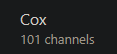
How many channels are people getting with LG Channels? I am only getting 192 and am missing a lot of channels like Best of Bobby Flay (which shows as one of their channels on this list).
Getting 190 LG channels and Best of Bobby Flay is not one of them.
That's showing 784 channels.
Best of Bobby Flay is available on Vizio and Pluto though.
Yeah, neither of those are great, though. Pluto is shit quality and Vizio has terrible logos and sometimes their captions are messed up (but at least excellent quality streams). I’ve gone with Vizio for now.
@Apsattv has the Best of Bobby Flay channel in his US LG playlist
maybe @KineticMan can figure out a way to scrape the channel from LG
Who needs best of Bobby Flay when I’ve already got them all DVR’ed?
Have you used the CDVR Virtual Channels feature before? I have about a dozen of them that get heavy use.
You and @bnhf control those scripts? Throw in a #version and add the piece you asked for. Then I’ll sync em up.
Yes.
We use basic CalVer throughout ah4c. Is that acceptable? Basically the same system CDVR uses. We haven't bothered with a .HHMM for full CalVer, as they don't change that much, but we can add it if you'd like.
CalVer’s perfect—no need for .HHMM . One small addition so FastChannels can see the version: ah4c doesn’t expose the script files, so could bmitune.sh send the date on the trigger call it already makes?
SCRIPTS_VERSION="2026.09.27"  # Bump when any script in firetv/fastchannels changes
local url="$FASTCHANNELS_URL/play/fc-player/$SOURCE/$CHANNEL_ID.m3u8?scripts=$SCRIPTS_VERSION"
[ -n "$TUNERIP" ] && url="$url&adb=$TUNERIP"
It’s safe to add anytime; FastChannels ignores unknown parameters. Could you also add mackid’s KEYCODE_WAKEUP change in prebmitune ? Once those land, I’ll pull the scripts from your repo at build time, and the Bridge page will flag tuners running an older set.
I never looked that deep into which CDN the scraper used. If this other one is better, and accessible, i suppose we could ...
but also, if it aint broke.......
ok sounds like worth investigating. if u wanna DM some deets, or submit PR, i'll take a gander.
My fear would be that pulling from the primary CDN could be used to monitor streams. I'd hate to lose the ability of having additional tuners available for limited stream users. If it's a toggle, we can test it then opt out if it does.
BTW, my old eyes can’t tell the difference with either. I remember when I first started watching ESPN3 college games. Though it was never crisp, we could al least get the game.
FastChannels 5.4.0 released
-
ESPN source: ESPN, ESPN2, ESPNU, ESPNews, ESPN Deportes, SEC Network, ACC Network, NFL Network and MLB Network, played through the FastChannels Player bridge. Sign in with an ESPN account using a TV activation code (Activate - WatchESPN). The session renews itself, guide data comes from ESPN, and all nine have Gracenote IDs. Off by default.
-
DirecTV channel numbers (opt-in, per source): output each DirecTV channel's own number as tvg-chno, including sub-channels for feeds that share a number (e.g. 213 / 213.1, 305.1–305.3). The numbering matches the community ah4c/ADBTuner grabber scripts. Other sources are numbered around DirecTV, so there are no duplicate numbers. Based on PR #62, thanks!
-
Decimal channel locks: lock any channel to a number like 700.1 from the Channels page or the feed's Order & Numbers dialog.
-
Feed Order & Numbers: typing a number now locks the channel to exactly that number in every feed, even outside the feed's range. DirecTV-numbered and locked channels stay put when you drag or renumber, and the dialog explains when a number snaps.
-
Spectrum Travel Channels: Spectrum's streamable stand-ins for local stations you can't stream from where the server is. They're named, numbered and categorized after the home station they replace.
-
FOX One moves to Premium Sources with its own settings card. It can use the shared TV-provider account or its own separate login (with its own browser profile), and the home ZIP now lives on the FOX One card.
-
Bridge page devices card: lists every FastChannels Player device with its online state, model, OS, player version, what it's playing, the picture resolution, Wi-Fi signal and recent recoveries. Install or update the player per device, or all at once.
-
Outside-the-US warning: the dashboard warns when the server isn't in the US, since nearly every source is US-only. The stream audit now reports geo-blocks (HTTP 403/451/452) clearly. Set GEO_CHECK_ENABLED=0 to turn off the lookup.
-
ah4c scripts now come from ah4c itself (sullrich/ah4c, scripts/firetv/fastchannels, maintained there with @bnhf and @anon38303228). FastChannels ships the same set and shows each tuner's script version in the tuner check. Tuners on an older set get an update hint, and the export dialog includes a one-line in-place update command.
 Fixes
-
FastChannels Player 5.2.10: rides out live ad gaps by rejoining the live edge instead of exiting to the launcher, and rebuilds the player when it silently freezes. It also reports picture/recovery status for the new devices card.
-
Wake before tune: the bridge wakes a sleeping Fire TV before tuning. Before, the device accepted the tune but stayed dark.
-
Sling: fixed endless segment 404s and a soft/blurry picture on FastChannels Player, and ~1,800 schedule-API calls per hour per viewer are now cached.
-
TV Everywhere sign-ins:
- NBC, AMC Networks, FOX and FOX One now keep a valid sign-in when only its short-lived token expires, instead of breaking hours after every sign-in.
- Cox accounts now sign in through Spectrum's page, which is where Cox logins now go.
- Discovery sessions are reused until Discovery rejects them, and it works with Spectrum and Cox again.
- Networks that can't work with your provider are marked instead of failing.
-
Spectrum:
- Re-tuning a channel no longer gives a black screen from an expired stream token.
- "Change account" is clicked instead of Continue when Spectrum recognizes a different account on your home network.
-
Also fixed:
- The Channels page sorts by the number actually shown.
- Clicking away from a channel number no longer locks it.
- The channel API rejects non-integer numbers.
- Bridged DRM channels no longer log a misleading "auto-disable" on every tune.
 Removed
- Cox Contour source retired, since Cox is folding into Spectrum and Contour sign-ins have been failing since mid-September. Existing Cox channels show as Retired and are purged after 7 days.
Upgrading?
docker compose pull && docker compose up -d
Then to upgrade your FireStick/Android app:
- Go to the Bridge page → FastChannels Player devices card. Any stick on an older player shows Update to 5.2.10. Click it per device, or click Update all. It installs over adb and keeps the app's data, so there's nothing to reconfigure. Updating restarts the player, so don't do it during a recording.
5 Likes
Updated thru Portainer. Had to reauthorize both Fire Stick 4K Max's.
If you originally deployed FastChannels using Project One-Click, it looks like this is my fault. The FastChannels yaml didn't include the adb_keys: Docker Volume. I'm updating the Compose now to include this, but you should update yours to:
services:
  fastchannels: # This docker-compose typically requires no editing. Use the Environment variables section of Portainer to set your values.
    # 2026.09.29
    # GitHub home for this project with setup instructions: https://github.com/kineticman/FastChannels
    # Docker container home for this project: https://github.com/kineticman/FastChannels/pkgs/container/fastchannels
    image: ghcr.io/kineticman/fastchannels:${TAG:-latest}
    container_name: fastchannels
    dns_search: ${DOMAIN:-localdomain}
    ports:
      - ${HOST_PORT:-5523}:5523
    environment:
      - TZ=${TZ:-America/New_York}
      - FASTCHANNELS_SERVER_URL=${FASTCHANNELS_SERVER_URL:-http://192.168.1.50:5523}
      - CHANNELS_DVR_SERVER_URL=${CHANNELS_DVR_SERVER_URL:-http://192.168.1.60:8089}
    volumes:
      - db_data:/data
      - adb_keys:/root/.android
    restart: unless-stopped
volumes:
  db_data:
  adb_keys:
1 Like
I'm not even mad. I'm just disappointed in you.
failed to pull images of the stack: compose pull operation failed: failed to create compose project: failed to load the compose file : failed to parse /data/compose/2/docker-compose.yml: yaml: did not find expected key
Edit: Nevermind. Copy and Paste is not my strong suite!!!
since you're in the tinkering mood, try something on your Firestick for me .. LinkPi doesn't have Dolby or DTS decoder, so I'm thinking the audio output on the Firestick needs to be set to stereo PCM so sound doesn't get noisy/garbed.
Fire TV → Settings → Display & Sounds → Audio → set Dolby Digital Plus / Dolby Digital Output to Off (or set the audio output to Stereo / PCM). Reboot the encoder isn't needed; just re-tune the problem channel.