
I'm curious about this too, thanks for asking!
There are some (like this FastChannels) that offer a gracenote playlist (has tvc-guide-stationid=) and a non-gracenote playlist (needs xmltv epg)
Here's one example I posted in the Plex topic
Another from the Frndly TV project
I get the gracenote ID from these other sources, or look them up (many posts and ways to do that have been discussed for years)
I use SLM to do that. Of course it helps that all of the channels I have enabled are "proper" channels and you can get "proper" gracenote data for them
only thing I can guess is that the XML Generator can be a bit heavy, especially if your using a lot of feeds and contsantly refreshing from CDVR. I could implement better caching - but the negative effect would be when you guys edit your stuff, there would have to be some sort of wait to generate new XML then serve from disk.
right now the only cached XML is the main output epg.xml .. let me think more about this.
I see. I am using that docker for Plex (jgomez177/plex-for-channels).
Did not really pay attention to the additional play lists.
Does a Pluto solution support Gracenote?
The previous docker i used i do not think did, do not recall.
I am using the Windows app by Bobby_Vaughz right now for Pluto, sadly, that not have a Gracenote dedicated playlist option.
Nor does the matthuisman/samsung-tvplus-for-channels docker i am using.
Though, atm, Pluto and Plex are my most used Fast sources.
@KineticMan question on database location...
So, due to the issue with the memory above, I did a quick install on my old linux server and noticed normal mem usage...
So, I decided to blow away my regular fastchannels..
Stopped the container, removed the lines from dockge, saved and redeploy the iptv stack which should have removed the fastchannel container... went into Portainer and removed the image...
I didn't check to see if the folder was deleted, but it should have been... I'm using a static volume volumes:
- ./fastchannels/data:/data
Stopped the iptv stack, re-added the fastchannels lines to the yaml file (in dockge) and started the stack and it pulled down the latest version...
I was waiting for all the sources to come up but I see it automatically pulled them in... waited a bit and now doing the Stream Audit..
While I was waiting, I went to the Feeds tab and my previous Feeds are already there, along with the settings for "Local Now" (my local market/DMA) and my Pluto userid and password was also there...
So, the question is, the database was saved? where?
wherever your blind mount is setup is where the DB is stored. so u probably didnt delete that
Is that what the Volumes are in Portainer?
In my tests and wiping of things to start fresh, i have always deleted this.
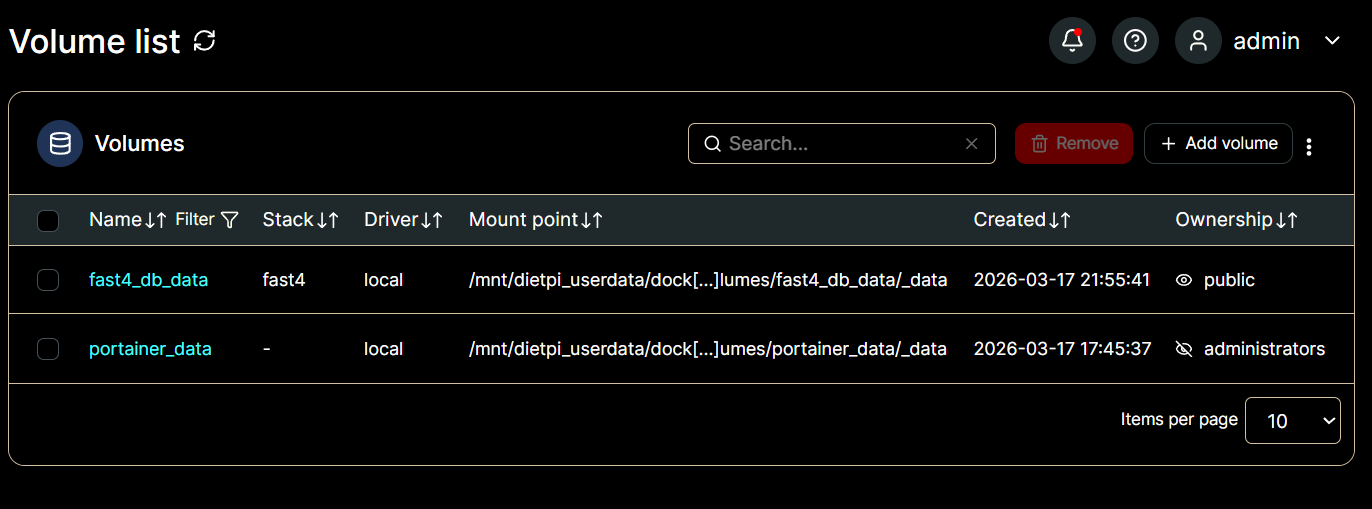

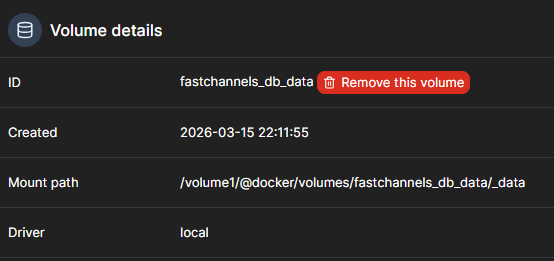
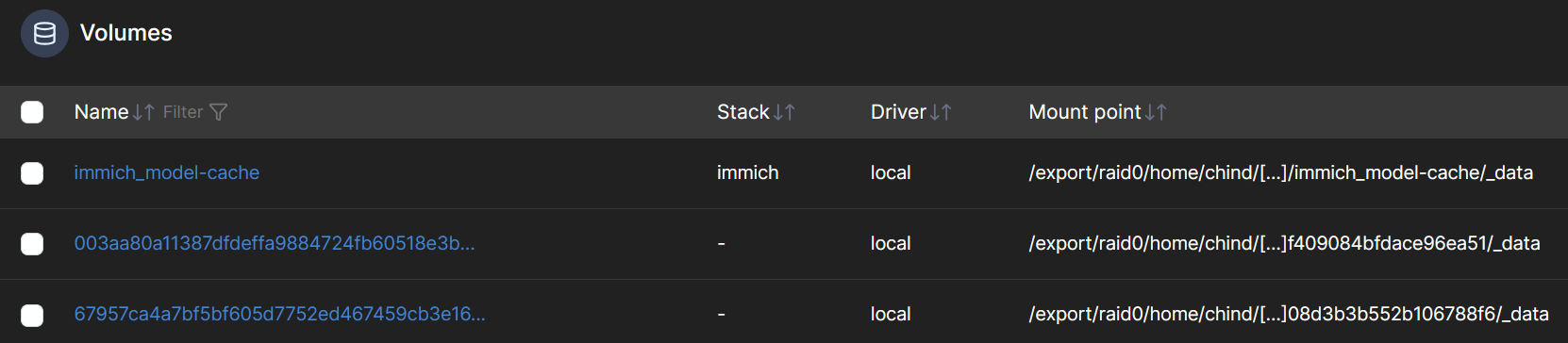
No, it's not the same... I'm using a bind mount, so dockge actually creates a folder and then save all the container's data in that folder... I don't use volumes, actually I still have one container left with 3 volumes attached to it, from when I initially set up Podman on my server...
This was before I understood the difference between the volumes and the bind mounts... binds just works better for me... different folks, different preferences...
Just for ref, here's my volumes in Portainer:
1 Like
Not that I know of.
The only ones I use that do are Frndly, Plex and Tubi (I don't use the Tubi gracenote, too many wrong ones in there).
to be clear- you can just force any channel to use Gracenote if you wish. like, if you liked a channel that Tubi and Pluto have, and you wanted to use the Pluto version of it but the Tubi one shows Gracenote ID (it's automated from the source or some I hard coded), you can just add the Gracenote to the Pluto channel. make sense?
Deleting the container, image, stack, compose, etc. will not delete the host bind mount data directory.
As you found out.
Well, if a specific fast channel is the identical stream (same programing) then it should be able to be mapped to a Gracenote data.
But, i do not see a obvious way to map a single channel inside a single custom m3u source tuner to use a different guide data, while that tuner is set to use xml in settings. I gather that guide data in Channels has to be configured per source "tuner" and applies to all channels in that source.
Understood, it's just that when I previously deleted a container via dockge, it has always deleted the bind folder... live and learn though...
let's say that's an assumption on my part... you know what they say about assume....well, not you anyway...
That's the reason we use two sources for these.
If the source is set to get XMLTV guide data, you cannot override that in the playlist m3u using the tag tvc-guide-stationid=. You can put it in the playlist m3u, but Channels DVR ignores it.
In the two sources setup, one source has only channels with gracenote guide data as specified by the tag tvc-guide-stationid= in the playlist m3u. You must not specify an XLMTV URL for this one.
The other source has only channels that use the provided XMLTV guide data.
So in your Feeds tab in FastChannels, you have two playlist sources for each feed. One for channels with gracenote guide data and one for channels without gracenote guide data.
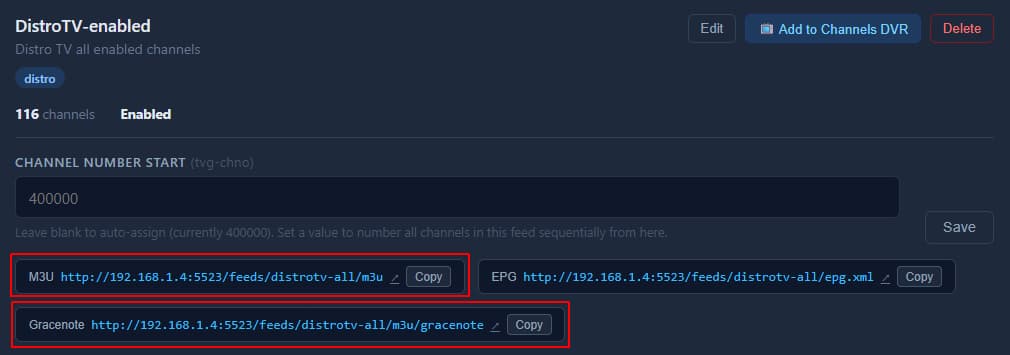
Look at the contents of the two playlists.
This one was out of my paygrade, so I put Codex to the task........
I dug into the memory issue pretty thoroughly, and I was wrong about what was happening.
The main problem was not that FastChannels was constantly regenerating XML on every request. The bigger issue was how XML and some feed validation work were being handled in memory inside the app, which could leave workers bloated over time. I’ve since changed that so cached XML is served much more efficiently, XML rebuilds stay out of the web workers, feed-related validation is lighter, and the app is running with a more sensible worker setup.
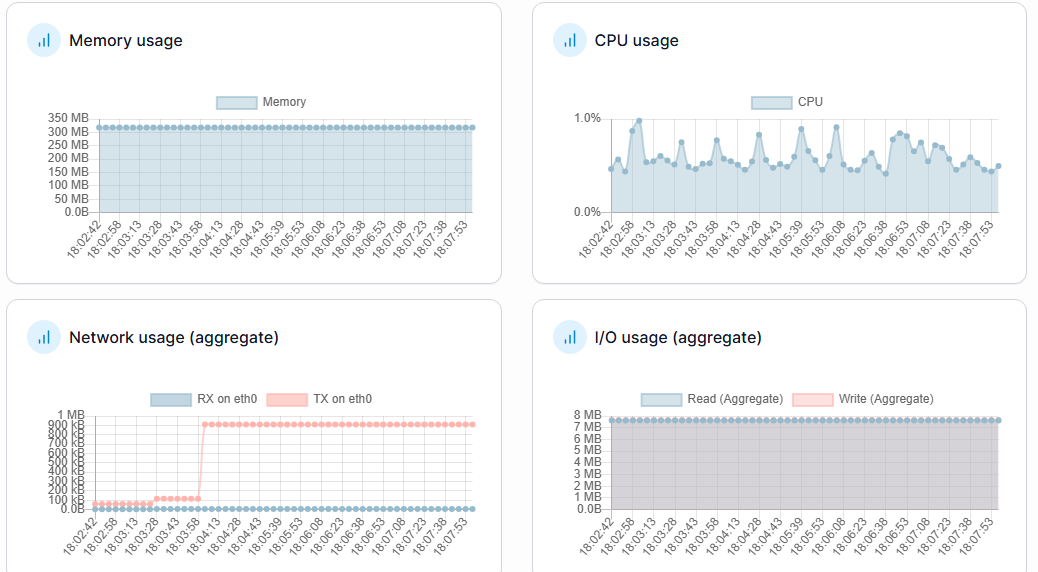
After those changes, memory usage is now looking much better here. What had been climbing into a much higher range is now sitting in a normal range again, roughly around the low-to-mid 200 MB area in my testing, without the big spikes and swap behavior I was seeing before.
So if anyone followed my earlier comments on this, that was on me. I had the cause wrong at first. The good news is the issue was real, it’s been tracked down much more accurately now, and the fixes have made a clear difference.
2 Likes
Looking forward to the update... as I said, I rebuild my container... it was hovering around the 1.5GB memory usage while doing the Stream Audits.. then I got to the Samsung and it spiked up to 5GB again...
v1.8.0? 
1 Like