FastChannels - FAST Channels aggregator/manager

Does this mean that I have to enable "Bridge DRM channels"?

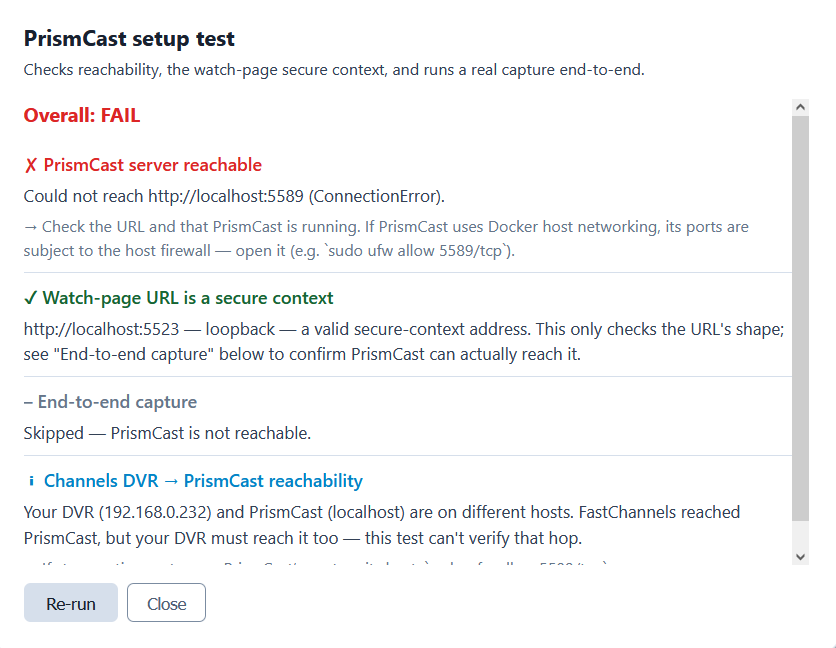
If so, when I do, I try "Test" and get:
"Could not reach http://localhost:5589 (ConnectionError)."

If I put "http://localhost:5589" into FireFox, PrisimCast comes up fine.

There is a reference to:
sudo ufw allow 5589/tcp
But I don't know what sudo is or if it applies to me.

Running Windows 10 Docker.

What am I missing here?

Yeah...vintage Plex lol :smiley:

Yes, you need to enable Bridge mode. And you need to have Prismcast installed on the same server.

Ignore the sudo sfw stuff- that's for Linux systems (to allow firewall)

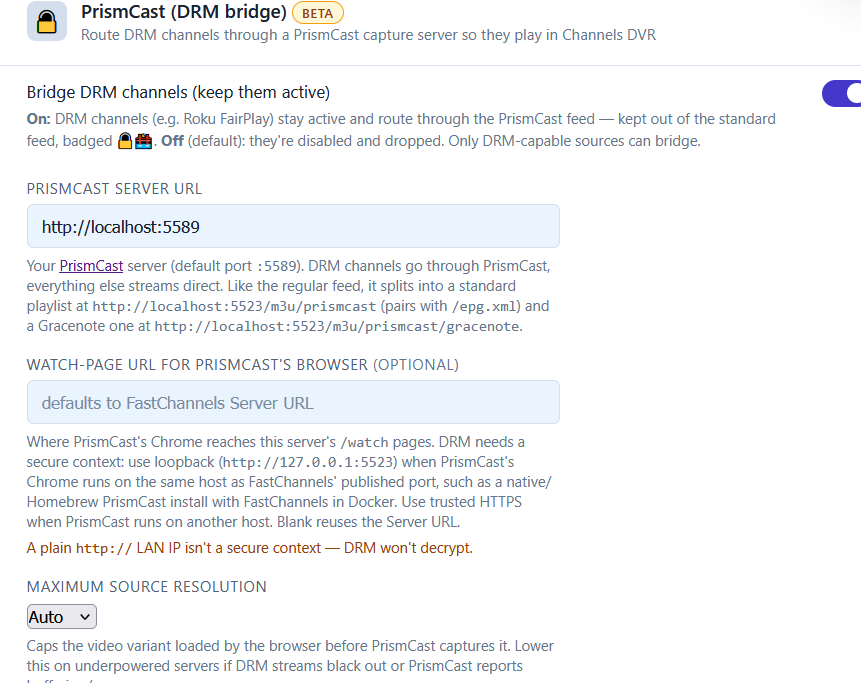
Okay, I have that. Still getting:
Could not reach http://localhost:5589 (ConnectionError).

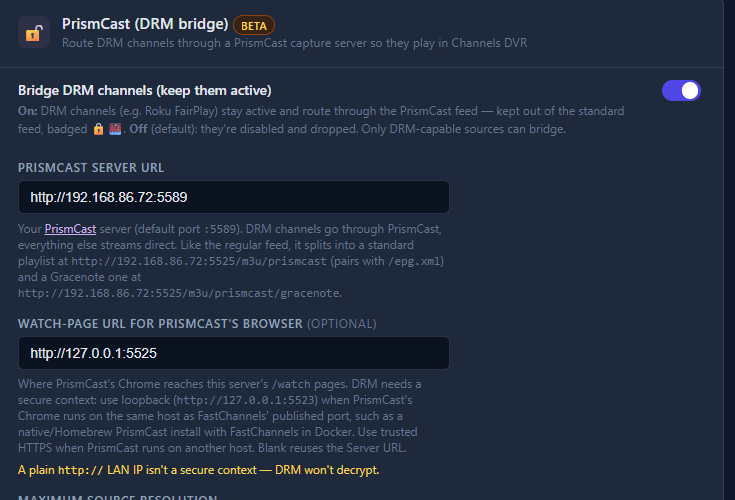
send me this screenshot from admin/settings:


try changing the localhost:5589 to your actual lan IP (for example, mine is http://192.168.86.72:5589)

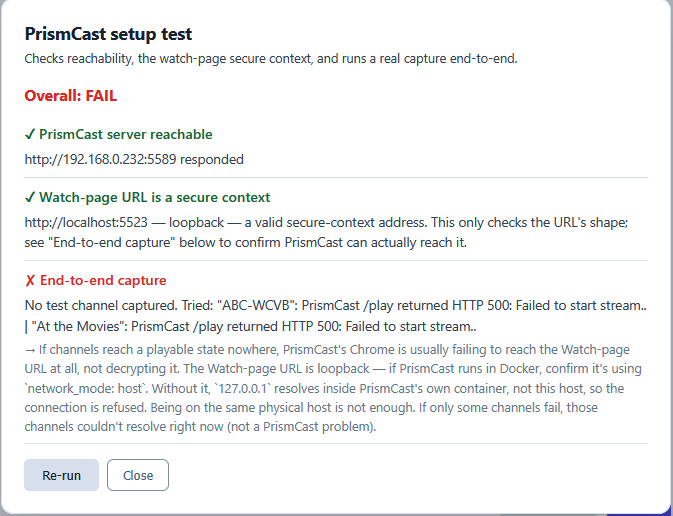
Even though localhost and numeric IP went to same place, that change got me by the error I was having. However, I now have a new error, as follows:

I'm also still trying to figure out why I can't get the prismcast integration working. Prismcast works when used directly with Channels for espn etc.

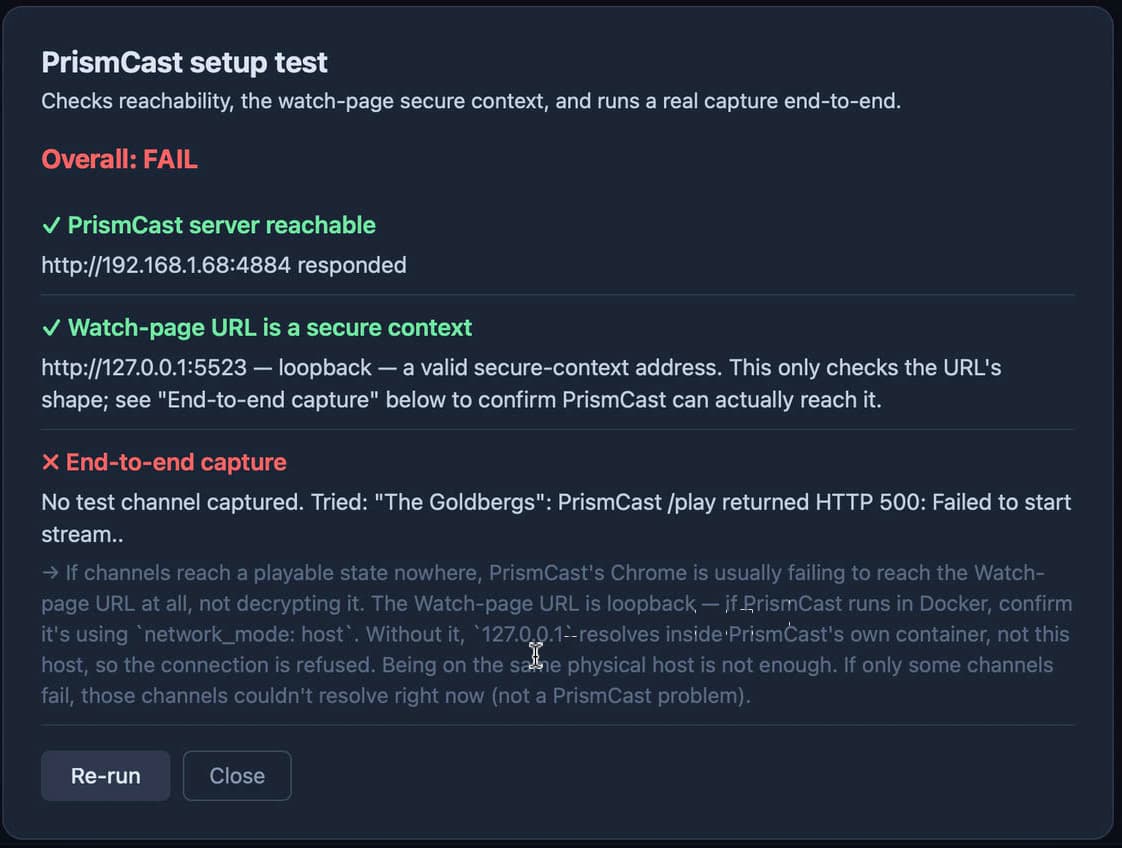
I tried to test the set-up again after recent updates. Enabled the bridge and added DRM channels from Roku. Test still fails in a similar manner to when it was opening the Distro channels:

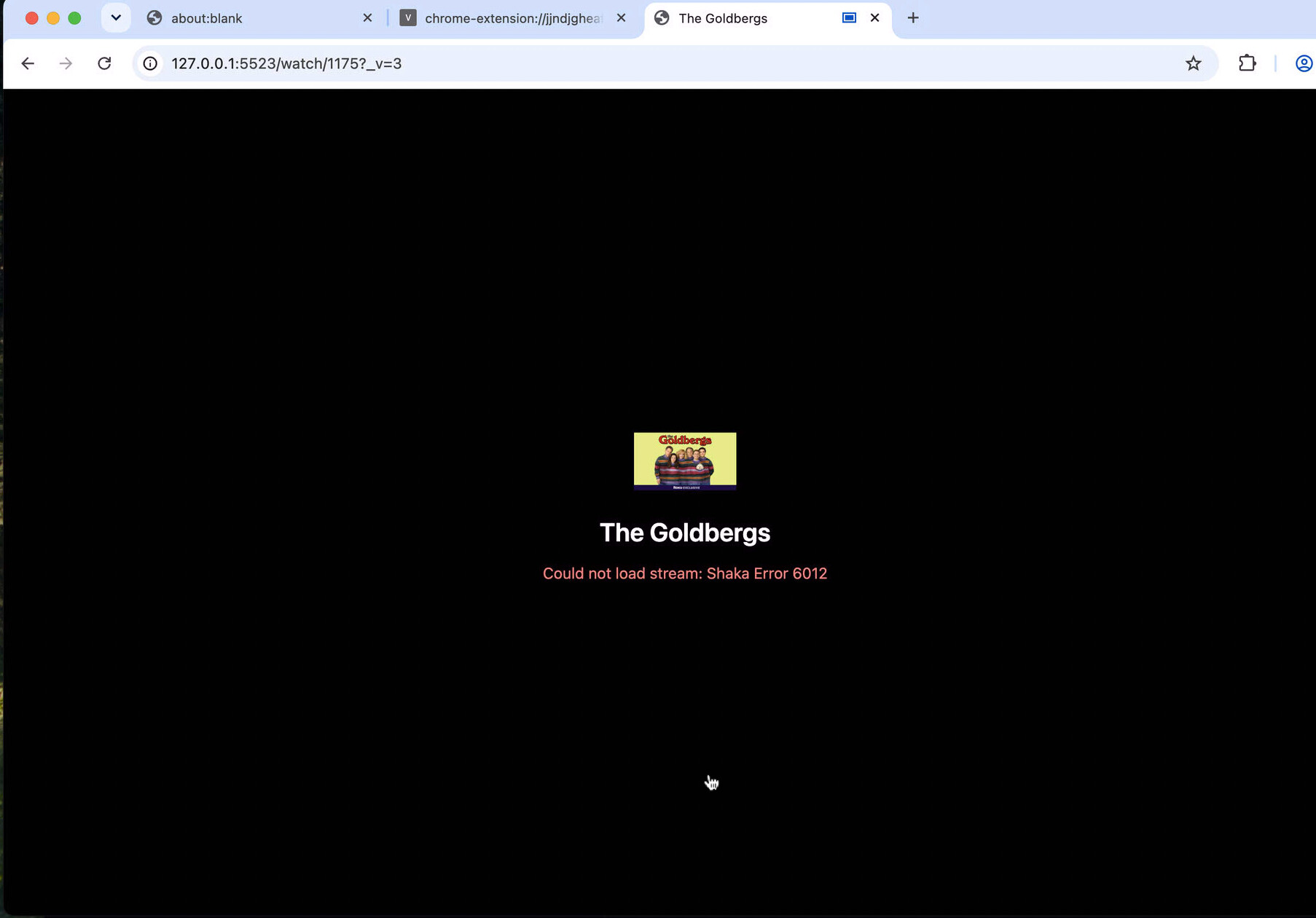
Something is failing re: DRM when it tries to stream the channel - here is what happens when the test opens chrome to try to play the Goldbergs channel (Shaka error 6012).

I'm struggling to find the cause of these bugs when it works fine for me. I think I'm going to pivot to adding a custom Prismcast installation to the stack that is preconfigured. I'll allow users to still edit it to their own Prismcast install if they wish.

Keep everyone posted how that goes.

4 Likes

Seems to me it would be easier to just use a headless browser that the user never has to touch.
Mediaflow proxy is another solution at this point i would have just checked to see if that could act as a go between.

Just a thought. I ran into issues when I ran my Prismcast via Docker and didn't have it using the Host network so give that a shot to see if that fixes it.

Sorry to pile on and this by no means is critical but I wanted to let you know that when I added Sling credentials or not, I'm getting the same scrape results. When adding credentials, I'm not seeing any of the premium content so I'm uncertain if it is a carry over cause I updated an existing container or if it is due to a feature failure.

Again, no rush just wanted to let you know.

just making sure- u enabled this and put in creds?

FastChannels 4.9.9 — What’s New

PrismCast diagnostics improvements

  • Before I ship a integrated Prismcast, I wanted to add additional diagnostics. Adding it to repo/container is last ditch attempt.

  • Improves PrismCast setup testing with secure-context checks, browser-origin validation, health checks, port checks, DRM candidate readiness, and real end-to-end capture tests.

  • Copied diagnostics now include diagnostic IDs, failed capture details, HTTP 500 responses, and selected proxy playback failures to make troubleshooting easier. If you have issues, DM me the results and I can debug from there.

DRM playback fixes

  • Fixes Roku DRM preview playback by ensuring Shaka receives the correct channel-specific license URL before playback begins.

  • Improves PrismCast handling for DRM bridge sources and provides clearer feedback when sources are missing credentials, cookies, or bridge candidates.

Sling subscription updates

  • Sling now supports optional paid subscription channels when credentials and Include paid subscription channels are enabled.

  • Changing Sling credentials or subscription settings now clears cached account information and automatically queues a full channel refresh. Returned subscription channels are reactivated automatically.

Admin and playback polish

  • Improves source configuration status and reports when a full Sling scrape has been queued.

  • Adds better diagnostics for failed proxy playback and PrismCast capture attempts.

Cox scraper

The Cox scraper is under development and remains hidden/disabled for normal users while beta testing continues. It is not considered production-ready.

Upgrading

  git pull
  docker compose build && docker compose up -d
2 Likes

I think I'm going to pivot to adding a custom Prismcast installation to the stack that is preconfigured. I'll allow users to still edit it to their own Prismcast install if they wish.

Interesting. Would that sit alongside (and ignore if configured to do so) an existing Prismcast installation, or would it conflict with it? For my own setup, I think something embedded is likely to work better, given some of the Prismcast issues I've had, but I think it would be better to have both options available.

This may be a help for me, too. I never really got Prismcast working quite right. The problem I may have is that my FastChannels installation runs on my Synology NAS, which was way too underpowered to run Prismcast. I gave up on Prismcast after it struggled to run on an unused PC.

I'm running Fastchannels on my Synology.
The HLS channels and DRM free stuff works great.
I would suggest adding Fox one. The streams are in the clear.
add the stuff out of eplustv or mlb server.
One docker all sources or at least as close as possible.

just some ideas.

I did a little prototype last night and it's a little hairier than I thought to include both, but it's still do-able. May take me a little bit so thats why I added the extra diag to at least get some of you up and working.

Baffling to me - I did a fresh install of both Fastchannels and Prism cast (through Docker) and it works on first try. So something is unique to those of you having issues - hoping these extra diag will highlight it for me.

1 Like

Just messaged you the logs from this morning.