
Almost all of my docker compose statements are "hand made".
The only one I don't mess with (too much) is OliveTin.
Where would one find that region info? I’m working with incomplete information from the upstream data. You’ll probably have better success searching for the channel you like and disabling the others.
I am. But with your setup, in sources, you specify multiple regions in a single source, and it makes it all one source, one m3u list for that source. It includes all that channel from each region.
I either need to be able to see which version is which, or have a separate playlist URL for each region (like current dockers do)
For Top Gear, example, i have no way to tell which one of those is US, UK, CA, etc.

Maybe there needs to be some sort of tag or thing added to the scrapped data source from each region, if it is not something that is included with the raw scrape.
@speedingcheetah
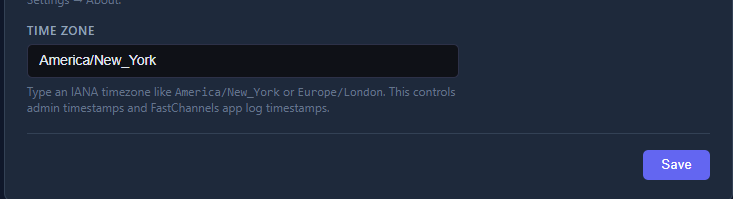
Here's my yaml file with the time zone setting...
and here's one of the web pages where you can find your timezone
  fastchannels:
    image: ghcr.io/kineticman/fastchannels:latest
    container_name: fastchannels
    environment:
      - TZ=Pacific/Honolulu
    ports:
      - 5523:5523
    networks:
      - iptv_default
    dns:
      - 1.1.1.1
    volumes:
      - ./fastchannels/data:/data
    restart: unless-stopped
I’ll look closer but be prepared to be disappointed. Limited data from sources. It ain’t rich.
Well, the current Plex and Pluto solutions manage to be able to tell the difference and provide separate playlist urls for each...sure you can come up with something.
There are people that do like to keep such things separate, or have different region channels set to a different channel number sequence.
Manually having to compare each channel after the fact, a big pain.
Just having some way to tell the difference and/or split them up would be very welcome.
More than one way to do it.
https://oneuptime.com/blog/post/2026-01-16-docker-container-timezone/view
i tried this: but still showing utc
services:
  fastchannels:
    image: ghcr.io/kineticman/fastchannels:latest
    container_name: fastchannels
    environment:
      - US=US/Central
    restart: unless-stopped
    ports:
      - "5523:5523"
    volumes:
      - db_data:/data

volumes:
  db_data:
1 Like
Where did you get that from?
Your setting the environment variable US, instead of TZ
Look at the links Waffles and I posted.
Was looking at the link to the time zone table.
LoL. Thought the first part was Country code.
But it TZ mean Time Zone.. duh
Changed that.
That changed the time, but it 5hrs ahead in the time it reports.
That is the right code for Central Time right?
CDT or CST. idk what they use now here in MN
EDIT: Changed it to America/Chicago, i guess the other one is Central America.
Now Fast shows CDT next to the times,. but is still 5hrs ahead...
Bios time is right on system...not sure where to go next
He's still working on getting the display correct in different areas. Not a high priority...
When he addresses them all your (and my) times will display correctly.
AH ok. known issue then...missed that post. Got buried
Only 275 posts and thousands of channels. OVERLOAD
@speedingcheetah Not sure how you're running you container, but if you're on Linux, get to the shell in linux and run this:
If you're using Podman ---- podman exec fastchannels date
If you're running Docker --- docker exec fastchannels date
you should get your local date and time:
$ podman exec fastchannels date
Thu Mar 19 13:41:12 HST 2026
Oops... I see you've corrected it and it's showing the CDT now.. so disregard...
Right. And then it's up to the developer (as seen in my link)
https://oneuptime.com/blog/post/2026-01-16-docker-container-timezone/view#python
1 Like
lolz.
The whole, this channel fits into what category roulette.
Just one channel for only 3 sources i have enabled atm, and each one differnt.
Some more refinement sure is needed for that aspect, to resolve definitively. But, me thinks that cane be a tad subjective.
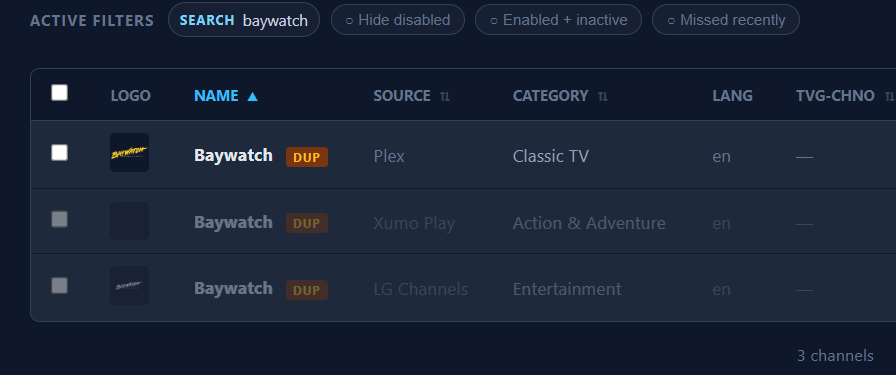
I am trying to narrow down what sources have what channel at what resolution/bitrate, going through my list of Fav'd channels i have current is CDVR for Plex and Pluto. Seeing if LG or any others have better versions. etc
1 Like
Awesome - let us know all the Gracenote IDs for the channels you find. I'd be happy to put in a helper function to add for rest of community.
1 Like
No. I meant that it would be nice for your software to include them, same as jgomez docker has them for Plex (some channels).
I assumed that those where in the Plex data you can scrape....otherwise, i have no idea how that docker has them.
I can look at my own .m3u than channels exports, of my favorited channels, and get the id.
But, i am not creating a database or anything.
I only have just changed over my main DVR to use Plex with GN, and still tryign to see if the guide data even matches what is airing....at least one channel is wrong so far.
I think it is @chDVRuser realm when it comes to Gracenote ID's. They been working with that much more.
I thought i saw a link in one tread some where that had a table someone else has made, but was old now, and i can't find it again.
But it would be nice for a full table of Gracenote IDs to be made...seems that is something been talked about many times i see via search.
Right - you want someone to find them all for you and spoon feed it. So, this is open source software - if you want to contribute, I'm offering an idea you can help with. You want a list of Gracenote IDs- start one! I started this project for myself, and to share with others. Maybe start with a simple Google Sheets list - I'm sure it would be greatly appreciated by all.
1 Like