
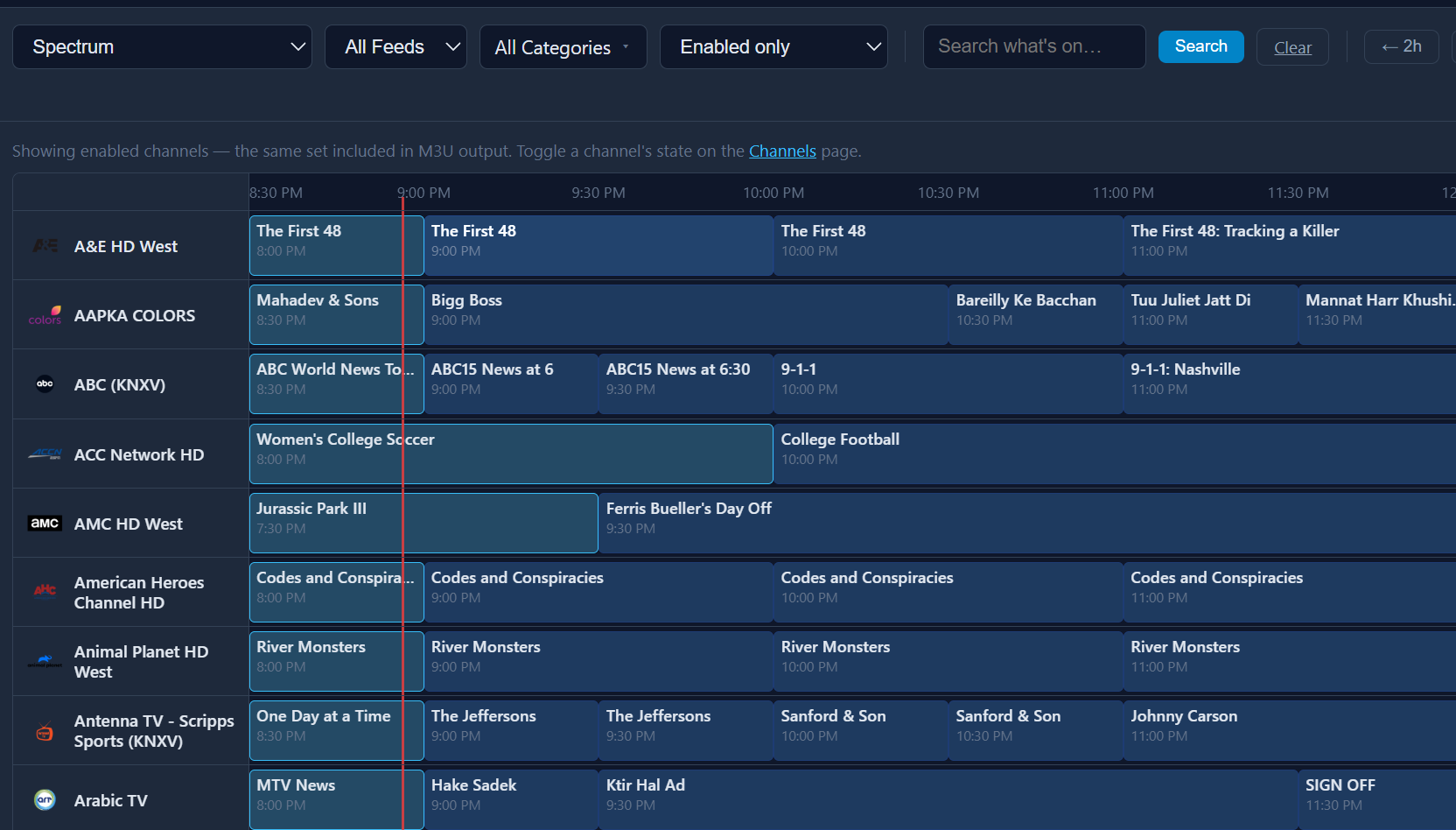
 Spectrum users might like this one...
2 Likes
I figured I'd finally better get around to installing this since the original PlutoTV docker was retired. First tried to install on my Synology NAS through Portainer, no go, failed install numerous times. I'm not sure exactly what the issue was as logs showed it fetching the files and then nothing, possible some sort of time out. Ended up installing via SSH and was off to the races. I was able to get rid of 2 dockers by using FastChannels, which is nice. I did test out Fox TVE with DirecTV credentials, login was a little rough since I couldn't paste the credentials into the fields, had to type them, but worked fine to get FS1 and FS2 channels in. Slick work on the interface, love the one click button to add the sources to CDVR, so far everything is working well. I appreciate all the work that has gone into this, thank you to all involved.
Chief
I think we'll have to see if anyone else reports this. I streamed DTV via the FastChannels ah4c bridge for about 8 hours yesterday, with no pixelation or other issues -- via the same Capture Card you use.
I think I'm going to try moving everything to a PC with a 12th gen i5 and see if that makes a difference. Right now it's running on an AMD Ryzen 5 3600 with an RX580 video card.
Love the ability to add streams to custom channels, and it goes much smoother than adding them through CDVR. Is there any chance that this will get support for rtsp streams from network cameras? If that's a possibility, it would be nice if it also handled passing user/pass in the stream link.
The more I mess with FastChannels, the more I love it!
Shoot me some examples and I’ll sure try
Well, I was terrified to have to install Docker and this FastChannels app on my Windows 11 Pro mini-pc that runs Channels DVR for me. However, I saw above that it mentioned "your favorite chatbot can walk you through it" so I used Google's A.I. to walk me through it. I had some hiccups (my Windows Pro apparently had some corrupted files) so the A.I. walked me through everything to fix that, and it was successful. It then walked me through installing Docker Desktop, and then this FastChannels container. I configured it, and it's running stream audits in turn right now.
So, guess I'll have to FINALLY read through this thread to see if there's anything else I need or need to know.
One question right off the bat though: what about Channels DVR 750 channel config limit? Doesn't this crash against that?
Glad you got it figured out!
750 is a limit PER SOURCE. That’s why I suggest everyone makes separate feeds by category. Think like, News, Sports, Movies, etc. don’t make one big fat feed.
I tried finding some public rtsp feeds that were active for you to test with, haven't found any that work yet. For my Tapo IP cameras this is the format for accessing them on my local network:
rtsp://USERNAME:PASSWORD@HOST:554/stream1 - and the same address ending in stream2 is for a lower def stream.
For my Lorex Security DVR, it uses this link:
rtsp://USERNAME:PASSWORD@HOST:554/cam/realmonitor?channel=01&subtype=1
Most IP cameras put out a rtsp stream, not sure if you have any on your network to test with. VLC will open the RTSP streams. I'll keep looking for some public feeds for testing.
Chief
Thanks! How do I make separate feeds for this? Is there a short method, or should I just dig through the thread to figure it out? Is each source broken out to an .m3u somewhere?
First configure Settings, then sources, then channels.
Then create feeds, picking the channels you want in each feed.
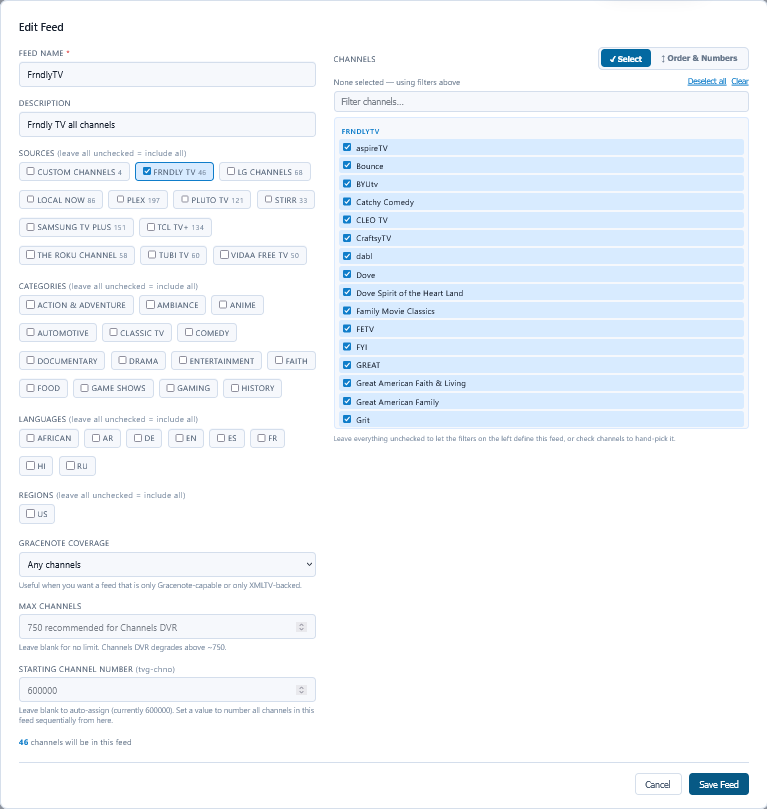
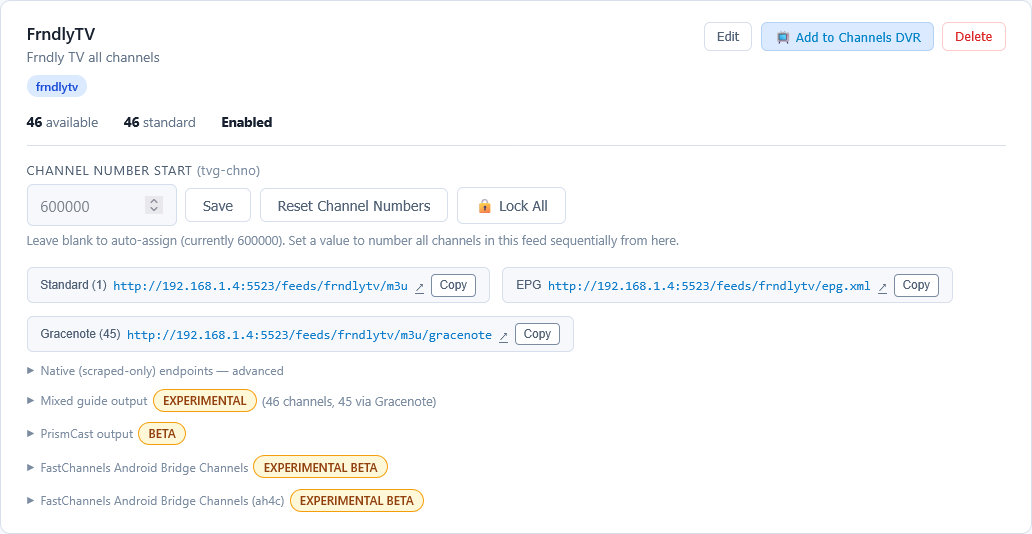
A feed is a Channels DVR source and contains gracenote and non-gracenote playlists and XMLTV.
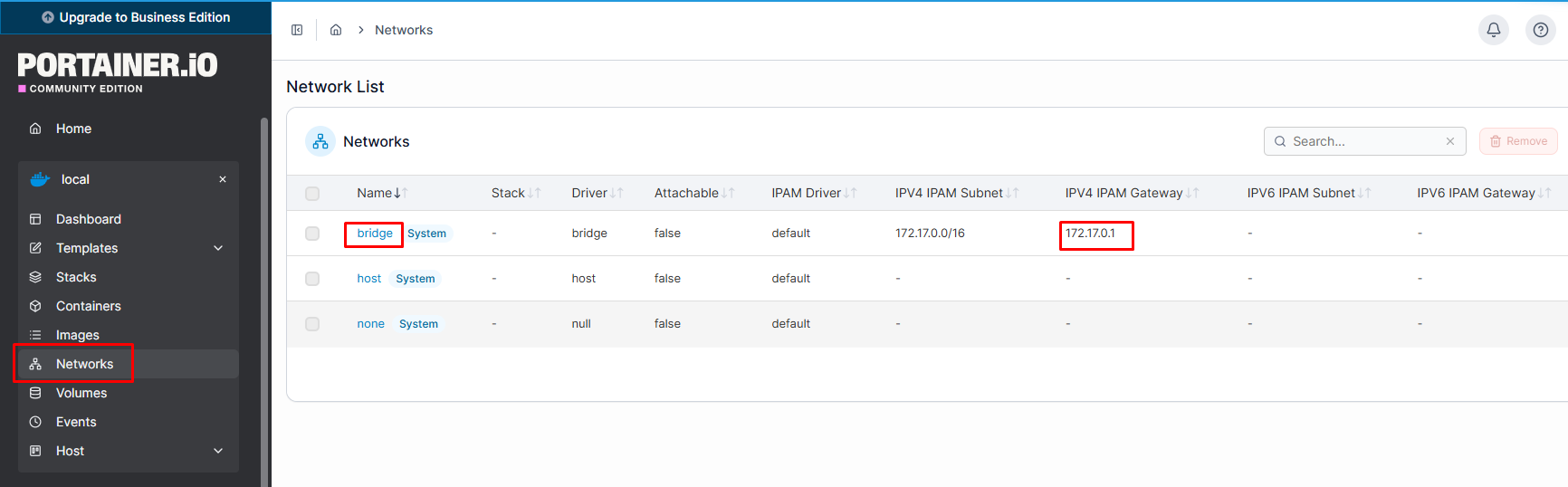
After installing this, I noticed on my Channels admin screen I now seem to have a second interface:
NET
2 interfaces
192.168.1.33, 172.29.16.1
The 172.29.16.1 is brand new since this install. Is that normal? The admin screen for FastChannels is on: http://192.168.1.33:5523/ as it should be.
Found a bug on the sources page when adding a new Custom Channel: If you hit detect after adding in a link and then hit cancel because it is taking too long, and then try to add another channel, the Detect button is garbled and inaccessible. After refreshing the web browser you can go back to adding channels, unless you hit cancel again during detect which reproduces the bug.
Here's a screenshot of what happens after hitting cancel on detection and then try to add a new channel:
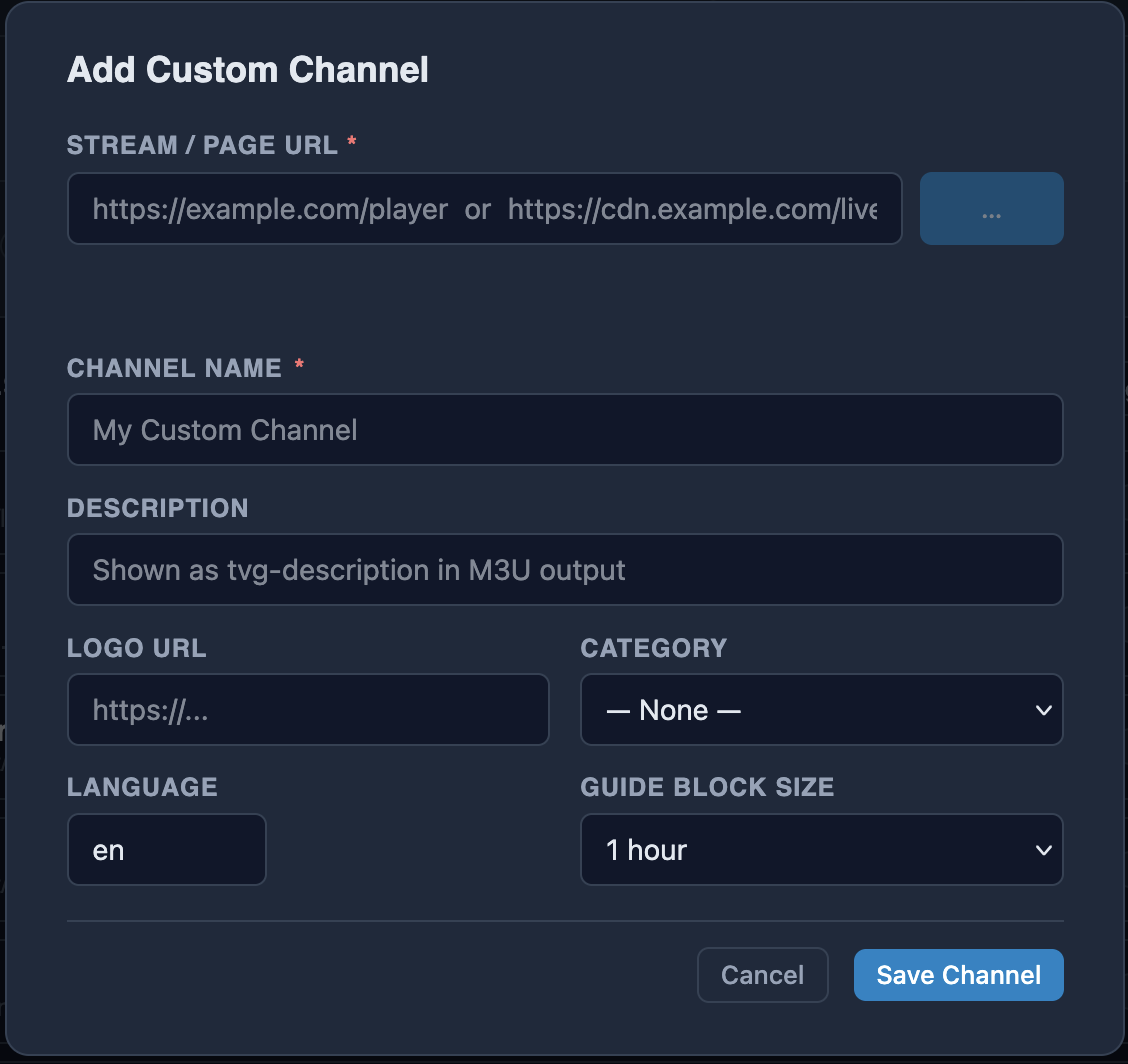
Chief
1 Like
FastChannels 5.3.0 is out!
The big addition this time is a new source: Spectrum. There are also a bunch of fixes, many based on reports posted here. Thanks to everyone who shared logs.
New: Spectrum
- Spectrum is now a full source, with channels, guide data, and playback through FastChannels Player (the DRM bridge). In my testing, it pulled about 500 channels.
- Sign in using the “Sign in to Spectrum” button on the source’s configuration panel. FastChannels will keep your session active and automatically sign back in when needed.
- Spectrum can also be selected as your provider under TV Everywhere.
- My test account is a former Cox account, so native Spectrum accounts have received less testing. If you encounter any issues, please post your logs.
- Cox now displays a “Sunsetting” badge as it transitions to Spectrum. Its TV Everywhere logins have already started failing for at least one user.
FastChannels Player / Bridge
- A failed tune no longer leaves a blank screen indefinitely. The player now closes and logs the error, resolving the reported NECN and Bravo Vault issue.
- Fixed Vidaa crashes occurring partway through playback.
- Fixed Sling freezing during scheduled block changes.
- Idle-stop no longer interrupts scheduled Channels DVR recordings. Thanks, SageLois!
- The Bridge page now shows which sources are verified through PrismCast and which are verified through FastChannels Player.
- Warner TV Everywhere is now included on the FastChannels Player verified list.
- FastChannels Player has been updated to version 5.2.9. The Bridge settings page will offer the update.
Fixes
- Fixed a worker freeze under heavy load, which was the likely cause of the reported
WORKER TIMEOUTerrors. - Sign-in errors for NBC, AMC Networks, Discovery, FOX, A+E, and Warner now appear on the TV Everywhere status page.
- Fixed NBC with Cox failing to reauthenticate after the initial sign-in.
- Fixed an issue where DirecTV AllChannels could include channels that aren’t part of your subscription.
- Pluto UK no longer returns zero channels.
- Added a new Gracenote exclusion list that blocks known-bad station IDs (#58).
- Added several smaller UI, Plex, and TV Everywhere fixes.
- Updated Pillow to address a security issue.
2 Likes
Upgraded to 5.3. Just wondering if Spectrum was supposed to be on by default? Figured since it was a premium source that it should be off by default.
Yea missed that. Tnx
I just installed FastChannels last night. How do you do an update to the latest version?
In portainer you can go into your Container and click on Recreate. Then make sure you toggle the Re-pull image so it grabs the new image and it will upgrade it without destroying your database.

I don't know anything about Portainer. I installed this in Docker Desktop for Windows with the command from the first post in this thread.