FastChannels - FAST Channels aggregator/manager

I think its
docker compose pull
docker compose up -d

But you should look into installing portainer. It is so much easier to manage. It runs as a container inside docker.

Here is a link if your interested. Make sure you always pick the CE and not the BE version or you will screw up portainer and its a mess to fix. Trust me I have done it before when upgrading portainer :wink:

If you're sticking with docker command line you should be using the instructions on his GitHub site

I also highly recommend Portainer CE as a GUI tool to manage your containers.
Unless you like looking up and using docker CLI commands.

I installed using Docker Run, not Portainer or Compose (I don't understand either of the latter two well enough to trust my ability to use them. Nice thing about Run is you just copy the given command and it does it).

Anyway, after some frustration, someone here supplied the following, which I put into a batch file and use whenever I want to update.
(I don't really understand it, either, but it works :slight_smile: )

docker container stop --timeout 30 fastchannels
docker container rm fastchannels
docker image rm ghcr.io/kineticman/fastchannels
docker run -d --name fastchannels --restart unless-stopped -p 5523:5523 -v fastchannels_data:/data ghcr.io/kineticman/fastchannels:latest

Thanks for the update. I am now able to record shows with the HDMI bridge without it either returning to home page after 5 minutes or leaving the stream running forever. It records what i asked for and returns to the home page when done. It truly makes the bridge usable for recording!

Just updated to 5.3.0

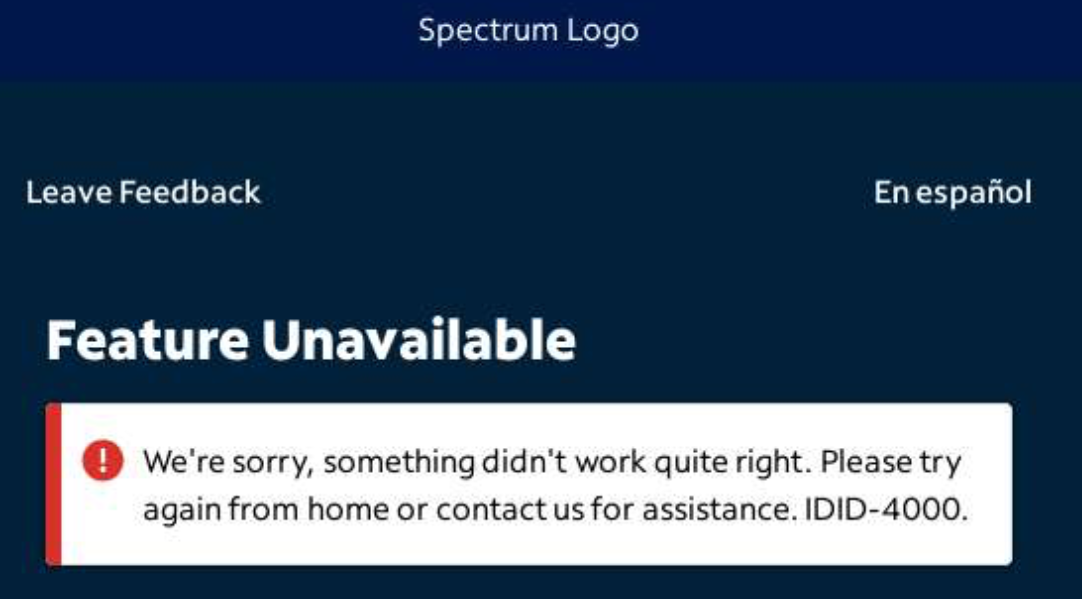
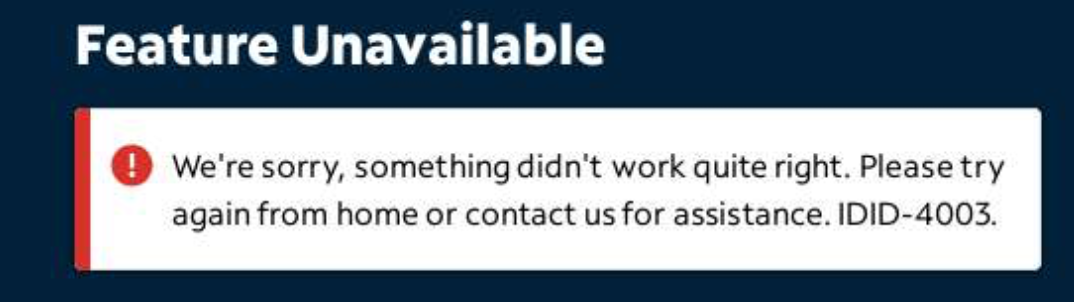
Tried the spectrum login with my cox credentials. Both with stored in fast channels and manual entry within spectrum screen.

got these:


(post deleted by author)

Thanks, I appreciate it.

If I run this to update, it'll save all my present configurations though so I don't have to reconfigure from stratch, correct?

Does the website itself allow you to sign in manually?

I'm not seeing Spectrum under sources at all.

The issue for TVE websites is that for Cox people, that doesn't work in a lot of situations. It'd actually be good to just port all the TVE automation for Spectrum to the Cox because that should allow more logging in. However, there are situations where logging in as "Cox-Spectrum" doesn't work or doesn't exist at all. So more like a decision tree: See if you can select Cox-Spectrum as a provider, if so go with that, else go with Spectrum as a provider. Then, if logging in as Cox-Spectrum fails, then try again with just Spectrum.

I tried both methods. First was to store the credentials and have fastchannels take over.. that was one of the screenshots. Then i cleared the credentials and it allowed me to enter the usename/password right on the spectum login page. That gave the other error screenshot.

Yes you did! I just tested, and was able to watch one movie and have it transition to the next. Nice work.

Updated to the 5.3.0 and now FrndlyTV guide data is messed up. There's a guide with all the shows, but no show information at all (except for the currently airing episodes) and that killed all my scheduled recordings. I've checked in FastChannels and redid FrndlyTV and re-added to CDVR, but still no real guide data necessary for scheduled recordings. The channels all play when selected, just no good guide data. I do have channel numbers locked/pinned for FrndlyTV, but that shouldn't affect this, should it? Anyone else seeing this?

EDIT: just noticed that it looks like FastChannels dumped all the gracenote ID's and dumped all the channels in a non-gracenote source, so that explains all the channels with shows that are actually on, but no guide data.

Ok, completely removed frndlytv from FastChannels and deleted the feed. I reconfigured and rescraped, and then recreated the feed without locking channel numbers, and readded to CDVR - it is now acting properly with good guide data. Really not sure what happened, as this shouldn't have happened from updating the docker image, unless there's an issue with locking down channel numbers.

EDIT: FYI - Tubi and FreeLiveSports got screwed up too and had to be dumped and reconfigured. It appears the only one with gracenote id's that didn't get screwed up was PlutoTV - it retained everything after the update. I didn't have channel numbers locked for Tubi and FreeLiveSports, so that doesn't appear to be the issue that caused all the problems.

Chief

It’s there under Premium sources?

And I think I’ll just let dust settle on the Cox/Spectrum transition before attempting workarounds for TVE.

Well, I just updated to v5.3.0, but I lost all my Gracenote channels, and I can't figure out how to get them back.

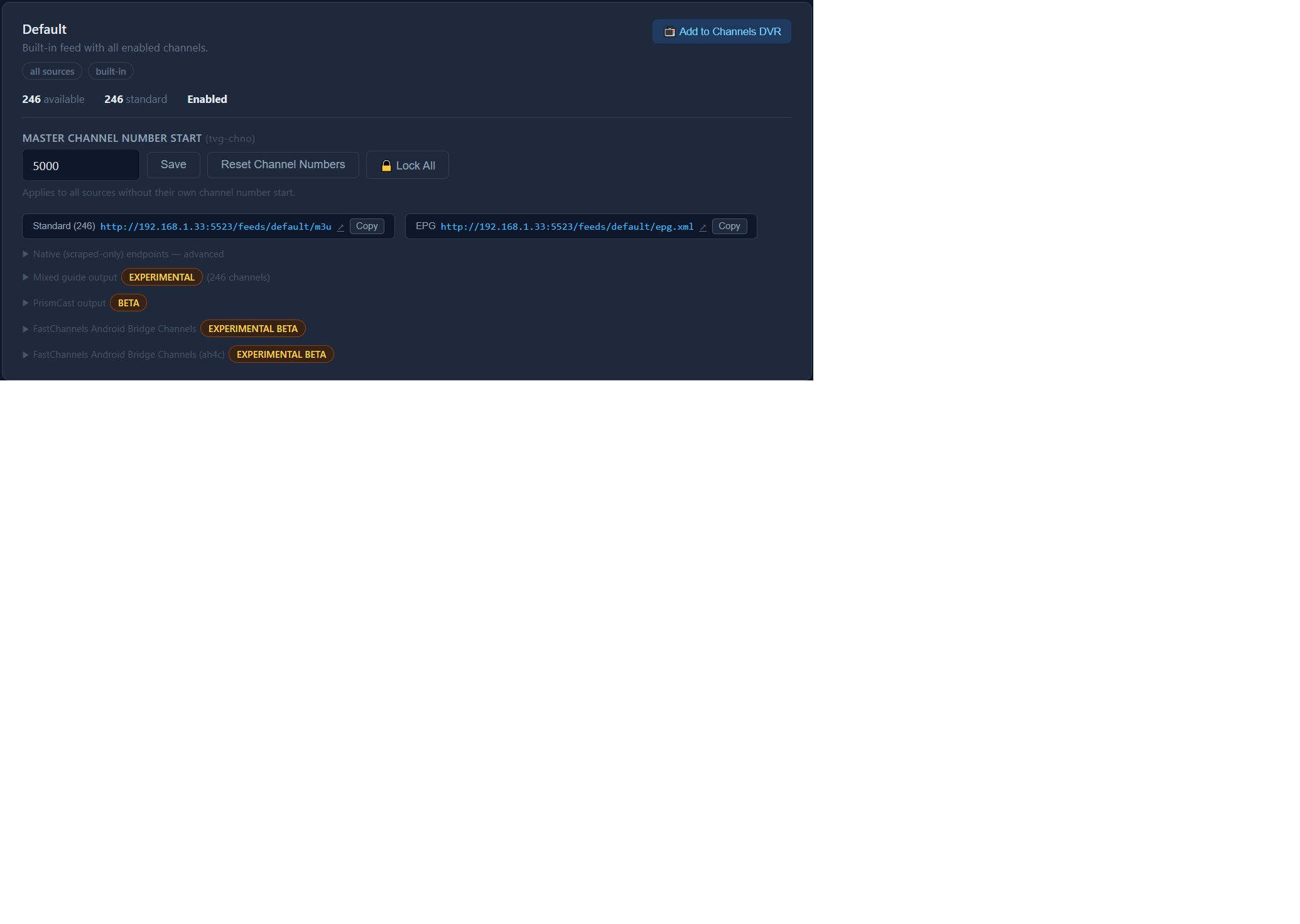
This is the line I used that worked with the previous version, but doesn't work now:

http://192.168.1.33:5523/feeds/default/m3u/gracenote

I used this for the NON Gracenote stuff, and it still works:

http://192.168.1.33:5523/feeds/default/m3u/

I don't have so many channels live, that it's a problem ATM to only have these two feeds running like this, they don't come up against the limits.

How do I fix this? I tried the "Force Complete Refresh" and it worked, but didn't fix it... It's not even there anymore, see the screenprint:

Odd. I did integrate a Gracenote exclusion list (of reported bad GN ids).

Try reapplying by going to the HELP section and there’s a Community Gracenote option.

Sorry I can’t replicate issue personally.

Ok, I went to the Help screen, and applied the Community Gracenote Map, and my Gracenote source went up to 80, and the NON Gracenote one went down to 166.

Unfortunately, I only originally installed the first version of FastChannels last night, and I forgot to take a screen-print of how many channels were in each at the time. Not sure it got them all back, but I'll deal with it for now since I am still learning this type of stuff to go with Channels! For years, I just built my .m3u lists manually with Notepad++, but it's gotten far too hard and messy to keep up with it.

Boy, am I learning... lol.

P.S. I THINK after initial upgrading, all the Gracenote channels migrated to the Master m3u feed. But, when I checked them in that, they didn't have any matches so there was NO guide data for them in that Master feed. There wasn't even the dropdown list for "All Lineups" etc, so no way to match them in that feed.

If you have Fastchannels running on a Mac in Docker you can do the following (I don't remember who posted this before):

Open up Terminal:
docker stop fastchannels

docker rm fastchannels

docker image prune -a -f

docker run -d --name fastchannels --restart unless-stopped -p 5523:5523 -v fastchannels_data:/data ghcr.io/kineticman/fastchannels:latest

You can see it downloading on Terminal and it works very quickly.

@bnhf,

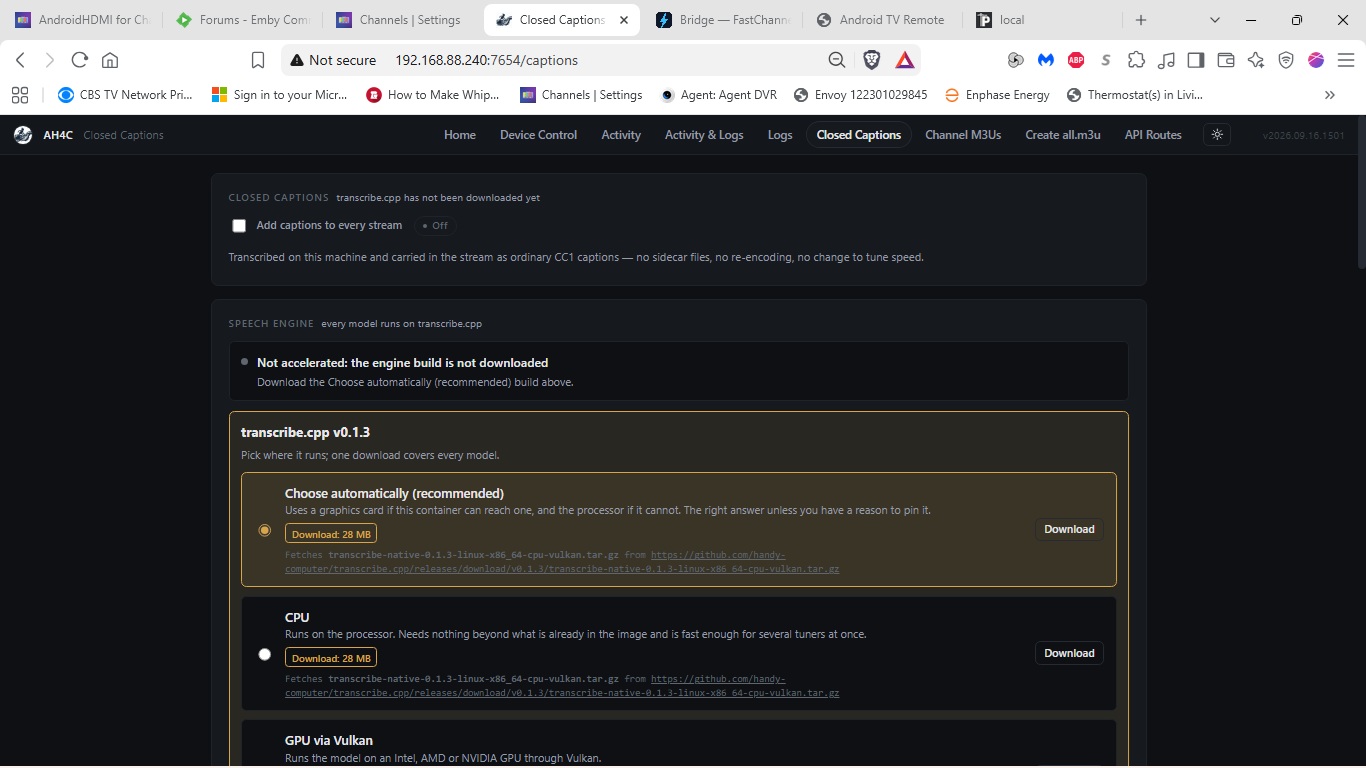
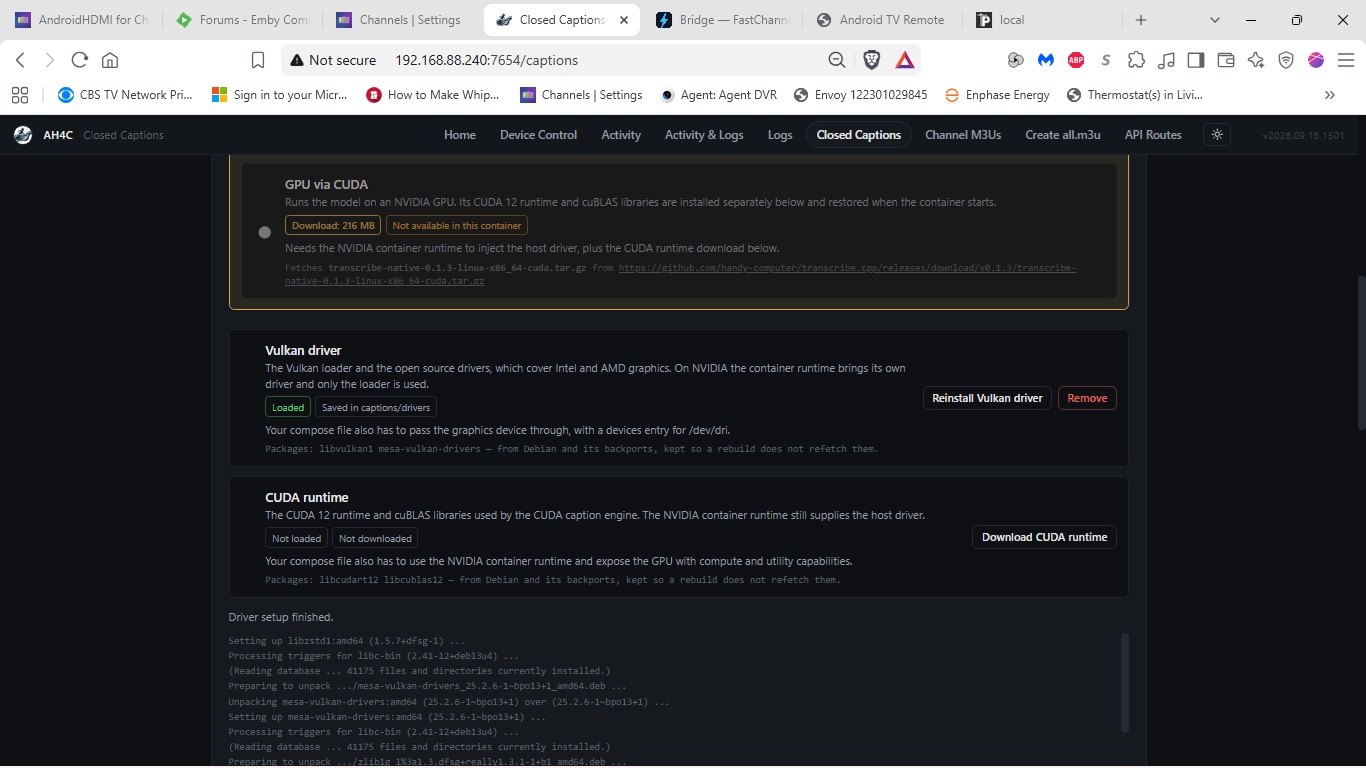
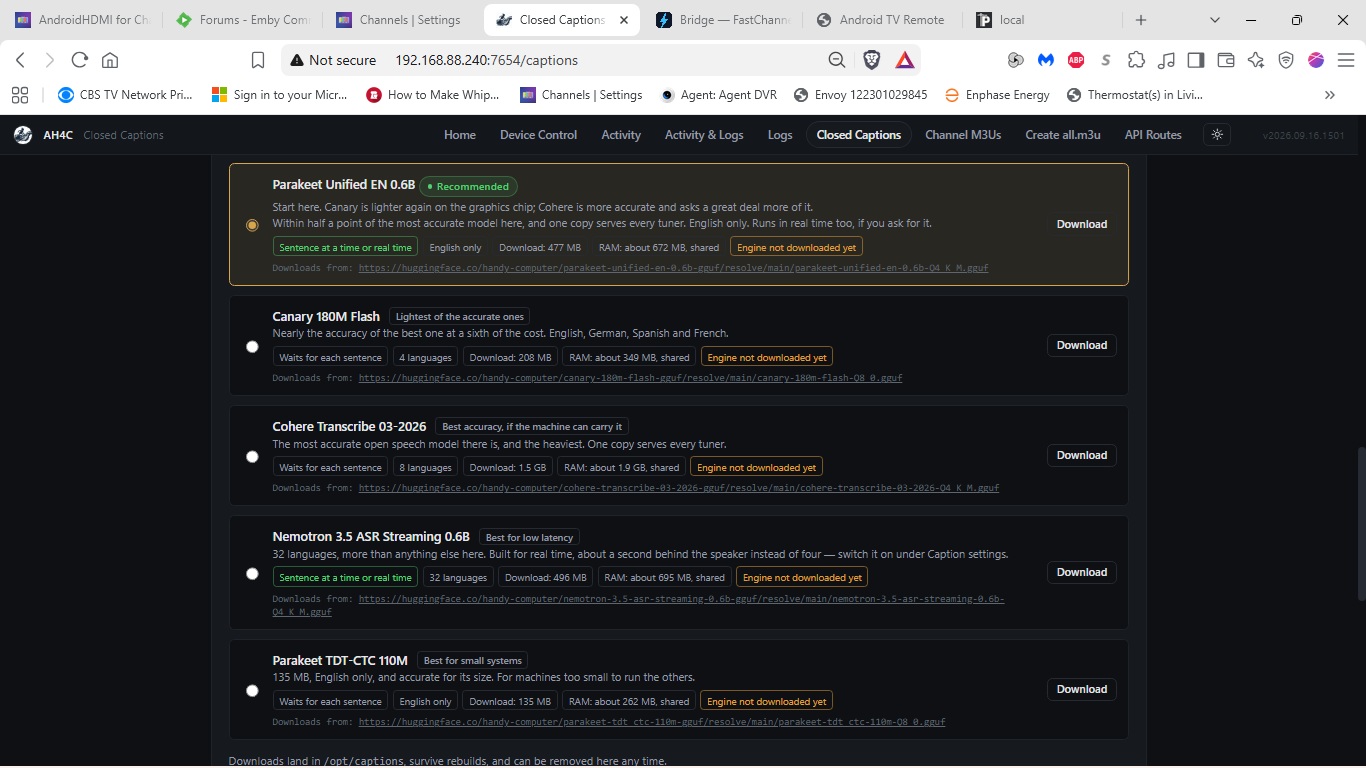
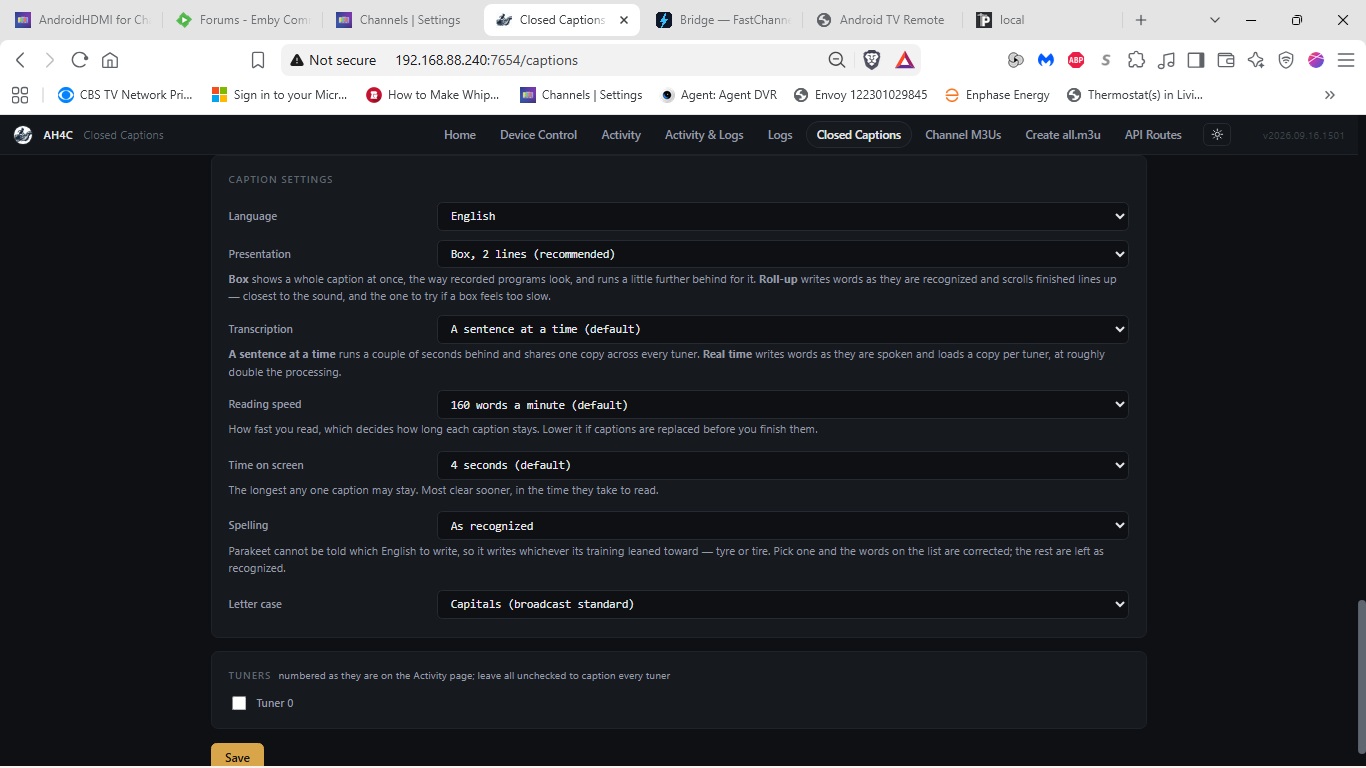
So I moved my capture card and firestick to a pc with an i5 in it and have it running. What's happening is that captioning is on with every channel tuned even though the box in the Closed Caption page is unchecked. I'm wondering if this is what was going on with my previous install on an AMD CPU and the pixelation was it trying to render and failing. Other than the Closed Caption page, is there another way to turn captioning on or off? Here are screenshots of the page.


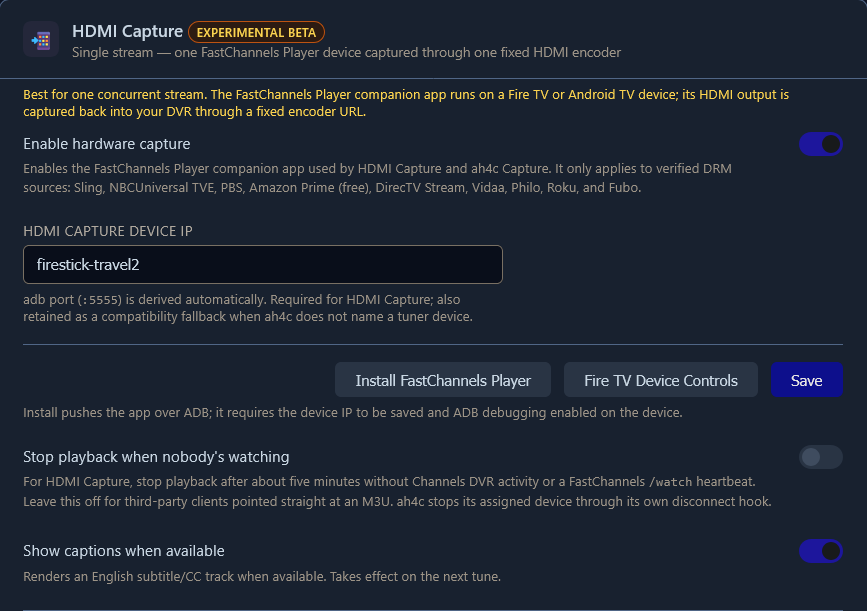
When you're using the FastChannels ah4c bridge with DTV, you definitely don't want to use the AI captioning engine in ah4c. That's because FastChannels allows Closed Captions to be be turned on from the source:

This toggle is on by default I believe. It's most likely this is the source of your Closed Captions, since the ah4c AI-based engine appears to be disabled -- as it should be, when using this bridge.