FastChannels - FAST Channels aggregator/manager

This is an excellent point!

@KineticMan where are you at on supporting combined M3Us that include a mix of Gracenote and non-Gracenote channels? This is something we'll need for people that have a single HDMI Capture device, and want it to be the device used first for tuning. As discussed here, and on GitHub, these channels need to be in a single source with a stream limit of one. The same applies to those using the ah4c bridge, except they'll likely have more tuners -- but will still need to use some sort of stream limit to avoid failed tunes.

Yes, take them out of other feeds as well, or you'll have the same problem. They can be put in their own channel collection though, which will give you much the same result.

I did a little beta test that's in there but not ready for prime time, but was waiting for CDVR to make it main stream before making it the default. Work travel this week, but should be able to polish that up for next version. I suspect it'll be relatively easy, but gotta think through the channel number stuff (which you know how much I love.......)

2 Likes

It looks like I am close to the finish line on getting a single HDMI Capture going. Using a Fire Stick 4K Max (2nd Gen) and a Hagibis USB3.0 Video Capture Card (Amazon.com: Hagibis USB3.0 Video Capture Card with 100W PD HDMI to USB/USB C 1080P HD 60fps Live and Record Video Audio Game MS2130 for Quest 3 2 Pro VR Switch2 PS4/5 Live Broadcast, Gaming, Streaming (UHC07P) : Electronics)

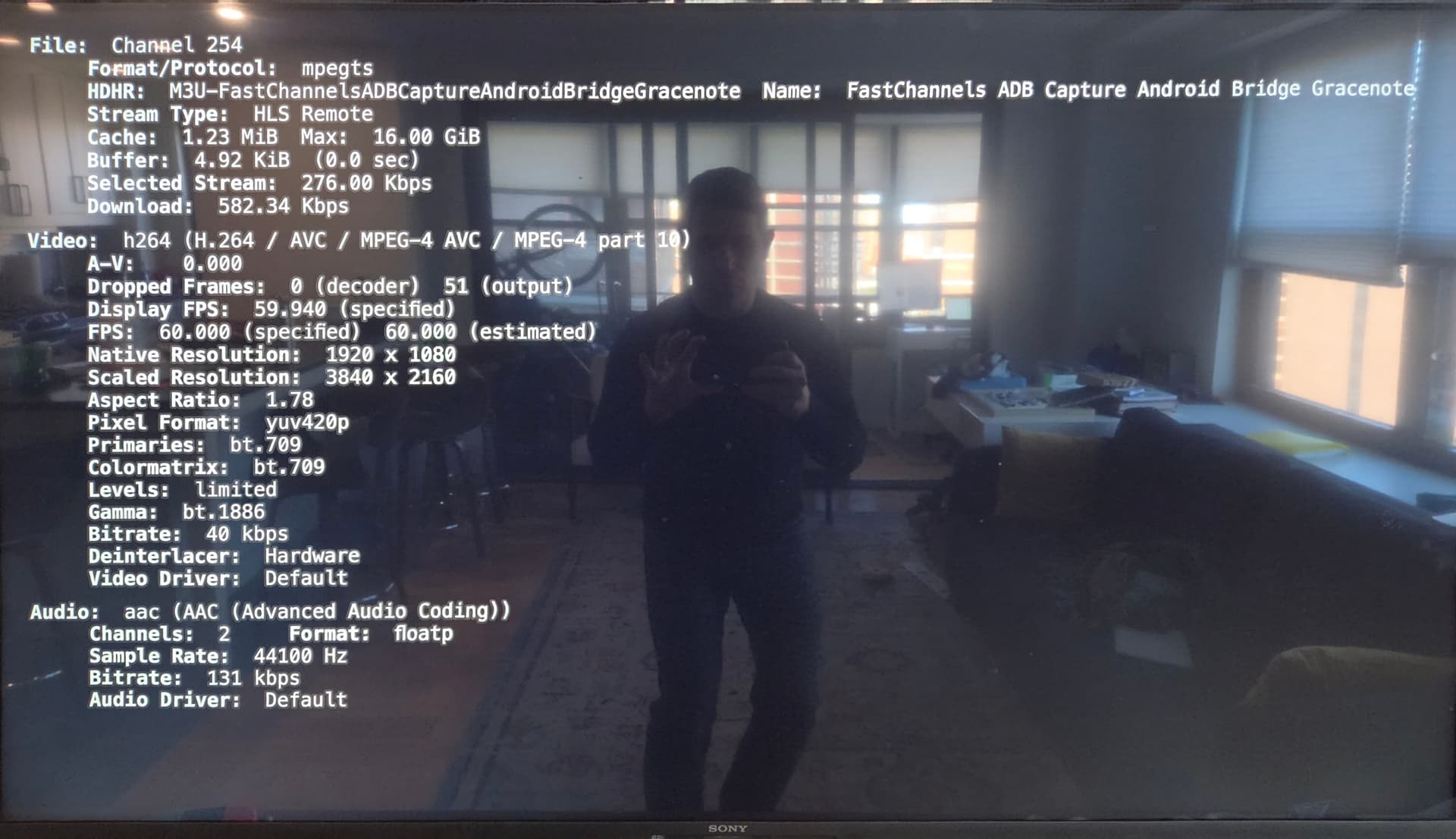
However when I load a channel on a client I get a black screen:

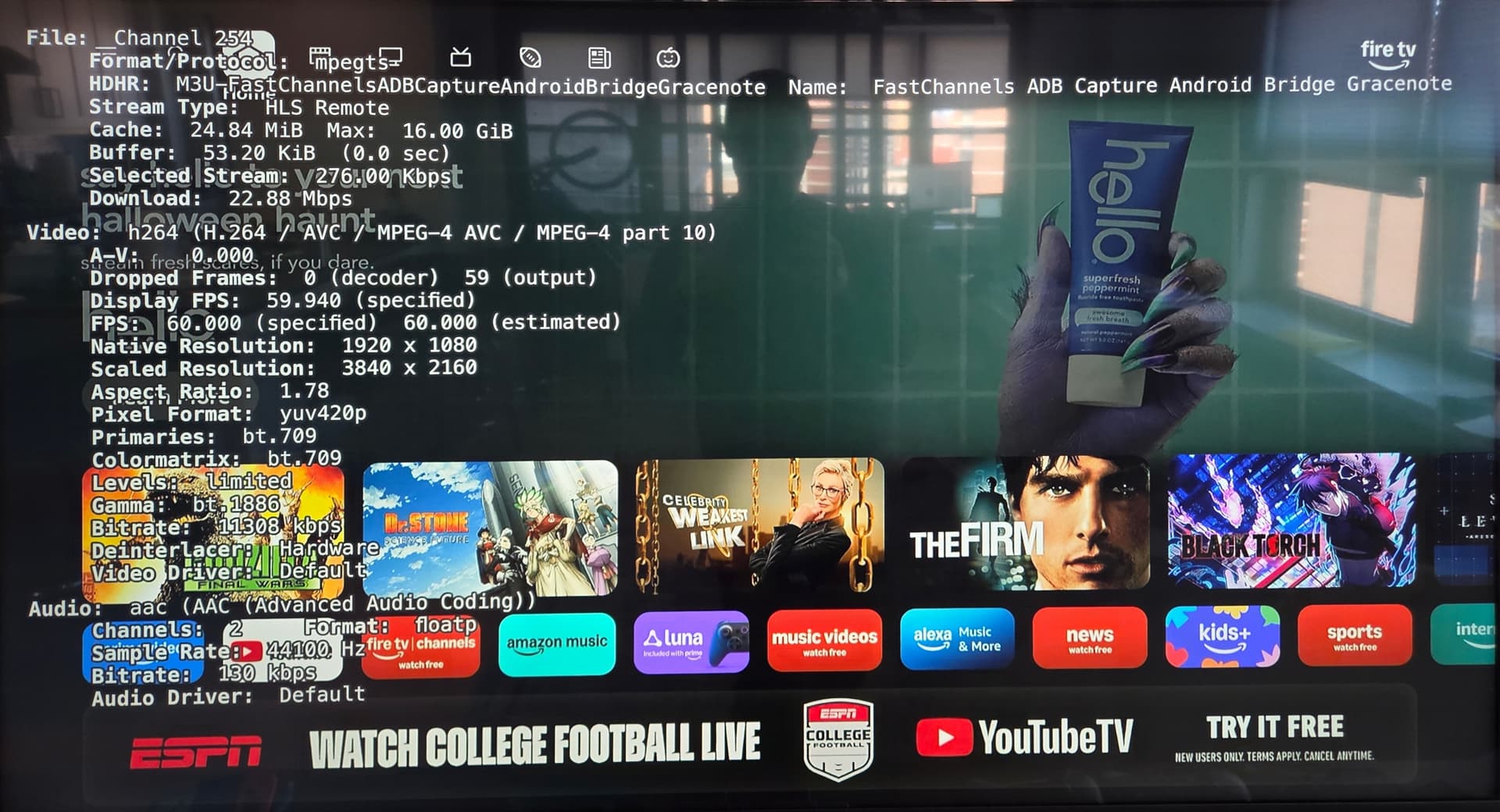
On this same client if I click on the home button on the Fire Stick I see that the capture is working:

I'm not sure where I've gone wrong.

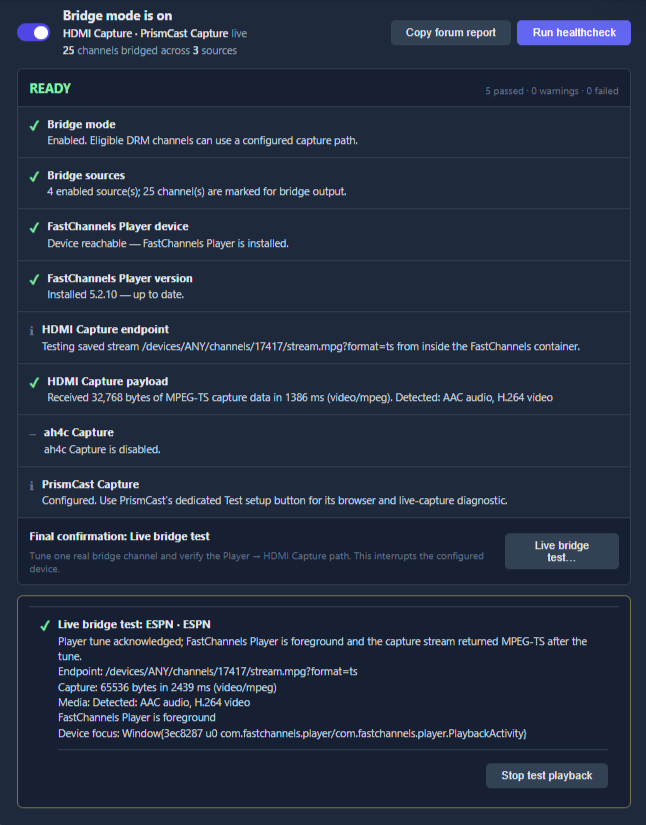
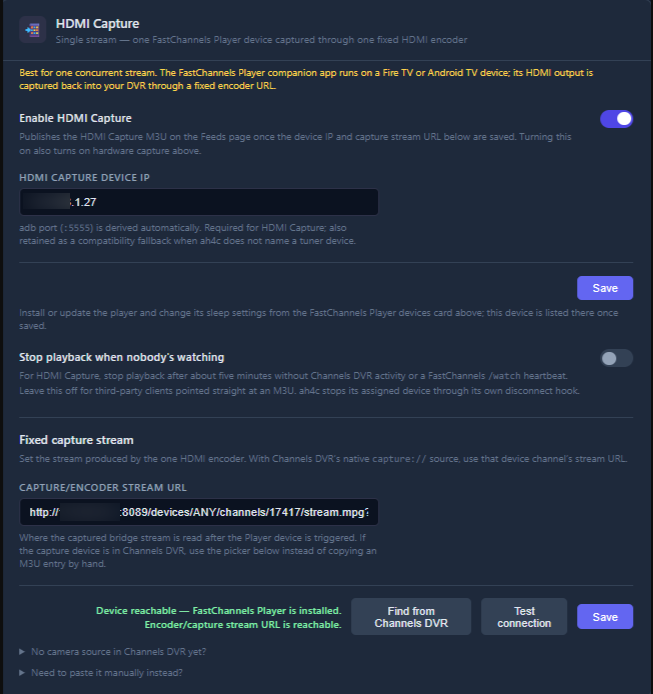
Here is my setup

Bridge mode is on:

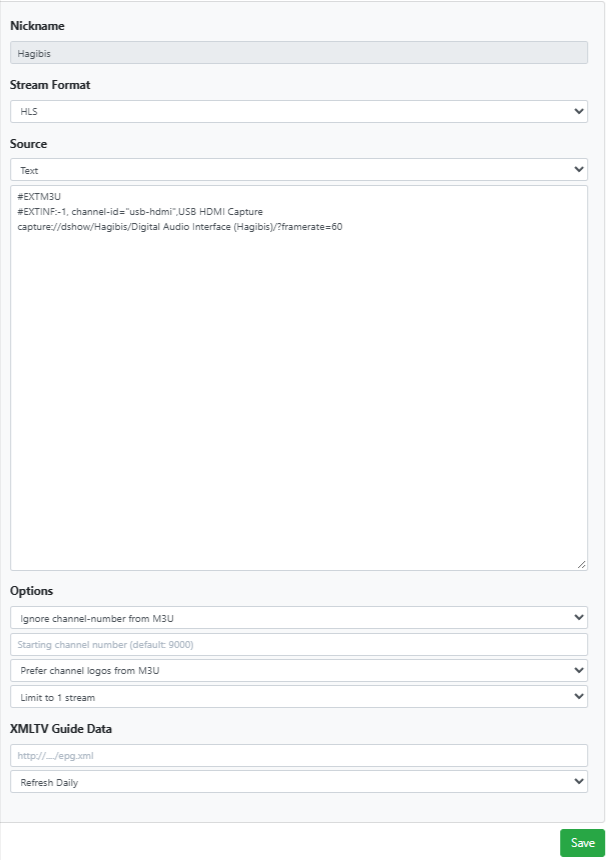
HDMI Capture:

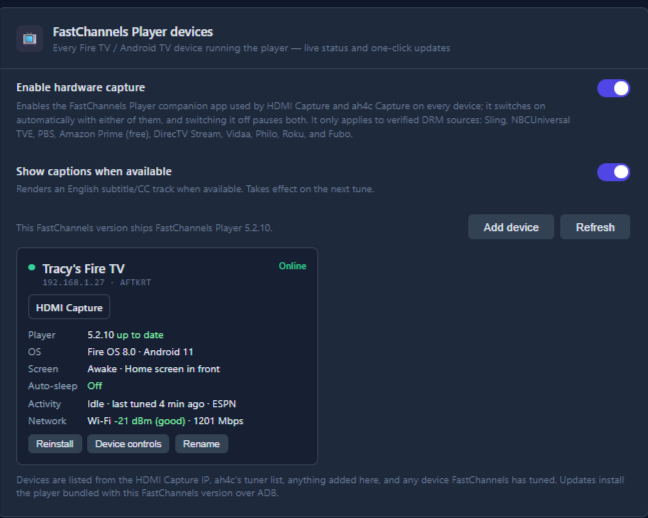
FastChannles Player devices:

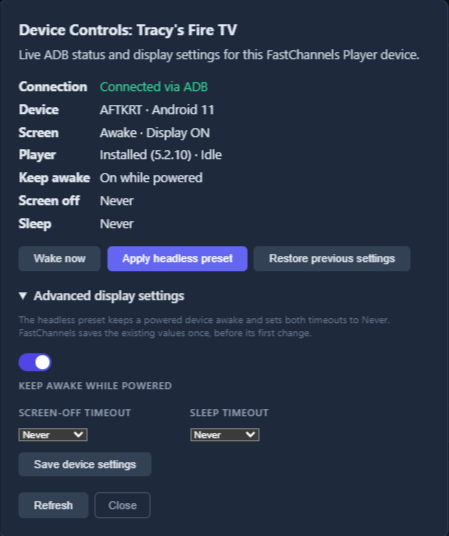
Device Controls:

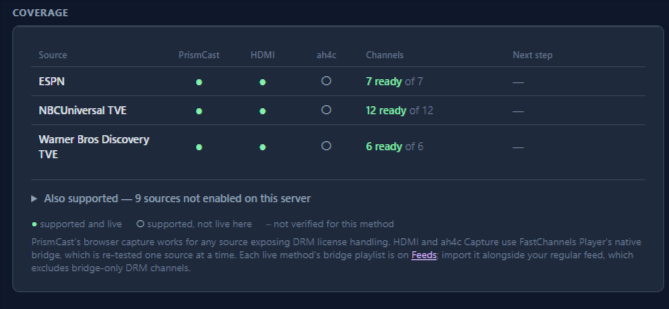
Coverage:
Coverage

I have this source limited to one stream.

(Also, I tested the overflow and can confirm if I use a second tuner for the same DRM channels it uses PrismCast)

Try tuning to a channel, and then using VLC or similar, have a look at what your "virtual encoder" is seeing. I.E., plugin the URL you're using for `CAPTURE/ENCODER STREAM URL'. This will allow to see if the first part of this chain is working correctly -- and the stream is being captured by your special CDVR Custom Channels Source that's doing the encoding.

Also, what OS is the host computer you're running this on using?

If anyone is setting up the new FastChannels ah4c bridge for the ESPN linear channels, the logo URL used for MLB Network has no content. I changed it to:

https://a.espncdn.com/watchespn/images/web/network_logos/channel_logo_mlb_2x.png

by clicking its logo on the FastChannels - Channels page, and changing it there. Reload the M3U (if needed) in CDVR to get it to show.

Also, I'm not sure why your Stream Type above shows HLS Remote, mine shows Direct. There might be an issue with that. Are all your bits-and-bobs on the same LAN?

I loaded the stream on VLC. Initially I see the FireTV Home screen. When I load a channel the stream switches to a black screen.

I am using a Windows 11 PC which is connected to into my router. The Apple TV (the client from my picture) is also connected to the router with ethernet.

Double check the values you're using for capture://. You might have the wrong sound value.

Otherwise, this smacks of an HDCP handshake issue, which normally isn't a concern with resolutions of 1080p and below. You could try setting the FireStick to 1080p, or maybe a different Capture Card. This is the one I'm using:

Currently $20 during Prime Days.

Tested and one of the two shows is currently and the other shows this message in Recording Schedule, so the stream-limit was honored.

image

I don't know how it decided which to record and which to fail. The one that is currently recording happens to be on a lower channel number (2004). It is also the one I queued first. I checked, and neither is currently marked as a favorite channel.

Have a look at the FastChannels log as well, after one of these failed tunes, and post the relevant lines here.

Also, are you located in the US with no VPNs in use?

I'm in the US and am not using VPN. I grabbed the capture values from Powershell:

C:\ProgramData\ChannelsDVR\latest\ffmpeg.exe -list_devices true -f dshow -i dummy
[dshow @ 0000028793478fc0] "Hagibis" (video)
[dshow @ 0000028793478fc0]   Alternative name "@device_pnp_\\?\usb#vid_345f&pid_2130&mi_00#7&1346e323&0&0000#{65e8773d-8f56-11d0-a3b9-00a0c9223196}\global"
[dshow @ 0000028793478fc0] "OBS Virtual Camera" (none)
[dshow @ 0000028793478fc0]   Alternative name "@device_sw_{860BB310-5D01-11D0-BD3B-00A0C911CE86}\{A3FCE0F5-3493-419F-958A-ABA1250EC20B}"
[dshow @ 0000028793478fc0] "Microphone (Realtek High Definition Audio)" (audio)
[dshow @ 0000028793478fc0]   Alternative name "@device_cm_{33D9A762-90C8-11D0-BD43-00A0C911CE86}\wave_{4BFF37F3-0CC7-4642-9169-59154DC03C4A}"
[dshow @ 0000028793478fc0] "Digital Audio Interface (Hagibis)" (audio)
[dshow @ 0000028793478fc0]   Alternative name "@device_cm_{33D9A762-90C8-11D0-BD43-00A0C911CE86}\wave_{1EB4044B-C128-4326-88E6-CF27E9443637}"
[dshow @ 0000028793478fc0] "Microphone Array (AMD Audio Device)" (audio)
[dshow @ 0000028793478fc0]   Alternative name "@device_cm_{33D9A762-90C8-11D0-BD43-00A0C911CE86}\wave_{E84ADA1F-B5C2-4B41-AA89-FA13E6DDCDAF}"
[in#0 @ 0000028793461400] Error opening input: Immediate exit requested
Error opening input file dummy.

I also tried: capture://dshow/Hagibis/Digital Audio Interface (Hagibis)/?framerate=60&video_size=1920x1080

And the FastChannels source was setup atuomatically by FastChannels:

Inially I set up ABD on my TV so I see that the output was set at 4K. I subseqently changed that value to 1080p. I am not editing values on the FireTV using the HDMI Capture Source

Below are relevant logs from a couple of failed tunes:

2026-10-06 20:02:12,462 WARNING  app.fc_player_bridge: [fc-player] device playback error: 10-06 20:01:53.720 E/FCPlayer.Playback(23388): playback error channel_key=espn:espn1 (retry 0/3): androidx.media3.exoplayer.ExoPlaybackException: Source error
2026-10-06 20:02:30,394 INFO     app.routes.play: [fc-player] request_id=efd048a4cbf2946c ip=172.22.32.1 source=espn channel_id=espn1 channel_name=ESPN adb=default triggered=True -> encoder
2026-10-06 20:03:12,425 WARNING  app.fc_player_bridge: [fc-player] device playback error: 10-06 20:03:05.581 E/FCPlayer.Playback(23388): playback error channel_key=espn:espn1 (retry 0/3): androidx.media3.exoplayer.ExoPlaybackException: Source error
2026-10-06 20:04:32,478 WARNING  app.fc_player_bridge: [fc-player] device playback error: 10-06 20:04:20.091 E/FCPlayer.Playback(23388): playback error channel_key=espn:espn1 (retry 2/3): androidx.media3.exoplayer.ExoPlaybackException: Source error
2026-10-06 20:05:09,934 WARNING  app.fc_player_bridge: [fc-player] device playback error: 10-06 20:04:57.456 E/FCPlayer.Playback(23388): playback error channel_key=espn:espn1 (retry 3/3): androidx.media3.exoplayer.ExoPlaybackException: Source error
2026-10-06 20:11:10,956 INFO     app.routes.play: [fc-player] request_id=f53fbcf1dd974d7c ip=172.22.32.1 source=espn channel_id=espn1 channel_name=ESPN adb=default triggered=True -> encoder
2026-10-06 20:11:52,317 WARNING  app.fc_player_bridge: [fc-player] device playback error: 10-06 20:11:46.836 E/FCPlayer.Playback(25267): playback error channel_key=espn:espn1 (retry 0/3): androidx.media3.exoplayer.ExoPlaybackException: Source error
2026-10-06 20:12:29,969 WARNING  app.fc_player_bridge: [fc-player] device playback error: 10-06 20:12:24.246 E/FCPlayer.Playback(25267): playback error channel_key=espn:espn1 (retry 1/3): androidx.media3.exoplayer.ExoPlaybackException: Source error
2026-10-06 20:13:09,959 WARNING  app.fc_player_bridge: [fc-player] device playback error: 10-06 20:13:01.685 E/FCPlayer.Playback(25267): playback error channel_key=espn:espn1 (retry 2/3): androidx.media3.exoplayer.ExoPlaybackException: Source error
2026-10-06 20:13:49,944 WARNING  app.fc_player_bridge: [fc-player] device playback error: 10-06 20:13:39.111 E/FCPlayer.Playback(25267): playback error channel_key=espn:espn1 (retry 3/3): androidx.media3.exoplayer.ExoPlaybackException: Source error

Espn works for me in Fastchannels through the PrismCast Bridge. I also tried NBC and Warner with the same result.

Thanks for working with me on this!

1 Like

This part is what we're looking for, and I don't believe this would happen with a pass (as long as the pass wasn't pinned to a single channel).

As far as I know, there isn't a set of rules that would apply here -- so whichever recording is initiated first would own the limited resource.

Let's ask someone who's more of an expert in this area though:

@chDVRuser What's your understanding of what will happen if two recordings are scheduled from the guide, and they both need to use a source that supports only one stream? There is a second source for both of the channels. So far, it looks like the last one scheduled will fail. Is there any way to handle this, so that the second non-pass recording will rollover to the second source?

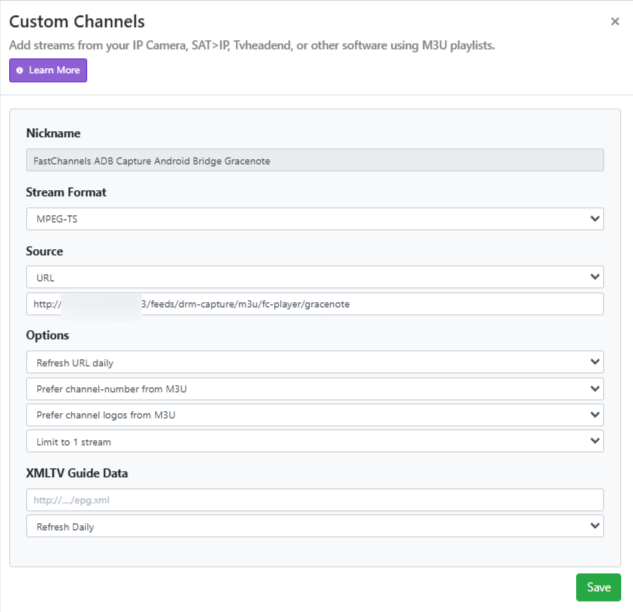
Try changing the Stream Format value in this source to MPEG-TS.

@Victor_Bodenmiller It's possible we're looking at a networking issue here. What values are you using for FastChannels Server URL and Channels DVR Server URL in your FastChannels - Settings? BTW, there's no need to obscure LAN IPs, as they can't be reached from the Internet.

People, including me :slight_smile:, do tend to obscure Tailnet IPs, although even those are probably pointless to redact. If you are using Tailnet IPs, and are uncomfortable exposing them, that's fine -- but we need to know they're Tailnet IPs for support purposes.

I tried changing the Stream Format value in this source to MPEG-TS but am still getting the black screen when tuning a channel.

I think you're right about the nextwork
FastChannels Server Url = http://172.22.47.120:5523
Channels Dvr Server Url = http://172.22.32.1:8089
Fire TV = 192.168.1.27
HDMI Capture device IP = 192.168.1.27
Capture/encoder stream URL = http://172.22.32.1:8089/devices/ANY/channels/17417/stream.mpg?format=ts
Should I use the 172 or 192 format? How can I find the correct coversion?

It looks like it. 172 is typically the starting octet for Docker's IP addresses -- and you don't want to use those. Assuming 192 is the octet for your LAN subnet, replace all those 172 addresses with the LAN IP of your Windows 11 PC.

I've updated the IP Addresses in Fastchannels:

Channels Dvr Server Url = http://192.168.1.13:8089
Fire TV = 192.168.1.27
HDMI Capture device IP = 192.168.1.27
Capture/encoder stream URL = http://192.168.1.13:8089/devices/ANY/channels/17417/stream.mpg?format=ts

I'm not sure how to find the 192 version FastChannels Server Url (I only see the 172 / Docker address or 127.0.0.1:5523)

Docker Desktop actually forwards open ports to the host computer, so the IP is the same as CDVR. The URL would be http://192.168.1.13:5523

Just have to say my Android TV code login flow for DirecTV is working so well. If anyone feels like testing let me know and I'll share!

1 Like

@Victor_Bodenmiller Success?