FastChannels - FAST Channels aggregator/manager

Others here will have a better view on this, but the main difference is maturity. Charon is in active development and changing quickly, while PrismCast is more mature and has less room left for new features.

The trade-off is that Chrome updates frequently, and PrismCast’s longer release cycle means a Chrome update can break something before a fix arrives, so you sometimes need a workaround in the meantime.

On the other hand, PrismCast runs on other operating systems, while Charon is Windows-only as far as I know. So it depends on your setup and how much change you’re comfortable with.

2 Likes

no and I probably won't .. ah4c has some Project OneClick support to make it easy to setup, and I added a "setup ah4c for me" button to help as well.

I personally use ah4c and once I set it up, i haven't opened it since. It controls a single-port encoder (hagbis capture card), and a linkPI for me.

1 Like

I had not originally checked that so that is a good question. In CDVR, web admin version, I am seeing the message "The media could not be loaded, either because the server or network failed or because the format is not supported."

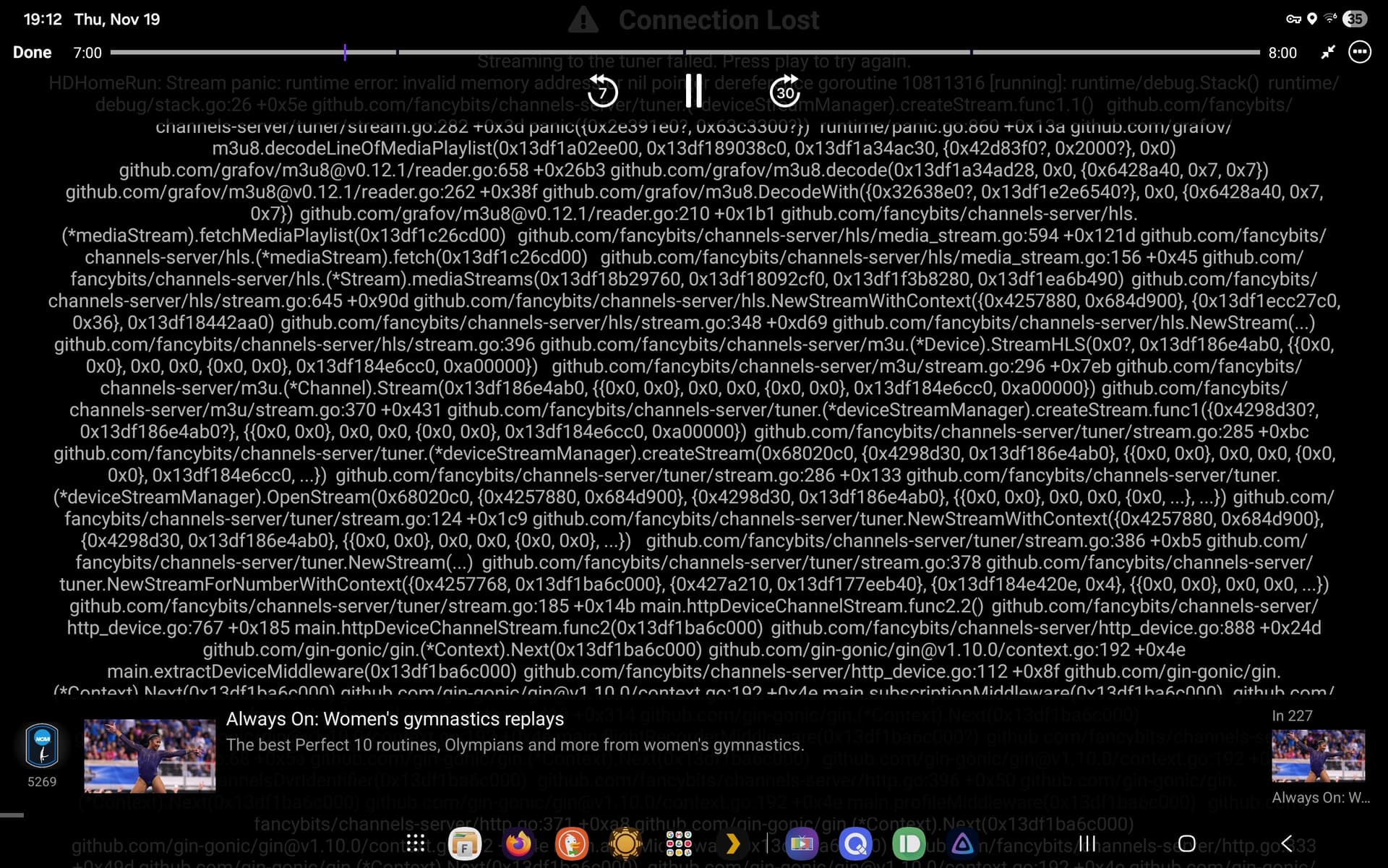
In the android app, I see evidence that something lost its mind.

The server choked.

It is time for the Channels DVR server to switch from grafov/m3u8 to Eyevinn/hls-m3u8 as grafov has been archived since 2024.

yikes- Channels DVR's HLS parser crashes on a blank line NCAA's playlists have near the top.
I'll clean them up before sending to CDVR.

fyi @tmm1

1 Like

I currently have both set up. Here are differences I've noticed that matter to me:

Prismcast: supports up to 9 simultaneous streams
Charon: supports up to 4 simultaneous streams

Prismcast: has a tendency to stop working until manually restarted (which can sometimes take multiple attempts). At least that's my experience with it
Charon: so far has been quite stable

Prismcast: has more options for adding channels, but it's tricky to do so successfully
Charon: You can add channels manually, but exactly what to put in the various fields isn't obvious (to me)

Prismcast has a number of ways to install, set up, and update (npm, docker, homebrew) and works on multiple platforms. The setup can be difficult if you're not adept with the installation method.
Charon is super easy to install on Windows. You just run an installer and you're done. Want to update? Just download the new version & run it. However, if you're using something other than Windows, it isn't available.

Prismcast can work as a bridge with FastChannels to tune in various DRM-afflicted sources
Charon can't currently be used as a bridge with FastChannels

Prismcast has a lot of settings you can fiddle with, but it's not easy to figure out which fiddles would be useful
Charon is pretty straightforward - not much configuration offered or needed; it "just works" with the stuff that it works with

There is some overlap and some divergence in the providers supported by each platform.

2 Likes

good write up.. so many options these days. I might even have something cookin' too :wink:

2 Likes

Turkey with Stuffing?

My Reelz+ subscription ended on Nov. 1st. I wonder how long they will continue to let me watch (and record) their streaming channel via FC/CDVR.

Anyway to force a channel to stream a different feed? Ex Fox pulls a different stream than the local Fox feed. Also abc pulls a different feed as well. I tried putting in zip but that didnt seem to change anything. Trying to stream local college and NBA games for feeds that I can view online just not through FC.

I'm hoping someone can offer some guidance on my situation...

My setup includes Channels DVR and FastChannels. I'd like to provide a way for my family to explore the various FAST services and the channels available to ultimately help guide the creation of channel collections. In addition, there are times when people just want to browse the channels available to find something random to watch, which isn't practical without separating the large number of FAST channels into smaller, manageable feeds.

To that end, I've setup sources in FC, have created feeds corresponding to each source, and have added those feeds as sources in CDVR using the "Add to CDVR" button in FC. That part is working well.

The issue I've encountered is I haven't been able to find a practical way to present the various feeds to end-users via the CDVR clients.

  • There doesn't appear to be a built-in way of viewing the guide by source in CDVR.
  • I looked into Channel Collections and found I could create a static list of channels for each source, but it's just a snapshot in time and seems like it would require significant maintenance as channels are added/removed.
  • I looked into using Automatic Channels under Channel Collections, but it doesn't provide a means of selecting all channels for a given source and automatically maintaining them as channels are added/removed.
  • I found online that I could add all sources except one to the exclude list and specify a space as the keyword to create collections by source, but that didn't seem to work (no channels matched), plus it would involve on-going maintenance as new sources are added.
  • I found online that FC adds a "category" matching the name of the feed to the EPG data, which in theory would allow for a dynamic channel collection based on the genre matching the feed name. This seems to work very well for some channels, partially for some channels, and not at all for others. I played with it for a while, but the issue seems to be related to the way in which CDVR converts "categories" in the EPG data to genres, categories, and content types, and how it handles non-standard category names such as a feed name. I have not been able to find any detailed documentation about how this works. As-is, it's not a viable option for source separation.

On the surface, this seems like a pretty basic ask. What is the point in having a bunch of different sources (aside from the 750-channel limit) if there's no practical way to work with them. I get the idea of creating collections for movies, music, drama, game shows, etc., and that is a goal, but people need to know what's available in order to create these collections. As mentioned, there are also times when people just want to browse channels to find something different to watch with no specific channel or topic in mind.

I stumbled across the Channels DVR Collection Manager (GitHub - CurtisFeatures/channels-dvr-collection-manager · GitHub), which seems to be a straight-forward solution to the issue. I setup the container, created a rule for each source, synced the collections to CDVR, and boom...Channel Collections by source, automatically maintained as channels are added/removed from the various sources. Bonus: unlike several of my earlier attempts, it doesn't require CDVR to sift through megabytes of EPG data to determine which channels to display; it's a simple, predictable list of channels for each source that isn't dependent on currently having programming, having complete EPG data, consistent handling of non-standard categories, etc.

I'm not opposed to the CDVR Collection Manager solution, I'm just a little surprised that this seemingly simple need isn't built-in to CDVR, and that it requires this much effort to implement. Is this the practical solution or have I missed something?

On a different, but somewhat related topic, I have not been able to find a way to search for a channel by name or call sign within CDVR. I can search for content (e.g., shows, movies, and episodes) by title/description, but can't search for sources (e.g., Fox, CNN, Buzzr, or city-specific channels such as CBS Philadelphia). Again, this seems like a pretty basic ask. Even on my HDHomeRun there are over 100 over-the-air channels available. The ones I watch frequently are favorites, but when I want something outside of those channels, it seems the only option is to scroll through the entire list. Is there some way to search by channel name and/or call sign within CDVR?

At this point, I'm up and running with CDVR Collection Manager and it seems to be working well. I think I'm really just looking for a sanity check on the solution I've found, and that I haven't missed something obvious.

To do this you use automatic channel collection.

  1. Leave genres blank
  2. Exclude all the sources but the Fast Channels source
  3. Under enter keywords(this is the important part). Select the box and type a space in the box then click add.
  4. Leave content type as content type(default) and do not check box new, live, hd, or cc

Every channel has a space in the title or description so this adds every channel from the source.

1 Like

2 Likes

This will simplify things a lot and also move away from unstable and/or frequently updated containers.

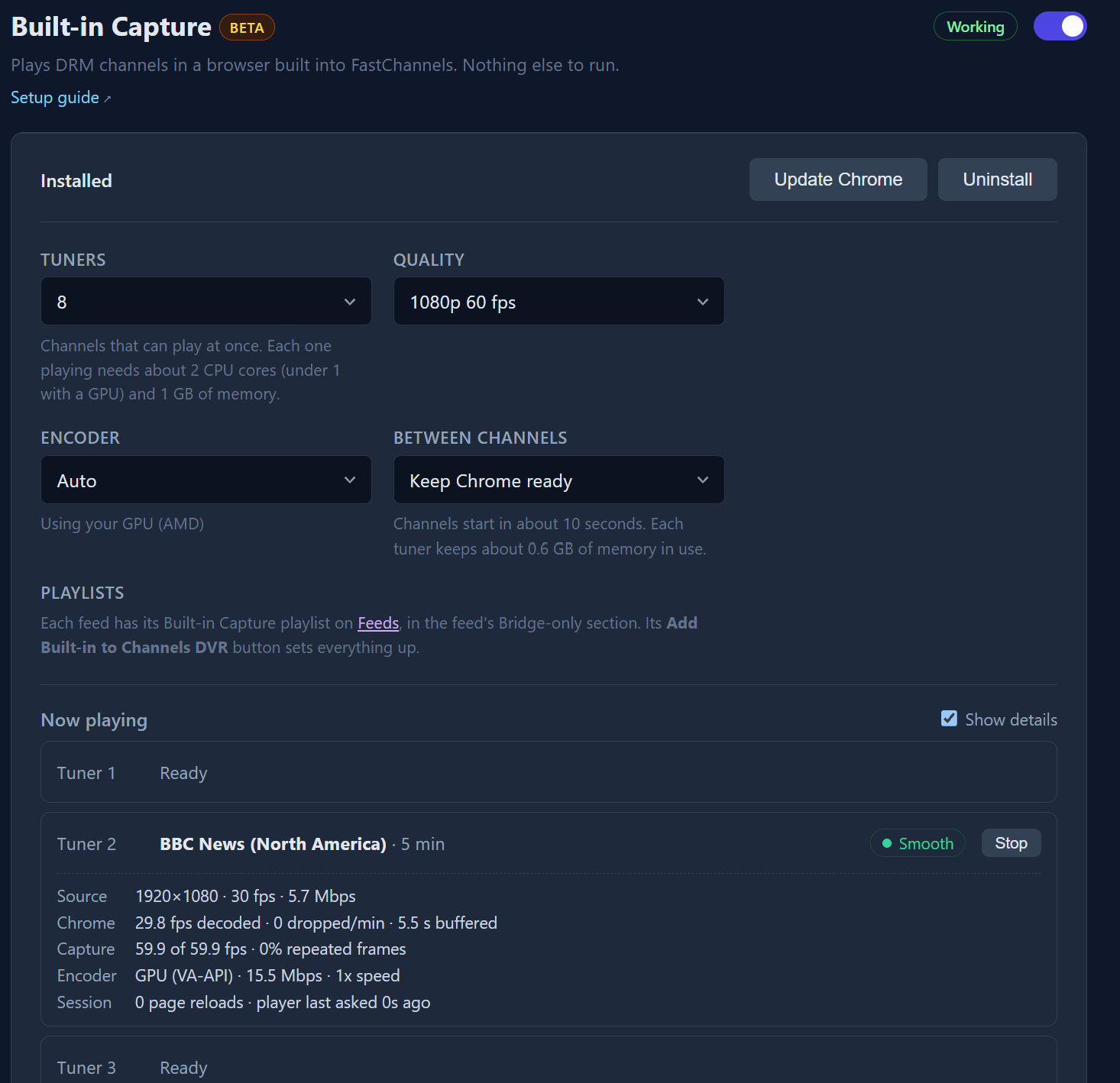
I see the Update Chrome button. I suspect that Chrome version needs to stay synced with your code. I'm wondering about ways to make this happen. Some ideas:

  • A compatible version of Chrome is packaged with FastChannels
  • A specific version of Chrome is pulled and installed with FactChannels install or upgrade

Chrome is a moving target with upgrades for both features and security. I don't think features matter and we don't want new ones interfering with capture. Security updates are important when one browses the web yet for connecting to specific streaming sources the risks are rather low. This make me think the methods I suggest are safe and reliable.

1 Like

that's the plan -- it's totally optional .. it self-installs in a few minutes. only user interaction required is if you want to add GPU support - that takes a few lines in the Docker compose.

testing is going great so far - i've used Chrome Capture/Prism in the past, and not impressed with the performance. i even tested it on my Beelink miniPC and it handled 2 streams. anymore and it choked -- but my other more powerful box, it was humming along.

this has been rock solid thus far. i think ya'll gonna like it. ~10 sec tune time is only thing I don't love, but my daily driver will still be my linkPi encoders.

1 Like

what source?

Looks very interesting!

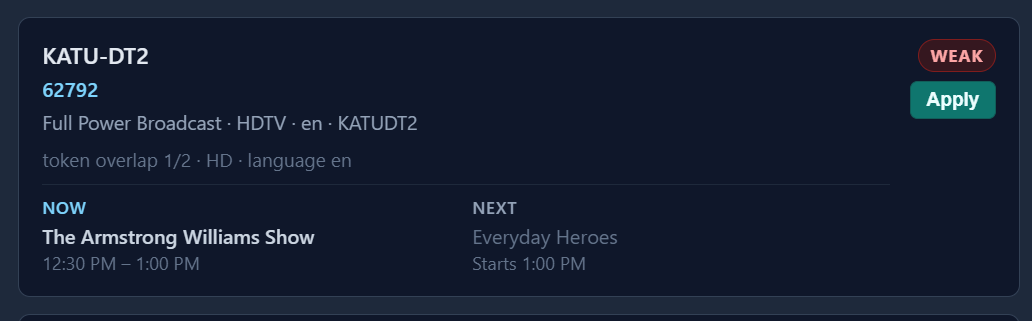
Fox one or Disney are the 2 in particular. I have rip city listed as katudt2 but cant change it to that.


It was FOX Sports that was showing a different feed, not the local one. Just curious from when it pulls how to opt for those alternate feeds over the ones supplied. They dont show up in my channels list or for review if i repull source.

Just noticed that your adding the Chrome capture so might be irrelevant for me if that works with Xfinity like Charon does. Looking forward to testing that feature out.

1 Like

I could live with that if it's more reliable than the current methods available without an encoder. One USB encoder just does not cut it.