FastChannels - FAST Channels aggregator/manager

im working on the ch num thing. will fix.

One ask for everyone- think different about feeds. Don't fall into the old "create one m3u/xml for my output." Be creative- make up feeds for sports, one for news, one for anime, etc. that's the beauty of all these fast channels. It's so easy to add a new feed and add to Channels with a single click. The whole interface makes editing these and maintaining them so easy.

1 Like

Yup, that fixed it! Thank you.

does this have the fix for Pluto, to be able to input account login info and have up to 10 streams etc.?

yep

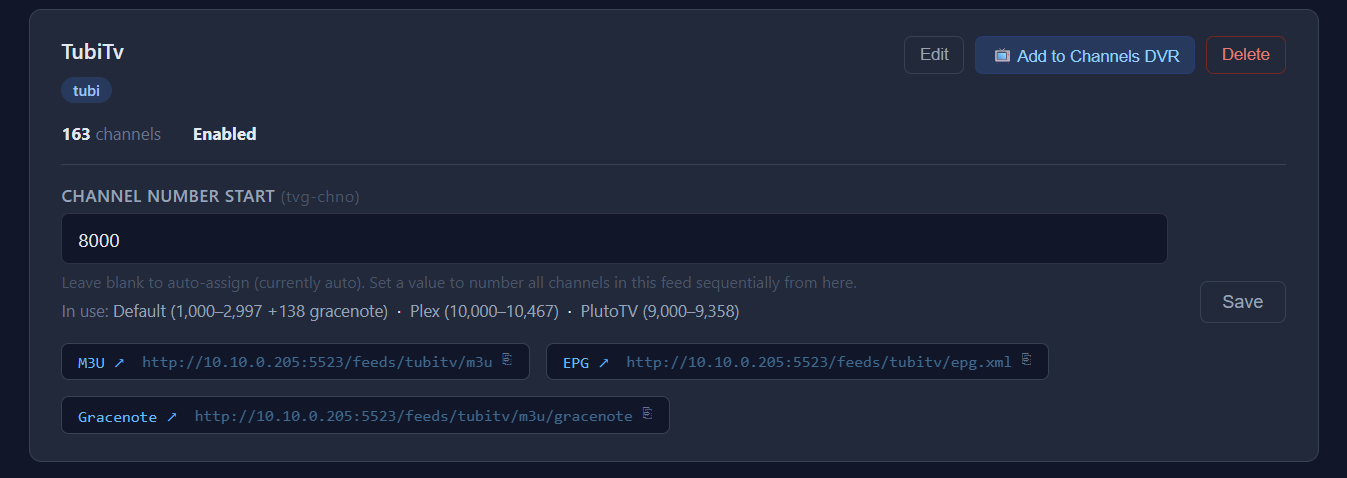
OK Pushed quite an update for the CH-NUM issues people were seeing. Added helper in the admin/feeds page that shows what's in use so overlap shouldn't happen.

sorry I didn't test that function very well before getting this out. Let me know if you see any more issues.

remember- try to make custom feeds! I promise you'll like them longer term.

1 Like

@KineticMan Thank you for this great project, just set it up and going thru the setting up...
Question... where would you prefer reporting issues? Here or Github issues?

For example, here's mine... unless I'm doing something wrong..
I just created a new feed and it's set up...
If I click the Copy icon, it does not copy anything...
If I click the M3U line, it will open a save window...
The only way to get it to copy the link is to right click the line and click the "Copy Link Address"...
Can you clarify?
Actually, none of the "Copy" icons work...
Thanks again...

I just installed the FAST Channels aggregator/manager by using the classic Olivetin's Project One-Click.

While scraping, the Roku source, things seemed to bog down for a while. I checked the logs, and noticed this "Warning" entry: (4th line in the log excerpt below)

2026-03-16 12:32:19,847 INFO     app.worker: [roku] Scrape job started
2026-03-16 12:32:21,692 INFO     app.scrapers.roku: [roku] 795 channels fetched
2026-03-16 12:34:09,177 INFO     app.scrapers.roku: [roku] description backfill: 3032 unique IDs (0 cached, 3032 fetched) → 369 programs filled
2026-03-16 12:34:09,214 WARNING  app.scrapers.roku: [roku] entering 300s cooldown after 403 (prewarm seed for 483af83e821059b8b3f0825ae2d43e31)
2026-03-16 12:34:09,214 INFO     app.scrapers.roku: [roku] cache warm summary: play_id=699/795 selector=699/795 stream_url=0/795 retry_play=0 retry_selector
![Screenshot 2026-03-16 12.44.27 PM|690x65](upload://brS79JR40AEyzbjtmeINc9rrU6c.png)
=0
2026-03-16 12:34:09,214 INFO     app.scrapers.roku: [roku] 3226 EPG entries fetched for 795 channels
2026-03-16 12:34:10,689 INFO     app.worker: [roku] Scrape complete — 795 channels, 3226 programs (110.8s)

The Roku Channels source on the dashboard page also has a warning icon next to the number of channels:

The same warning icon appears next to the number of channels in the output feeds portion on the dashboard:

Does this indicate a problem?

here is cool.

i'll fix the copy, but do yourself a favor and go to Settings and make sure your server IP is set, and so is the IP for your Channels server. then everything is one click to add a feed to Channels.

Our friends at ROKU have a very aggressive relationship with Cloudfare (they help websites from getting too much traffic at once essentially...) Anyway, this scraper sets off the alarm bells there (403 errors).

not much I can do ... it will eventually clear up and go through. Sorry, it's very annoying to me too.

1 Like

Also I forgot to mention this. Once the Feed is created. I was having a hard time trying to copy the links needed. I did end up setting up by using the Add to Channels DVR (AKA One Click) which is pretty slick. But I think the icon next to the link should allow me to copy the link yes? If so I couldn't get this to work in Chrome or Firefox.

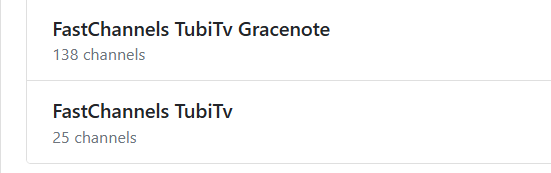
Okay I retried to add Tubi and it seems to work. But it seems to add two to Channels. Is this expected behavior.

image

yes... Gracenote is the richer EPG data that channels provides. I thought everyone would prefer that over the scraped stuff. So, if a source has Gracenote IDs, it creates two sources-- one with the Gracenote and one with my XML/EPG data. Only way to do that is create two sources (just a limitiation with CDVR but shouldn't be any effect to end user)

1 Like

Okay. Thank you!

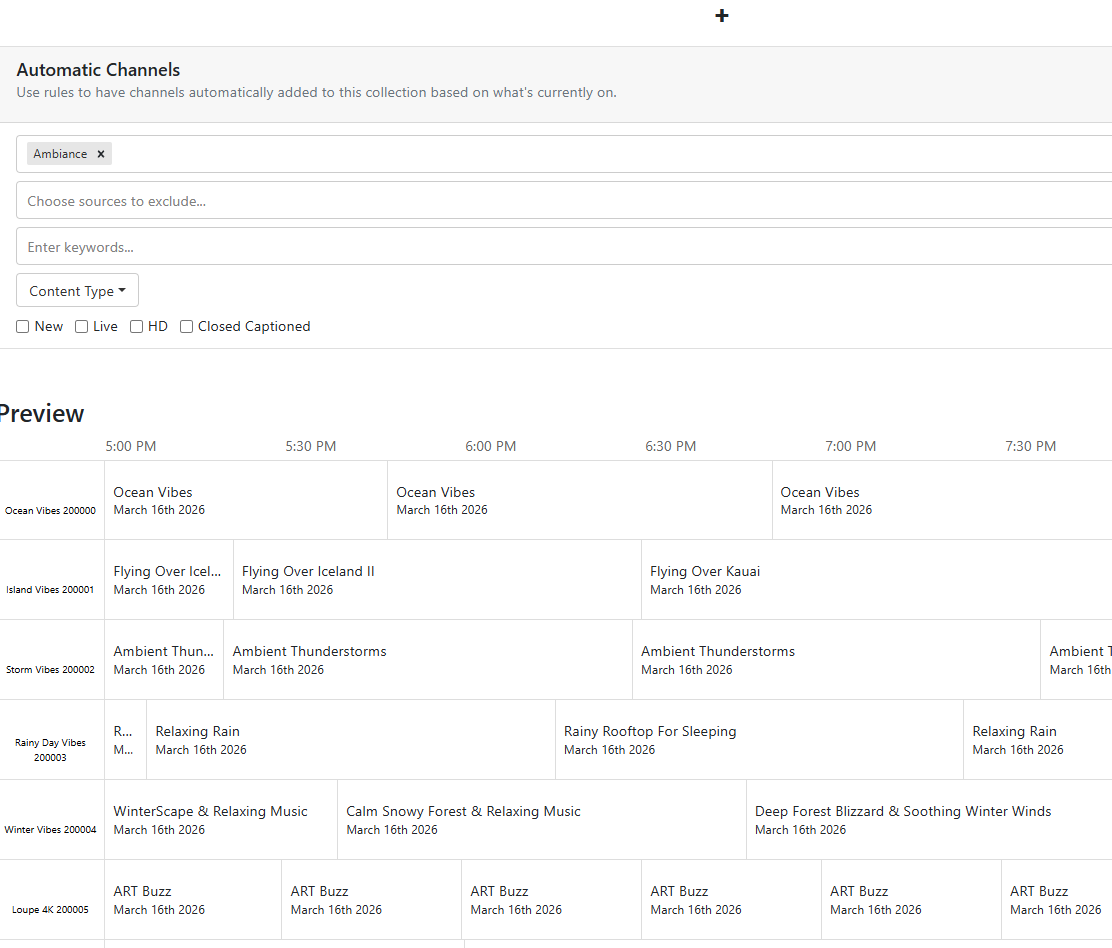
You can combine these separate sources in your guide by creating a channel collection which includes all the channels from both sources.

Thank you for the copy fix... good to go...

Does anyone have recommendations for setting source priorities while resolving duplicates?

For instance, are there sources which you might push higher in priority due to better video quality?

Or, which sources have more Gracenote channels offering 2 weeks of guide data, rather than several hours?
(it seems to me that Samsung and Pluto are fairly limited in this respect...)
(Pluto, 12 hours? Samsung, maybe less?)
(How about Distro, Roku, and Xumo? I have no experience with these sources)

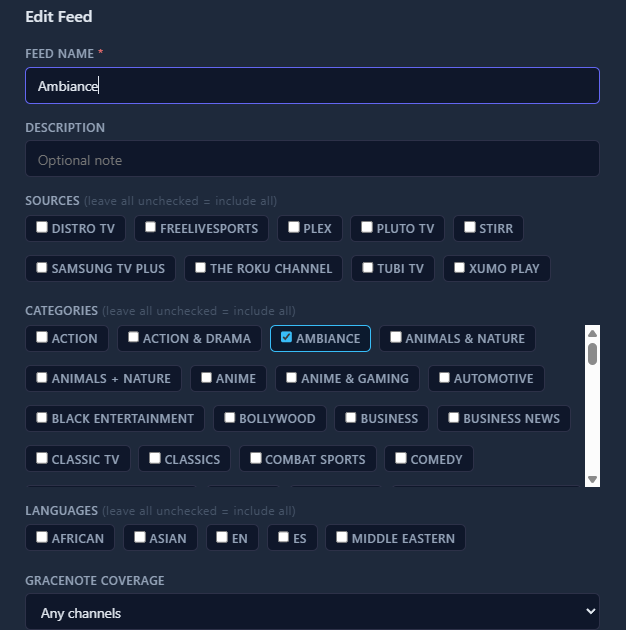
Actually, that was a great idea. I have now appended the FEED name into the XML. So, let's say you created an Ambiance feed:

Then, if you create a Channel Collection in CDVR, type in the Feed name in the Genre tab, it will pull in all those channels. Pull latest code to take advantage. Thanks!!

Not complaining about all the new versions (love it), but can you update the version number displayed on the admin page?
I keep having to compare my image creation date with your GitHub page to see which version I'm running.

As I continue to set up my channels, when I resolve duplicates and choose a priority hierarchy, can the action be redone later? Do I simply choose the same "Resolve Duplicates" button and change the order again?

Feature/Suggestion: Is there a way to auto sort the Sources?
For example, Samsung TV should come before STIRR, etc.