
Anything in logs? Someone reported a bug about scrapes misfiring. I’ve got a fix coming tonite.
1 Like
I set the FastChannels Pluto source to scrape every 6 hrs (360 minutes)
Then I set my Channels DVR source setting to refresh the XMLTV every hour
I did this several years ago just so I would be able to tinker when something comes along that interests me.
1 Like
FastChannels v2.8.0 is out
Grab it from GitHub/Portainer — just pull the latest and rebuild your container.
Here's what's new:
Community Gracenote Map
- Dashboard now shows a summary card — how many IDs are available to apply, with a one-click
shortcut to the map - First-time users see a clear banner explaining what the community map is and how to use it
- Better feedback when applying: shows exactly how many were applied, and which ones couldn't
be matched - If you hit the contribution rate limit, you'll get a clear message instead of a silent
failure. I have a limited number of WebHooks per month, so if you wish to contribute, please batch them up. - Manual mappings now show in amber (instead of green) so they're visually distinct from
auto-applied ones
Bug Fixes
- Port leak fix for reverse proxy users — if you're running behind nginx/Caddy/Traefik with
HTTPS, URLs generated by FastChannels (M3U links, EPG URLs, etc.) were including your internal port number. That's fixed — FastChannels now correctly trusts the X-Forwarded-Port header from your proxy. - Scheduler timeout warnings — some users were seeing "job missed its scheduled run" warnings
in the logs. Fixed by giving the background jobs a proper grace window, so normal startup/load
delays don't trigger false alarms. - Feed region filter wasn't saving correctly — fixed, and a Region column is now visible on the
Channels page. - SSL verification errors in Docker — added the missing CA certificates package to the image. LocalNow setup should be easier.
Channels Page
- New "Enabled + inactive" quick-filter button — surfaces channels you've enabled but that have
gone missing from recent scrapes (and therefore aren't currently in your output) - Channels in that state now show a small amber "not in output" label on their toggle, so the
situation is obvious at a glance without needing to apply a filter - New Scraper Presence filter options in the filter bar
Channel Changes Report
- Added net change count, returned channels section, and a source health table
- Cleaned up the beta labeling and wording
Help Page
- Reports section added (with Beta tag) — will grow as more reports are added
As always, feedback welcome.
3 Likes
unfortunately, it's a design flaw/tradeoff.. I serve the image cache behind a localhosted HTTP server (your server of course) and the image URL may not be available remotely. It has a number of trade-offs the way I did it, but the intent was right - I was trying to keep your CDVR from hitting rate-limiting itself from the upstream server.
frankly, the image cache may have been more of a pain than a help in the long run...
1 Like
Is this normal, now to have to scroll left/right to access the buttons?
Not my browser zoom level, as does not change when i zoom in or out.
Seems to be column/row width/table size issues with the newly added Region column.
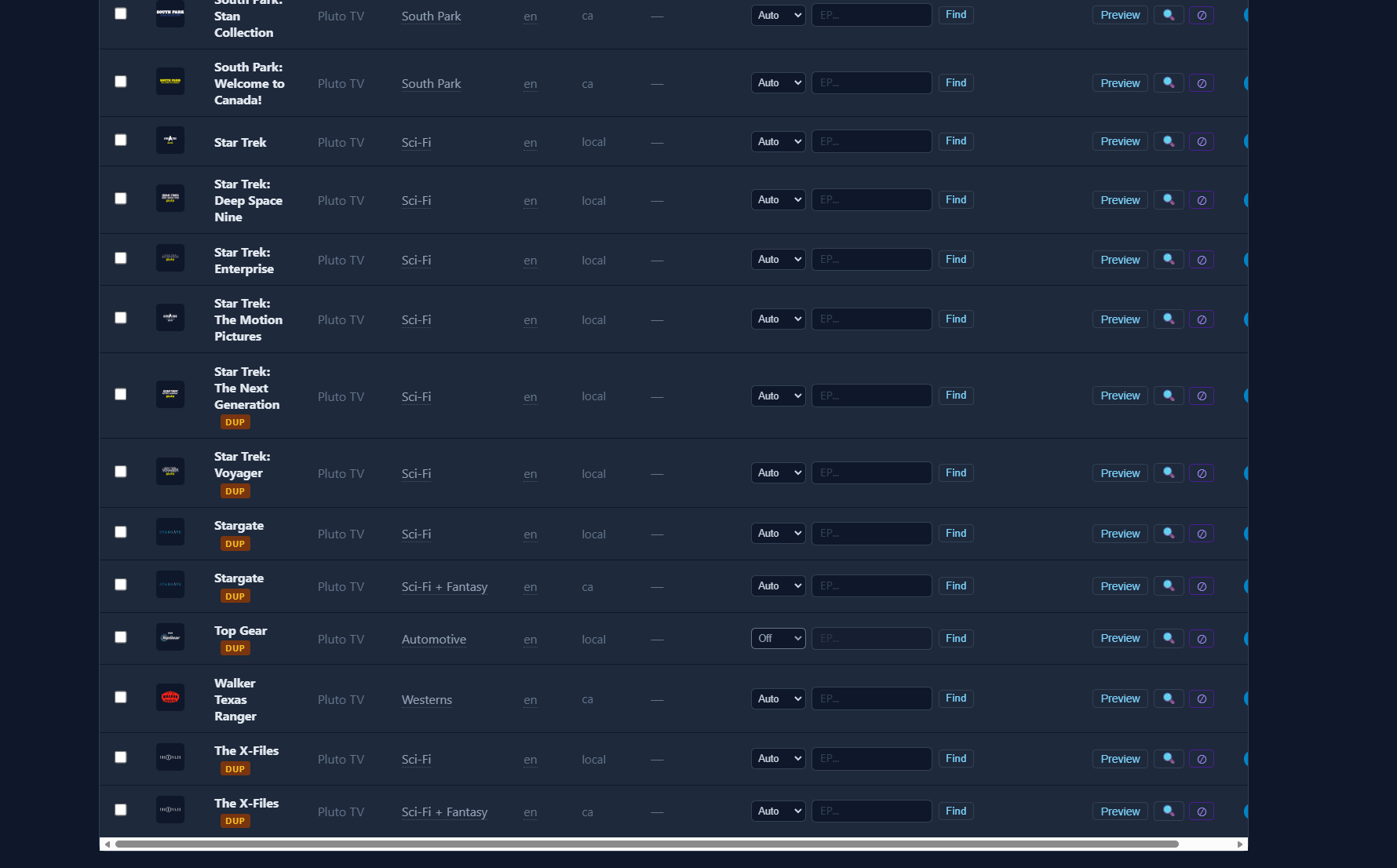
Thanks @KineticMan. I can confirm that the Region filtering in Feeds is now fixed and the Region column now shows up in. Channels.
1 Like
I had that in the previous version, but it also depended what was on the screen. For example if I hit the magnifying glass, it will add more content to the row making the row wider, leading to scroll bars to scroll left and right.
1 Like
UPDATED: Now that I understand what the setting does I turned it back on and changed my channels to Auto.
Question on "Auto Gracenote"
I want all my channels set to Manual.
Thought this setting would accomplish that.
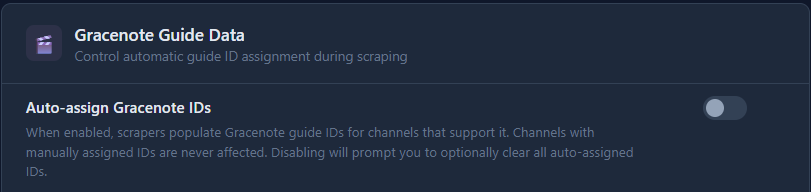
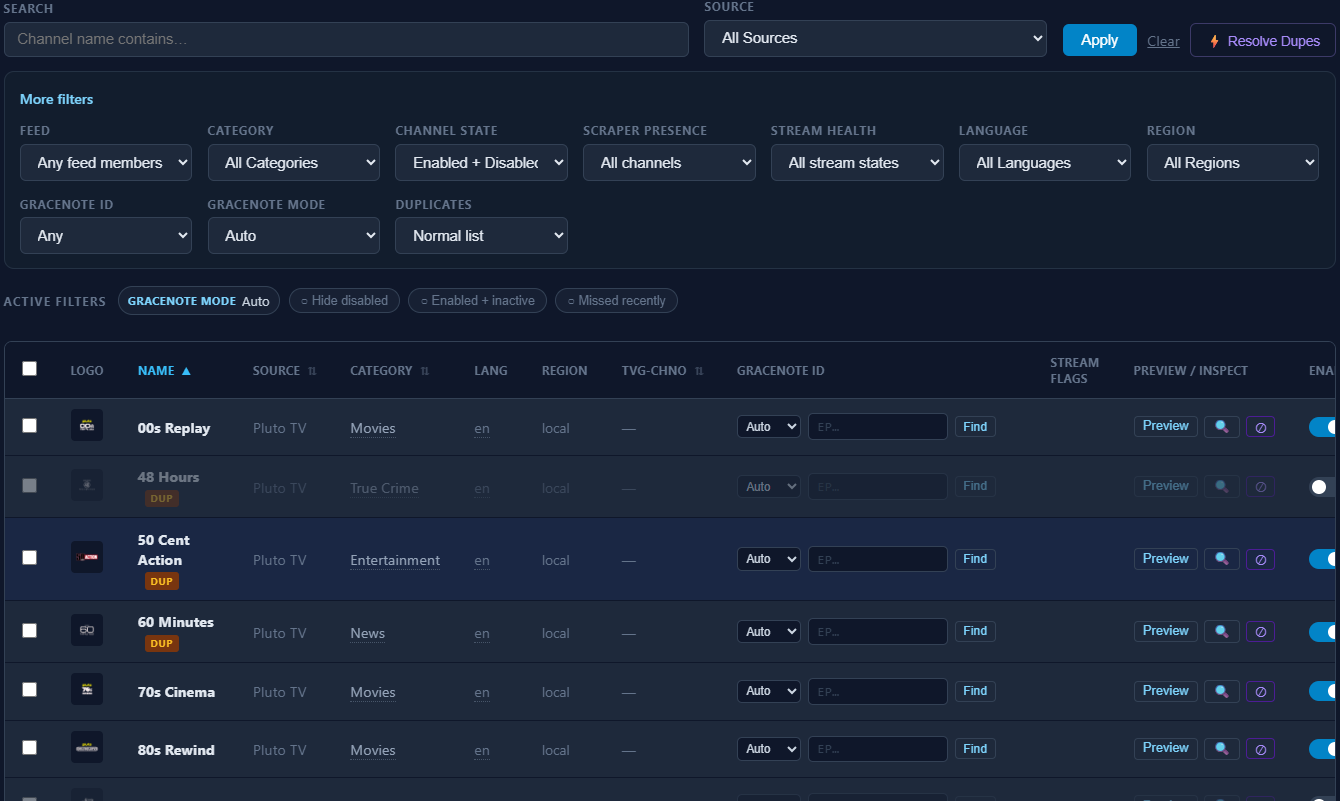
But I'm seeing 417 channels set to auto.
Doesn't seem like I can batch change them to Manual, only Auto or Off?
Added many features for y’all.
I’ll tighten it up.
What Magnifying Glass? I do not see an option to adjust or add content rows in FAST.
I assume u mean your browsers Zoom function....as i said, the size of the table layout in FAST does not change for me no matter the zoom level. Tried in Edge and FF.
Still cuts off the slider buttons.
I'll fix that wording, but the Auto Gracenote setting in Settings only controls whether the scraper fills in new IDs going forward (like if LG decided to add Gracenote IDs upstream) — it doesn't retroactively flip existing channels from Auto → Manual.
I'll add bulk editing to clear up confusion.
Right next to Preview on the far right of the row. Your screenshot has a magnifying glass on each row. It's the Test Stream option.
Thanks.
As far as I know none of the FAST providers give you gracenote station ID's. That would make it too easy for us.
That's to inspect the stream.

The table still gets cutoff and you have to use the slider at the bottom to see the whole table.

1 Like
you guys are getting spoiled. pushing 2.8.1 hot fix to remove that horizontal scrolling (I hated it too).
1 Like
Roku/Pluto/Tubi populates ~213 IDs from their data btw
1 Like
That would be great!
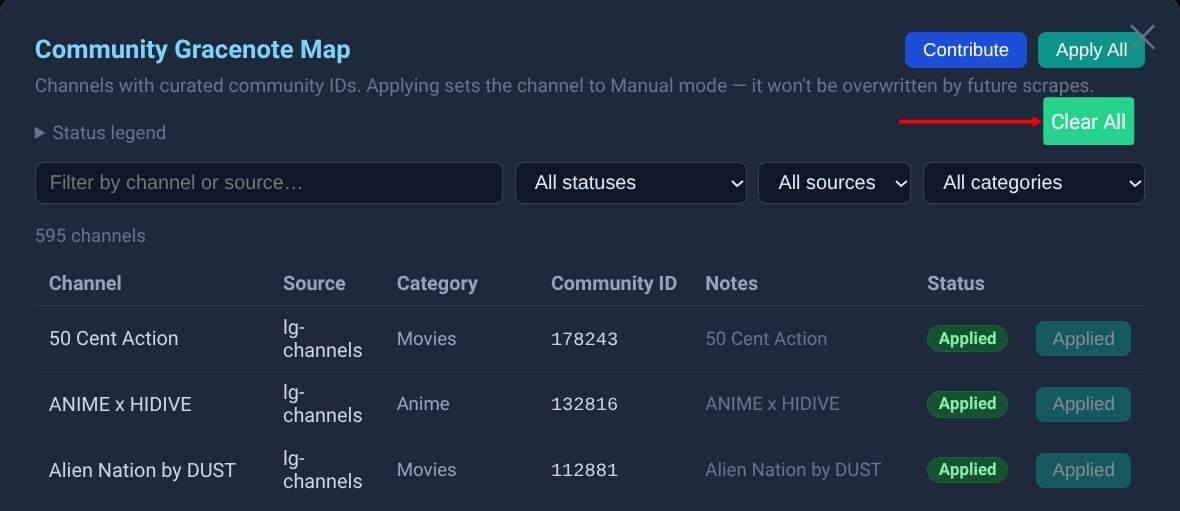
Along a similar thought, on the Gracenote Community page, after hitting the Apply All button, and wondering if they were all accurate, I wished that I had something like a Reset All, or Clear All button.
For instance:
1 Like
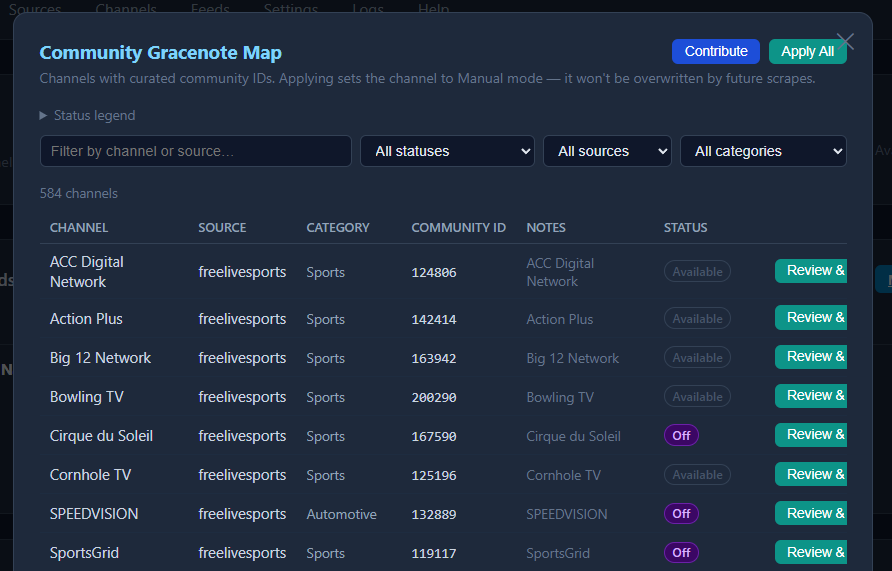
oh sorry i thought you guys were asking about the Channels page, not Gracenote. i'll clean that one up next version. tnx