
Having a difficult time with channel identificaiton with PlutoTV channels only in Apple TV CDVR, and some detailed guide info (like episode details on some of the Pluto Channels, like Pluto Drama. I'm able to stream those stations without issue, The identification is correct and complete on the Iphone CDVR app, just not in ATV. Any thoughts on what might be wrong?
That’s odd. Could just be the way CDVR is displaying the tagging FC sends.
Send some screenshots
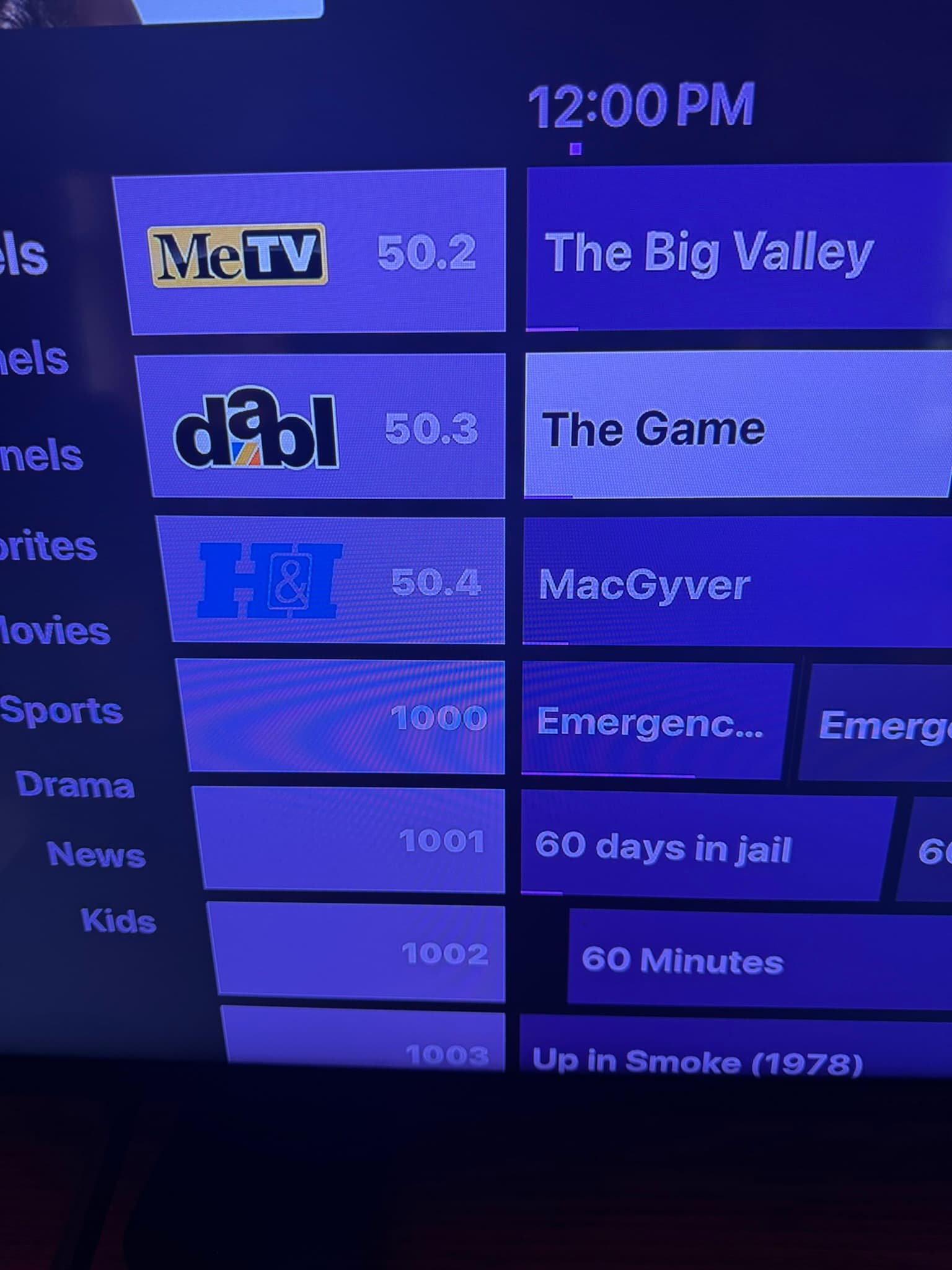
This is the best example. The upper section are my local channels (via antenna and HD Homerun) coming in with channel identifiers correctly, while the lower ones are from Pluto by way of FastChannels. Further down (now shown), the TVE channels I get from DirectTV Stream which does correctly show the station identifiers. Again, the CDVR app on my Iphone has everything correctly. Please let me know what else you might need to troubleshoot this issue. Thank you.
Also, the details of Pluto TV channels like Pluto TV Drama, Pluto TV Comedy, Pluto Cult TV etc do not include guide detail information. The title of the program itself is not listed, nor is the episode information. In order to see what is playing live, you have to go into the channel without any idea of what it is. This prevents one from being able to record an upcoming program as the guide doesn't know what's out there. Thank you for help with this, and the station identification logos.
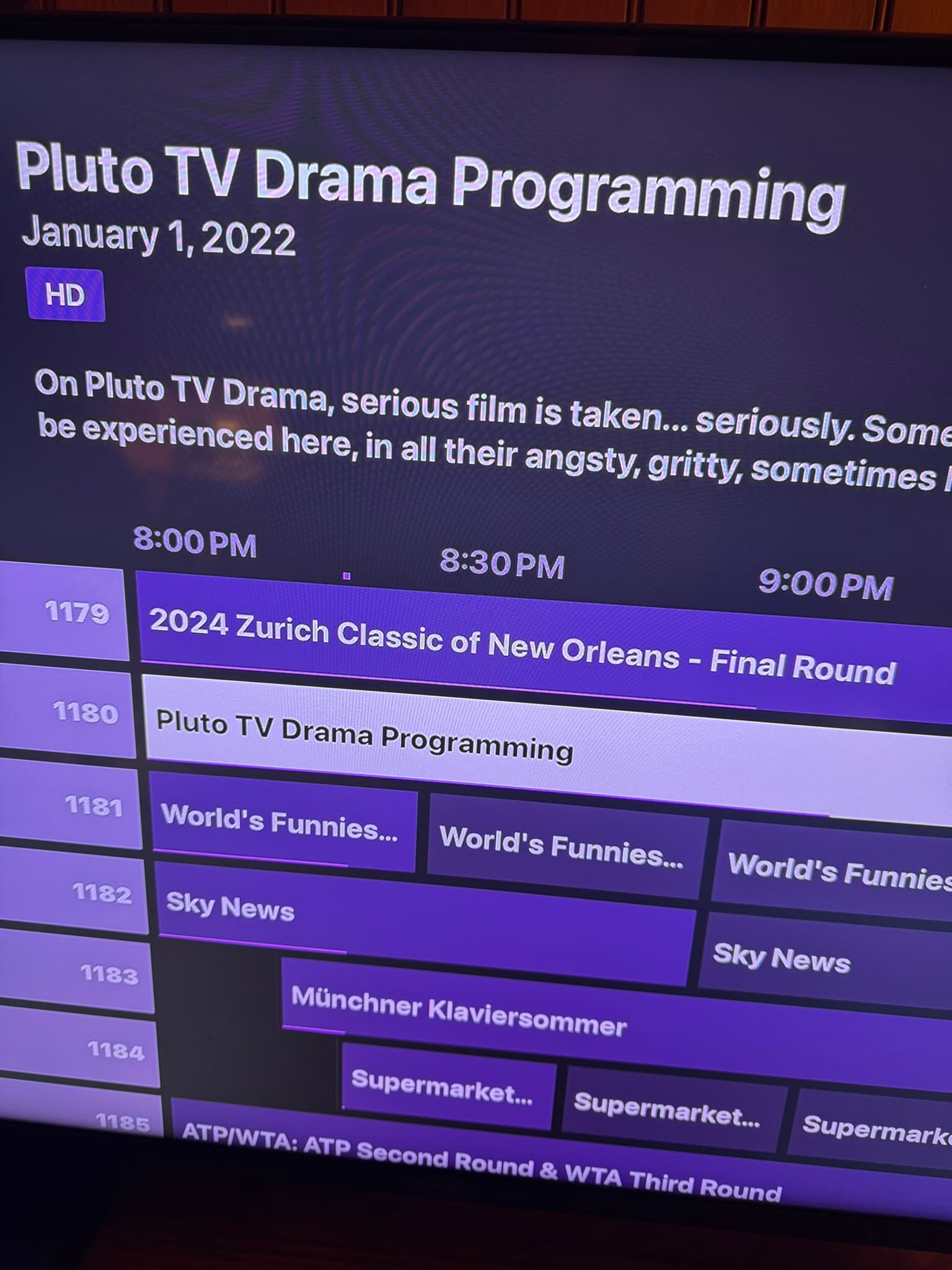
I suspect that’s got a bad Gracenote ID in those.
Mark down those channels and remove the Gracenote ID in admin/channels.
Which ones do u see that on and ill remove from the community list
As for the lack program information, m
ost don't have a GraceNote Identifier in that field except a greyed out EP. But the channels in question are 1023, 1080-1099, 1100-1110, and 1180. Also, any ideas on the channel identifier issue I've sent a pic or two about? I presume this is a Channels issue more than FastChannel.
I don’t understand why the logos are missing.
Does playback work fine? What does your settings page show for FastChannels IP (first setting)?
FastChannels Server URL
http://192.168.7.150:5523
I am on a Mac, and on a beta version. I have since turned this option off. Could this be impacting my issue? Any ideas on why the Pluto Channels (Pluto Drama, Pluto Comedy) have no guide information? Let me know what else you might need. I appreciate your time.
And playback works flawlessly.
On the Pluto ones, go back to admin/channels, and blank out the Gracenote IDs and set to off. Then go back to CDVR and do a delete/recreate DB under Guide Gata in settings.
For the logos, I’m stumped. If playback works fine, it shouldn’t be a network issue. There is a refresh logo button on CDvR you can try?
The missing logos are an ongoing bug in the Channels App for Android on the Beta path, not FastChannels related. It happens with lots of sources, even Channels' own Gracenote-provided logos. Thus far, no one has been able to identify a rhyme or reason why some work, some don't. It's very, very annoying.
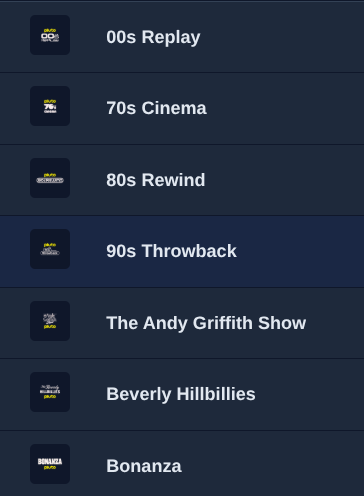
From what I can see, it looks like in CDVR, Channel Logos are missing for all of the Non-Gracenote channels. (Not just Pluto) This is after a channel logo refresh under Guide Data in the CDVR GUI.
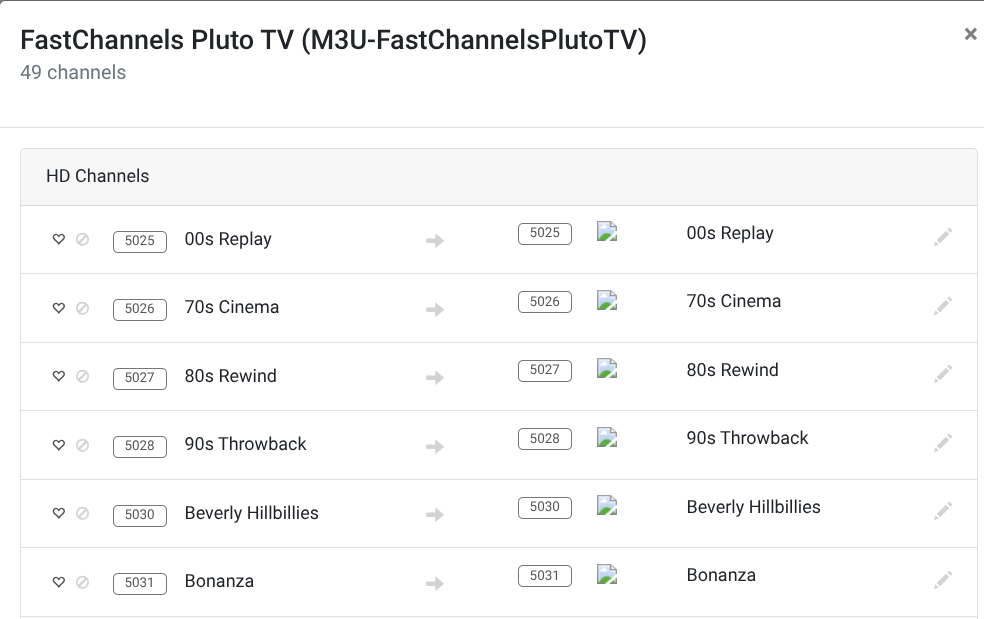
The same channels do show a logo in the FastChannels GUI. Somehow, they are not making it into CDVR.
OK. If you learn anything more I need to try, please let me know. Thank you for looking into this further.
Ohh what url are you using for the admin portal?
Is it “my.channelsdvr.net” or is it the direct local IP?
That's an excellent question!
I'm away from home, so my clients are connected remotely. For the Channels DVR GUI, I am connected through Tailscale running on my server. (Not the integrated CDVR Tailscale option)
Here's what's crazy: through my actual remote Tailscale connection, on the CDVR GUI, I get no channel logos.
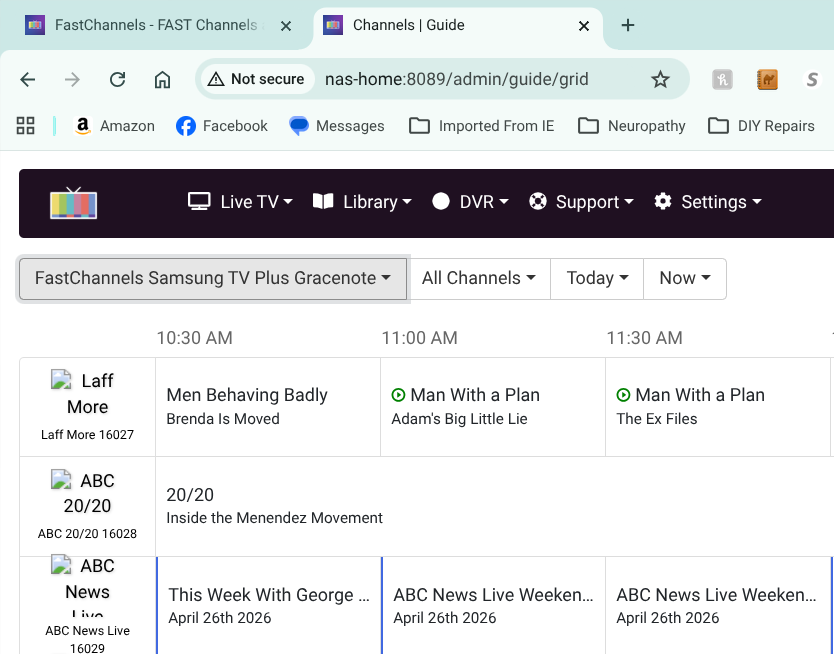
But, when I remotely connect into my PC at home, whether I use the direct local IP address to the CDVR server GUI, or use the Tailscale address, I DO get logos.
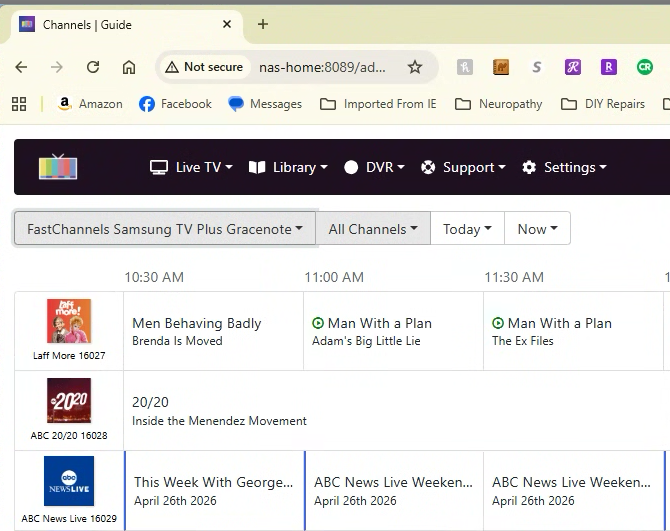
I just did some more checking. Through my remote connection it seems that the problem isn't limited to Non-Gracenote channels. It looks like I have lost ALL of the FastChannel channel logos in CDVR.
This is likely because when you're remote, your browser isn't able to reach the URL for your channel logos -- but when your local it can.
You need to adjust how you're configuring FastChannels so that the logo URLs are resolvable from anywhere on your Tailnet.
For example, here are my env var values with FastChannels deployed through Project One-Click:
TAG=latest
DOMAIN=localdomain tailxxxxx.ts.net
HOST_PORT=5523
TZ=America/Denver
FASTCHANNELS_SERVER_URL=http://htpc6:5523
CHANNELS_DVR_SERVER_URL=http://media-server8:8089
Note that I'm defining both my LAN's local domain name and my Tailnet as search domains, plus the URLs I'm defining both use MagicDNS hostnames.
Yeah, it looks like my environment variables for FastChannels are specific to my LAN.
TAG=latest
DOMAIN=localdomain
HOST_PORT=5523
TZ=America/Los_Angeles
FASTCHANNELS_SERVER_URL=http://192.168.1.100:5523
CHANNELS_DVR_SERVER_URL=http://192.168.1.100:8089
So, I should change them to this? Or, is it OK to leave the local ip's (192.168.1.100:####) in the server urls?
TAG=latest
DOMAIN=localdomain tailxxxxx.ts.net
HOST_PORT=5523
TZ=America/Los_Angeles
FASTCHANNELS_SERVER_URL=http://nas-home:5523
CHANNELS_DVR_SERVER_URL=http://nas-home:8089
What happens when you ping 192.168.1.100 when you're remote?
1 Like
Pinging the numerical IP address yields "server unreachable"
Pinging "nas-home" is no problem
Here are the labels one node on my Tailnet carries that's a subnet router, and also WAS an exit node (the exclamation point indicates it's not approved for that anymore):

Establish one node on your home LAN's Tailnet as a subnet router and that should sort you out.