FastChannels - FAST Channels aggregator/manager

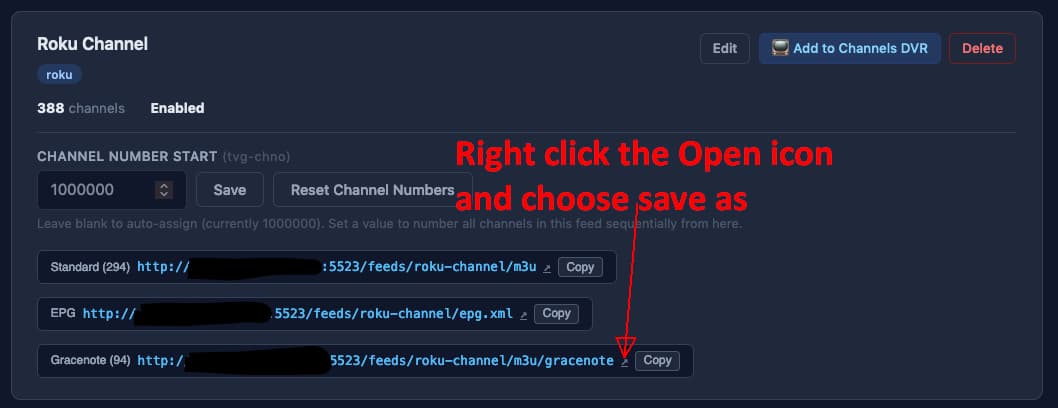
Using wget it does not download anything. For the regular channels, it downloads an entire m3u. Here is a screenshot of the feed.
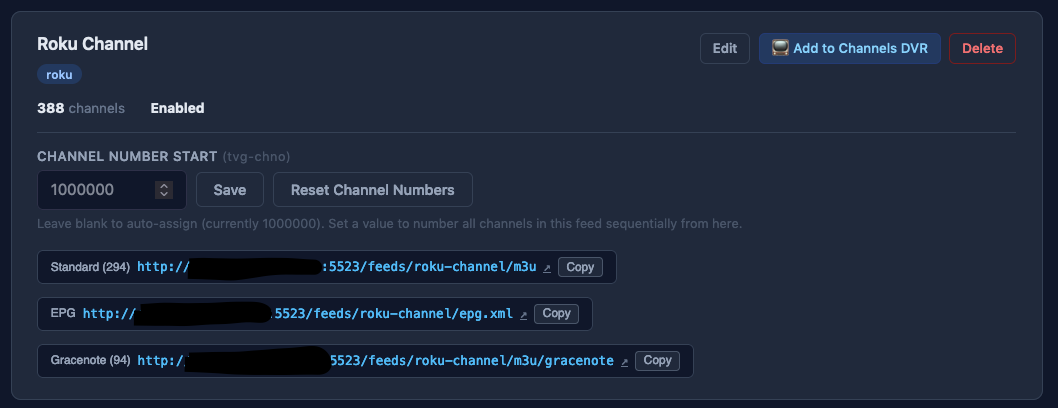

As you can see, it says there are 388 channels, of which 94 with gracenote.

Thank you for the quick reply. It is not urgent as I still have the list from elsewhere. I just want to mve everything to your awesome container.
As I mentioned before, I used:

wget -O - http://server:5523/feeds/roku-channel/m3u/gracenote and it returns nothing

When I execute:

wget -O - http://server:5523/feeds/roku-channel/m3u

I get a proper m3u .

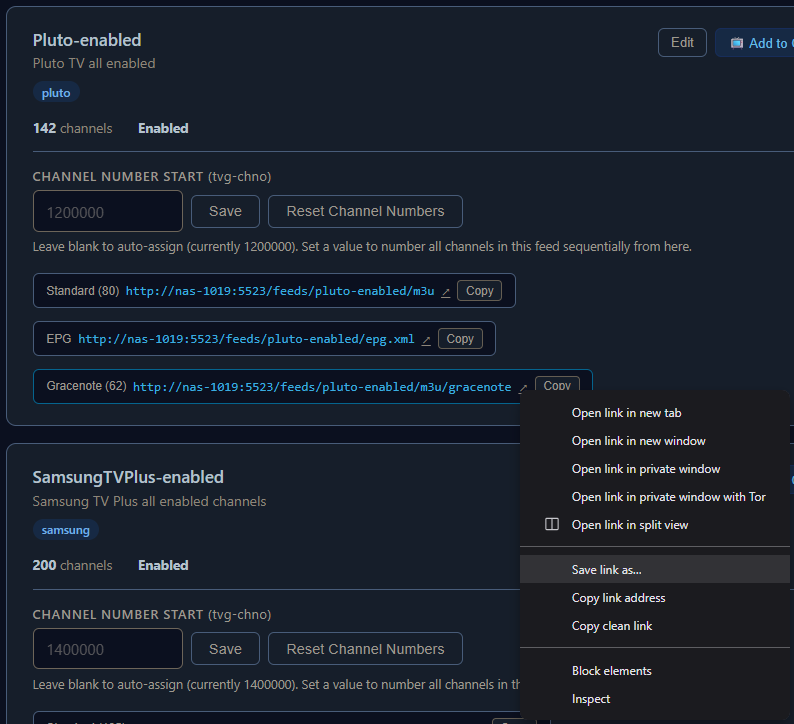
When I do the save as, as you suggested, I get an empty file.

Do you have other gracenote feeds that are working?

Pluto for different countries works, as well as Tubi.

1 Like

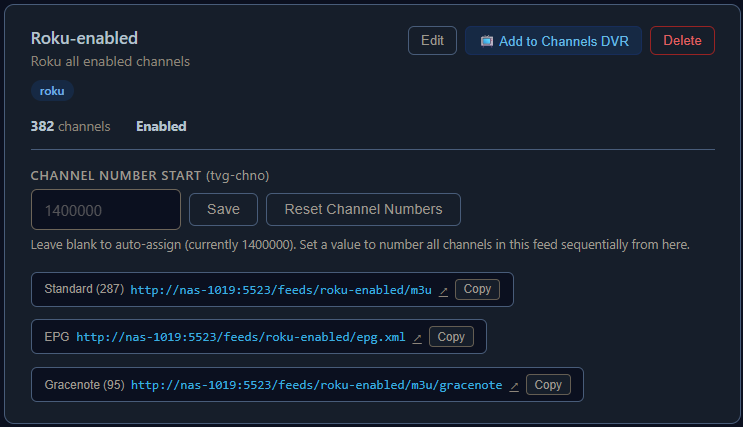
I just enabled Roku, scraped, audited and created a feed.
I was able to get the gracenote m3u from it (lists 95 channels).

How to "turn off" Gracenote feeds?
Maybe I'm not understanding the whole Gracenote thing but I don't have access to Gracenote.
When I go to the Feeds, I have 5 custom Feeds and the Default.
All of them have a mixture of Standard m3u and Gracenote m3u links...
For example, Default has 95 Gracenote, "Ambiance and Music" has 9 Gracenote.
I take this to mean these Gracenote channels are not accessible if I wish to share the Standard channels, right?
Since I don't have Gracenote, is there a way to "turn off" the Gracenote channels?
I was looking at the Channels tab, but if I filter the Gracenote ID to "Has Gracenote ID", nothing is returned..

So am I doing something wrong?

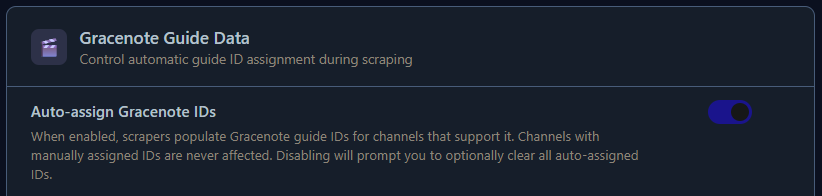
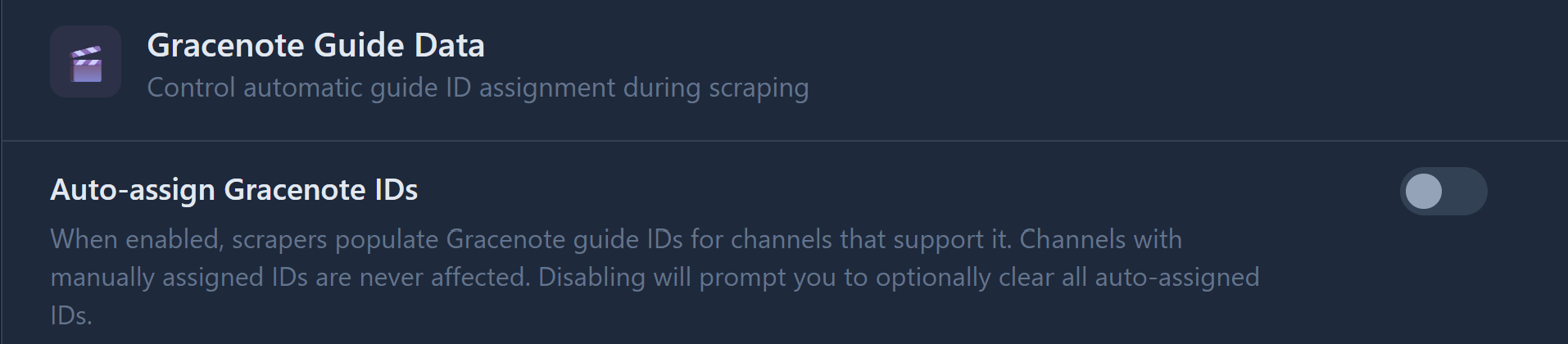
Go to the settings tab and disable it

You must not be using Channels DVR Server then.

The Gracenote is already set to off...Note, I had never "enable" this setting...

Correct, I'm not using a CDVR server...
I'm just curious... am I losing those channels that have the Gracenote ID set? Like the 95 from the Default Feed?

You're not "losing" any channels if you're not using this as a source for Channels DVR.
What are you using this for?

If you go back thru my posts, you'll see that about 85-90% is using the in-app player...
That's why I keep asking/begging @KineticMan for more in-app player features...
the rest of the time, I use the feeds in a couple of Windows IPTV players...

Try this
Toggle it enabled
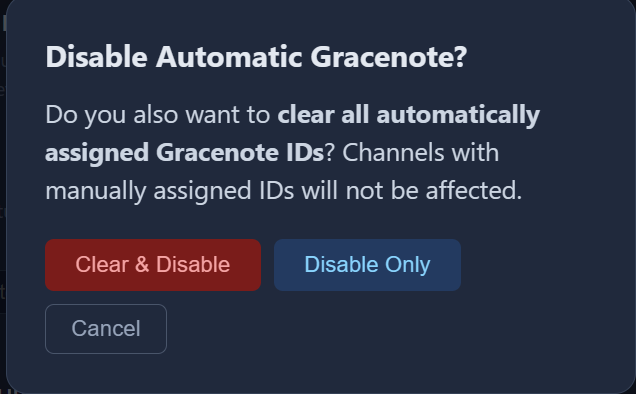
Toggle it back to disabled and select to clear all auto-assigned IDs

Disabling will prompt you to optionally clear all auto-assigned IDs.

After that if you still have gracenote channels in your output feeds, go to the channels and make sure gracenote is turned Off on them.

OK... Enabled and then Disabled... Selected the Clear all...
Channels still showing he Gracenote...
Created a new Feed and added the channels from the Ambiance/Music... Still shows the 9 Gracenote...
Two things...

  1. I noticed that all the channels with Gracenote are from the Roku source...
  2. If I source only the Roku channels, is there any way to turn off Gracenote on ALL the channels at one time , or do I have to do each one at a time?

They are all currently set to Auto.

That's a question for @KineticMan
I'm not going to try it, but I thought disabling and selecting Clear all was supposed to turn them Off on ALL channels.

Did it mention anything about turning them Off when you disabled it?

Off is what you want.
Manual is OK as long as you don't assign a gracenote id to the channel.
Auto is definitely not what you want.

My concern would be any new channels that get scraped. You want them to be defaulted to Off.

Maybe you need to re-scrape them for the setting to take effect :man_shrugging:

Did it again and this is what I see...I did select the Clear & Disable
So it doesn't turn them off as far as I can see...

image

I will go ahead and re-scrape now...
Rescrape completed...
All the Roku channels are still set to Auto for the Gracenote column.

Sure sounds like Clear & Disable isn't working properly.

Ok, will wait for @KineticMan man to respond...
Just checked and it appears ALL the sources have GraceNote ID set to Auto, not just Roku..
But as I said earlier, all the Gracenote channels in my custom Feeds are all from Roku.

Yes, sort of, at least for my market. For instance, the local NBC station is live sometimes on their website (usually local programming). So, not a 100% replacement, but at least a bit of one to add to the mix of options.

Just catching up here- you guys saying that bulk action doesn’t work? I’ll try it out on the test container and see if it’s buggy.

@KineticMan Based on what I'm seeing, and I may be doing something wrong... but is there a way to "turn off" Gracenote globally. Currently, all my channels have Gracenote ID set to Auto...
This may be the default and why I said I may be doing something wrong...
If you look above at the Roku screenshots, you will see the line with Gracenote showing 95 channels...
The question is, if I only use the non-gracenote m3u link, then am I "losing" those 95 channels?