just buy a bigger monitor, duh!
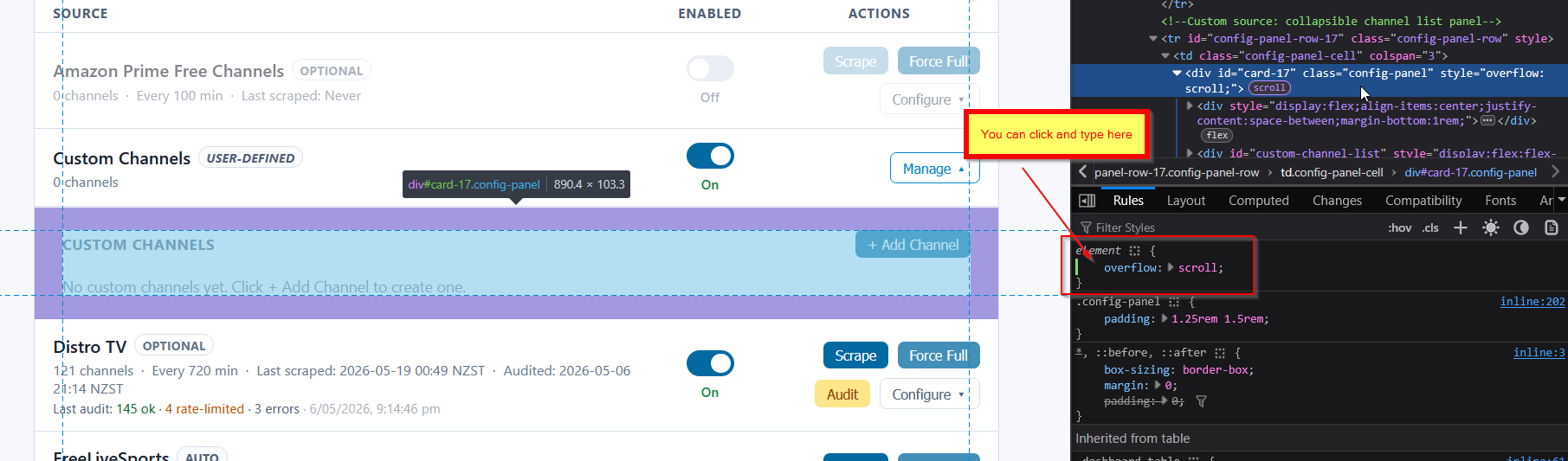
i'll put some overflow/wrapping protection on that field for next version. can you ignore it for a few days? i'm trying to do new versions on thursday/fridays

just buy a bigger monitor, duh!
i'll put some overflow/wrapping protection on that field for next version. can you ignore it for a few days? i'm trying to do new versions on thursday/fridays
updating in next version. fyi, i had to add a new column to DB (i only tracked last seen, not when it returned) so the first few times you view the updated report, it may look a little funny until data settles in
Thanks!
Seems it's going by days using UTC time, where 17:00 my time is 00:00 UTC.
Any chance of adding to Channels tab NEW CHANNELS Last 1 day
Ooo that’s like 3 lines of code. Gonna cost you a beer.

If you didn't want to wait, you could right-click, choose Inspect (on Firefox anyway), and try adding something like "overflow":"scroll". If you fiddle with something like that you may be able to access it.
Oh - I see it's sorted already 
@KineticMan I previously asked for this feature but you hadn't reply to it, so I'm not sure if you missed it or if it's a feature you didn't think was necessary, so I'm asking again, just to make sure... If it's not possible, no worries...
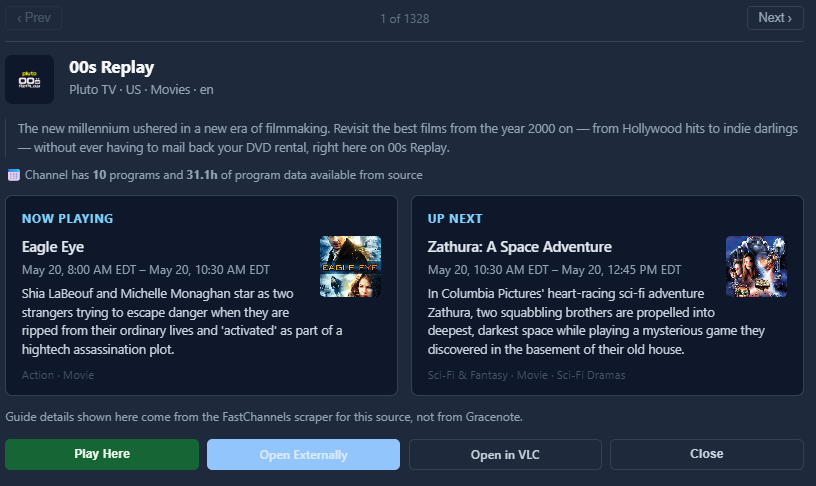
On the preview player, would it be possible to add a previous and next channel button?
This way, if I had a custom Feed or just all the channels loaded, one could play to the next or previous channel without having to close the preview window and then selecting another channel?
Thanks.
I did take a brief look at it. little more complex than I thought, but i'll take a crack at it.
Thanks. I'll give that a try. I am using 5523, so should I replace 8092:5523 with 5523:5523?
No. I had read that Portainer was supposed to be good, so I set it up and used that. Unfortunately, although I carefully noted the password I created, it no longer recognizes it and I can't login to Portainer. I have concluded that Portainer is just another barrier to my being able to use Docker at all!
I have never used Docker Compose and have barely used Docker. So I'm hoping that the instructions @jtanderson supplied will work in my case. I made backups of my settings, so if an update destroys them I can hopefully restore and not have to start everything from scratch.
FastChannels is currently the only thing I'm using Docker for, and my general policy is to use Docker only when there is no other option. 
Any ideas on how to mark channels as "do not resuscitate"
I have a couple that either get disconnected or the ad insertions mess up the timestamps.
Right now I'm marking them as Russian Horror and disabling them.
If I don't mark them somehow memorably, I will eventually re-enable them and history repeats itself.
Not sure how difficult it would be to add a "User Comment/Note" to a channel.
another custom feature for your terrible memory?
im about out of real estate on admin/channels page so i dont think a DNR flag would work there. I could potentially add a notes section in Stream Preview modal maybe?
I wouldn't bother. Unless I start liking Russian Horror, that works for me.
Just thought maybe other users were using something I didn't know about (like a DNR category).
Yes.
I updated my Docker container after backing up my database.
The instructions say to restore it, " replace /data/fastchannels.db with it, then restart the container."
I want to restore from my backup but am having trouble finding the location I'm supposed to restore to!  I looked all over my system and discovered that it's not findable there, since it's hidden under Docker in a way that can't be found in the normal Windows filesystem.
In Docker Desktop, I looked under "files" and found the folder and the db file under it. But how do I copy anything to that? After getting absolutely nowhere useful with Google, in desperation I asked an AI, which said I should use something like:
docker cp "C:\Backups\myfile.db" mycontainer:/data/myfile.db
So, (given where I copied the extracted file, which I renamed from "tmpxxxxx.db" to "fastchannels.db" it should be
docker cp "g:\channels\fastchannels.db fastchannels:/data/fastchannels.db
Is that correct? (Docker is not my friend).
just do this from Command Prompt (in the directory your software is saved).
When you say "directory your software is saved," what do you mean? Is it somewhere under program files\docker? I don't see fastchannels anywhere on my computer unless I look inside Docker Desktop. I've also checked Appdata\roaming\docker desktop.
If this involves a docker compose file, I don't have one, as that's not how I set up the container. I don't know how to use a docker compose file. I initially set up with Portainer, which I now consider a mistake, since Portainer promptly locked me out after using it once.
I followed the instructions given by @jtanderson , but that made everything start completely from scratch, and I'm trying to restore the database I had backed up, as all my configuration was wiped by that method.
So assuming I succeed in restoring my backed up database, how would I (I guess) obtain whatever would be needed to use Docker Compose as you describe, or use just plain "docker run..." commands to update nondestructively? Otherwise, I can't see myself trying to update this again anytime soon since the recovery has been so difficult.
I used the "docker cp" command to copy over my restored database, but fastchannels is now stuck in a restart loop. It won't start and I can't stop it. This is getting more and more frustrating by the minute.
Please help me recover all the feed settings, channels enabled/disabled, etc. that I spent so much time on and carefully backed up, but can't seem to restore.
Update: By end-tasking Docker Desktop, I was able to redo the copy of the backup file and everything seems to be working again. But I don't seem to have a reliable way to update nondestructively. I guess Docker Compose is supposed to work for that, but the whole "compose" thing is a mystery to me.
New Version 3.8.0 released
New Scrapers
Channel Catalog
Feed Improvements
Admin UI
EPG / Poster Quality
Bug fixes covered feed channel number stability (GN status changes no longer renumber channels), Gracenote partitioning edge cases, channel changes report accuracy, Plex token expiry, stream audit false positives, and a handful of scraper and UI correctness fixes. Misc performance improvements.
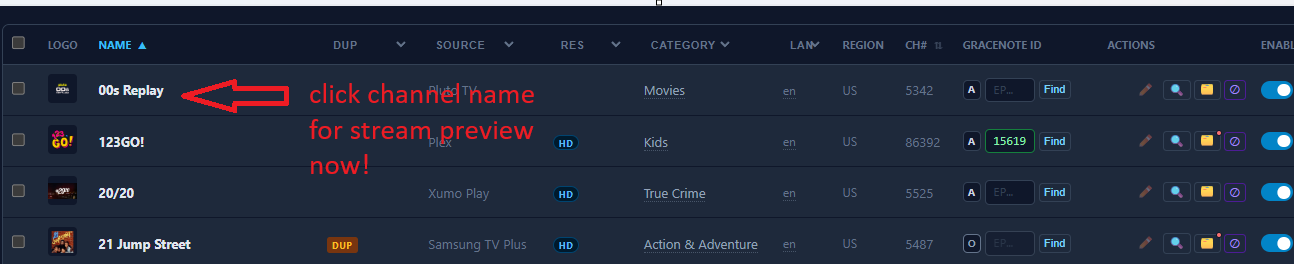
Worth highlighting -- Stream Preview moved->
*edit - snuck in a quick Bally fix if someone downloaded already whoops.