FastChannels - FAST Channels aggregator/manager

FastChannels 4.1.0

New: TV Guide (/admin/guide) BETA

A live EPG grid showing a 5-hour window of programming across all enabled channels. Filter by source, feed, category, or search by program title. Navigates forward/back in time and works on mobile with horizontal scroll.


Fixes & Improvements

  • Frndly TV — reduced scrape failures from periodic re-logins; stream paths now cached across workers to cut redundant API calls at play time
  • ViewTV streams — fixed playback for SSAI/session-variant streams via HLS relay; fixed segment drops caused by mrouter cross-domain redirects
  • Stream detector — ad network CDNs (Google, Amazon) no longer mistaken for the target stream
  • Audit worker — geo-blocked and unreachable sources now abort early instead of running to completion; fixed audit results not always persisting to DB
  • Scheduler — fixed timezone cache corruption that caused workers to log/schedule in UTC
  • Gracenote — added 190 Samsung TV Plus and Fubo TVTV station mappings
  • Misc — Fubo disabled by default on new installs; Safari favicon fixed; setup checklist no longer flags disabled sources
4 Likes

@KineticMan Love the new EPG...
Request, is there any way to have the top line (with All Sources) be static and always on screen when you scroll down?

@KineticMan Another request on the new EPG...
When the EPG page loads, could it be listed alphabetically by all channels instead of being grouped by the Source?
What I mean is... if "All Sources" is shown, then I would like to see all the channels by name.. Like how the Channels page is listed...
Then if I want to see only the Samsung source, I can select that in the drop down box...
In other words, I'm scrolling down (and the Distro is listed first), and I see a show I want to see... I select it but for whatever reason, it doesn't play... well, if all the channels are listed together, I just click the next channel with that same show...
Currently, if it doesn't play, I now have to do a search for that show or know which other Source has that channel...
I hope this makes sense...
Just to add, sometimes I don't know what I want to watch, I just want to scroll until something catches my interest...

Followup 2... In relooking at the request... how about an option to just display all the channels not by group...
For example, if "All Sources" is selected, then by selecting "Default" under Feeds, would just show them all alphabetically...but not grouped.

I'll just remove grouping by source and sort alphabetically

1 Like

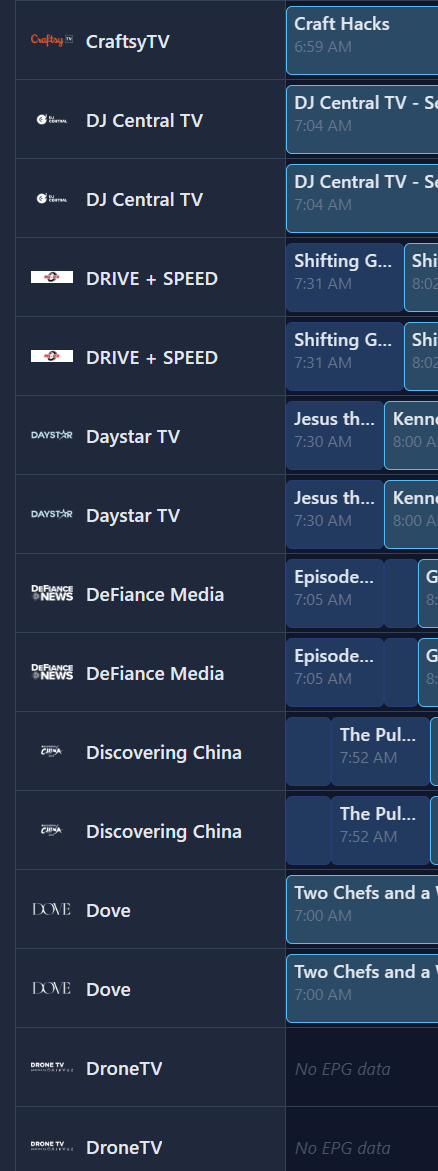
@KineticMan Issue with Sorting... I thought this was looked at earler by bnhf? Something about sort orders, upper case letters coming first...
So here's a screenshot of the Distro group under Guide...

Notice DJ Central and DRIVE comes before Daystar and DeFinance Media?

1 Like

Capital letters were coming before lowercase and numbers etc.. already noted and will address in next version.

Another Guide request...
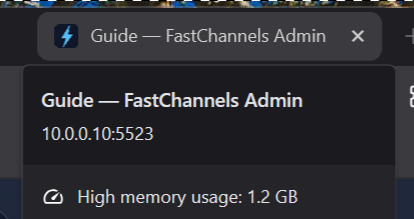
Using Brave and notice that the page lists high mem usage
image

Are you noticing that the Guide web page is slow in response and using a lot of memory?
I guess due to it loading all the guides on one page...
Maybe breaking them down like the Channels page, only list so many channels per page?

This Guide page is slowing becoming my go to page, replacing my usage of the Channels page...
Would it be possible to add the Play Next/Previous buttons, like what the Channels page have?

Channels web playback has gone way downhill since about last October. I think I'm the only one who cares but it still sucks. It used to be pretty good over the previous few years then out of nowhere it began to be terrible.

Still not working in v4.1.0

Hmm same JS error?

Same channel

Firefox

Uncaught SyntaxError: expected expression, got '}' channels:2:1
    getDOMListeners resource://devtools/server/actors/inspector/event-collector.js:272
    getListeners resource://devtools/server/actors/inspector/event-collector.js:340
    hasListeners resource://devtools/server/actors/inspector/event-collector.js:226
    hasEventListeners resource://devtools/server/actors/inspector/event-collector.js:807
    hasEventListeners resource://devtools/server/actors/inspector/node.js:445
    form resource://devtools/server/actors/inspector/node.js:239
    write resource://devtools/shared/protocol/types.js:374
    write resource://devtools/shared/protocol/types.js:272
    write resource://devtools/shared/protocol/Response.js:101
    write resource://devtools/shared/protocol/Response.js:49
    sendReturn resource://devtools/shared/protocol/Actor.js:254

Brave

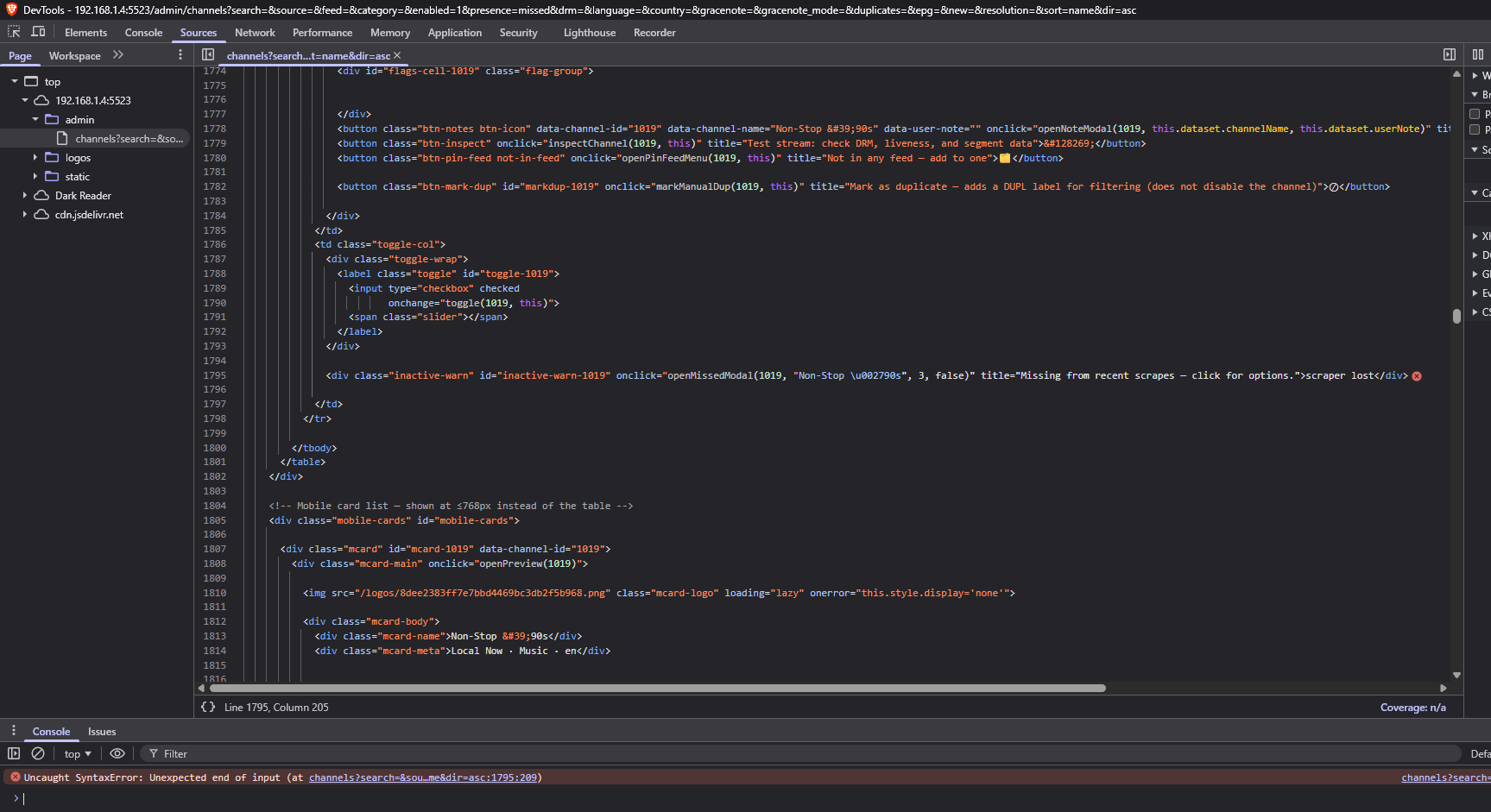
channels?search=&source=&feed=&category=&enabled=1&presence=missed&drm=&language=&country=&gracenote=&gracenote_mode=&duplicates=&epg=&new=&resolution=&sort=name&dir=asc:1795 Uncaught SyntaxError: Unexpected end of input (at channels?search=&source=&feed=&category=&enabled=1&presence=missed&drm=&language=&country=&gracenote=&gracenote_mode=&duplicates=&epg=&new=&resolution=&sort=name&dir=asc:1795:209)

Maybe the double quote marks around the channel name "Non-Stop \u002790s" here on line 1795
onclick="openMissingModal(1019, "Non-Stop \u002790s", 3, false)"
Since I only have the issue with this one channel.

Use an extinguisher on that :fox_face: maybe it'll help. :joy:

@KineticMan Per my earlier post for the number of channels per page (for the Guide tab), I think a good sweet spot is between 150 and 200...
Based on my setup, I used the Channels tab, Category, and viewed the number of channels in each category... then I selected a few based on the numbers...
Comedy has 248 channels and I noticed it was a bit sluggish in loading...
Nature has 159 channels and this was peppy...
Hope this makes sense...

After this latest update, my Amazon Prime channels stopped working. For example, Nat Geo History and NASA+. All other sources appear to work.

you had Amazon Prime working?? it's all DRM ?

Not paid channels like Cinemax but, yes, Nat Geo History worked for a while but disappeared with the latest update.

interesting.. i havent touched that Amazon code in a long time. suprised anything worked

1 Like

It may depend on the client too. Something like Kodi will probably work with that playlist. I too am surprised anything works unless its being a used on a player and device that supports DRM

Thanks for working with Matt to get our Samsung EPG back.
https://github.com/matthuisman/slyguy.addons/issues/1234#issuecomment-4597374879

Just noticed the XMLTV data filled in and I see the xml file is back on his website

3 Likes