
not sure if any help or not, but on my Firesticks, if I make a change to the channel list on CDVR admin, I have to go to app settings and clear data/cache to get Channels client to "refresh" the channel list. maybe similar function on Shield?
Thanks. Nice detective work!
Do they dup the channel that's being "Featured"?
i.e. you see two of the same named channel in the scrape, one is the normal channel and one the featured channel. Like this where the top one is the Featured (vizio/FEATURED6.m3u8) and the bottom is the normal channel (vizio/149station_1208.m3u8).

TOP vizio/FEATURED3.m3u8
BOTTOM vizio/96Station_88885596.m3u8

I assume they would assign separate channel ID's so they can track if the Featured or normal channel is being played.
I think Pluto does the same.
Maybe just drop the Featured channels after scraping them (or rename them) since they're Dups.
So, here's what I think happens and how FC will respond.
Lets say channel ID 123 is Dateline - and channel 123 is one of their "featured" channels. It stays there for a month, then they change channel 123 to Cheers. FC will catch the title change - clear out the Gracenote ID - and rename the channel and logo to match.
Only time we'd create a new channel is if we get a brand new channel ID.
I guess we'll need to watch Stirr closely and see how this new logic works, but testing looks good so far.
My only issue with that is Channels DVR uses the channel-id to assign the channel number.
So Dateline (source-123) [CDVR 70123] changes to Cheers (source-123) [CDVR 70123] and I still have the same issue where CDVR channel 70123 changed from Dateline to Cheers.
Guess I'll figure out a way to determine which channels are "FEATURED" and just disable them. Since they are DUPs anyway.
At least for the vizio FEATURED channels, when you disable the Gracenote ID, there is no guide data scraped for them.


Valid point. Maybe I could append the name featured in the title if it’s clearly a featured channel? Or maybe put in unique category. Not sure best path here…
Whatever you choose, I'm going to make sure they stay disabled.
I don't need my channel changing name and content on me.
Makes for too much maintenance work.
Whatever you do, I would appreciate a way to easily filter on the FEATURED channels so it's easy to disable them.
1 Like
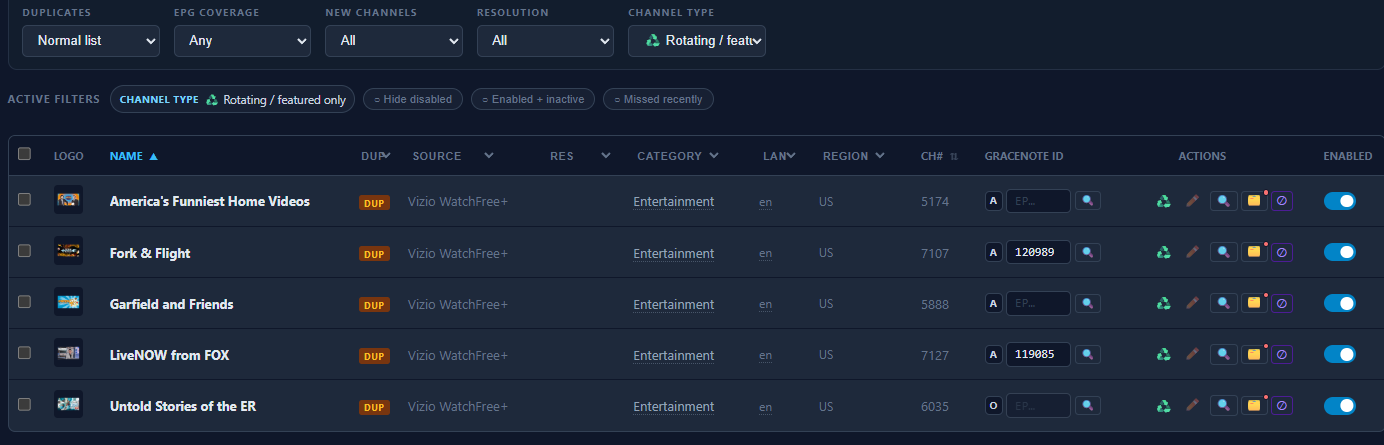
Is it only Vizio that has those FEATURED channels?
only one I'm aware of at least. you mentioned Pluto may have some right?
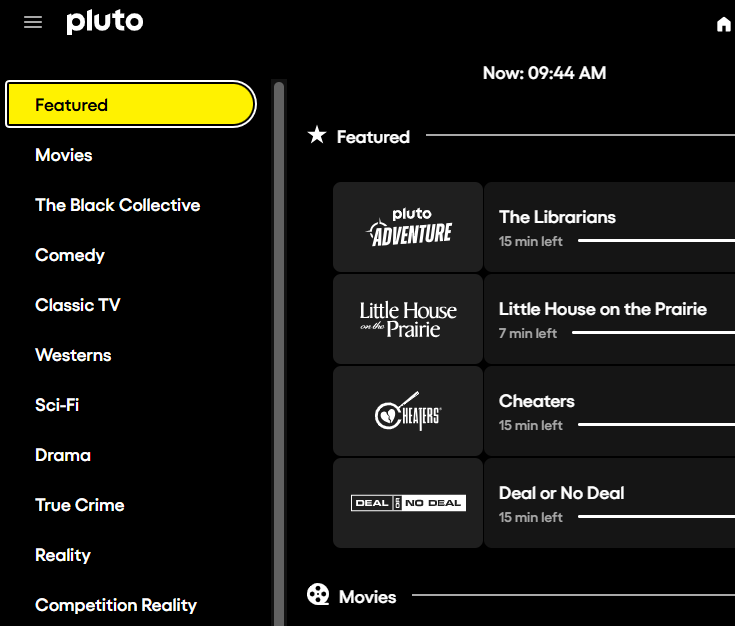
I suspect Pluto is smart and doesn't recycle channel IDs, but I'll verify.
edit- safe.. pluto was smart and changes the channel IDs
@KineticMan Have you considered adding Freecast? They have a live guide and lots o' FAST channels. They may or may not require an account with user name and password. Probably lots of DUPs..
Very much still enjoying this software!!
1 Like
@KineticMan
I toggled The solution below with both options a couple of times so I'm sure this is the solution:
On the Nvidia (Android) client, In settings, make sure to choose:
Settings --> Manage Sources --> Manage Lineup --> Stack Duplicates --> By Guide Data (not By Channel Number)
It's quicker to just go to the bottom setting in Manage Sources and Choose By Guide Data.
I'm sure you know better than me why that worked.
Back down I think. 
very cool - never even knew about their service. quick glance looks like should be an easy one to add. tnx!
1 Like
I would love some help.
Scheduled scrapes are not happening for me. I can force a scrape, but scheduled scrapes simply do not run when scheduled.
Installed via Project One-Click.
Thanks!
bizarre..... anything in logs look funny? sources enabled? time-zone set right? anything unique that you recall on your setup? of course, always try to restart the container too.
FastChannels 4.5.0 is out
Decent-sized one this time — a new source, a way to vet new channels before they hit your lineup, and a bunch of guide niceties. If you've been wanting more control over what lands in your feeds, this is the release for you. Highlights:
New source: FreeCast
- Another pile of free, ad-supported live channels.
- Comes with EPG (ranked "partial," so better guide data from other sources wins when channels overlap).
What's new
****Review new channels before they go live
- New channels from a scrape can now sit in a holding pen instead of dumping straight into your feeds.
- Flip it on globally, or set it per-source (auto-add / hold for review / inherit).
- New "Needs review" filter + a NEW badge so you can spot them.
- Clear them however you like: enable, disable, or the new "Keep Disabled" (reviewed, but not in feeds). One at a time or in bulk.
Guide stuff
- A–Z scrubber rail to jump around fast.
- Search now matches channel names, not just show titles.
- It remembers your recent searches too.
Channels page
- Rotating/featured slots are now flagged, with a "Content Swapped" card on the Changes report when a slot swaps out what it's airing.
- Resolution badges (HD/FHD/4K/HEVC) finally show up for opaque sources like STIRR.
- New English / Non-English language grouping.
- A little nudge pill on the cleanup button when there are dead channels to clear.
More channels
- Added Kaloopy and a batch of free 24/7 news & live channels to the custom channel catalog.
- STIRR now grabs better EPG from their export feed.
Behind the scenes
- Everything's on one shared player now, so playback's more consistent across the guide, watch page, and previews.
Fixes
A bunch this round — the ones worth knowing about:
- Fixed stale Gracenote IDs sticking to rotating slots (was throwing wrong guide/DVR data on featured channels).
- Samsung + YouTube playback/preview fixes (plus a Samsung logo cert error).
- STIRR playback/audit fixes on older CDNs, and recovered descriptions that were getting cut off.
- Bally Sports no longer drops channels on certain CDN subdomains.
- Smoothed out database locking on big scrapes (batched EPG pruning, edit retries).
- Amazon login stopped throwing false "not signed in" errors.
Plus the usual smaller cleanup — custom-channel previews, text sanitizing, EPG timestamps.
8 Likes
Thanks for incorporating my two requests... Happy with them.
@KineticMan Running 4.5.0... not sure what is going on with the Guide but when that page is open, it takes a few seconds to populate, but it's been spinning for over 8 minutes now...
it's only using about 125MB
update: scrolled all the way to the bottom of the page, and it slowly filled out the logos pictures and then it stopped spinning... Possibly taking too long to load the channel logos?