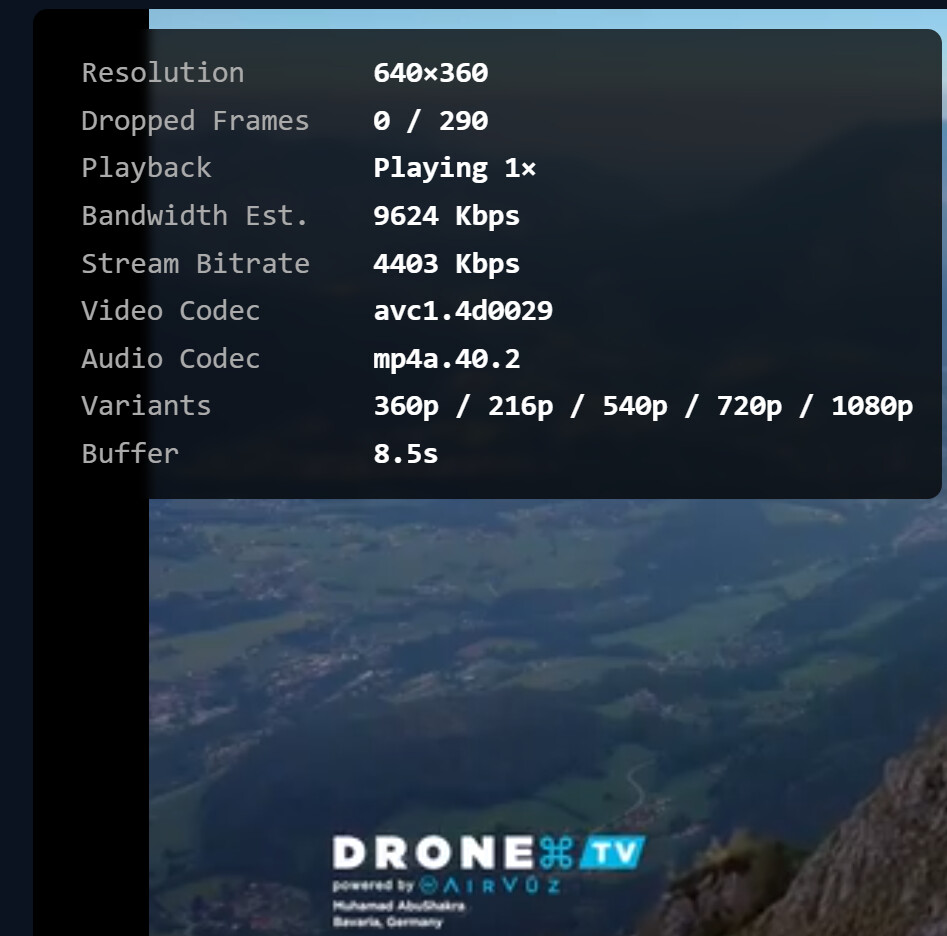
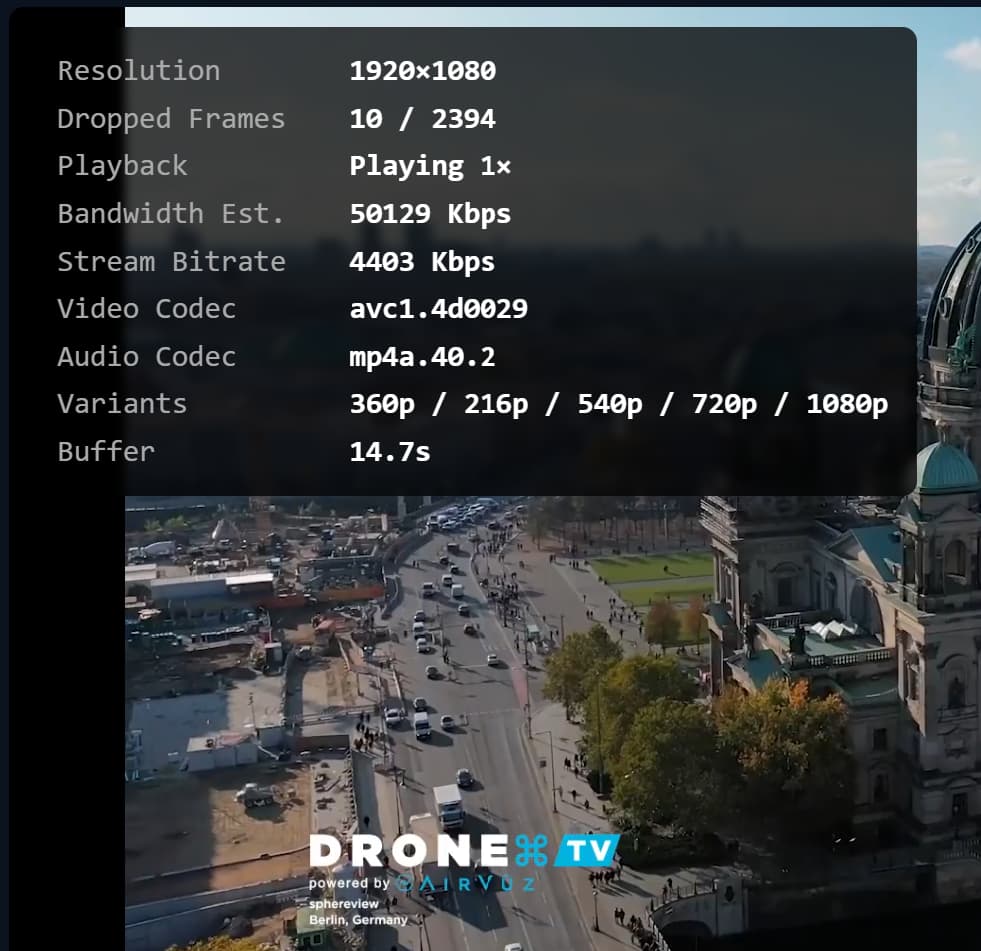
Fresh Audit picked it up.

But only for 5 of my 46 enabled Stirr channels.

Until @chDVRuser posts, here's my screenshot after the stream audit...
After a few minutes of playing, I now have 1080p
That's pitiful resolution!
Agree on the first screenshot, but the second one, which was after about 3 minutes of playing, picked up the higher resolution
If you were playing in Channels DVR it always picks the highest bitrate/resolution, instead of starting low.
Maybe the FC audit is using adaptive bitrate instead of choosing the best variant.
Did you change your cat for Stirr/Drone to Travel?
Just wondering if you change cat for a channel and then do an Audit, if it changes it back to default, as my cat is showing Sports
Yep, changed it on Stirr and Local Now.
@chDVRuser So after the Audit, it kept the category to what you had changed it to (Travel)....good to know...
I'm running an audit on Local Now to see.
It better not be changing the CAT back to the scraped value!
Nope, Source Audit didn't change my CAT override.
I was also wondering why my after Audit screenshot didn't pick up the FHD like yours did, but I just went back to FC and refreshed the page and now I see the same as you...
Just chiming in here to state that the HDHomeRun functionality works for me and maybe I am the only one who uses it but it is quite nice to basically use this FC as the single funnel for all of my CDVR sources.
One another note, I have this container deployed on a 3 node Docker Swarm cluster and it deploys just fine on it. In case anyone out there is upping their Docker game a bit and wondered. Had to modify the compose.yaml accordingly but comes right up.
Tnx I’ll check into it. Not all sources were good about reporting their resolution so I had to do some funny business.
Does the audit just check the manifest variants, or does it go as far as streaming and check the stream?
I assume that varies by the source as streaming every channel (like channel surfing) on FrndlyTV would cause an issue with stream limits.
Per channel but it does inspect the manifests. It wasn’t materially changed from old versions though so I need to see what I changed to make sure it caught all sources right.
Thank you Sir, is it back as a custom source?
No idea how this channel got enabled (I did have Duck Dynasty by A&E enabled)
2026-06-15 11:05:27
Channels DVR server URL: http://192.168.1.4:8489
Channels DVR version: 2026.05.26.1844
------------------------------
Vizio-Gracenote: 70 channels (=)
<--- Lineup changes (starting at 70001) --->
! 70004 : FREE Action Network (was ACTION!)
! 70076 : Garfield and Friends (was Duck Dynasty by A&E)
<--- Channel changes --->
- ACTION! (70004)
+ FREE Action Network (70004)
+ Garfield and Friends (70076)
or what the source-verified badge means for the GNID, but it's the wrong GNID displaying Ice Road Trucker episodes.
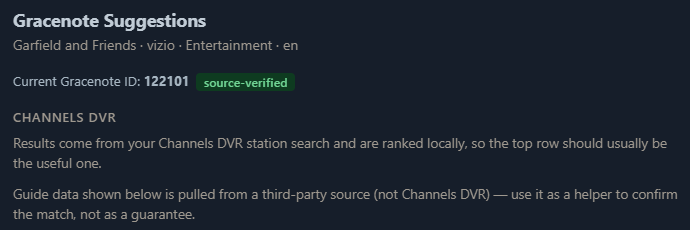
Just wanted to ask before I disabled the channel.
Does anyone know what the  badge means?
yep, they fixed their website. i fully beta tested it for you guys. ill test it again too if u need. 
Figured this one out.. Vizio has a few "Featured" channels that must change over time. They keep the channel ID the same, but the Gracenote ID field did NOT track the rotation. I'm working on a way to track the change and clear out the Gracenote ID. I'll probably add a one-time cleanup in next version, and then a way to automatically clear out and adjust the Gracenote ID from the scraper if it changes names.
Also, clarifying the "Source-verified" to be "Source-Provided" as these are the GN id#s if the upstream data has it.
@KineticMan Feature Request, scrolling letters on the Guide tab, if possible
Hope I can explain this properly....
On the Guide tab, you can obviously scroll the list....
Is there a way to add the letters to the scrolling?
What I mean is, if I'm scrolling down, due to the amount of lines, it's difficult to pinpoint where the channels that starts with, let's say M...
So as you're scrolling down, you get a letter prompt to show you where in the list you are...
Hope this makes sense...
If above isn't possible, how about something like this, from Jellyfin...
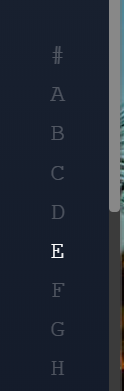
Just to clarify if you go the Jellyfin route... I'm not asking that if you click the M, that it only lists the channels that starts with M (like current Jellyfin), I'm requesting that the list scroll down to the channels that starts with M, but you can still see the N named channels...
Android (Nvidia Shield) guide issues.
I rarely watch the TV that I have the Nvidia connected to so I was surprised by the following.
I brought up the CDVR client app and found that the same filtering that was effective on my Apple boxes was not working on the Shield. Multiple duplicates were present. I tried deleting/rebuilding the database but that had no effect.
Am I looking a configuration problem I should be able to address?
Thanks!