
One minor thing. Seems the program info on the bottom left of the player, is not updating as time goes on while watching and a new episode/show comes on. Have to close out the live player and re-launch the channel for it to update.
1 Like
Any plans to fix the channel collection bug? Every time I try to go to one of my collections, no channels show up on the guide
I haven't seen any bug with the collections. Does it find your server correctly?
Yes
I haven't had any issue with my collections populating the guide. Tell me about your DVR setup.
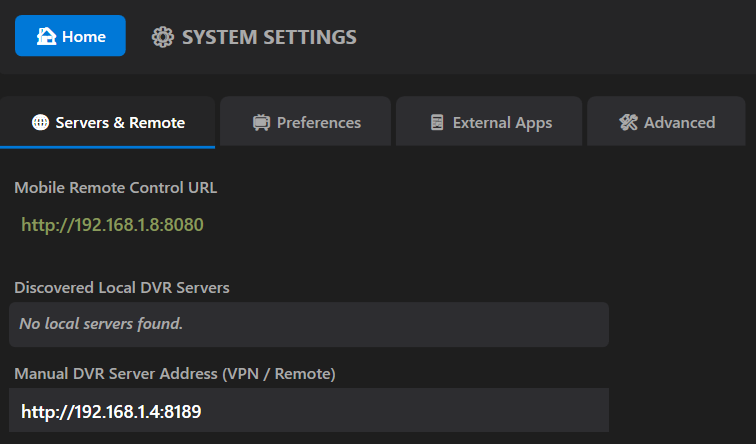
Any chance of getting multiple Channels DVR server support?
I have seven servers and switching between them is tedious.
192.168.1.4:8089
192.168.1.4:8090
192.168.1.4:8189
192.168.1.4:8190
192.168.1.4:8289
192.168.1.4:8389
192.168.1.4:8489
Have to go to Settings, change the server and save.
And it still doesn't play recordings in progress from my HDHR Prime. Locks up and becomes unresponsive still. Same whether forced remux or not.
Channels log
###
### Manually started a recording
###
2026/04/20 11:40:20.912711 [DVR] Starting job 1776710420-ch708 Scrambled Up on ch=[708]
2026/04/20 11:40:21.542228 [TNR] Opened connection to 1323AADB/0 for ch708 KTXLDT
2026/04/20 11:40:21.585344 [DVR] Recording for job 1776710420-ch708 from 1323AADB ch708 into "TV/Scrambled Up/Scrambled Up S01E103 2025-12-09 2026-04-20-1140.mpg" for 19m39.087078504s
###
### Tried to watch the recording in progress with Feral HTPC
###
2026/04/20 11:44:51.709675 [ENC] Starting encoder for Scrambled Up S01E103 2025-12-09 2026-04-20-1140.mpg in /volume1/ChDVR8189/Streaming/sessions/file9187-ip192.168.1.8-1004268014/encoder-0-3061212414 at 0 (0.000000) (encoder=remux, codec=, acodec=, resolution=, deinterlacer=hardware, bitrate=10000, segment_size=0.01)
2026/04/20 11:44:54.265626 [ENC] Request for 1784 is more than 10 from the last encoded segment of 0
2026/04/20 11:44:54.270196 [ENC] Stopped encoder for Scrambled Up S01E103 2025-12-09 2026-04-20-1140.mpg in /volume1/ChDVR8189/Streaming/sessions/file9187-ip192.168.1.8-1004268014/encoder-0-3061212414 after starting from 0 without encoding any segments
2026/04/20 11:44:54.271049 [ENC] Starting encoder for Scrambled Up S01E103 2025-12-09 2026-04-20-1140.mpg in /volume1/ChDVR8189/Streaming/sessions/file9187-ip192.168.1.8-1004268014/encoder-1784-908141733 at 1784 (1783.000000) (encoder=remux, codec=, acodec=, resolution=, deinterlacer=hardware, bitrate=10000, segment_size=0.01)
2026/04/20 11:45:24.228743 [HLS] Stopping inactive session file9187-ip192.168.1.8
2026/04/20 11:45:24.238623 [ENC] Stopped encoder for Scrambled Up S01E103 2025-12-09 2026-04-20-1140.mpg in /volume1/ChDVR8189/Streaming/sessions/file9187-ip192.168.1.8-1004268014/encoder-1784-908141733 after starting from 1784 without encoding any segments
Feral log
[2026-04-20 11:44:37.955] === APPLICATION STARTED ===
[2026-04-20 11:44:51.554] PlayMovie: Method invoked.
[2026-04-20 11:44:51.560] PlayMovie: _mediaPlayer.Play() called.
[2026-04-20 11:44:54.035] VLC CALLBACK: MediaPlayer_Playing Fired!
[2026-04-20 11:45:24.055] [VLC ENGINE] [Error] adaptive: Failed to create demuxer 0000000000000000 Unknown
[2026-04-20 11:45:24.057] VLC CALLBACK: MediaPlayer_EndReached Fired!
[2026-04-20 11:45:24.078] PlayerWindow_Closed: Cleaning up resources.
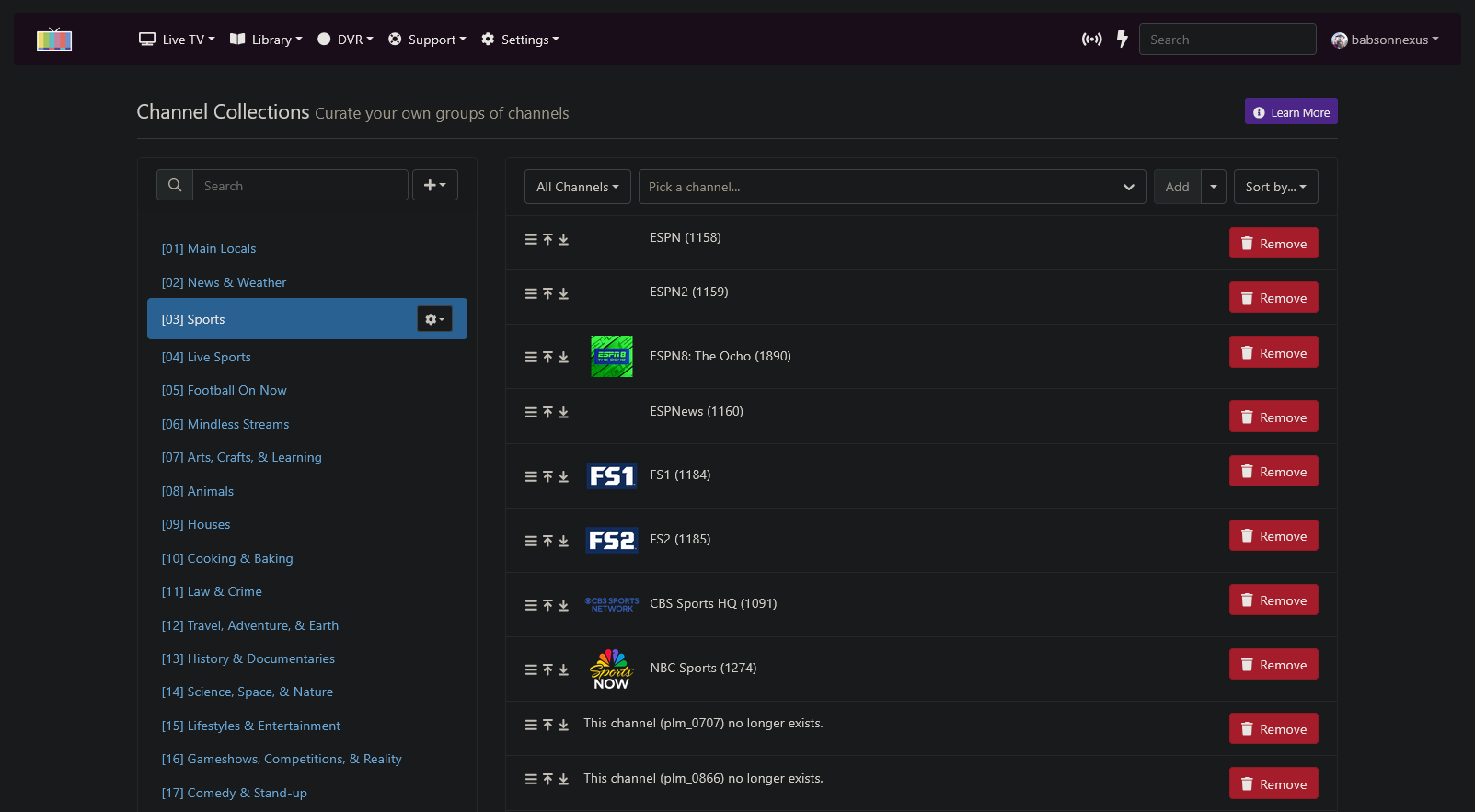
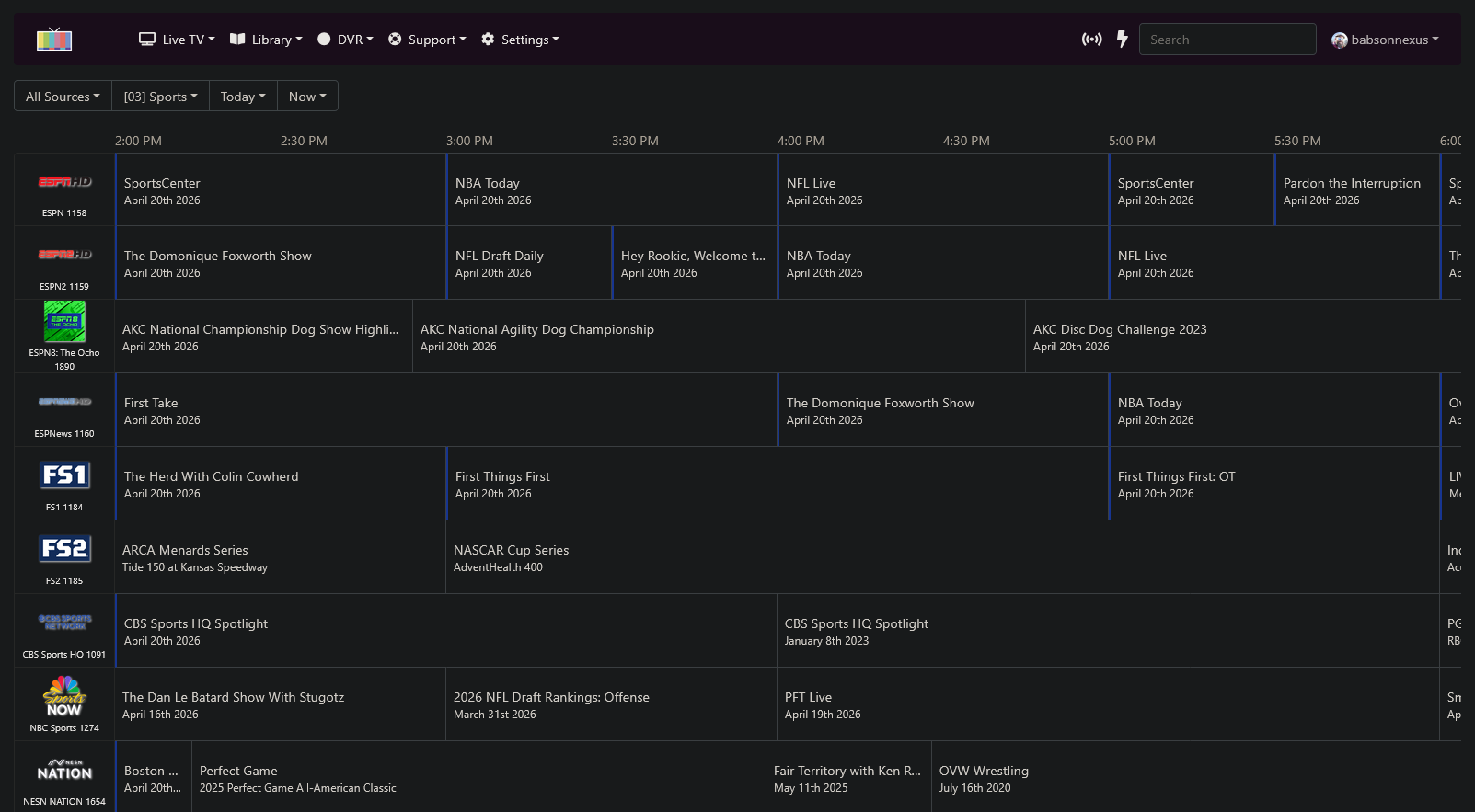
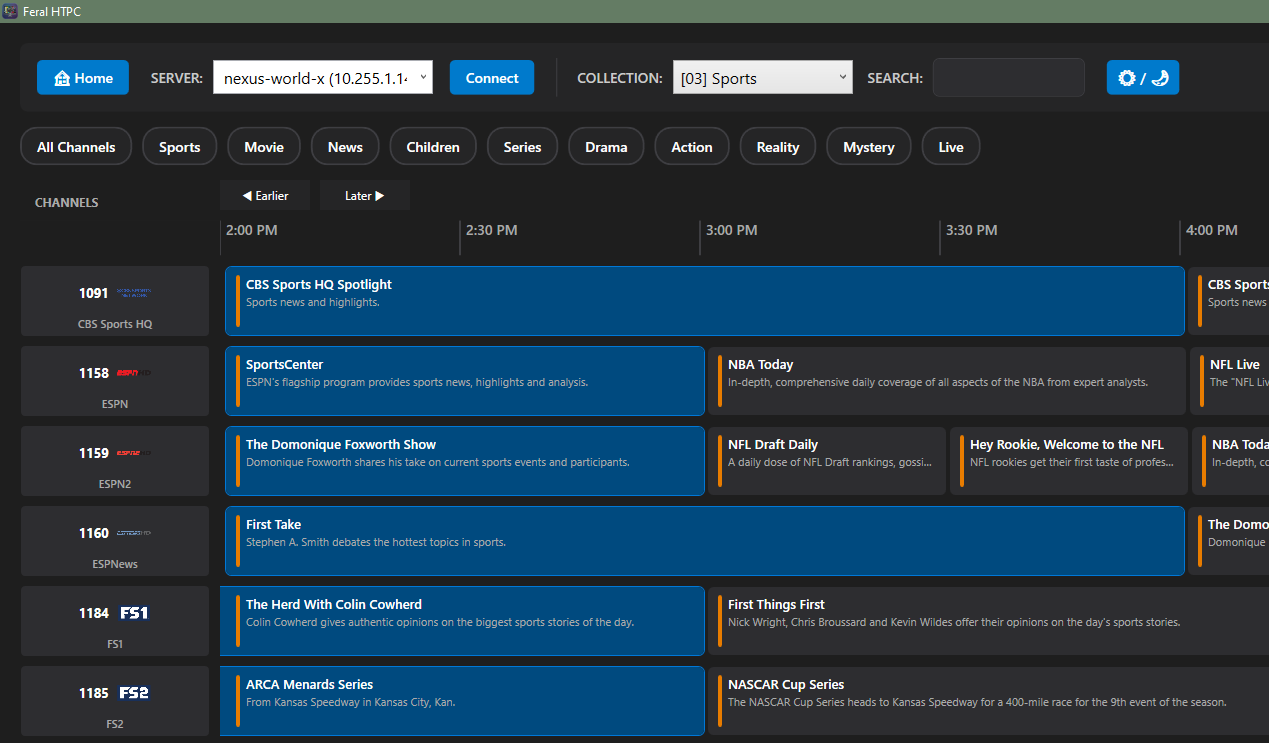
I see two issues with these...
-
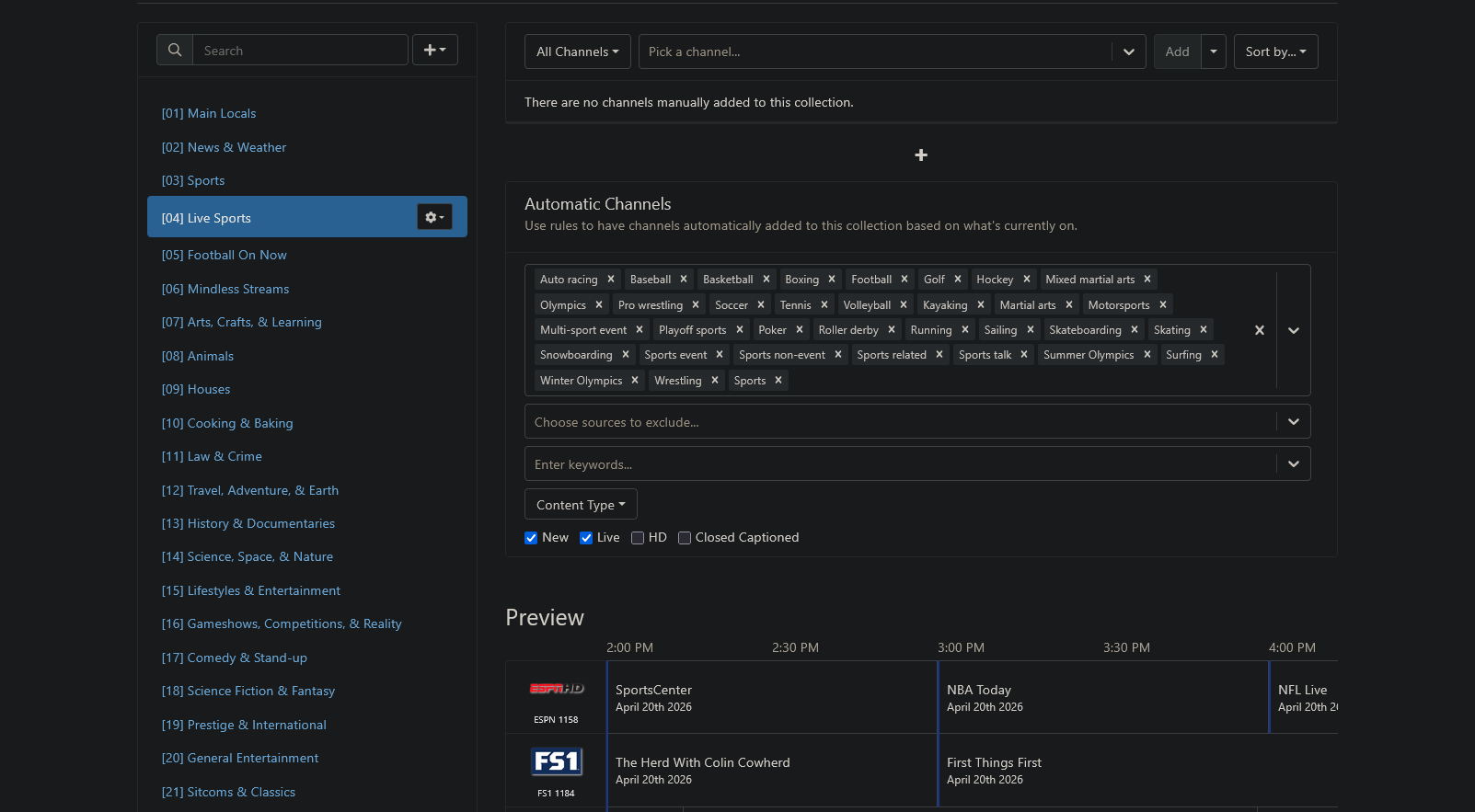
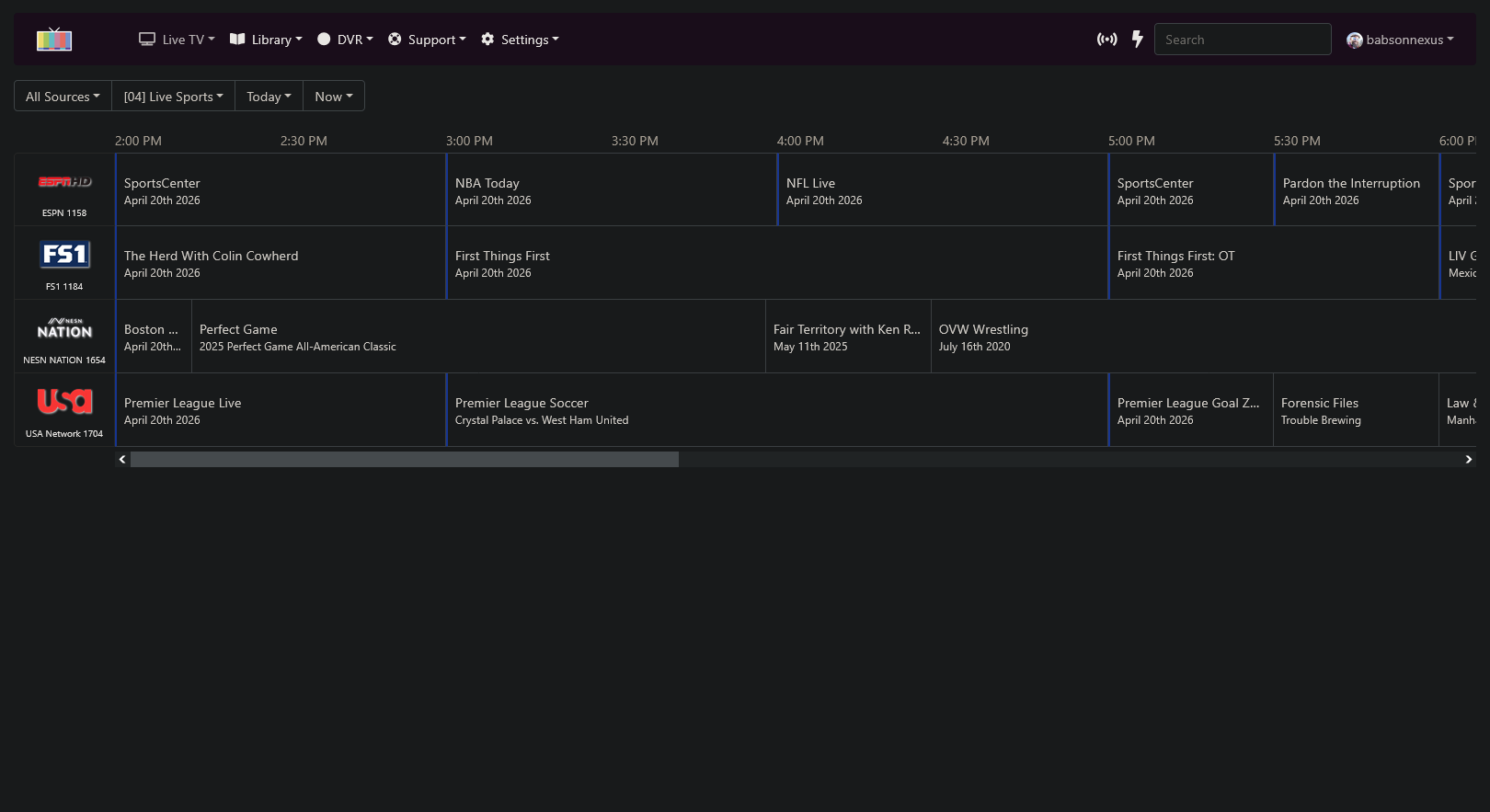
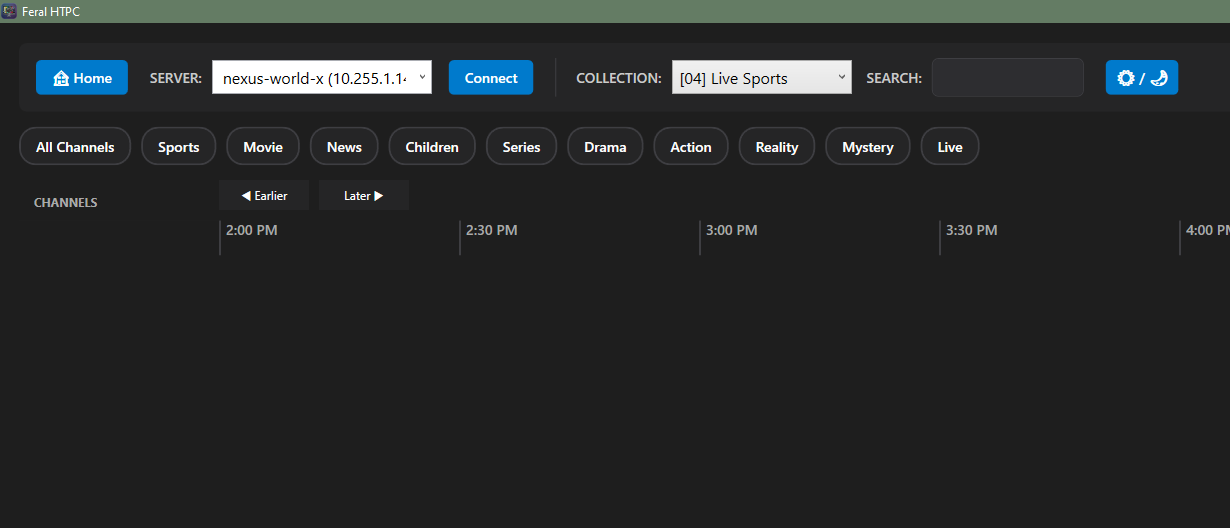
If a Channel Collection is auto-populated by a rule, Feral HTPC does not know the stations:
-
Feral HTPC does not reflect the order of Channel Collections and puts everything in numerical order:
1 Like
As I've been playing around, I'm sure much of these are on your radar, but just more friendly notes and suggestions:
-
Ignore articles (a, an, the, etc...) in alphabetical sorting. Could have an area for user defined articles, much like this.
-
Stream Links and Stream Files are not showing up, only things with physical files. However, with TV Shows, the shows themselves are appearing, just with no episodes inside. On this subject, I'm very confused with what, if anything, I'm supposed to do with "External Apps". I was just thinking Stream Links would open the webpages in the default browser while Stream Files should be able to play directly in a VLC-based engine.
-
The Videos category, just like Movies and TV Shows.
-
Library Collections, which I use extensively.
-
Playlists would make my day since I've never been able to use those without an Apple product!
I have never created a collection by using a rule. I will add some this week and figure out how channels DVR handles them in API responses.
I have been working on the multiple servers today and have it mostly sorted out. I will have an update with this fixed in a day or two.
Having a much simpler setup, I would just like to request that the TV Shows filter selection persist and not reset every time we leave and return, and that Recently Updated be the default filter.
@Jean0987654321 @babsonnexus I think I have the filtering figured out for the rules based channel collections. I will almost bet that I missed some possible scenario with them, but it is at least a start.
@babsonnexus Stream Links and Stream Files are way down my list of things to tackle. They are filtered out because I can not figure a reliable way to fetch the links across all the possible locations they can reside. To be 100% honest, I am trying the best I can to work on all the issues that it has. Maybe I bit off more than I can chew with this project. I am still going to try and make it work as best I can with the time I have to work on it. Thanks for the trouble shooting. I do plan on adding more features like playlists and better sorting.
I will work on better filtering as soon as I get some of the major issues fixed.
I don't mean to discourage you! You've made incredible progress in a short amount of time you've been at this, so just keep plugging away at your pace on your timeline, and don't worry about the rest of us.
That said, you don't have to tackle this alone! Please reach out, even in PMs, because there's a lot of experience out there with getting stuff from the Channel's JSON and API.
For instance...
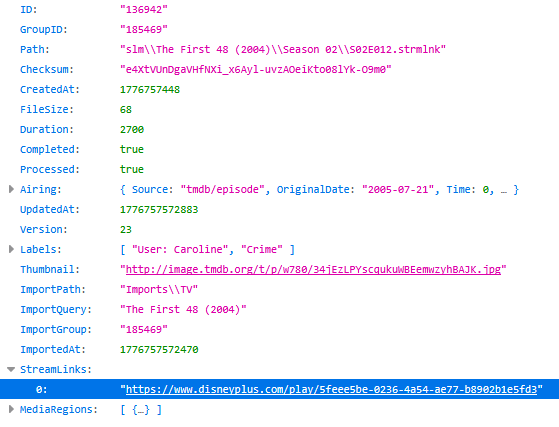
... both the Stream Links and Stream Files details can consistently be found at /dvr/files/[file_id]. Stream Links are at 'StreamLinks'[0] and Stream Files are at 'VideoURL'. You'll know if the item is a Stream Link/File by the 'Path' as if .strmlink is in there, it's a Stream Link, and if .strm is in there, it's a Stream File.
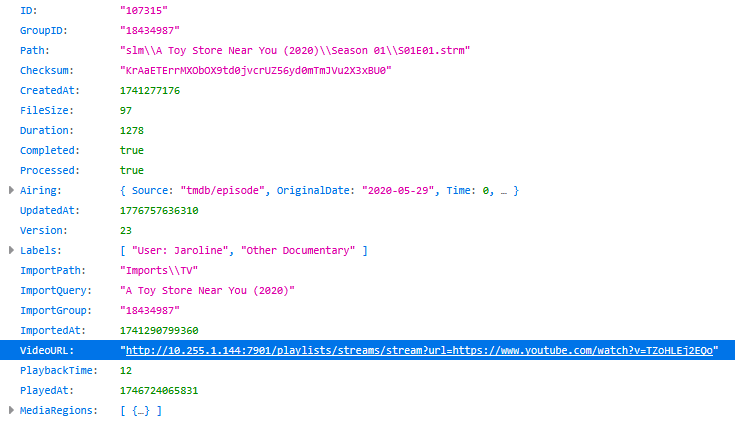
Thank you. This has turned out to be a much bigger project than I thought it would be. I'm going to keep plugging away at it. I just need to pace myself better than I did initially.
Edit, I got Stream Links figured out. Now for Stream Files. Thanks again.
1 Like
[1.1.3]
New Features & Enhancements
- Added Stream Links: Feral HTPC now supports Stream Links in Movies and TV Shows.
- Added Stream Files: Feral HTPC now supports Stream Files in Movies and TV Shows.
- Fixed Rules Based Collections Channel Collections using rules are now populated in the guide.
- Fixed Multi Server Retention Multiple server IP addresses are now correctly saved to the settings file and now have the ability to be renamed.
- Improved Filtering Filtering for the Movies and TV Shows has been improved.
2 Likes
Thank you!
Generally works as advertised! Strangely, though, I am seeing different behaviors for different websites. For instance, Disney+ opens up in the Feral internal browser and plays there. However, with Hoopla, it opens up in my default browser. Not sure what's causing the difference
This is working very well, too! I did have one I tested that is a SLM Stream, which means it might take a few extra moments before the stream is ready. Feral was spinning for a while and then wanted to do a retry, causing it to double hit on SLM. After that, though, I was never able to replicate, and didn't capture anything in the logs, so all I can say is maybe its a hair too aggressive in retrying Stream Files while they are loading?
Confirmed, looks good!
With all this good stuff, I have a few more visual requests:
1. Sort order for Seasons/Episodes...
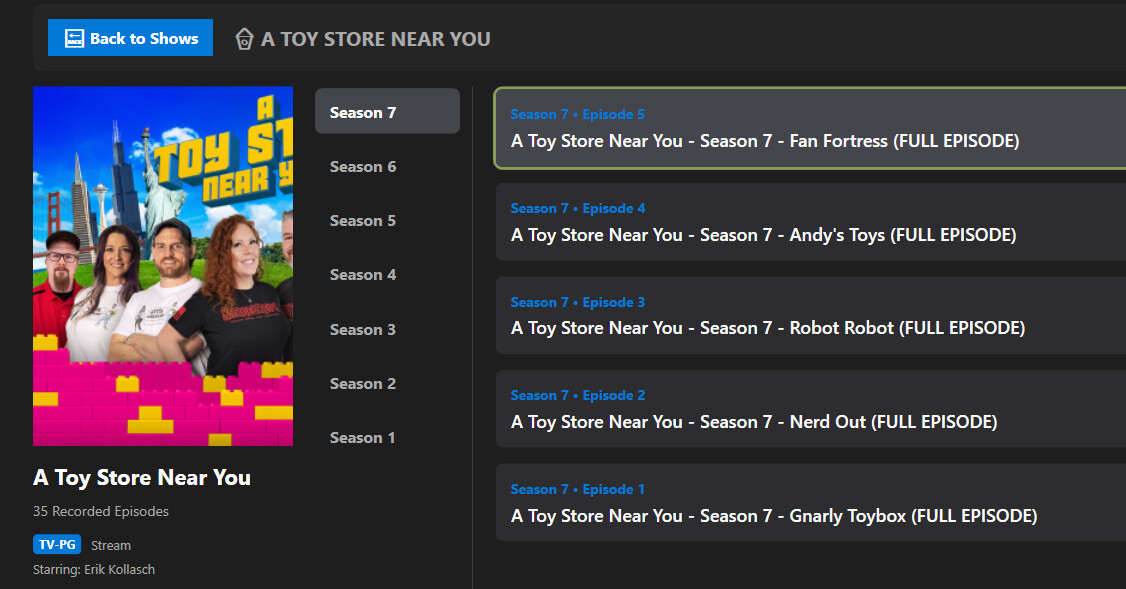
It looks like everything is in reverse order, and I generally have mine as forward. Actually, sort is a setting in Channels at /dvr/groups/[GROUP_ID], where there is the FileSort and FileSortOrder values, but only if they have been changed from the defaults (By season/episode, forward).

TV Shows really only use the FileSortOrder, so either nothing (forward) or "reverse". It generally only comes into play with Video Groups with the possibility of other FileSort options that don't include episode number.
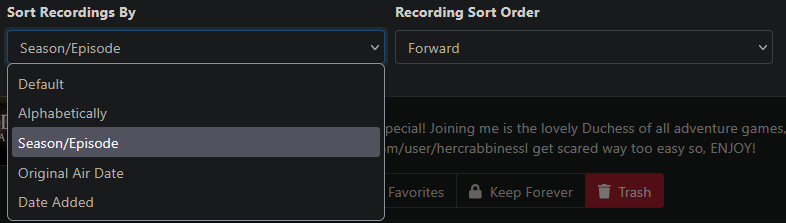
Here's the relevant values, combined into a single field with an underscore in the middle.
{'override_id': 'na', 'override_name': 'N/A'},
{'override_id': 'default_forward', 'override_name': 'Default (Forward)'},
{'override_id': 'default_reverse', 'override_name': 'Default (Reverse)'},
{'override_id': 'alpha_forward', 'override_name': 'Alphabetical (Forward)'},
{'override_id': 'alpha_reverse', 'override_name': 'Alphabetical (Reverse)'},
{'override_id': 'dateoriginal_forward', 'override_name': 'Original Air Date (Forward)'},
{'override_id': 'dateoriginal_reverse', 'override_name': 'Original Air Date (Reverse)'},
{'override_id': 'dateadded_forward', 'override_name': 'Date Added (Forward)'},
{'override_id': 'dateadded_reverse', 'override_name': 'Date Added (Reverse)'},
2. Tags
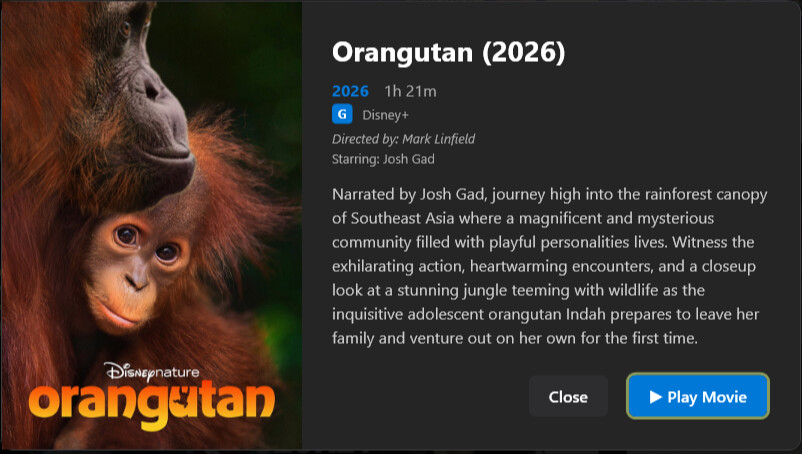
Movies and Episodes in Channels have tags like these ones:
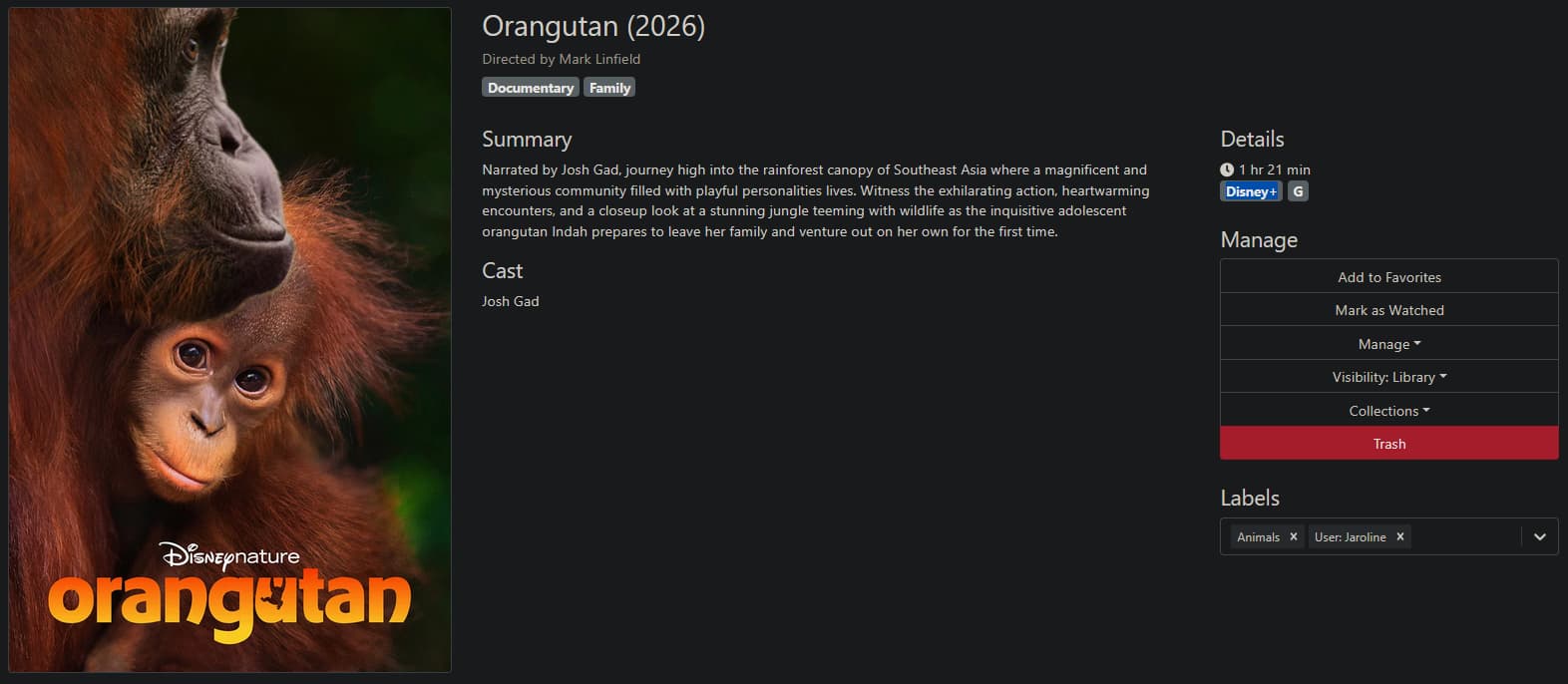
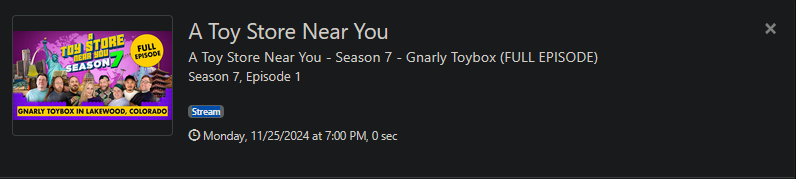
This is really helpful to know what the program is going to play in, so it would be nice to see here, as well.
3. Write back to Channels
Since Feral is acting similar to VLC, Channels doesn't know information back. Notably, this would be the watched location (in seconds):

If this could be captured when closing the player window and written back to Channels, then Feral would be very close to the official clients. This would also make it possible to do some of the other functions, like mark as watched/unwatched. If you really want to go crazy, there are plenty of things we can only do in the web that would be useful in a client, but I'd say this type of stuff is the most important.
1.1.3 Beta doesn't work at all. It see my server on the server page. I can enter the IP address and port of the server and hit save and it says its is saved. When I go to TV Shows, it eventually times out and when I go back ot settings, the server information is gone. I like the software but only if it works.