Few DVR Issues

Team,
Want to start of with a Thank you for all the hard work you put into Channels....I'm so glad I found it.

I need a little guidance on a few issues I'm experiencing...

Channels version 2021.11.09.1542

  1. I have a WD Mycloud and I've added a share as an additional storage path and though I can UNC directly to the share and play videos the Channels logs show an error that it can't open the share.

Storage Paths
\WDMyCloud\ChannelsDRV\ChannelsDRV-Playon-TVImport\ChannelsDVR.Extra

Failed to read directory \WDMyCloud\ChannelsDRV\ChannelsDRV-Playon-TVImport\ChannelsDVR.Extra: open \WDMyCloud\ChannelsDRV\ChannelsDRV-Playon-TVImport\ChannelsDVR.Extra: The specified server cannot perform the requested operation

  1. I have a virtual channel with a smart rule that selects TV Shows and Movies for content selection
    but I've noticed when the order is set to custom, only Content (movies) can be re-arranged, not TV shows....is that working as designed ??.

Thanks for all do you...
What are you running channels on?

Sounds like a permission issue

Channels is running on a Windows 11 machine as a service....under local system. I made the share public, but you have a point I didn't consider..maybe local system can't access the share...maybe I need to run channels under a "real" account than can access the public share.

1 Like

Correction...Windows 10...not Windows 11

Not sure why this is happening for you. I have not heard of anyone else experiencing this particular error.

You could try mapping the share to a drive letter and exposing that to the windows service?

This sounds like the same issue I have with crashplan and network drives. Try this link below. The drive will show up as disconnected for the user, but the system account can access it...

I have a mapped drive...for some reason Channels will only see locally attached drives....not a drive letter that points to a network location.

@ItsMeMica if it is running as a service as "system" then it wont see the drives as they are mapped under the user context not the system context. Try the procedure I shared before.

Thanks slapman....I think the issue is the way mycloud creates a "public" share. I was able to run the command manually "cmd /c mapdrive.bat" which runs as system and got "access denied". Basically same result when I followed your procedure...so I'm thinking the mycloud isn't going to work as remote storage for channels...

I got your procedure working and I have a disconnected drive now..but Channels still doesn't see the drive...

Hmm did you do task scheduler with the system run as option? Thats about the only way to get something to run as a system process. Cmd /c doesn't run under system unfortunately.

Make sure you run Channels DVR Service as a user account on your PC. Local System has no access to network shares.

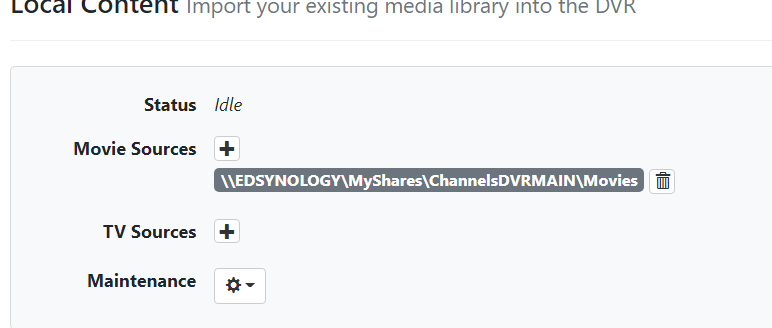
This is mine .. Running Channels DVR service as a user on my PC.

Yes @slampman, I did finally get your script/process correct using task scheduler and the drive is mapped successfully - showing as disconnected. I recreated the share requiring a username, and specified that in the batch file. The final task was to restart channels service and then it could see the new drive - I'll add that to the batch file.

Thank you!!!

Thank you @Edwin_Perez ....I login to my my machine using my Microsoft Live account...so I'll need to see about creating a local user on my machine, with I guess admin permission and have that user run the channels service.

Thank you!!

(withdrawn)