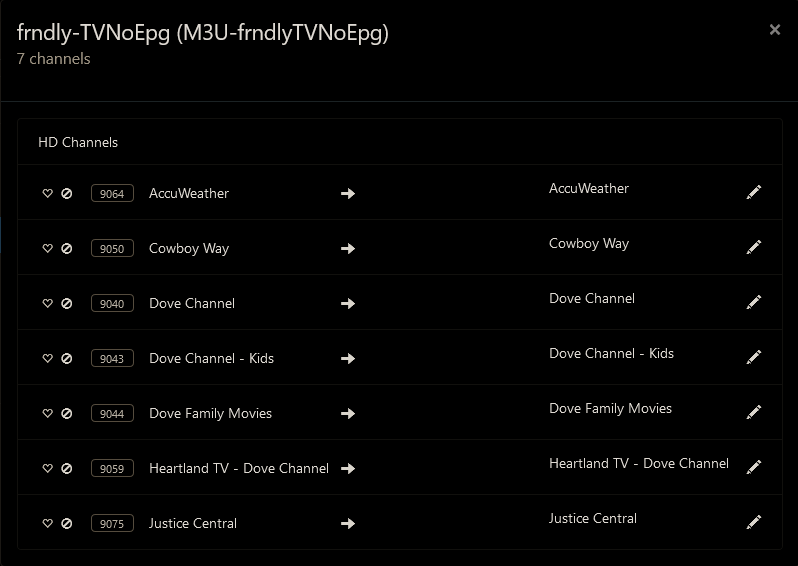
Frndly TV for Channels

Are you running the latest version docker container and using the two source method?
If using the two source method (recommended) you need to reload the m3u on both sources.
They work for me.

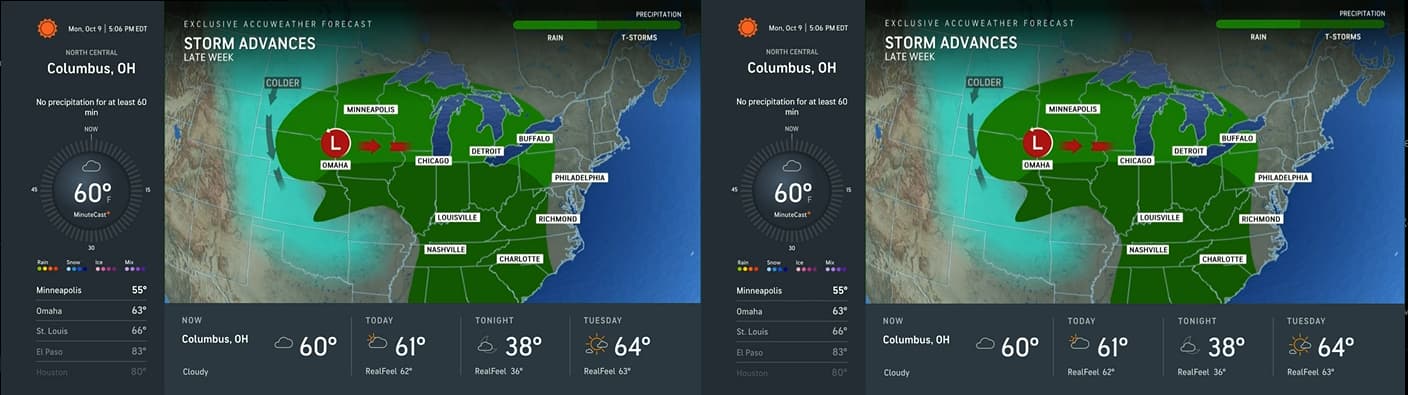
FrndlyTV in Channels DVR on the left and FrndlyTV website on the right.

I pulled the latest docker and reloaded both sources and still not working. AccuWeather is showing MeTV+, and Justice Central is showing the Pursuit network. Both networks are in the source with no Gracenote IDs.

1 Like

Something is messed up with your settings.
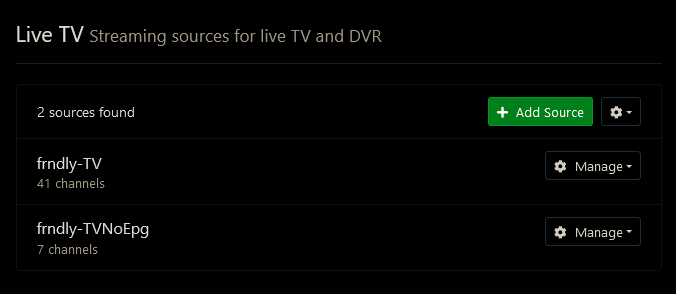
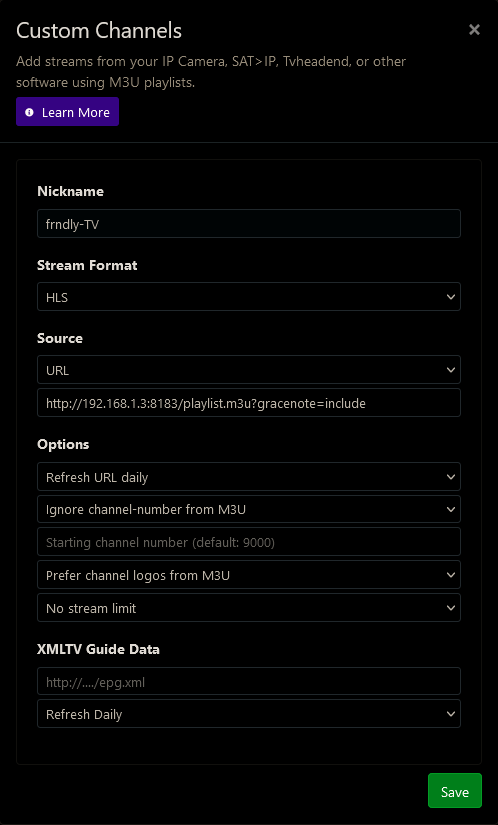
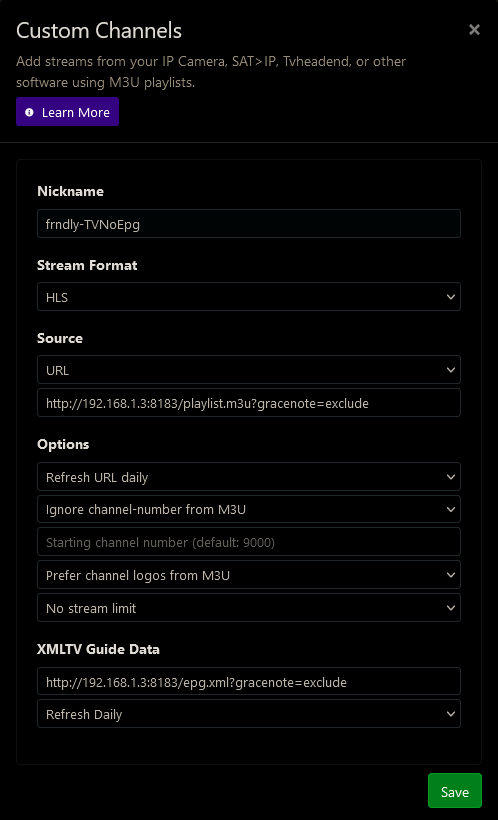
Try deleting the two sources in Channels DVR and set them up with new names. Channels DVR has a long standing bug where things remain after deleting or renaming m3u sources.

Here are mine that work.
Screenshot 2023-10-09 at 14-44-22 Channels Settings


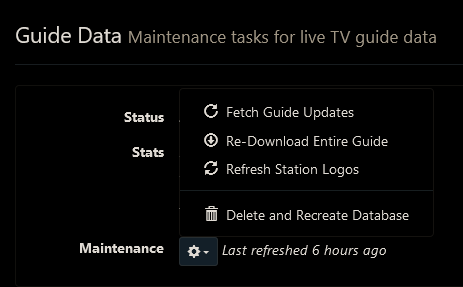
Then delete and recreate your guide database.
Screenshot 2023-10-09 at 14-48-54 Channels Settings

Thanks for confirming it's working, which is both helpful and of course frustrating to know it's a problem here.

I did, but I also went directly into the playlists and tried playing it via VLC and see the same problem. The log lists this:

channel/live/hallmark_channel > https://sr-live-hmm.akamaized.net/v1/master/[full URL deleted]
192.168.2.244 - - [09/Oct/2023 14:50:48] "GET /play/hallmark_channel.m3u8 HTTP/1.1" 302 -

When playing in VLC it shows that there should be a timestamp, but there are zero bits being transferred. I can provide the full URL's in the log if needed but I figured the basics were enough for dicussion.

Other channels seem to be just fine. I can investigate further, but any guesses would be welcome.

What happens when you try to play the channels in Channels DVR (try the web UI player)?
Any errors in the DVR log?
Any errors in the docker container log?

1 Like

Deleting and re-adding the source with no Gracenote IDs fixed the issue. Thanks.

1 Like

I have missed having MeTV+ since Locast went away. So when I heard Frndlytv was going to add that channel I subscribed.

I have tried a couple free trials of Frndlytv over the years but never added it to Channels DVR until now. It's nice having the Military History channel and HD versions of Great American channels too.

I was also surprised that Frndlytv provides HD versions of the local subchannels like H@I, get, catchy, Metv, etc. So I'm viewing and recording those versions now instead of the SD versions through my antenna and cable.

1 Like

For some reason I have lost Friendly Channels. I run using Python3 via terminal. For some reason fo rthe last several days it stays stuck on "starting server on Port 8183". Any feedback or assistance is much appreciated. I have read through this thread and did not see anything specific to this issue...I did change my frndly password and retried...Any help is much appreciated.

1 Like

Well first of all? Have you installed the latest version of Frndly for Channels? It was updated very recently to address some new channels.

Where is the update downloaded from? I just went to the GITHUB link for Mathisons post and there isn't anything there that I see that is new.

I use the docker, but if running from python, follow the directions here

No Docker

This app can also run without Docker using just Python3.

git clone https://github.com/matthuisman/frndlytv-for-channels
cd frndlytv-for-channels
pip install --no-cache-dir -r requirements.txt
python app.py --PORT 8183 --USERNAME "MY_EMAIL" --PASSWORD "MY_PASSWORD" --IP "72.229.28.185"

The cmdline arguments are the same as the Docker env arguments.

Add to Channels

You can retrieve the Channels configuration via the status page below.

http://127.0.0.1:8183
(if accessing from different device, replace 127.0.0.1 with the IP of the device)

Yall - I appreciate every one of you! I have no idea why, but I deleted the frndly for channels folder, followed those steps....went to the server settings and deleted the source and re added it..and boom it's back...What in the world....so I have made notes that I have saved in my documents to reference to try this first before reaching out again.....Again, I appreciate every single one of you...Thanks!

2 Likes

You shouldn't have to change anything.

The IP variable is an optional setting and is only used to tell LocalNow how to build its feed. It is simply for geo-location purposes. You don't need to change it unless you want a new geo-location. I use one that I just made up in a IP range geo-located to my city. You can completely remove the IP variable from your setup if you want (and then your geo-location will be your servers internet IP). The only reason you really would need to supply an IP address is 1) for privacy masking or 2) to geo-locate to a city of your choice other than the one your internet provider is serving from. I use the IP variable because I am behind a VPN whose geo-location is not my local city.

So if you did provide an IP in your setup, and it is geo-located LocalNow correctly for you, then you have no need to do anything because generally speaking IP addresses don't change geo-location often.

1 Like

Check to make sur eyour pc, computer or whatever is host the docker and channels etc.
I'm guessing you changed routers and I imagine the internal ip address changed on your system.

That's a good point. You may need to setup new static DHCP addresses that match your old static addresses in your router DHCP settings.

1 Like

Friendly doesn't really track geo-US locations.
I imagine someone deep in the server logs watches things but moving from home to home shouldn't be an issue.
All these setups that channel users configure require a little extra attention but once it is all set up, you are good to go.

Amazing tool! I've noticed that Hallmark channel has no audio on my setup, has anyone had to troubleshoot this before? A&E and other streams work great, but Hallmark just has video without audio.

I am playing the m3u8 via VLC as a test, but feeding through HLS-Proxy -> threadfin -> plex results in the same behavior.

Any suggestions would be appreciated!

Audio is working here.

1 Like

Hallmark Channel audio works great for me too. But I am curious, does your setup use ChannelsDVR anywhere? You do not mention it anywhere in your tests? I am wondering what happens when you use Frndly_TV_for_Channels from your ChannelsDVR server. If you are not a ChannelsDVR user, then its a little more difficult to address your issue. I had been curious myself if I could pipe this directly to Plex via Threadfin, but have never bothered testing it out. It is strange that it would only be isolated to one channel?

Sorry, I am not using Channels in my setup currently. I agree, it is really weird there's no audio for just the Hallmark channels. VLC doesn't show an audio stream, only video while using the m3u8 in VLC. I will continue to troubleshoot, thank you for the feedback!