Frndly TV with Python on Windows without Docker: the easy way

Still not connecting to 127.0.0.1:8183

C:\Users\HDP>create_frndly_sources_in_channels.bat

There is a Channels DVR server running on this computer.
If this is the server you want to use, enter 127.0.0.1 for the IP address.

IP address of the Channels DVR server (without port number): 127.0.0.1
Port number of the Channels DVR server: 8089

Which Frndly TV plan are you subscribed to? (Basic, Classic, or Premium): Classic
Please enter the channel number to start: 4000

Creating the first source on the server...
{"error":"failed to load m3u: Get "http://127.0.0.1:8183/playlist.m3u8?gracenote=include": dial tcp 127.0.0.1:8183: connectex: No connection could be made because the target machine actively refused it."}
Creating the second source on the server...
{"error":"failed to load m3u: Get "http://127.0.0.1:8183/playlist.m3u8?gracenote=exclude": dial tcp 127.0.0.1:8183: connectex: No connection could be made because the target machine actively refused it."}

Refresh the Sources page on the server to see the new Frndly TV sources.
C:\Users\HDP>
C:\Users\HDP>
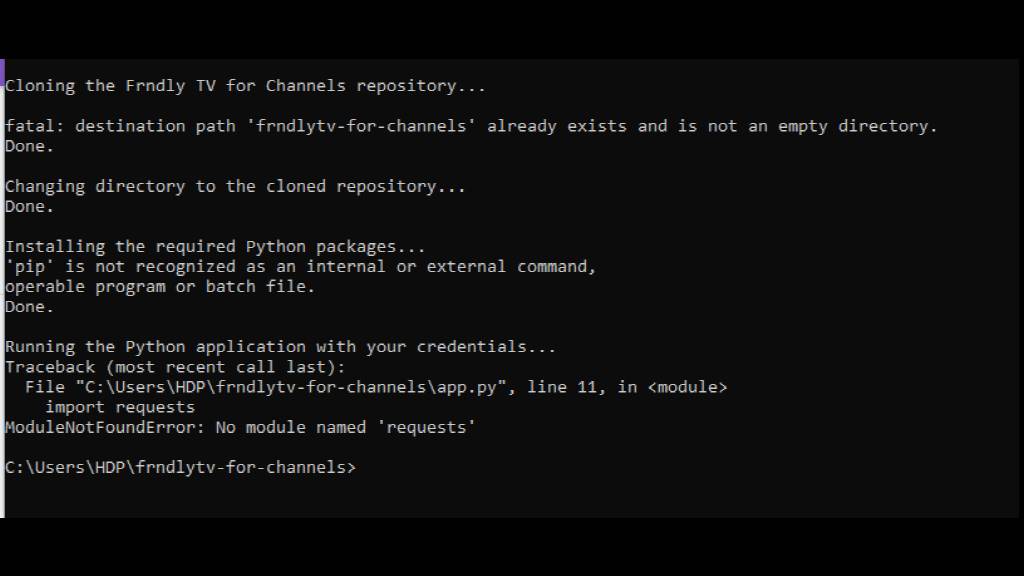
Did you run the other batch file first?

Please show the first window (without showing your credentials)

How do I remove my credentials?

Just take a screenshot of the window starting below your credentials.

You can use Windows' snipping tool.

It doesn't look like you ran the new version that I uploaded.

Give me 5 minutes. I will make another update.

I went all the way to the top of the post and downloaded them. Was that correct?

Yes.

I just uploaded a new version of install_frndly_for_channels_no_docker.bat.

Please redownload and rerun.

Great news, that worked! Awesome
Do I have to keep the install bat file running all the time?

1 Like

Yes, the first window where you ran install_frndly_for_channels_no_docker.bat must be running 24/7.

You can close the other window because now you have the sources on the server. That only needs to be done once.

Enjoy frndly TV in Channels DVR! :grinning:

What do I do if there is a power outage or a restart of the computer?

See Frndly TV with Python on Windows without Docker: the easy way - #18 by mjitkop

Thanks and thank you very much for all of your help and patience with me.
You did a great job and I really appreciate your steady response to me through out this whole process.
By the way I don't know your name, can you share your first name?

Thanks again, you are the best!

2 Likes

You're very welcome. I'm glad this finally worked.

My first name is Gildas.

2 Likes