FruitDeepLinks — Universal Sports Aggregator for Channels DVR

I'm seeing some weird stuff with MLB games on ESPN+ now, there's a Marlins versus Phillies game tomorrow that's 8 and 1/2 hours and also my Braves versus Twins on Wednesday that's showing as 8 and 1/2 hours. Not sure how those got out of whack, maybe it's related to the former issue where Prime games were showing up incorrectly?

These should probably be 3 hour games in other words.

it's coming straight from upstream. only thing i could do it put a manual cap on MLB games?

1 Like

I think that would be a good idea. I've seen them spillover into the next day at times.

1 Like

It wouldn't bother me too much if it stays like it is, I would imagine that the uuid link will terminate when the game is over so it's not like it's going to record for 8 and 1/2 hours anyway.

Apologies for the basic questions. I have the Prismcast lanes working from FDL, but I can't seem to get ADB lanes to work.

I've mucked around with OliveTin, but since I didn't install all of my various channel sources with OliveTin originally, I may have done something incorrect. I did install both FDL and the FDL based ADB Channel entries into my ADBTuner via OliveTin in my last go around, but something isn't configured properly and Co-Pilot is not being very helpful at the moment.

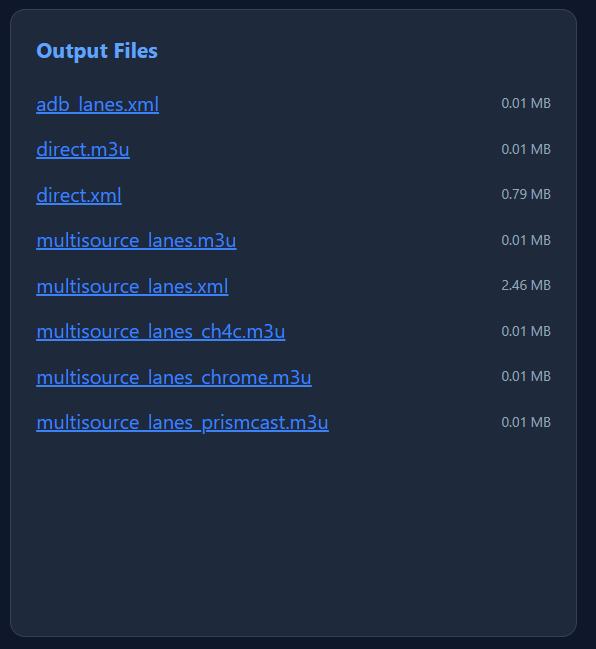
Here's the Output Summary from FDL and I don't see a M3U for ADB nor does the xml have any data even though the Multisource_lanes.xml does have content.

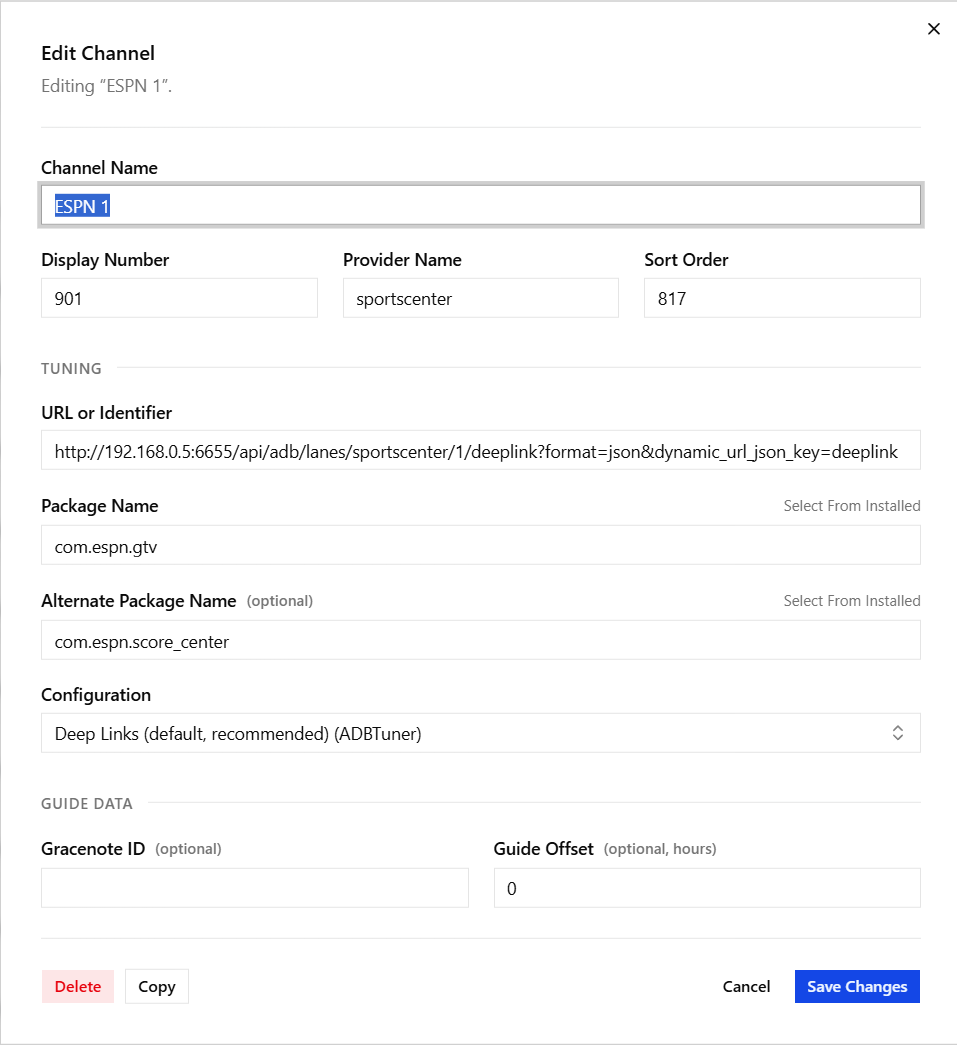
Here's one of the channels OliveTin setup in my ADBTuner section (running dev version):

Lastly, here's the Stack for FDL (I think I had to manually add the Prismcast entries into it after the initial install, but I may be misremembering from my attempts to use ESPN4cc4c).

services:
  fruitdeeplinks:
    # 2025.12.22
    # GitHub home for this project with setup instructions: https://github.com/kineticman/FruitDeepLinks
    # Docker container home for this project: https://github.com/kineticman/FruitDeepLinks/pkgs/container/fruitdeeplinks
    image: ghcr.io/kineticman/fruitdeeplinks:${TAG:-latest}
    container_name: fruitdeeplinks
    hostname: fruitdeeplinks
    shm_size: '2gb'
    ports:
      - ${FRUIT_HOST_PORT:-6655}:6655
    environment:
      - TZ=${TZ:-America/New_York}
      - SERVER_URL=${SERVER_URL:-http://localhost:6655}
      - FRUIT_HOST_PORT=${FRUIT_HOST_PORT:-6655}
      - CC_SERVER=${CC_SERVER:-localhost}
      - CC_PORT=${CC_PORT:-8080}
      - PCAST_SERVER=${PCAST_SERVER:-localhost}
      - PCAST_PORT=${PCAST_PORT:-5589}
      - CHANNELS_DVR_IP=${CHANNELS_DVR_IP:-}
      - CHANNELS_SOURCE_NAME=${CHANNELS_SOURCE_NAME:-fruitdeeplinks}
      - FRUIT_DB_PATH=${FRUIT_DB_PATH:-/app/data/fruit_events.db}
      - OUT_DIR=${OUT_DIR:-/app/out}
      - LOG_DIR=${LOG_DIR:-/app/logs}
      - LOG_LEVEL=${LOG_LEVEL:-INFO}
      - FRUIT_LANES=${FRUIT_LANES:-50}
      - FRUIT_LANE_START_CH=${FRUIT_LANE_START_CH:-9000}
      - FRUIT_DAYS_AHEAD=${FRUIT_DAYS_AHEAD:-7}
      - FRUIT_PADDING_MINUTES=${FRUIT_PADDING_MINUTES:-45}
      - FRUIT_PLACEHOLDER_BLOCK_MINUTES=${FRUIT_PLACEHOLDER_BLOCK_MINUTES:-60}
      - FRUIT_PLACEHOLDER_EXTRA_DAYS=${FRUIT_PLACEHOLDER_EXTRA_DAYS:-5}
      - CDVR_DVR_PATH=${CDVR_DVR_PATH:-}
      - CDVR_SERVER_PORT=${CDVR_SERVER_PORT:-8089}
      - CDVR_API_PORT=${CDVR_API_PORT:-57000}
      - HEADLESS=${HEADLESS:-true}
      - NO_NETWORK=${NO_NETWORK:-false}
      - AUTO_REFRESH_ENABLED=${AUTO_REFRESH_ENABLED:-true}
      - AUTO_REFRESH_TIME=${AUTO_REFRESH_TIME:-02:30}
    volumes:
      - ${HOST_DIR:-.}/FruitDeepLinks/data:/app/data
      - ${HOST_DIR:-.}/FruitDeepLinks/out:/app/out
      - ${HOST_DIR:-.}/FruitDeepLinks/logs:/app/logs
      - ${CDVR_DVR_PATH:-/tmp/fruitdeeplinks-novol}:/mnt/dvr
    restart: unless-stopped
    logging:
      driver: json-file
      options:
        max-size: 10m
        max-file: 3

Just looking for pointers on where to focus my time and energy to resolve this issue. Thanks.

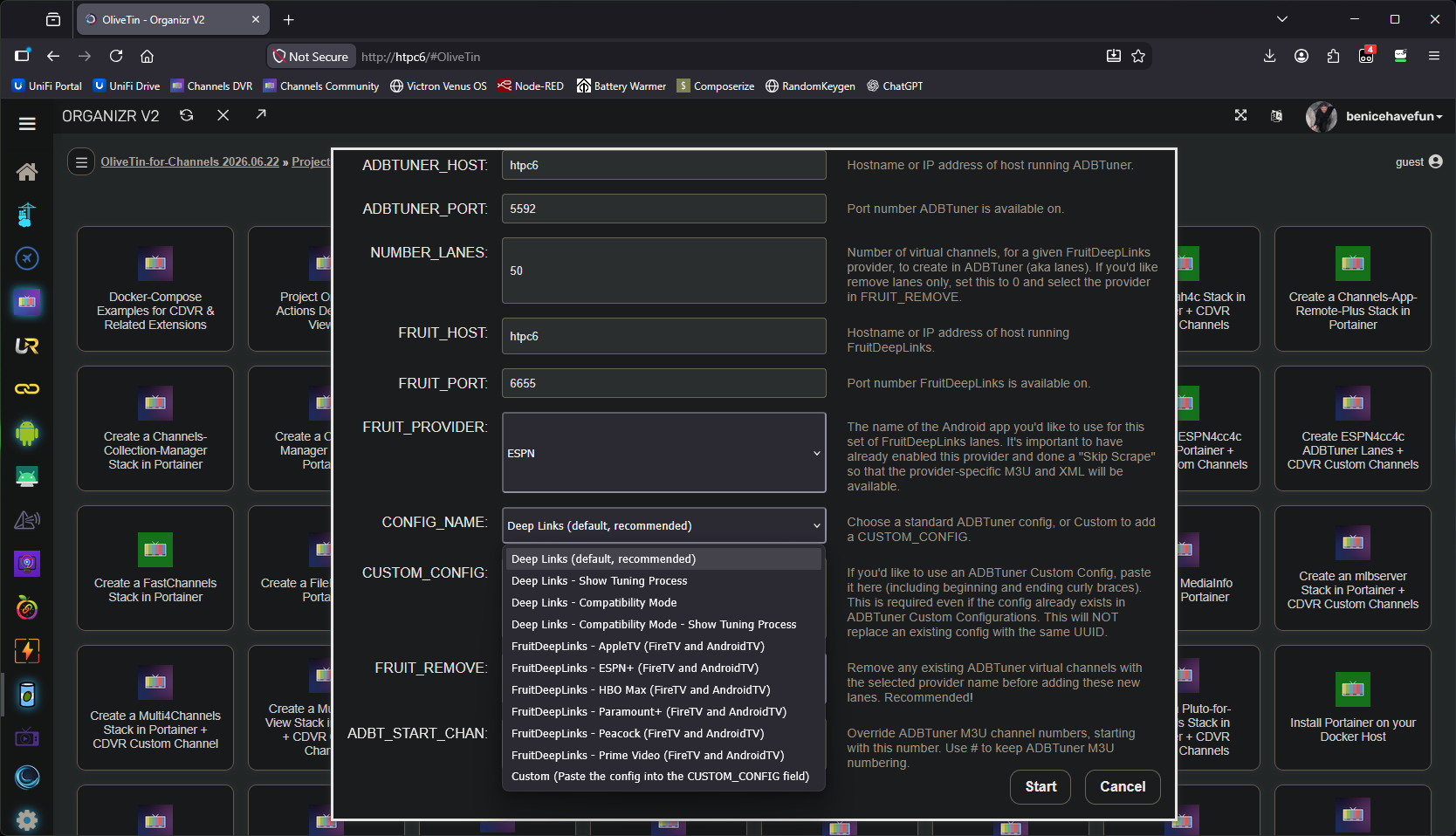
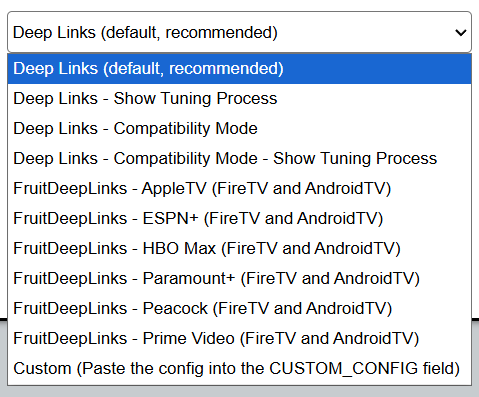
Looks mostly OK, except for the configuration, which should be this one for ESPN (you should have selected this one from the CONFIG_NAME dropdown in Project One-Click):

{
    "name": "FruitDeepLinks - ESPN+ v2.1 (FireTV and AndroidTV)",
    "author": "bnhf",
    "version": "2.1",
    "description": "ESPN+ for FruitDeepLinks. Compatible with FireTV and AndroidTV devices.",
    "uuid": "51af5028-092f-4ddc-b4ea-d5e5fca58cac",
    "global_options": {
        "wait_for_video_playback_detection": false,
        "use_fixed_delay": true,
        "fixed_delay_seconds": 5,
        "check_for_and_clear_whos_watching_prompts": false,
        "wait_after_post_playback_start_commands_seconds": 0
    },
    "pre_tune_commands": [
        "input keyevent KEYCODE_MEDIA_STOP"
    ],
    "tune_commands": [
        "am start -n '||TARGET_PACKAGE_NAME||'/com.espn.startup.presentation.StartupActivity -d '||TARGET_URL_OR_IDENTIFIER||'"
    ],
    "post_playback_start_commands": [
        "sleep 20",
        "input keyevent KEYCODE_DPAD_DOWN",
        "sleep 1",
        "input keyevent KEYCODE_DPAD_DOWN",
        "sleep 1",
        "input keyevent KEYCODE_DPAD_RIGHT",
        "sleep 1",
        "input keyevent KEYCODE_DPAD_CENTER"
    ],
    "post_tune_commands": [
        "input keyevent KEYCODE_MEDIA_STOP",
        "input keyevent KEYCODE_MEDIA_PAUSE",
        "input keyevent KEYCODE_HOME"
    ]
}

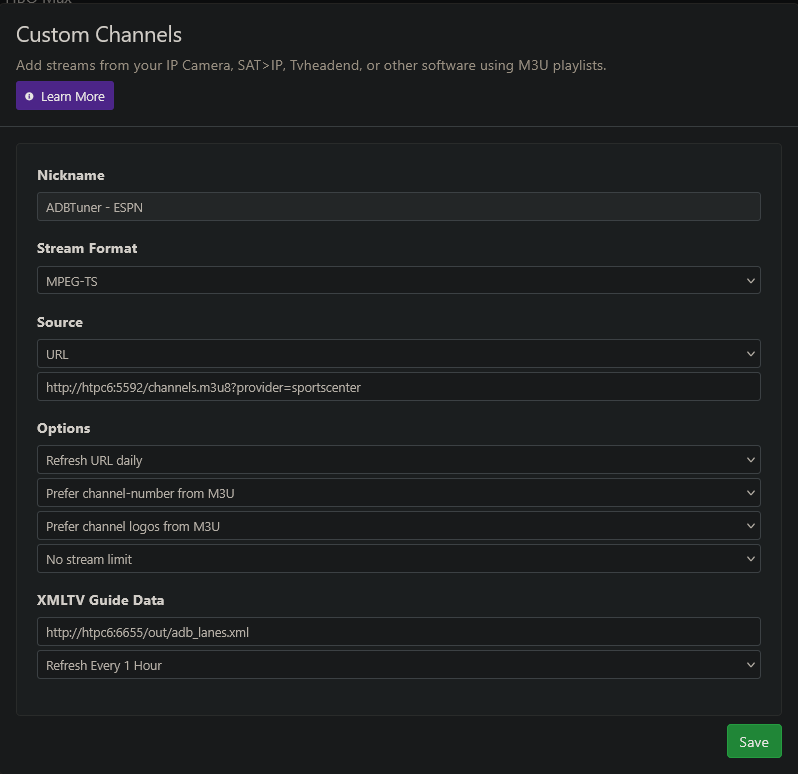
You didn't post your CDVR Custom Channels Sources, but Project One-Click would have installed one like this (and there'd be one like it for each app you want to use):

Project One-Click is the way for FDL and ADBTuner integration. :slight_smile:

EDIT: Use FRUIT_REMOVE (set to ESPN) to delete the current set of ESPN channels in ADBTuner, as you're adding replacement channels that include the correct ADBTuner config.

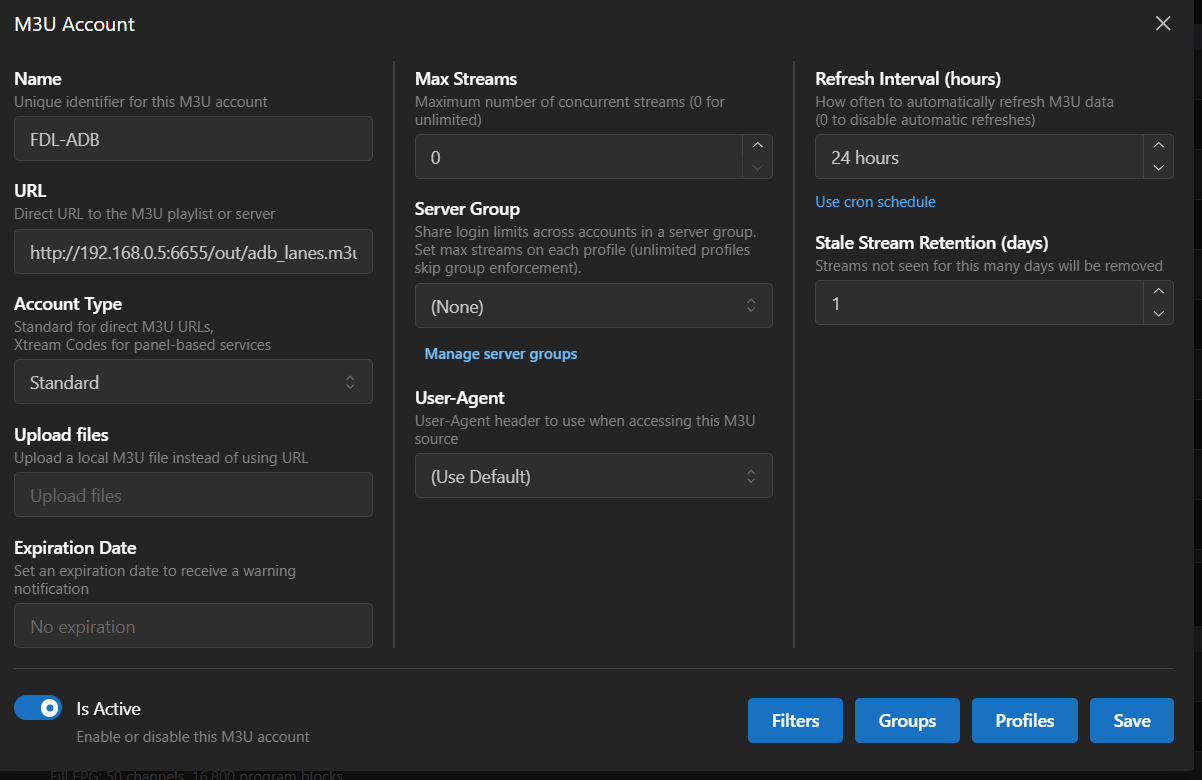
Thanks for chiming in bhnf. I am an edge case actually. I use DISPATCHARR in between my sources and CDVR as I like the management and redundancy abilities it provides, hence I didn't share the Channels Source as it doesn't exist in the manner you would otherwise assume it was in.

Here's a screenshot of my sources within DISPATCHARR:

The FDL-ADB did populate channels previously when I did a direct install of FDL (though they didn't work, but the channels populated). In trying to redo this using the OliveTin approach, I've mucked it up differently than it was previously mucked up. Now there doesn't seem to be an ADB.m3u for it even to pull into:

I can go in an correct the link within the existing ADBTuner channels to the correct configuration, but doesn't there need to be a segmentation then at the virtual channel level since it would send different commands for my various sources (Paramount+, Amazon Prime, ESPN+). Said another way, Virtual Channel Lane 1 wouldn't be able to have all 3 sources come through, it would have to be dedicated to just one of those 3 sources. So I should have say CHannels 1-25 dedicated to ESPN+, Channels 21-35 dedicated to Paramount+, and Channels 36-50 dedicated to Amazon)?

But without the ADB.m3u, I can't even make sure DISPATCHARR is calling to the appropriate virtual channel within ADBTuner regardless of how it's supposed to be configured.

It doesn't work that way with Prismcast, but I believe that's because Prismcast can accept the correct configuration for web access using the deeplink which is just the http address vs. having to call up specific apps like in ADBTuner. And I think I mentioned, I do have Prismcast working in FDL.

Apologies, I realize my edge case is making things more difficult than it would otherwise be and I am probably misinterpreting the design of one or more of these components.

Jay

I don't use Dispatcharr, but to duplicate what we're doing in Channels, you'd need to have an "M3U Account" per streaming stick app -- with a URL like this:

http://htpc6:5592/channels.m3u8?provider=sportscenter

Note that this is an ADBTuner M3U which is what you need in this case. Then if you look at the individual channel URLs in each channel that was created by Project One-Click, you'll see that they are querying FDL for the correct event link for what's on, at that moment, in a given "lane".

Gotcha. So I checked the following:

http://192.168.0.5:5592/channels.m3u8?provider=sportscenter

and I have the following (50 channels seems excessive for ESPN+ though):

#EXTM3U

#EXTINF:-1 channel-id="sportscenter01" channel-number="901" tvg-chno="901",ESPN 1
http://192.168.0.5:5592/stream/83

#EXTINF:-1 channel-id="sportscenter02" channel-number="902" tvg-chno="902",ESPN 2
http://192.168.0.5:5592/stream/84
 
<----so on so forth---->

#EXTINF:-1 channel-id="sportscenter50" channel-number="950" tvg-chno="950",ESPN 50
http://192.168.0.5:5592/stream/132

However, when I check the other 2 links shows in the ADB Config page:

http://192.168.0.5:5592/channels.m3u8?provider=pplus

http://192.168.0.5:5592/channels.m3u8?provider=cbssportsapp

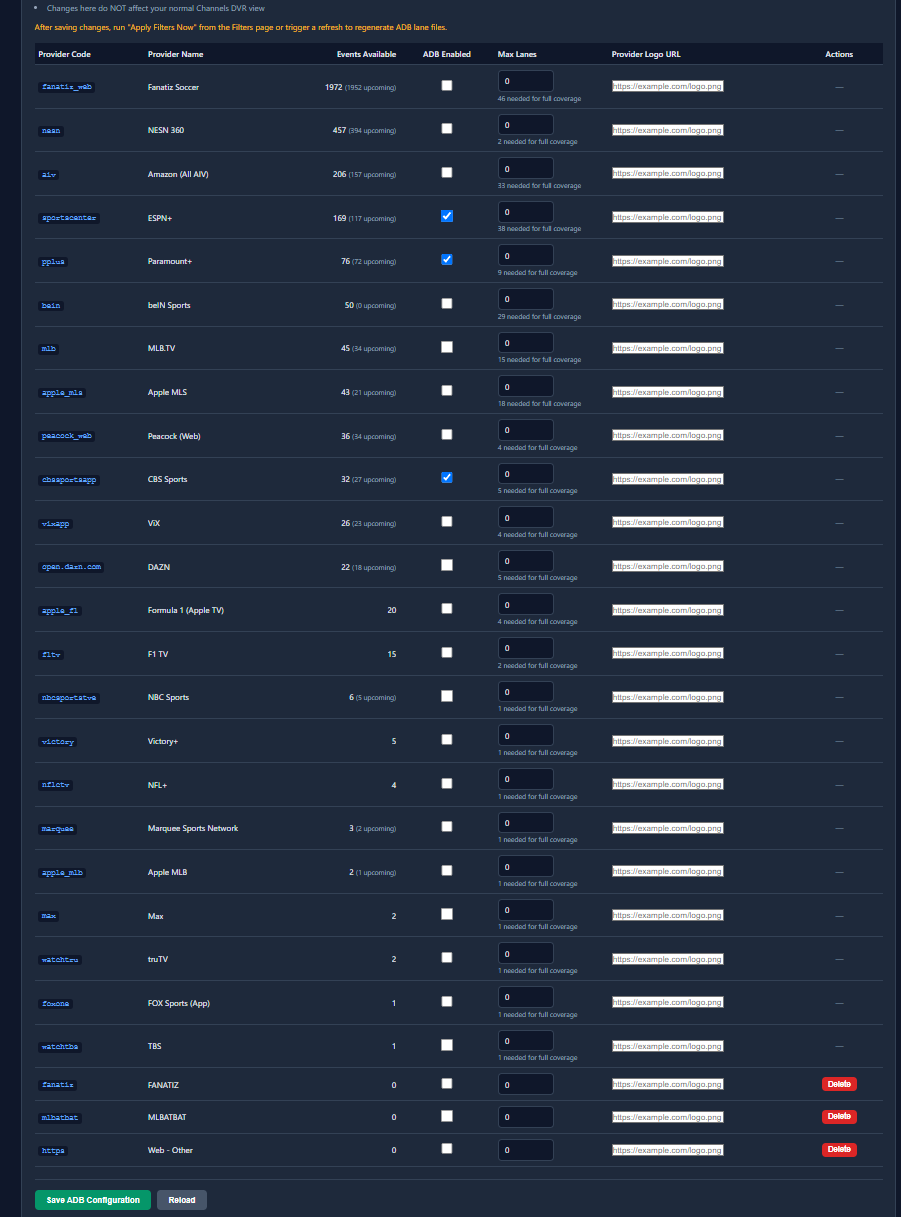
They are showing only the #EXTM3U with no explicit channels? I also don't see an entry for Amazon exlusive content in the ADB section:

And after double checking the check boxes were correct, clicking "Save ADB Configuration" and going to the filter tab and clicking "Apply Filters Now", the adb_lanes.xml file is still blank?

<?xml version='1.0' encoding='utf-8'?>
<tv source-info-name="FruitDeepLinks ADB View" generator-info-name="fruit_export_adb_lanes.py" />

It's not, but the number of "lanes" is up to you, and is once again configured when you set up your channels in Project One-Click (this time of morning there will be very few events, but on a Saturday afternoon 50 might not be enough). Make sure the number of lanes you select in FDL matches the number of lanes you create in the One-Click Action.

Just like back when the ESPN+ container worked, it's best to have an automatic Sports collection, so you'll only see lanes with active events -- and not a bunch of empty lanes.

Have you added the channels for those other apps via Project One-Click? You need to run the Action for each streaming stick app you want to add.

You need to run the scaper after adding any new sources.

EDIT: You can try the Skip Scrape button first after making source changes, and if the needed data was in the last scrape it'll be populated -- but the automatic scrape skips un-selected sources in the interest of speed.

1 Like

NM, figured where my error was.

50 Lanes for ESPN+ is the minimum unless you don't care for college sports, of course.

I only care for the Bowl games and playoffs so I usually set it up for Pro Ball and First Division Soccer only

would you guys like a "max event length" setting? hard to do it by sport, but globally should be easy.

2 Likes

1000%. The default lengths are way too long for my liking. I think setting some variable (ie. MAX_LANES_LENGTH=4) should be enough especially since most baseball games nowadays lasts like 2 hours in regulation

Curious when people say "50 lanes", are they talking about the # of ADB lanes or the Multisource (such as prismcast) lanes. Since ADB requires, as I understand it, isolated lanes (not cross pollination of ESPN+ with Paramount+ as an example), theoretically you need more lanes to accommodate the content vs. the MultiSource lanes since with multilanes you could have an ESPN+ event in the morning and a Paramount+ event in the afternoon on the same lane (1 combined lane vs. 2 separate single lanes).

They are lanes for each source.

I'm talking ESPN+ here and the default amount is usually 50 which I think is the minimum needed

The multisource lanes covers all the sources and usually you may need a bit more than 50 lanes on that front to cover the other sources (maybe 200-300 depending on what you have currently)

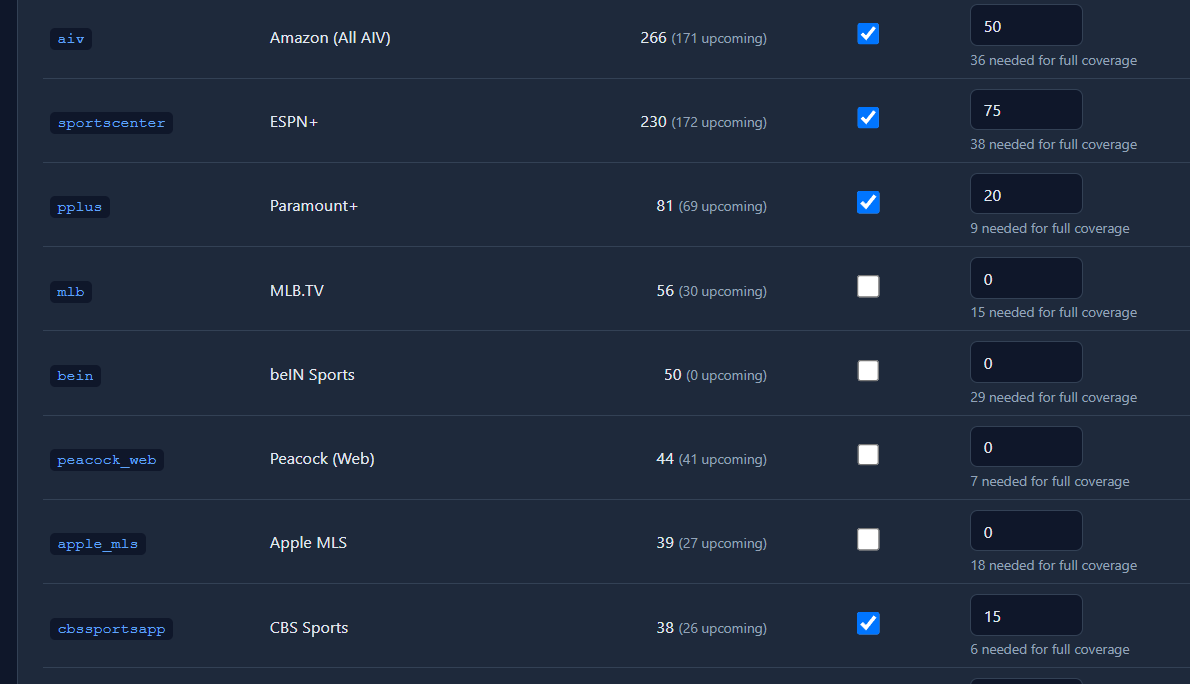
Here's my current count per source. I based it with some headroom over what FDL was telling me since once football kicks in, there will be a lot more content.

I'm still playing with this, so likely I will change the number of lanes a few more times before settling in.

1 Like

Make sure you have exactly the same number of virtual channels set up in ADBTuner for each app/provider, as you you do lanes in FDL. And, as you've probably figured out by now, this is best done with the Project One-Click Action designed for this purpose.

Do you have this working now through Dispatcharr?

1 Like

Still working with aligning few things and wanted to have enough events to test with. Will work on this afternoon and report back.

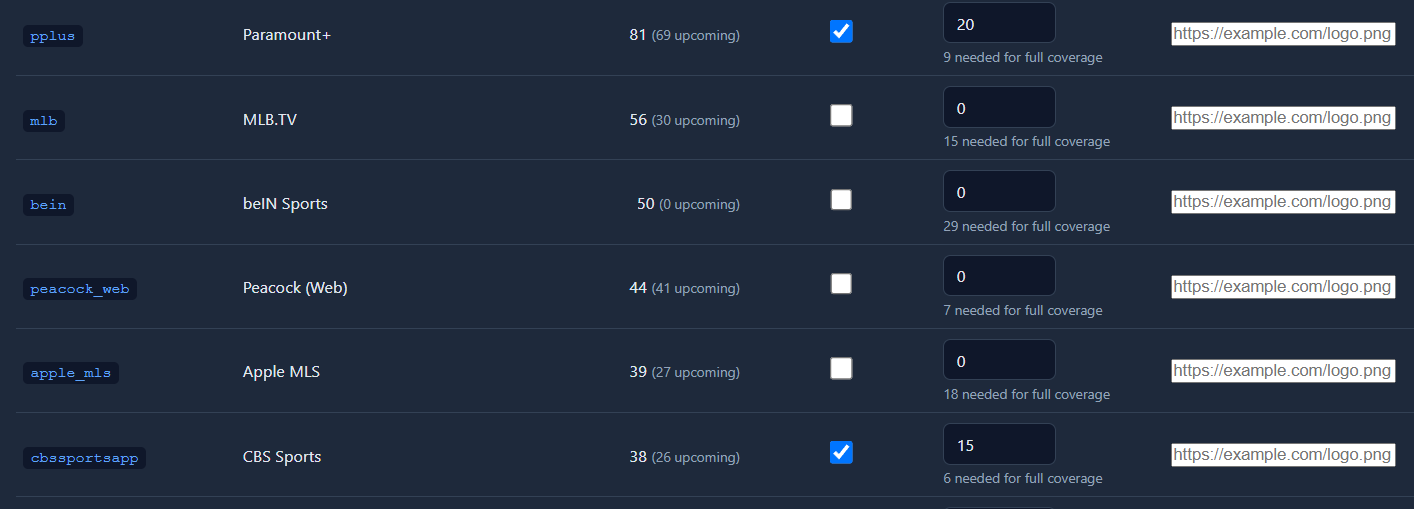
I have CBS Sports checked in addition to Paramout+ in FDL. However, in OliveTin, the One Click option to add to ADBTuner doesn't have a separate CBS Sports? Is there a custom config for CBS Sports App or just use the Paramount+ config within Olive Tin?


image