
I have 350 lanes set for ADBTuner with FDL and all I pick are ESPN+ college events. It doesn’t hurt to have extra lanes available for when you need then.
1 Like
dang you love some live sports! (me too)
Setup the lanes and dispatcharr. Everything is populating as expected. However, noticed with Paramount+, I'm stopped at this prompt.
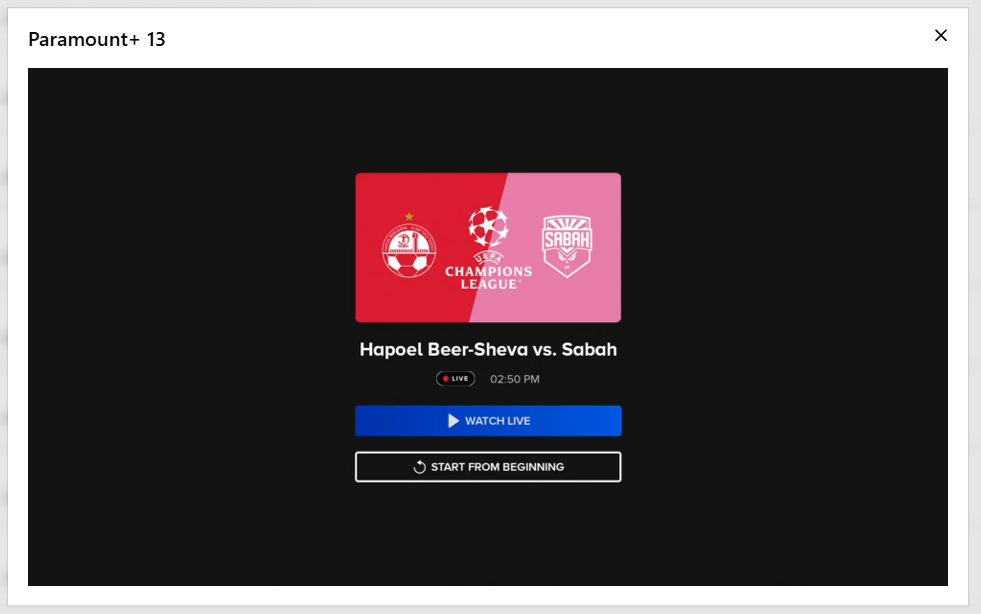
And here's the config within ADBTuner:
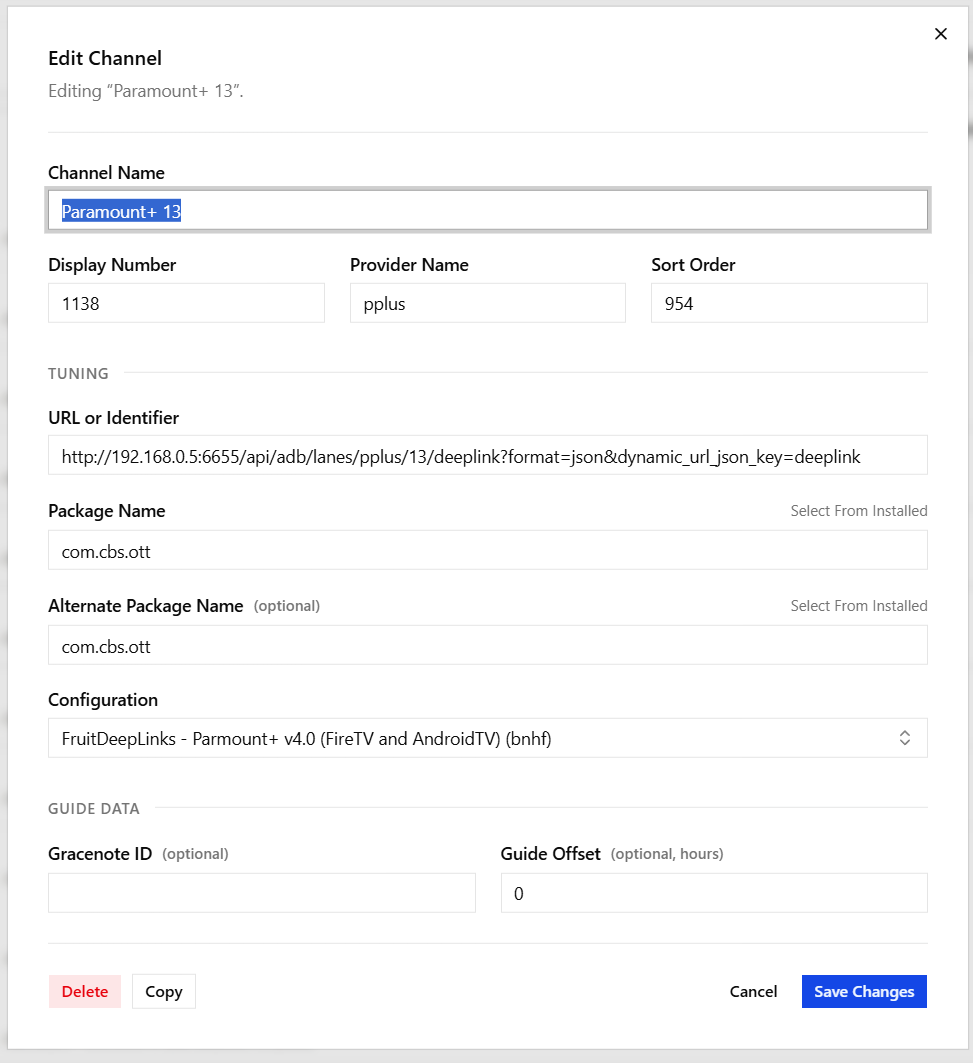
ESPN+ seems to be working with the limited content I have to watch right now.
For Amazon Prime, nothing is showing as available to watch ATM.
That's definitely one of the things we want the ADBTuner config files to handle -- going to live.
The current one looks like this:
{
    "name": "FruitDeepLinks - Parmount+ v4.0 (FireTV and AndroidTV)",
    "author": "bnhf",
    "version": "4.0",
    "description": "Paramount+ for FruitDeepLinks. Compatible with FireTV and AndroidTV devices.",
    "uuid": "62a01c95-94f8-41b7-b56b-4838859ab42d",
    "global_options": {
        "wait_for_video_playback_detection": false,
        "use_fixed_delay": true,
        "fixed_delay_seconds": 5,
        "wait_after_post_playback_start_commands_seconds": 0
    },
    "pre_tune_commands": [
        "input keyevent KEYCODE_MEDIA_STOP",
        "am force-stop ||TARGET_PACKAGE_NAME||"
    ],
    "tune_commands": [
        "am start -W -a android.intent.action.VIEW -d '||TARGET_URL_OR_IDENTIFIER||' '||TARGET_PACKAGE_NAME||'"
    ],
    "tune_match_text_commands": [
        {
            "match_text": [
                "who's watching",
                "edit profiles"
            ],
            "commands": [
                "input keyevent KEYCODE_DPAD_CENTER"
            ],
            "check_after_seconds": 5
        }
    ],
    "post_playback_start_commands": [],
    "post_tune_commands": [
        "input keyevent KEYCODE_HOME",
        "am force-stop ||TARGET_PACKAGE_NAME||"
    ],
    "timed_keep_active_commands": []
}
Try adding "watch live" to the "match text" section, like this:
        {
            "match_text": [
                "who's watching",
                "edit profiles",
                "watch live"
            ],
and report back. If this works in multiple tests on your end, we'll update the config as used in Project One-Click, so all will benefit. 
2 Likes
Added the extra command and appears to be working. 2 different channels worked.
So noticing something different today with ESPN+.
I'm clicking both of these golf events:
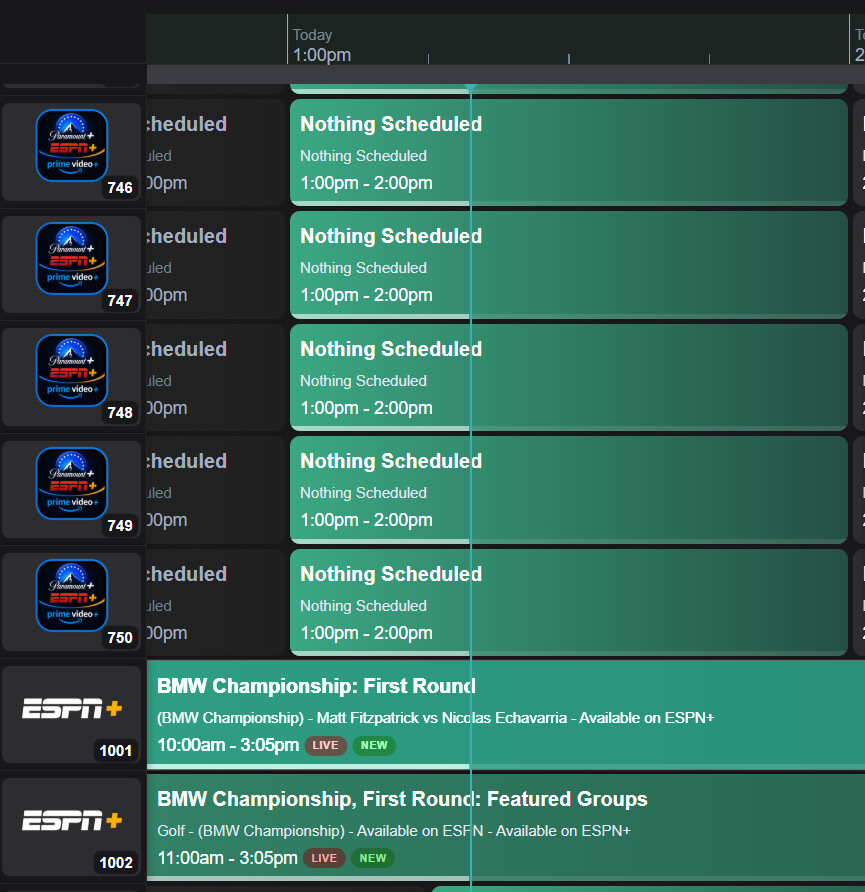
and it's taking me to this:
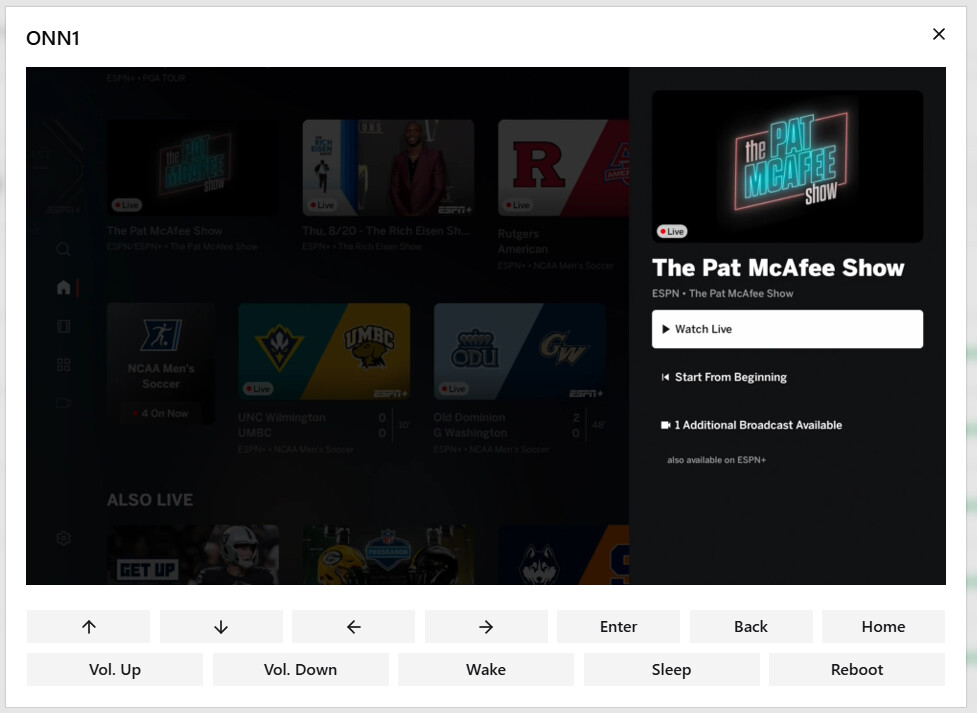
To add insult to injury, it's not showing the live version of Pat M show, just the option to watch live (which BTW, I don't pull in ESPN Linear content into).
So, 2 issues: 1) Wrong program is being selected; and 2) not showing live but prompt only.
Update:
In addition to the above, I'm seeing the same channels 1 & 2 also down in the 60s. The soccer games are tuning fine, it seems to be golf for some reason going to the Pat M show.
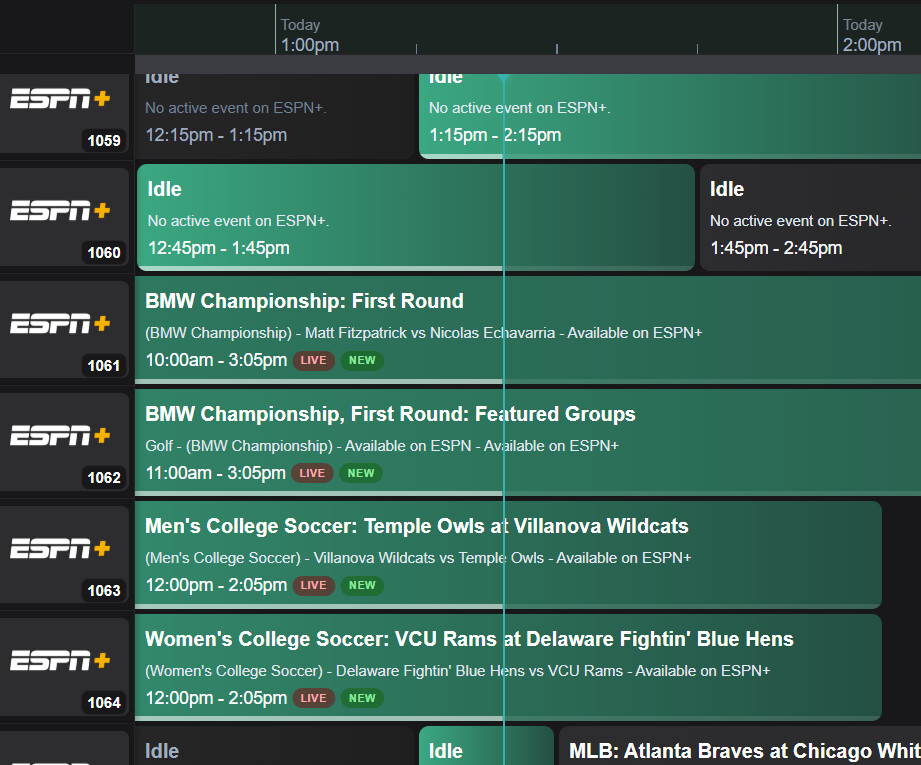
It does appear the event link is wrong for this golf event.
One of the side effects of going "live" by sending adb keycodes is that if the event ID doesn't work the keycodes get sent to the ESPN home screen. That results in a couple of DPAD moves and a select -- which in this case is the Pat McAfee show -- so don't get thrown by this bit of side noise.
The real issue is the event link, which you might want to dig into in the FDL interface, and see if you can figure out what's happening. @KineticMan will, I'm sure be happy to fix anything type of failure that can be identified and replicated. I've even been known to fix something here or there in this project.
Fo sho!
He is running his through Dispatcherrrrrrr right? I wonder if it's stale link between the two - like, did Dispatcherrr grab a stale M3U file?
I had the same problem trying to tune that event -- so it's something with the link.
since its happening right now, can u grab the Event ID from event inspector and i'll look right now to see what up
I did enhance the Web play links last week - hope I didn't break something.
1 Like
It's not just golf, I'm seeing problems with the ESPN links for MLB games that are available through Unlimited. The problem is that there's four different broadcasts that you can watch and it's defaulting to ones that MLB.TV is providing, which I don't have a subscription for so prism thrashes trying to load video. I don't have it enabled as a provider so those should be filtered out if possible.
The default on the ESPN app is the Unlimited feed, and I can play those.
I've seen some other issues with 2.11:
-
I went into advanced config and changed the starting channel number to 9500 but it did not take effect, I've tried refreshing the guide and it continues to use the default 9000 channel number to start with.
-
when you first load up the container with no config the default server URL is 192.168.86.80, but it should be localhost for both the server and for the channels DVR I think.
-
there's no time zone configuration in the config page, have to supply it in the environment even though the wiki says you shouldn't need envs now. Might need to do a once-over with config and make sure everything is correct and is being reflected when it's changed.
-
what is the docker volume config, i.e. -v..? I'm not using portainer so I'm just pulling and running the latest image but when I do that the database and settings get whacked because there's no volume configured.
Thanks again!
sounds like your giving me work GTFan. rude.
i'll check into these - tnx for feedback.
I am pulling into DISPATCHARR through the ADBTuner M3U and it was set for 24 hour refresh. I just updated to 1 hour refresh and rescanned. It's now trying to launch the correct content now I believe.
Still takes me to a Watch Live option, but when I tune to college soccer matches, it launches straight into the content.
sportscenter://x-callback-url/showWatchStream?playID=be1ae299-7cf3-4ab2-9b8e-ae8262fefee4
Confirmed bug .. Looking deeper at the raw JSON, there's still no clue on what ESPN playable we pick. Apple doesn't provide what ESPN playable it is -- linear, espn3, mlb, espn unlimited, etc.. BUT, I have a secondary step where I hit espn-graph API to upgrade the playable. Looking at the raw ESPN playable API, it does show what sub-service of espn it is.
I'm going to wire in that sub-service classification. Similar to how Amazon works - you guys will be able to select which ESPN service you want to prioritize.
3 Likes
I believe that's because it was selecting the ESPN Linear feed - not the ESPN+ feed. I don't think there's any fix available for linear feed to auto-play, but the ESPN+ feeds do auto-play (like the college soccer).
see my other post - working on better selection criteria for you guys that should help.
how do you update? sorry, not sure exactly what you're asking me.
i recommend this:
docker compose pull && docker compose up -d
I'm just doing a straight pull like FC, this is the FC run cmd:
docker run -d -p 5523:5523 -v fastchannels_data:/data --name fastchannels --restart unless-stopped ghcr.io/kineticman/fastchannels
Would it be '-v fruitdeeplinks_data:/data' instead? Like:
docker run -d -p 6655:6655 --name fruitdeeplinks -v fruitdeeplinks_data:/data --env TZ=America/New_York --restart unless-stopped ghcr.io/kineticman/fruitdeeplinks
I'm trying to keep it consistent across all containers, I use docker pull and run for all of them, not compose. It runs fine this way but when I upgrade with docker stop, rm, and pull it whacks the config which is in the FruitDeeplinks sub dir I guess.
Any docker compose can be turned into a docker run command, though it's about the equivalent of building a house and pounding every nail in with a hammer these days.
docker run -d \
  --name fruitdeeplinks \
  --hostname fruitdeeplinks \
  --shm-size=2g \
  -p 6655:6655 \
  -e TZ=America/New_York \
  -e SERVER_URL=http://localhost:6655 \
  -e FRUIT_HOST_PORT=6655 \
  -e CC_SERVER=localhost \
  -e CC_PORT=8080 \
  -e CHANNELS_DVR_IP= \
  -e CHANNELS_SOURCE_NAME=fruitdeeplinks \
  -e FRUIT_DB_PATH=/app/data/fruit_events.db \
  -e OUT_DIR=/app/out \
  -e LOG_DIR=/app/logs \
  -e LOG_LEVEL=INFO \
  -e FRUIT_LANES=50 \
  -e FRUIT_LANE_START_CH=9000 \
  -e FRUIT_DAYS_AHEAD=7 \
  -e FRUIT_PADDING_MINUTES=45 \
  -e FRUIT_PLACEHOLDER_BLOCK_MINUTES=60 \
  -e FRUIT_PLACEHOLDER_EXTRA_DAYS=5 \
  -e CDVR_DVR_PATH= \
  -e CDVR_SERVER_PORT=8089 \
  -e CDVR_API_PORT=57000 \
  -e HEADLESS=true \
  -e NO_NETWORK=false \
  -e AUTO_REFRESH_ENABLED=true \
  -e AUTO_REFRESH_TIME=02:30 \
  -v "$(pwd)/FruitDeepLinks/data:/app/data" \
  -v "$(pwd)/FruitDeepLinks/out:/app/out" \
  -v "$(pwd)/FruitDeepLinks/logs:/app/logs" \
  -v "/tmp/fruitdeeplinks-novol:/mnt/dvr" \
  --restart unless-stopped \
  --log-driver json-file \
  --log-opt max-size=10m \
  --log-opt max-file=3 \
  ghcr.io/kineticman/fruitdeeplinks:latest
Thanks i get it but it's not the env config, it's all the DB and stuff that gets whacked. Sorry, I got started with old school pull and run and it's simple enough. I'm an OG cmdline kind of guy, would never give up vi in Linux lol.
Your run cmd is also missing the volume.