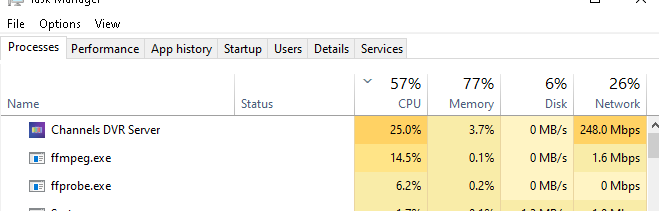
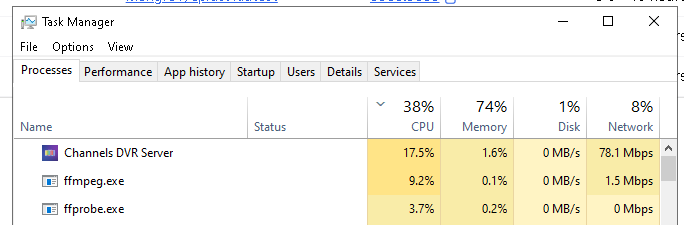
That change seemed to help at first, but I'm still seeing unexplained CPU and disk activity.
@eric Why is there is still constant disk write activity from Channels DVR (about 7 MB/s) when "Deep Video Processing" is disabled and the DVR status is "Idle" on the latest v2025.12.27.0547 pre-release? This has been happening for the last few hours at least, and continues as I post this. "Share Commercial Edits" is Off as well. Nothing is being watched or recorded, and the host is not doing anything else. This slows down the DVR Web UI noticeably on this older hardware.
The following screenshot is the Synology Task Manager on my DS1520+ NAS running the Channels DVR Synology package, while the DVR is supposedly "Idle":
I restarted the DVR via the unofficial API (curl -XPUT http://ip:8089/updater/force/restart) and the logs seem to indicate that it is still doing fingerprinting while "Deep Video Processing" is disabled, based on the "avprocessor-background work" log entries before and after a restart:
2025/12/27 19:32:20.418717 [ERR] Failed to pop queued avprocessor-background work: database not open
2025/12/27 19:32:20.443999 [DVR] Recording engine stopped.
2025/12/27 19:32:22.212545 [SYS] Starting Channels DVR v2025.12.27.0547 (linux-x86_64 pid:30563) in /var/packages/ChannelsDVR/target/channels-dvr/data
2025/12/27 19:32:22.990882 [SYS] Started HTTP Server on 8089
...
2025/12/27 19:32:39.402510 [WRN] Re-enqueuing interrupted avprocessor-background work #background.1765519323-20670
2025/12/27 19:32:41.692745 [DVR] Recording engine started in /volume1/DVR
There are also no log entries to indicate which file is (supposedly) being fingerprinted while "Deep Video Processing" is disabled (when enabled, the file-specific log entries return).
Logs have been submitted as 32ae5609-3e7a-4704-b295-b327968dcf6a.