Guide data off by 1 hour for several channels resulting is missed recordings

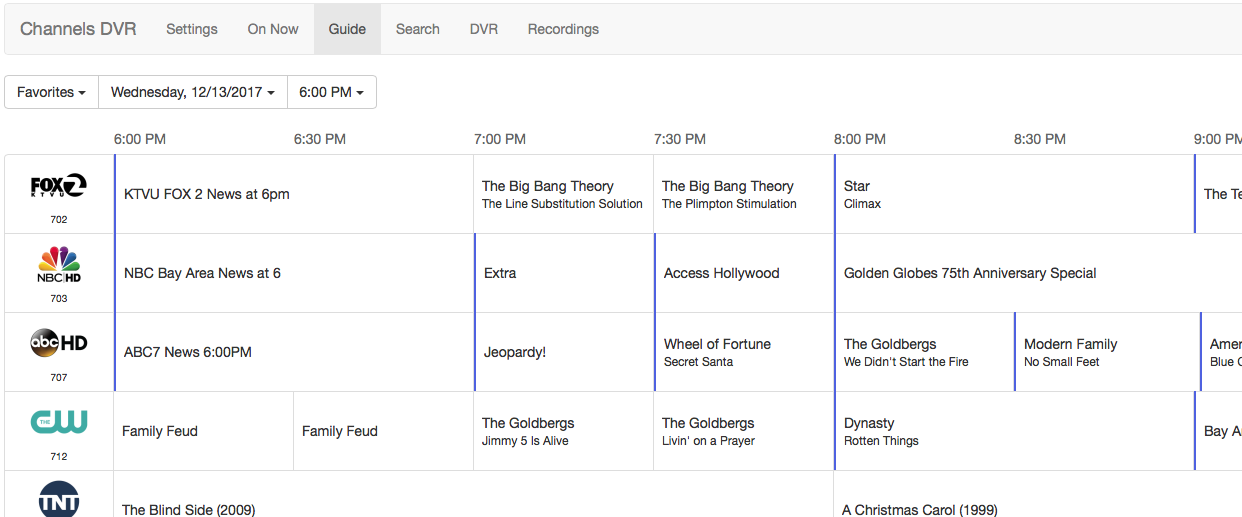
I have a strange issue, I noticed some programs fail to get scheduled, looking at the guide it sees like times are off by one hour. For example the program I want to record is normal scheduled for 8PM but looking at the guide the program that would normally be at 9PM overlays the 8PM program. And therefore it fails to be scheduled

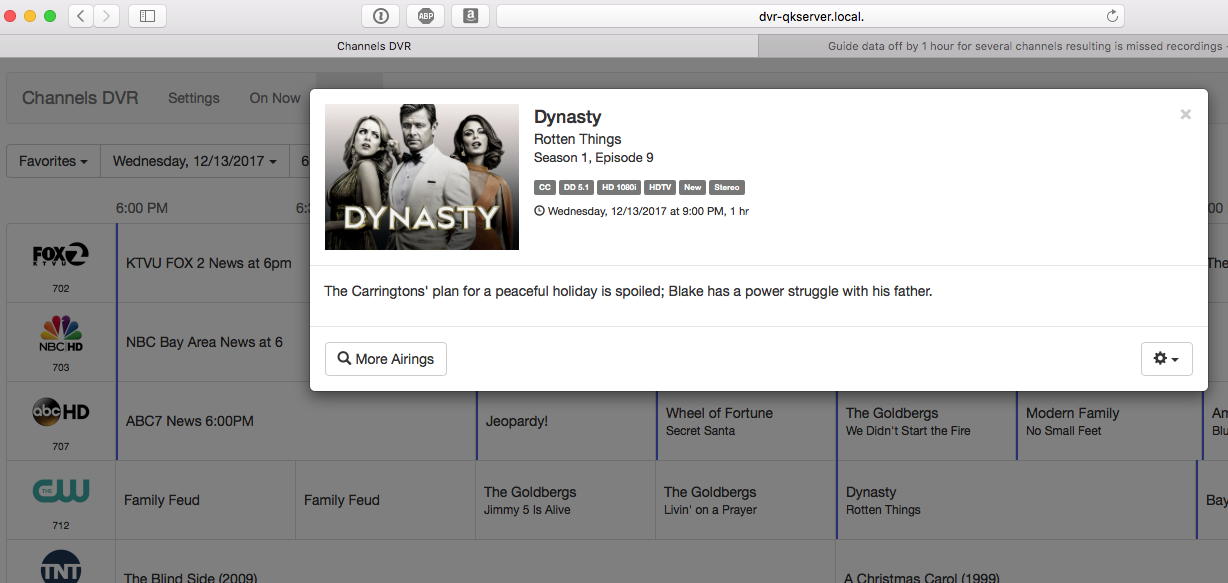
If you click on the program the popup shows the correct time but not the guide
This sounds like a daylight savings time issue. Check the clock on your DVR computer.

I use a Synology DS918 it uses a web time server, I checked and the time is correct

Its only on some channels and only on some days. The HD Homerun shows the correct time on its schedule. But the DVR guide has it issue. Clicking on the program name shows the correct time in the popup

Can you take a screenshot of the problem?

I uploaded 2 files Guide and popup. In this case on the Guide Dynasty says its at 8pm when clicked the popup says 9pm
The actual program that is supposed to be at 8pm is Riverdale

You’ll want to ensure the TZ environment variable is set correctly. If a TZ is given that adheres to DST differently than you then you’ll see this issue in any program.

I run the DVR using docker-compose and explicitly pass in TZ=US/Central which defaults to using DST. The TZ the Synology selects may not adhere to DST the same way as your location does, so double-check that.

Are you still having problems with this? Have you noticed which channels it occurs on?

Thanks,

For now it seems to be fine, I changed the DVR channel source to another option for my zip and it seems to have resolved the issue

1 Like