Guide - grid

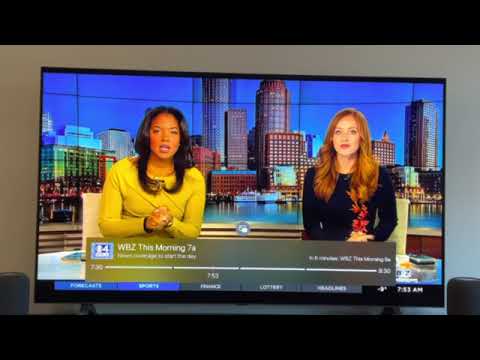
Is Channels ever going to get a grid guide that can be accessed while a show is being viewed live like the Quick Guide option? It'd be awesome if it could have a small window showing the live show but not a requirement as long as the audio was still there. It's a feature that Dish, Tivo, Emby and most other DVR's that I've used have had and the Quick Guide is a poor substitute.

I'm on the Android version (Nvidia Shield) of the app in case the Apple version already has something like this.
2 Likes

I remember that feature when it was originally added. It worked very poorly then on Android TV. I just started playing with it again now that you reminded me of it and it seems to work like I want it now. Thanks for the suggestion.

2 Likes

Continuing the discussion from Guide - grid:

It would be great if the developers could include a feature that opens picture in picture when returning to the guide; but then goes full screen once another channel is selected. This would, in effect, do what you ask and would be a great feature that I would appreciate as well.

1 Like

That's available via Automatic PIP under the PIP settings.

It does not automatically resume full picture, though, once a new channel/program is selected.

1 Like

I think it goes to full screen when you select the currently playing program a second time.

3 Likes

No, it does not. It would be great if there could be an option to have it go after just one press.

1 Like

It does on AppleTV and I’m pretty sure that it worked in a similar way on the TiVo Stream4Ks I used to have.

3 Likes

I am on the most recent Apple TV. What am I doing wrong?

Single-clicking the new channel/program instead of double-clicking it.

Single clicking changes to the new channel, but does not go to full screen.

Hmm, on my 3 AppleTV's a second click takes the new channel into full screen. Not sure why it's not working for you. Are you on the latest tvOS, and the latest release or TestFlight of Channels? Using which remote control, the Siri touch remote or a 3rd party replacement?

I actually appreciate that I can "preview" the prospective channels with one click, see if there's a commercial playing or whatever, and then "commit" to the change, with a second click. (I also like that I can commit straight away with a quick double-click, which has now become second nature.) If the PIP window went full screen with one click instead, I'd lose that sometimes-helpful preview step. But I can certainly understand the perspective of others who want to just want to change channels with a single click. Maybe this could be considered as a configurable user setting in the future?

I am on the most recent TestFlight of Channels (2.2.1317), tvOS 16.3, AppleTV 4K (3rd Generation) with Siri remote. I press the center of the clickpad twice and it does not go full screen.

I would love if I were able to go from PIP to full-screen without having to access PIP button controls.

1 Like

Hmm, I wonder what the difference is, then. I am using 1st and 2nd gen AppleTV 4Ks. Maybe others can chime in, if they’re having the same issue as you with the 3rd gen? Weird!

For what it’s worth I am at a friends’ place now and they have two 3rd Gen AppleTV 4Ks. We're testing Channels DVR beta and navigating the guide with PIP, and having no problem going full screen with the double-click. So it's not the generation of AppleTV that's explaining the difference here.

I figured it out. You need "Hide Picture in Picture Button" set to off.

I tried both ways, FWIW. And on my own AppleTV’s I have had “Hide PIP Button” enabled from the start. Weird! Glad you got it sorted though.

This topic was automatically closed 365 days after the last reply. New replies are no longer allowed.