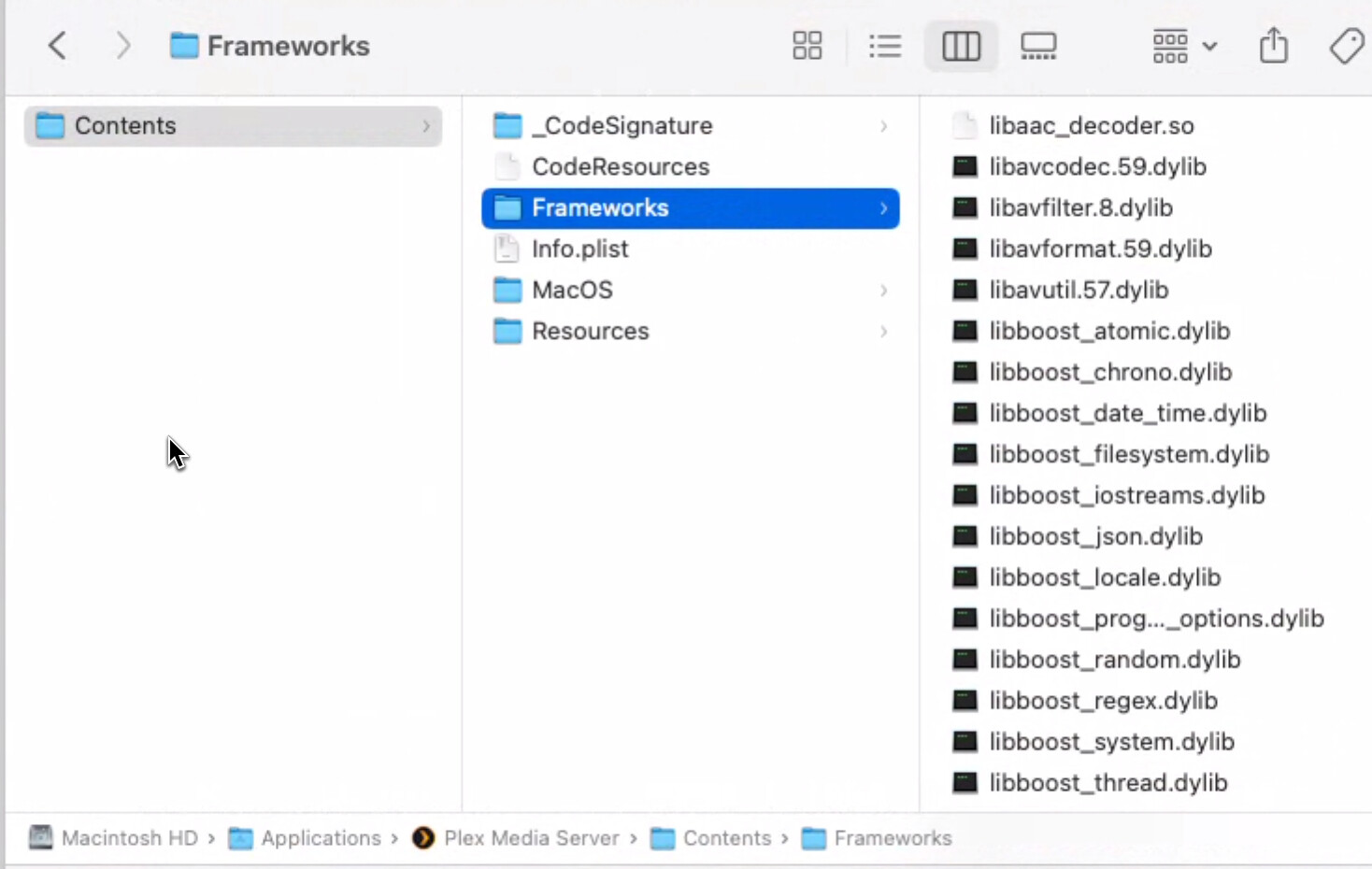
I'm still having the same issue with the guide data, any further help? thanks
Your DVR has to be running the version listed at the top of this thread.
Sorry, gotcha. New to Channels DVR, but that was a dumb mistake. I ran the "Check for Pre-Release" on the Channels DVR, but that bumped me up to Version 2024.12.04.1929 (running on Win 11 Pro). I'll search around for a way to load the earlier pre-release. Thanks.
Well, I added ?format=ts to the end of my link, and that got it working somewhat. It only brought in 3 TVE channels out of about +35 or so. So, I try deleting it and trying again. Getting closer though.
Any newer prerelease is fine.
When you copy the url from your dvr it should have format=ts&codec=copy
2 Likes
Thank you. It actually did bring over all the TVE channels that I had enabled. The 3 that it showed as available but needing mapped were actually discontinued channels. I'll update the url once I delete and re-add the Channels DVR for TVE in Plex.
I can't say enough about how great this is. It will allow me to get rid of three instances of xTeVe, possibly my 2nd Plex server, and really simplify things. I prefer the Channels DVR interface but I am trying to simplify things for my daughter at college. Again, Thanks for the early Christmas present!
5 Likes
Thank you guys so much for this work - was literally dealing with this right this moment and as far as i can tell this resolves all my issues using an intermediary and just works
2 Likes
Really appreciate the work the Channels team put in to bring us this feature.
Did want to ask, is anyone else experiencing transcoding issues on HLS streams through Plex? All I get a is a black screen a bunch of transcoding errors. However playing original quality works. I do have the aac decoder that @tmm1 mentioned above, so I am not sure what else it could be.
Is there anyway to use a custom channels list as the source for a m3u export like this one for plex? i have something like over 1000 channels inserted into channels but i use about 1-200
Easiest way now, may be to just go through the listing in PLEX and hide/remove all the ones you don't use.
2 Likes
Thank you. For anyone else trying this, I put the command from above in the Safari address bar:
https://downloads.plex.tv/codecs/e613bce-38cf5cd1fd57f37d2412c608/linux-x86_64-standard/libaac_decoder.so
I wasn't sure where the Plex codecs directory was, and took a shot and right clicked on the Plex app in my Applications folder and picked "Show Package Contents". Doing that let me find a codecs directory, and I moved the download there. I don't know if that is the right way, but all is working well at the moment.
2 Likes
Using this method I get playback in plex web app, but if I try to use the mac application it immediately errors and says live tv session has ended.
Using other methods like xteve/threadfin, i had to make the audio output as ac3 to work on all clients.
Could this be a similar issue here?
So, I did some testing on the desktop applications on both windows and mac and they both have an error playing back unless the Direct Stream option is unchecked.
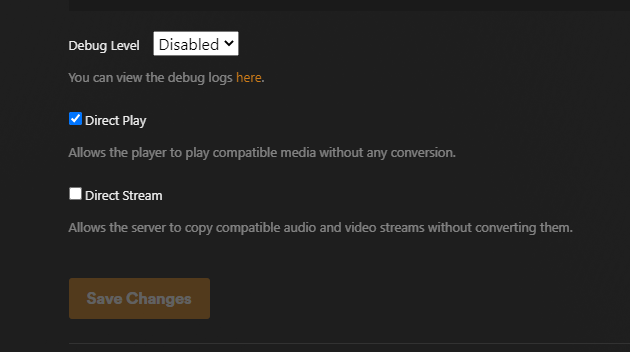
To work around that previously I would tell ffmpeg to pass the audio as AC3 and it would prevent transcoding and the live tv playback area on all clients.
Turning off direct stream results in all streams being transcoded regardless of compatiblity
Is there a way to add this as an option to pass audio to plex as AC3?
There is a fix for the AAC audio issue in the second post of this thread.
Hmm, I'm on macOS too. I don't think that's correct. I couldn't even find a "codecs" directory inside the package contents of the Plex Media Server app. Where did you find it?
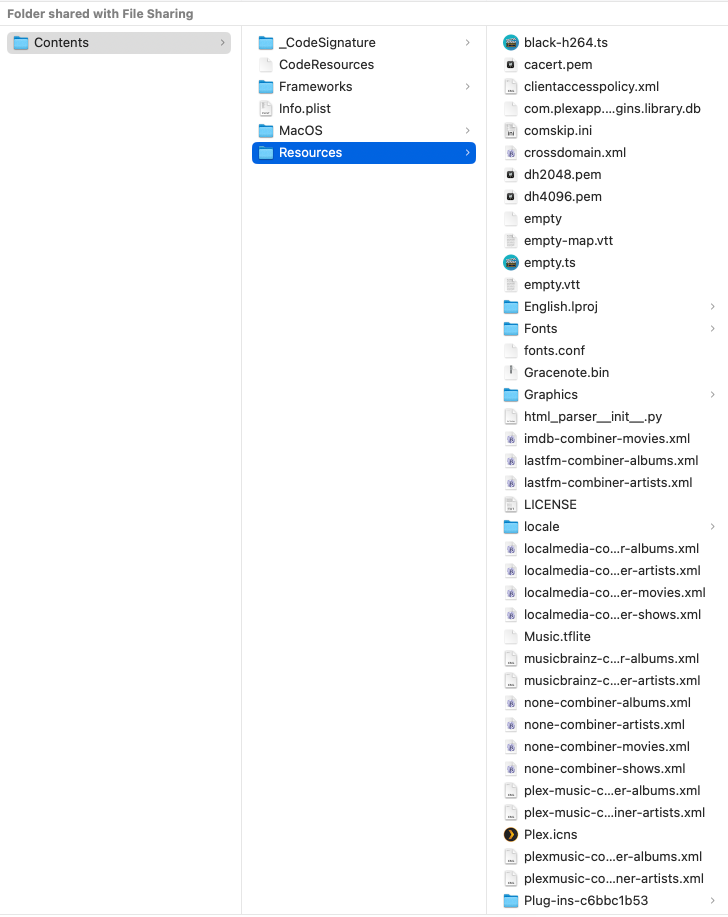
The instructions in post #2 reference this directory: /var/lib/plexmediaserver/Library/Application Support/Plex Media Server/Codecs
I don't have that directory either, but I do have this one:
~/Library/Application Support/Plex Media Server/Codecs
So I downloaded that libaac_decoder.so file via Safari like you did, and then created a new directory to match the instructions in post #2, naming it "e613bce-38cf5cd1fd57f37d2412c608-linux-x86_64" and then put the downloaded file inside it, like so:
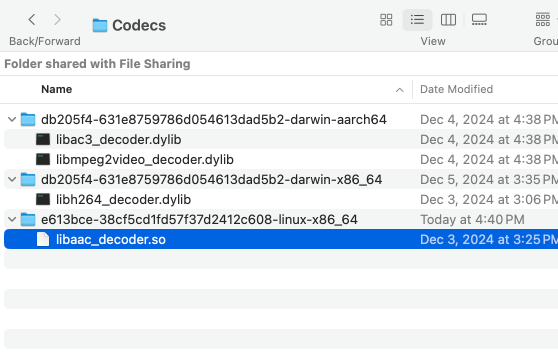
I think that's the way to do it, but I'm new to this hack and just starting to tinker around.
If this is referring to me, I did try that, but it still resulted in the same issue.
1 Like
Downloading the Linux codec won't help, you need to download the Darwin ones based on the existing dirs
Ahhh, OK that makes sense too. Thanks. I've seen enough of Plex to know it's not for me, but happy this hack is available for others, to be enjoying it. Very cool of Channels DVR to offer such integration 
1 Like
I have the aac codec but I am still getting a transcoding error. Non-existing PPS 0 referenced. Seems like this might be a non-standard implementation on Plex's end?
found this searching the forums DVR content not playing via VLC/Plex - #6 by tmm1