Having an issue with prune missing recordings from UI and terminal

So I have a script that I can run to delete duplicate TV shows where the DVR recorded a show and then I download a better quality version of that show. It works great. Except... Channels will not prune the recordings. I am running:
curl -XPUT http://127.0.0.1:8089/dvr/pruner/deleted

In the logs I see about 300 entries of this:

2025/01/30 16:54:47.741516 [DVR] Pruned 0 missing recordings
2025/01/30 16:54:47.741518 [DVR] Pruned 0 missing recordings
2025/01/30 16:54:47.741520 [DVR] Pruned 0 missing recordings
2025/01/30 16:54:47.741522 [DVR] Pruned 0 missing recordings
2025/01/30 16:54:47.741524 [DVR] Pruned 0 missing recordings
2025/01/30 16:54:47.741526 [DVR] Pruned 0 missing recordings
2025/01/30 16:54:47.741528 [DVR] Pruned 0 missing recordings
2025/01/30 16:54:47.741529 [DVR] Pruned 0 missing recordings

Then Channels will not remove the entries from the database
I try to play the file that was deleted and channels refuses to acknowledge and I get an error that it cant find it

2025/01/30 17:21:33.908668 [ERR] Failed to probe file #20838: stat /media/channelsdvr/2TB/DVR/TV/Doctor Odyssey/Doctor Odyssey S01E08 Quackers 2024-11-21-2059.mpg: no such file or directory
2025/01/30 17:21:33.908774 [HLS] Couldn't generate master playlist: Recording is missing: /media/channelsdvr/2TB/DVR/TV/Doctor Odyssey/Doctor Odyssey S01E08 Quackers 2024-11-21-2059.mpg

It can tell that the recording is missing. Then I manually prune missing recordings from the UI and I get no log entries and the entry is still present.

From the UI:

Error retrieving file #21827details: stat /media/channelsdvr/2TB/DVR/TV/High Potential/High Potential S01E11 The Sauna at the End of t 2025-01-28-2059.mpg: no such file or directory

Why wont prune work? I have used it before without issue.
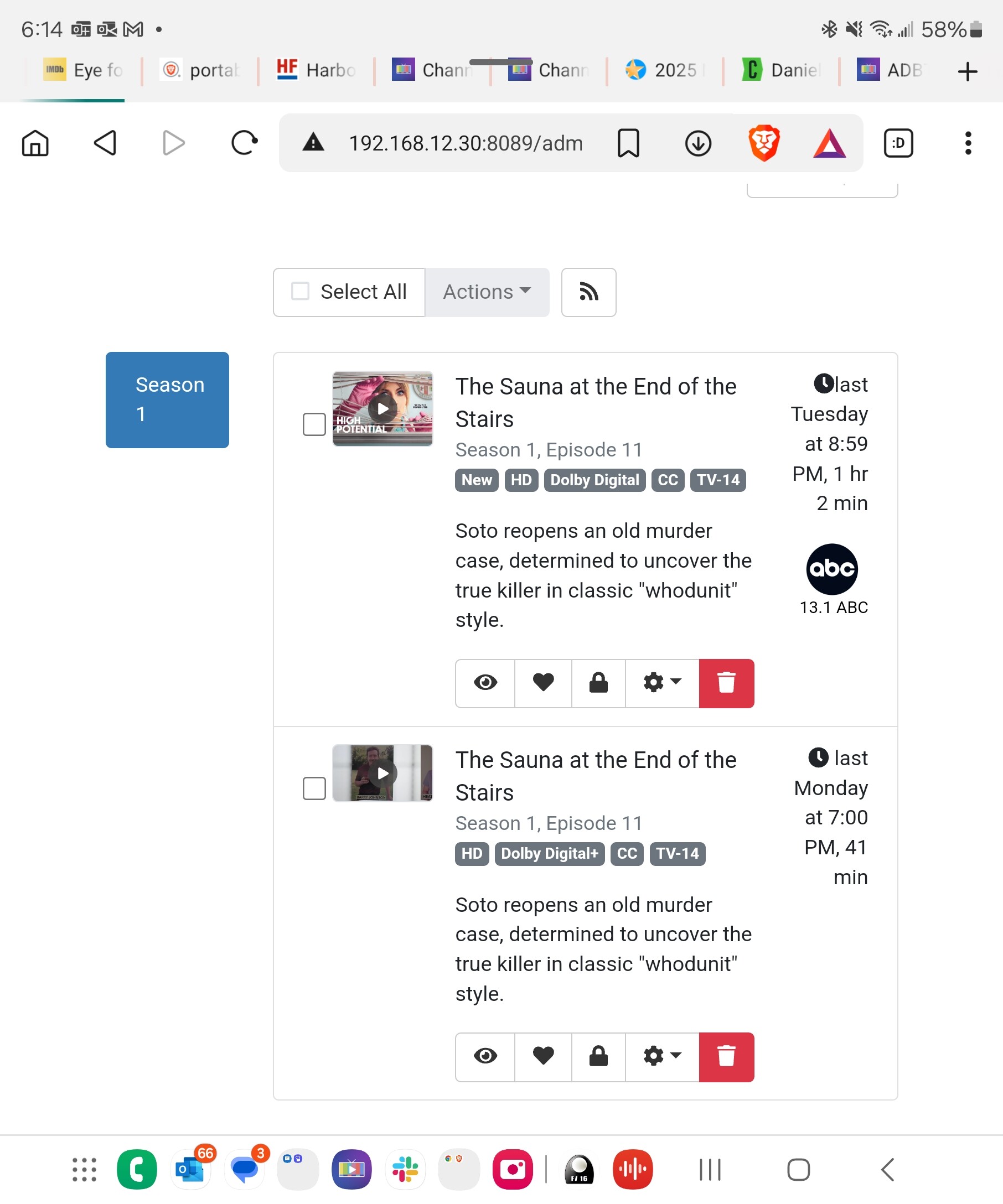
Are the recorded files perhaps in the trash, so actually still present in disk? Or are you manually deleting the recorded files outside of Channels.

A couple.are in the trash i emptied the trash and then i got a bunch of missing files to delete messages almost like the prune functionality ran then. I went back to the ui and the show i am testing with is still showing even though the file is gone

1 Like

Shouldn’t prune remove this file as channels clearly knows it isnt there?

2025/01/30 17:57:25.384514 [ERR] Failed to probe file #21827: stat /media/channelsdvr/2TB/DVR/TV/High Potential/High Potential S01E11 The Sauna at the End of t 2025-01-28-2059.mpg: no such file or directory

The error you show means the database entry (/dvr/files/21827) is still in Channels DVR, but the physical recorded file is missing. Prune puts the database entries in the Trash.

Can you update your script to delete the recording in Channels DVR?

I hear ya but i just ran prune and looked in the logs and the trash and there is no change. Top recording is no longer there

Look at /dvr/files/21827 or whatever its file# is
http://127.0.0.1:8089/dvr/files/21827

yeah it still thinks its there. Maybe I have been going about this the wrong way. Is there a curl command that I can use to delete a recording? My script knows the show and episode number as well as the absolute path.

1 Like

You would need to know the Channels DVR file# you want to delete to delete it from Channels.

Bring up your browser developer tools Network Inspector from the DVR web UI and then delete the recording from Channels. You'll see the command it uses.
Like DELETE http://127.0.0.1:8089/dvr/files/21827
So you would use curl -XDELETE http://127.0.0.1:8089/dvr/files/21827

I just tried using the latest Pre-Release and it's working.
Moved a recorded file outside the Channels DVR directory.
Ran curl -XPUT http://192.168.1.4:8190/dvr/pruner/deleted

2025/01/30 16:31:58.630792 [DVR] Pruning missing recording #1013 TV/Tracker/Tracker 2024-02-11 2025-01-18-1900.mpg: stat /volume1/chDVRsynotest/TV/Tracker/Tracker 2024-02-11 2025-01-18-1900.mpg: no such file or directory
2025/01/30 16:31:58.764852 [DVR] Pruned 1 missing recordings

It put the recording in the Channels DVR Trash.

To recover, I recovered the recording from Trash and moved the recorded file back.

Prune is still not working for me but... You put me on the right track as I would rather delete within channels so that I have the safety net of the trash bin to recover from. I just modified my script to get show and episode number from the files in both locations (CDVR and my repository where i place recordings I downloaded). Then it compares them and finds any duplicates. Finally it does a db dump and parses show name and ID number then gets the ID number for the file that needs to be deleted and runs the curl command on that file :slight_smile:

This topic was automatically closed 30 days after the last reply. New replies are no longer allowed.