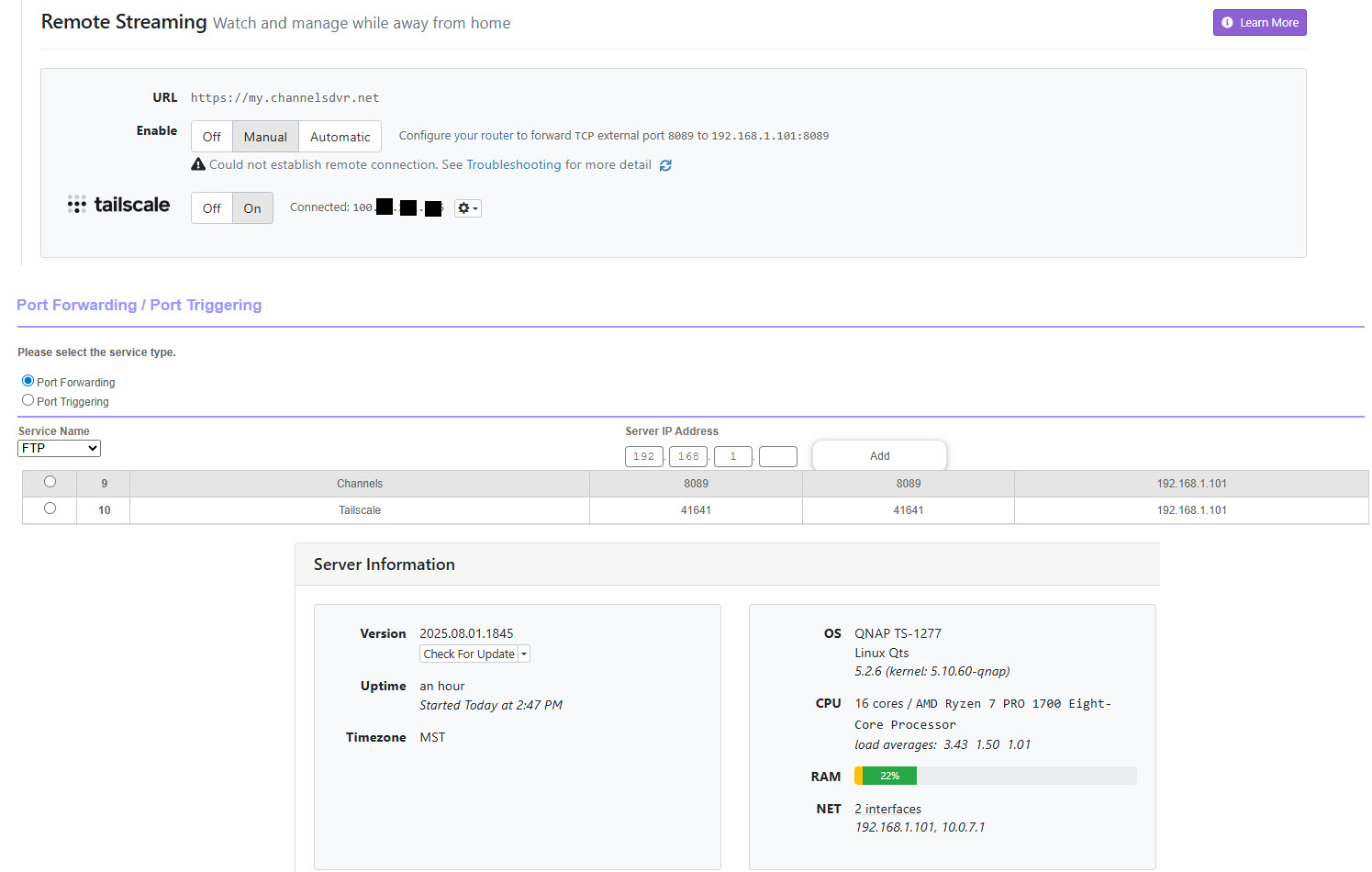
I'm currently in the process of building a new NAS so I can move my Plex and Channels servers over to it. The 10G network adapter for the old NAS finally arrived today and I installed it. After installing it I booted the old NAS using just the 10G adapter so obviously the IP changed (reserved the IP in the router by MAC address).
I went into my route and updated port forwarding for Channels TCP Port 8089 to the new IP address, and because Tailscale runs on the same NAS, I updated the Tailscale port also. I turned off Tailscale in Channels, stopped and restarted Channels on the NAS, and than turn Tailscale back on in Channels.
When I look at Remote Streaming in the Channels settings, it shows an error that says 'Could not establish remote connection. See Troubleshooting for mor details'. If I click on 'troubleshooting', Channels runs a test and every thing is green accept for 'Remote Access' and says "Outgoing connections are coming from 172.56.208.250 but the external IP of the router is 192.168.12.217 which indicates a double NAT. Put the second router in bridge mode or setup additional port forwarding." I'm guessing that's because I use T-Mobile for my home internet provider, and it's also why I use Tailscale.
I know I'm missing something that's impacting 'Remote Streaming', but I can't figure it out. Channels runs fine inside my home network, it's just the 'Remote Streaming' I can't get to work.
Anyone know what I'm missing or have any suggestions on what I need to check or change?