High latency Not a channels problem but hope someone can advise

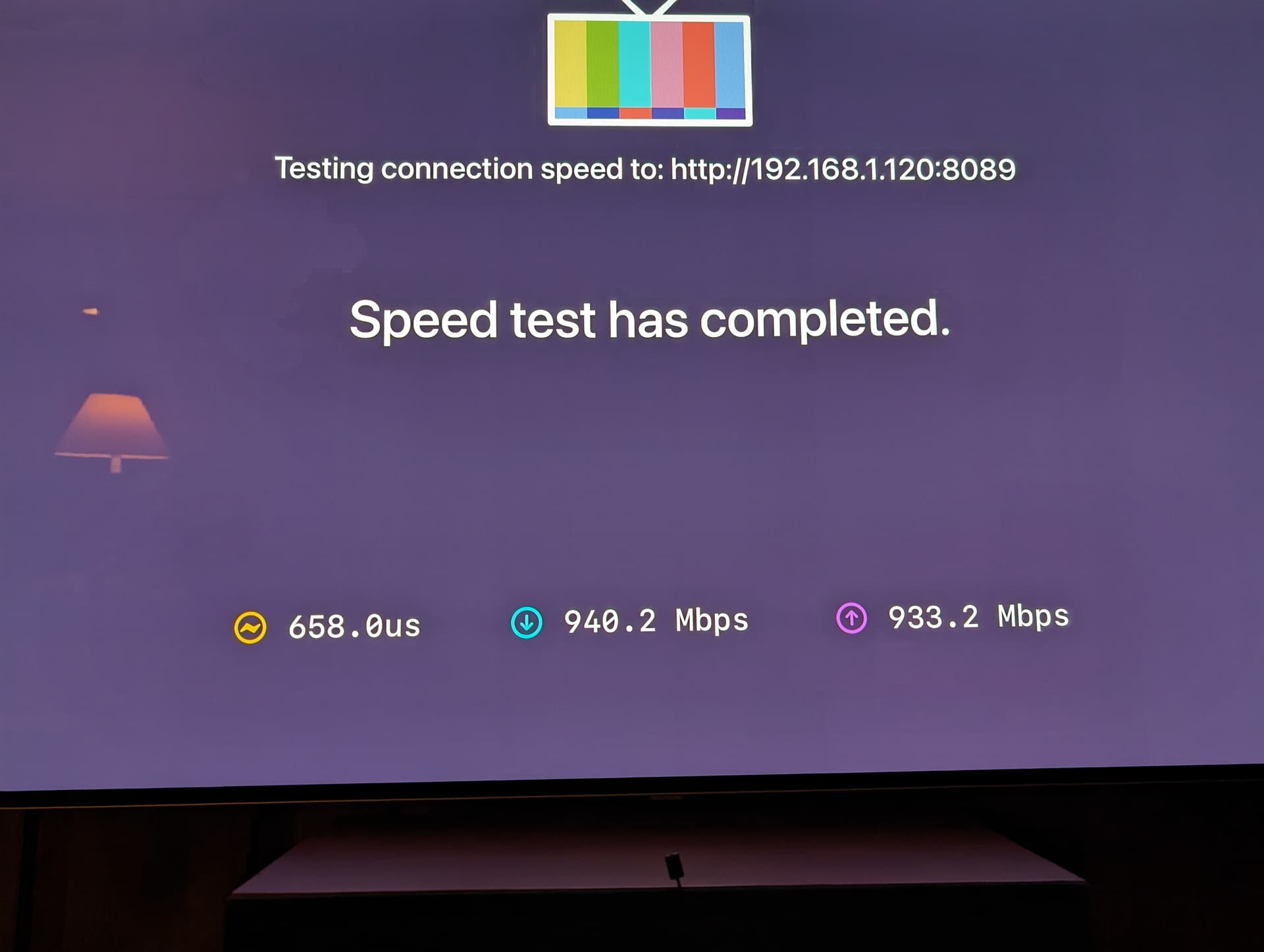
Unfortunately, I am back with the latency problem. The Apple TV device was good for 16 days. At least it's consistently bad now. No matter what I do, I can't get back to the early microsecond latency. See photo 1.
I have simplified my network (photo 2) to have my new router connected to my new ethernet switch which is connected to my new computer and my new Apple TV. Apple TV was factory reset and only has Channels client on it. ALL devices were powered off for 5 minutes or more then restarted. Cables to the computer and Apple TV were replaced.
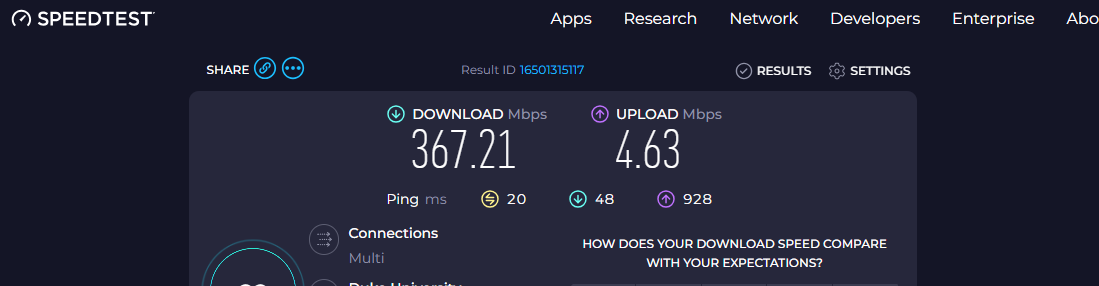
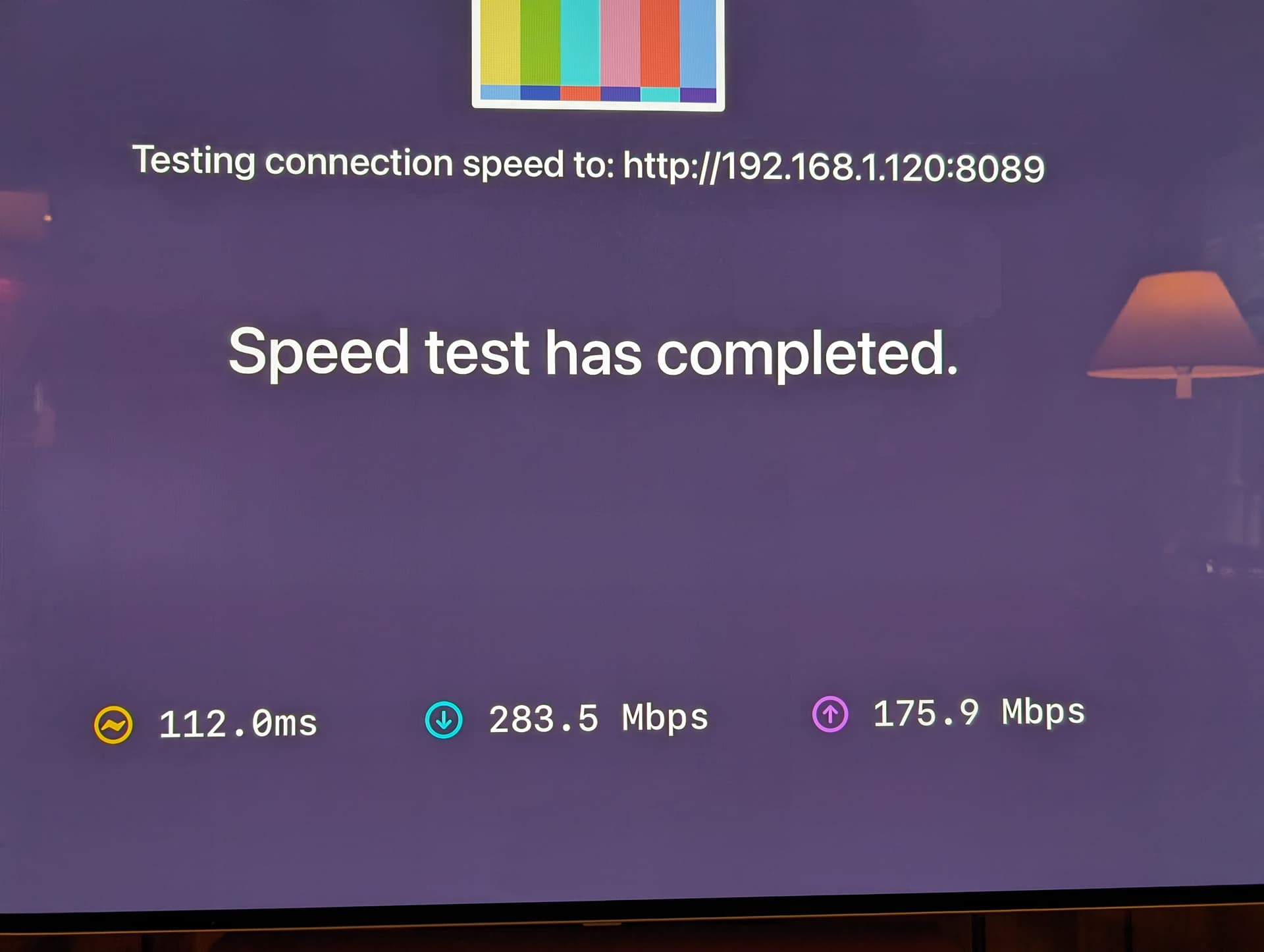
Photo 3 is my current connection performance.

The extremely frustrating part of this is I have no idea what to do to figure out what is going on. At this point it sure seems like a Channels problem. Netflix and Amazon Prime have great response times and they're going out to their servers.

I also hate giving up on something without understanding the cause of the problem. But, for my sanity, I'm getting close to that point.

Any advice is greatly appreciated.
Doug

Photo 1. The good old days...
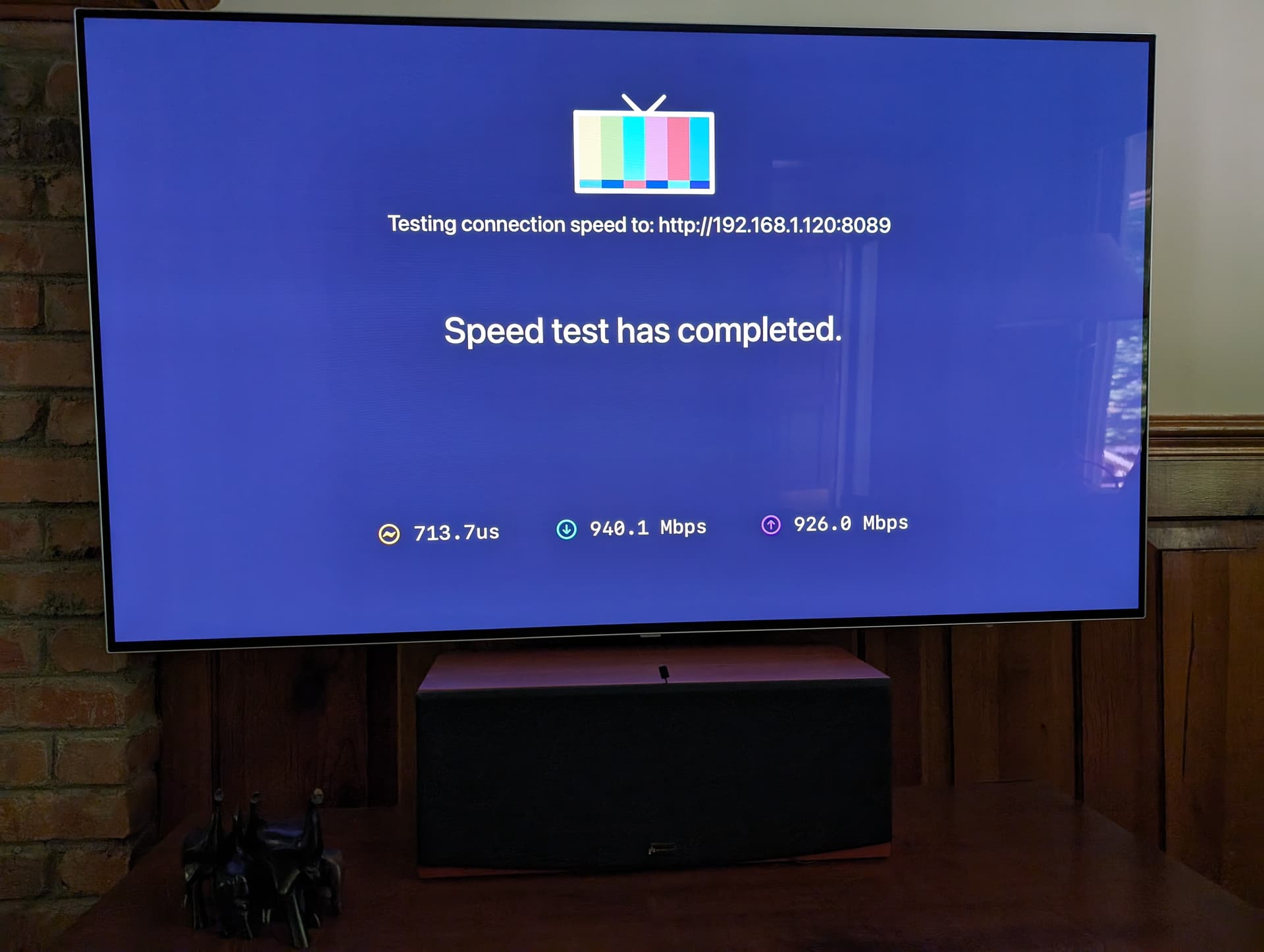
Photo 2. My simplified network. Living Room is Apple TV, TrottmanPC is my computer DVR, and TL-switch is the ethernet switch.
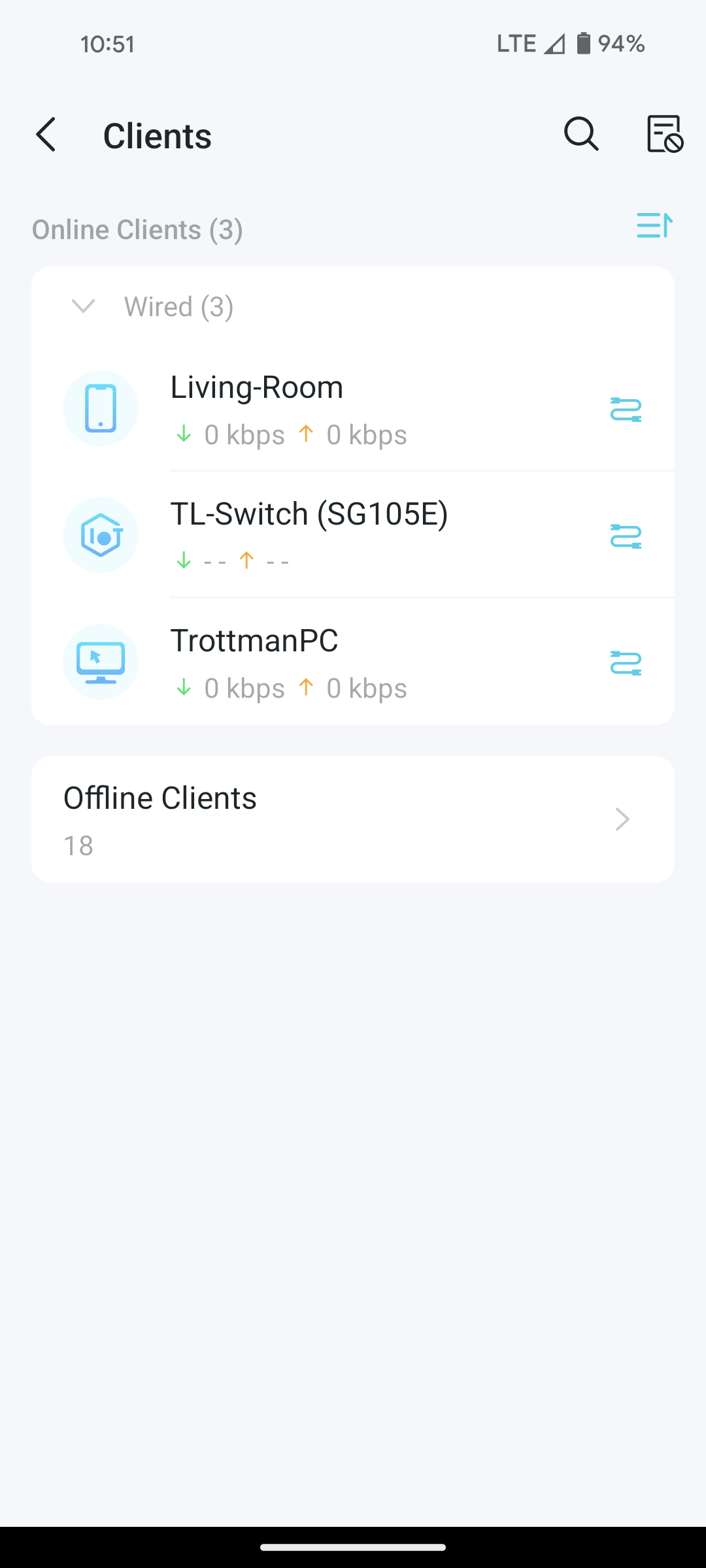
Photo 3. My current terrible latency (and upload/download speeds)
Since you have replaced everything except your Windows 10 server and it is extremely unlikely to be a Channels DVR software fault, then your Windows 10 server computer likely has a problem. Do you use this computer for other things? Maybe it's time to rebuild computer back to a clean Windows 10 install.

1 Like

Maybe I forgot to mention the computer in earlier posts. I did rebuild it with new everything in late March with Windows 11.
13th Gen i5-13600k 3.50 GHz processor
64GB memory
2 x 2T SSDs
It's pretty speedy with everything.

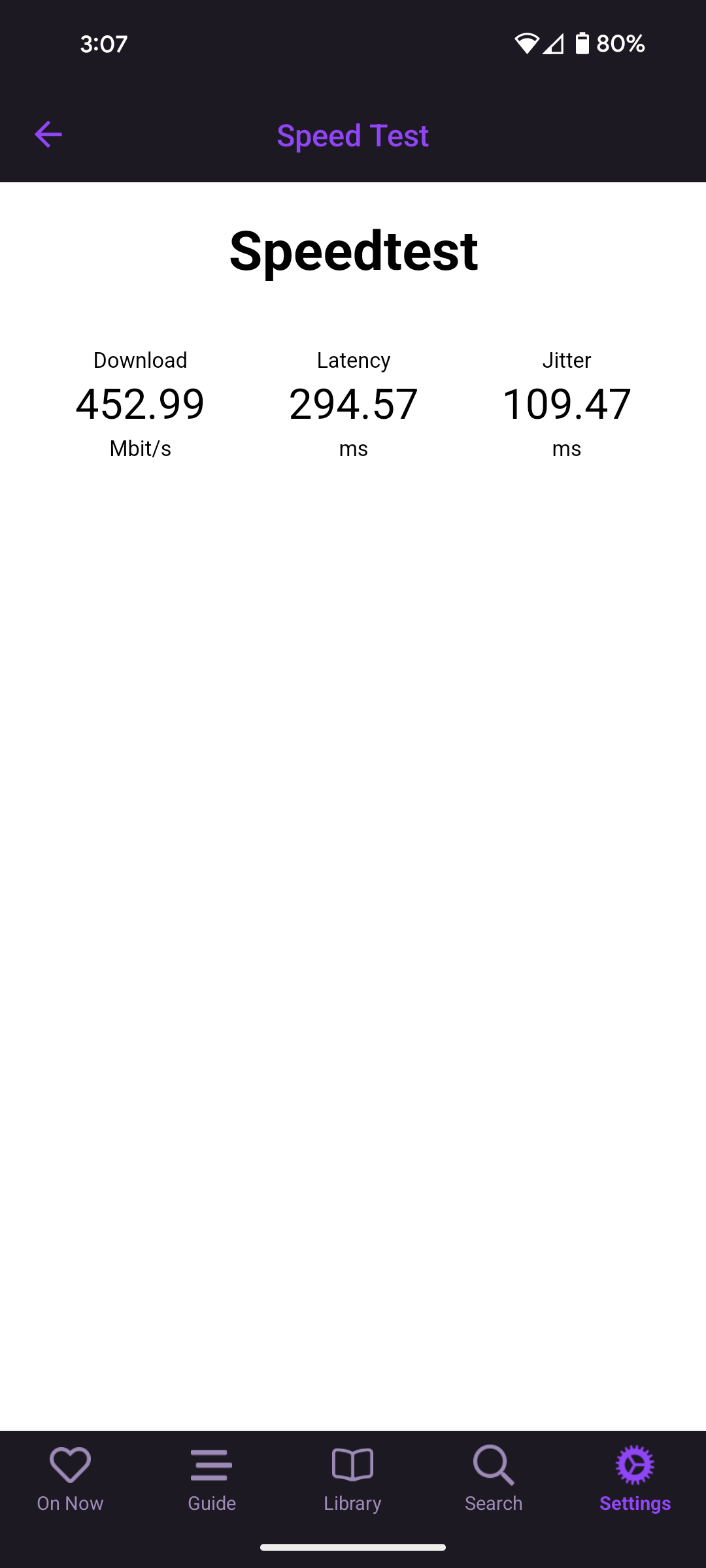
I keep forgetting to try another client. I'm doing that now. I am using my Pixel 8 android client to watch a recorded show. It was very snappy for a little while. Then I skipped ahead a few times. Still good. Then skipped back a bunch. It hung for a while. Then did a speed test.
Something is rotten someplace. I wish there were some diagnostic to figure out where the problem is.

Bad cable maybe

Did you replace everything or just reload the OS? I agree with @Michael_Birk the Windows computer is the only variable left.
Are you using the PC for other functions? It could be a resource/utilization issue. Windows is notorious for extensive AV scans, Windows Updates etc.
Personally I HATE using Windows for server functions, I prefer a dedicated Channels server running Linux Server. The overhead of Windows is unnecessary IMHO.

If you want to figure out whether it is the computer or the network you could do this. disconnect your computer from the network. Run a new Ethernet cable directly from your appletv to your computer. set a static IP on your home computer of something like 192.168.50.2/24 with no default gateway. Then IP your appletv to 192.168.50.3/24. Configure your channels client to connect manually to 192.168.50.2 (if it doesn't autodiscover your server) Your PC will not have internet access or access to HDHR/TVE. Run your speedtest and see if the latency problem disappears.

The thing to keep in mind is there are literally dozens of variables in play here. Isolating them is key to resolving...
If you can repro the issue then it is your computer. if that is the case my recommendation is you do a dedicated channels server. If it works perfect in this test configuration then it is your network.

I did swap out cables. I will try a direct connection tonight.

I'm leaning more toward your computer being the issue. Other apps are communicating directly from the AppleTV to the provider. They are not going via your PC.

You said you rebuilt the PC.
Is it the same PC you had before?
Same network Adapter on the PC you had before?
Did you get the latest Network Adapter drivers from the manufacturer?
Try turning off any advanced Network Adapter settings that look "green", energy saving.
Check Windows power plan settings also.

What brand and model gigabit network switch are you using? I threw many "green" switches out because of issues. If it's a managed switch, have you checked the setup for flow, bandwidth and storm control?

Everything these days seem to default to "green".

Did you do a clean install of Windows 11 or did you do an upgrade and keep all your apps, files, and current settings? I have been using Windows 11 for my server for 2.5 years on a much less capable machine than you are using. I only use wireless on my FireTV Max clients and get consistently around 4ms latency with the Channels speed test.

1 Like

slampman - Good point about the other apps. I agree it's probably the computer (or Channels DVR server) that is the problem. Generally, the CPU is running 1-5%, memory 15-20%. It's not being stressed. I do the ookla speedtest from the computer and get 12ms latency, 375Mbps download, 11Mbps upload. Seems like the network adapter is ok as going outside has much better performance than internal Channels.

chDVRuser - Same case. Motherboard, CPU, memory, storage all new. Network adapter is built in to the Motherboard. It's intel I225-V. Motherboard is MSI MAG Z790 Tomahawk MAX WiFi. I had the latency issue on my old computer, too.
I did get the latest drivers from MSI. Not from Intel.
I didn't really see any "green" settings for the Network adapter. I do have "Allow computer to turn off device" unchecked.
I checked Windows power plan settings. It's complaining I don't have the "green" settings set. So I think I'm good there.
The switch is a TP-Link TL-SG105E. I logged in to it and see storm control. It is disabled for all ports. Bandwidth is unlimited for all ports. I don't see flow.

Michael Birk- Yes, a clean install. No apps/files/settings kept. The fact that yours works fine is further frustration for me. I can't imagine what might be going on.

Thanks for all the input. I appreciate it. I'm disappointed that channels doesn't have tracing to show how quickly it responds to requests.
I am going to uninstall/reinstall channels later tonight to see if that changes anything. I'm also willing to try or check anything else anyone can suggest.

This is so weird. I checked latency earlier this evening and it continued to be bad. We watched a movie on Amazon and for no reason I decided to check latency again.

I sure would like to know what's going on! I didn't do anything. The computer wasn't doing anything.

Try completely turning off your phone (I think I read it was a Pixel?). Some Google phones are notorious for creating an ARP storm.

1 Like

Thanks John, next time it happens I'll try that.

Two month update.
I had 2 good weeks then latency went back to 100ms, compared to the <1ms when working well. I closed my chrome windows and the two local servers I have running Ruby on Rails, neither of which do much. The latency reverted back to <1ms.
Problem solved, or so I thought. Two weeks later latency went back to 100ms. I shut down my chrome and RoR servers. No change. Shut down the computer and restarted without chrome or RoR servers. No change. Started chrome and RoR servers. I disconnected HDHomeRun (on a whim) and reconnected hours later. Success! Latency reverted back to <1ms.
Either my computer or HDHomeRun is the problem. Or so I thought. A week ago latency went back to 100ms. I did all of the above with no luck. While chrome and RoR servers down, I have unplugged or blocked all devices except the computer (where Channels lives), Apple box, ethernet switch, and router. No luck.
It's such a mystery. I wish I knew of a diagnostic tool to find the problem rather than all this guessing. Does anyone know of a diagnostic tool to find the problem rather than shutting stuff down and hoping something allows latency to revert back to <1ms?

Could be a rogue nearby appliance? This happened to me 15-20 years ago. Heck, even now if my CPAP machine in the bedroom is in the "cooling down 1 hour mode" it keeps my old Sony AM-FM radio from getting known good stations.

There are some tools to detect packet storms which is likely what's happening. I don't know of them offhand. Wireshark may but its a pretty complex tool.

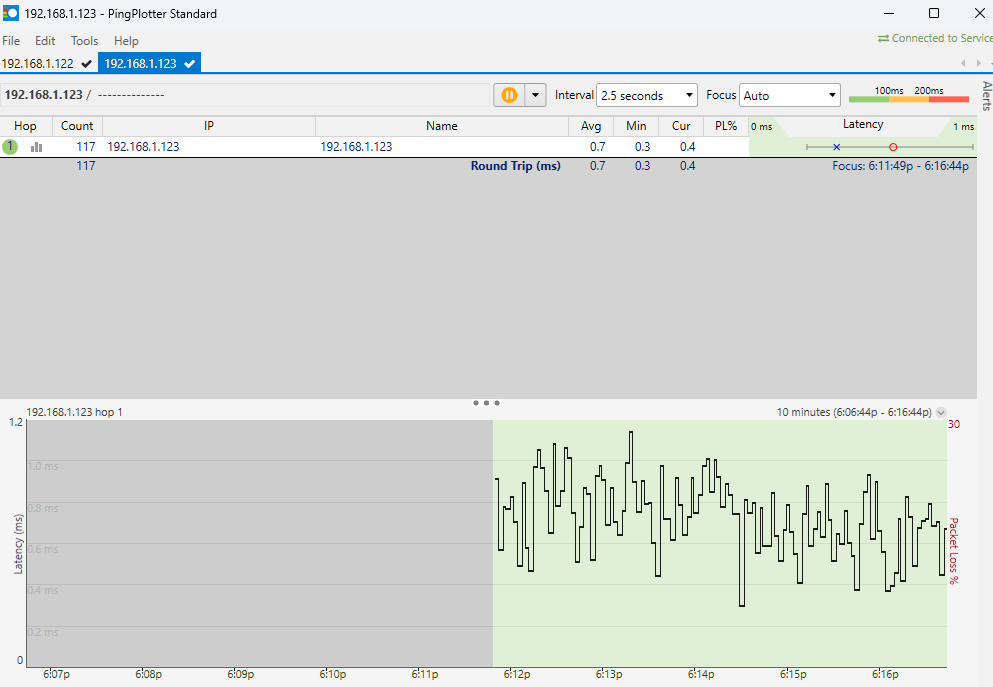
PingPlotter was recommended before. I got that and installed on my computer where the Channels server is. PingPlotter is reporting .7ms average. Which is what the Channels client reports when times are good.
However, right now my Channels client on Apple TV is reporting 114ms.
I don't know what to make of that. Why would latency be direction dependent?

My AppleTV box is IP 192.168.1.123.

Since you have replaced everything except the HDHomerun tuner, do you have it updated to the latest firmware? When you have the high latency, have you done an internet speed test from the windows server?

The pingplotter blog post I linked talks about how they used Wireshark to diagnose storms and how it appears in pingplotter.

It's helpful to run pingplotter for a long period of time and zoom out, so you can see what it looked like when you start noticing the problems elsewhere.

hmmm. It looks like upload latency is pretty bad if I'm reading this right.

I never notice the problem anywhere else except when all of a sudden Channels client response time is bad. I'll continue to look into it.
I have not checked HDHomeRun firmware. I will do that.