How can I get just one channel from my Satellite Box into Channels?

Hi,

I have channels working great with an HDHomerun quad freeview box but I want ITV4 HD which I can only get on my satellite freesat.

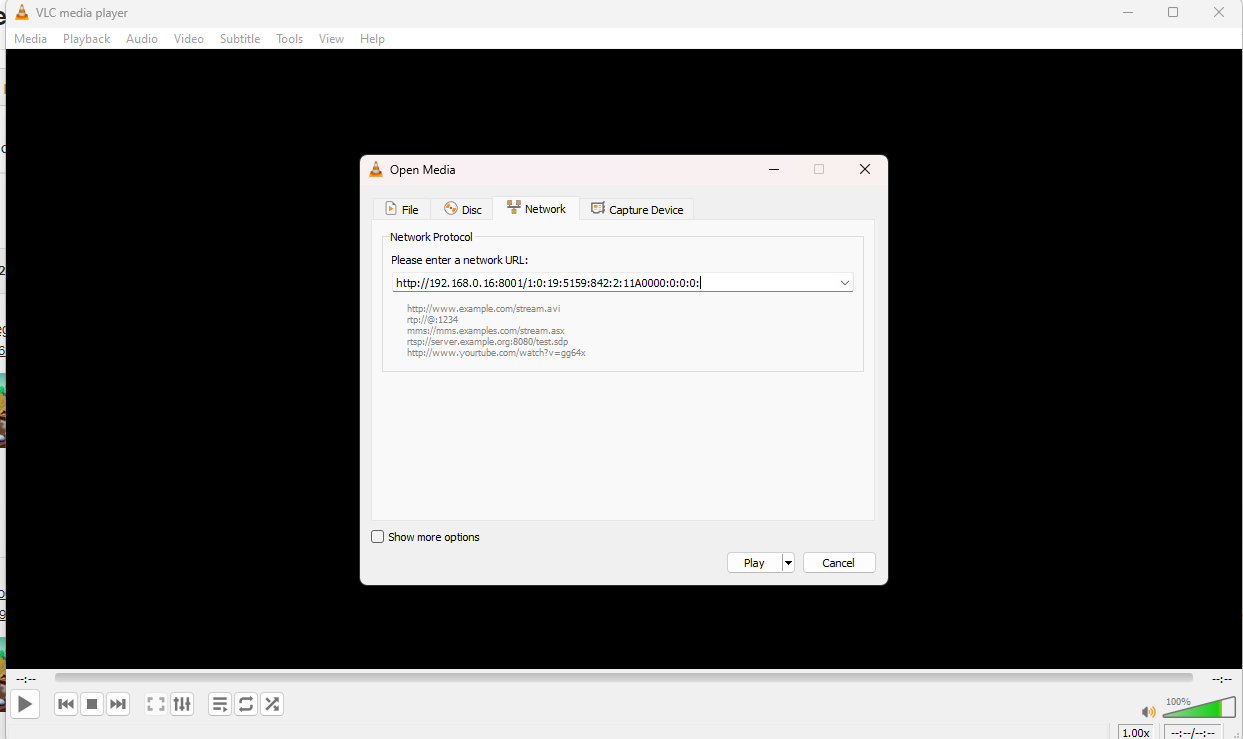
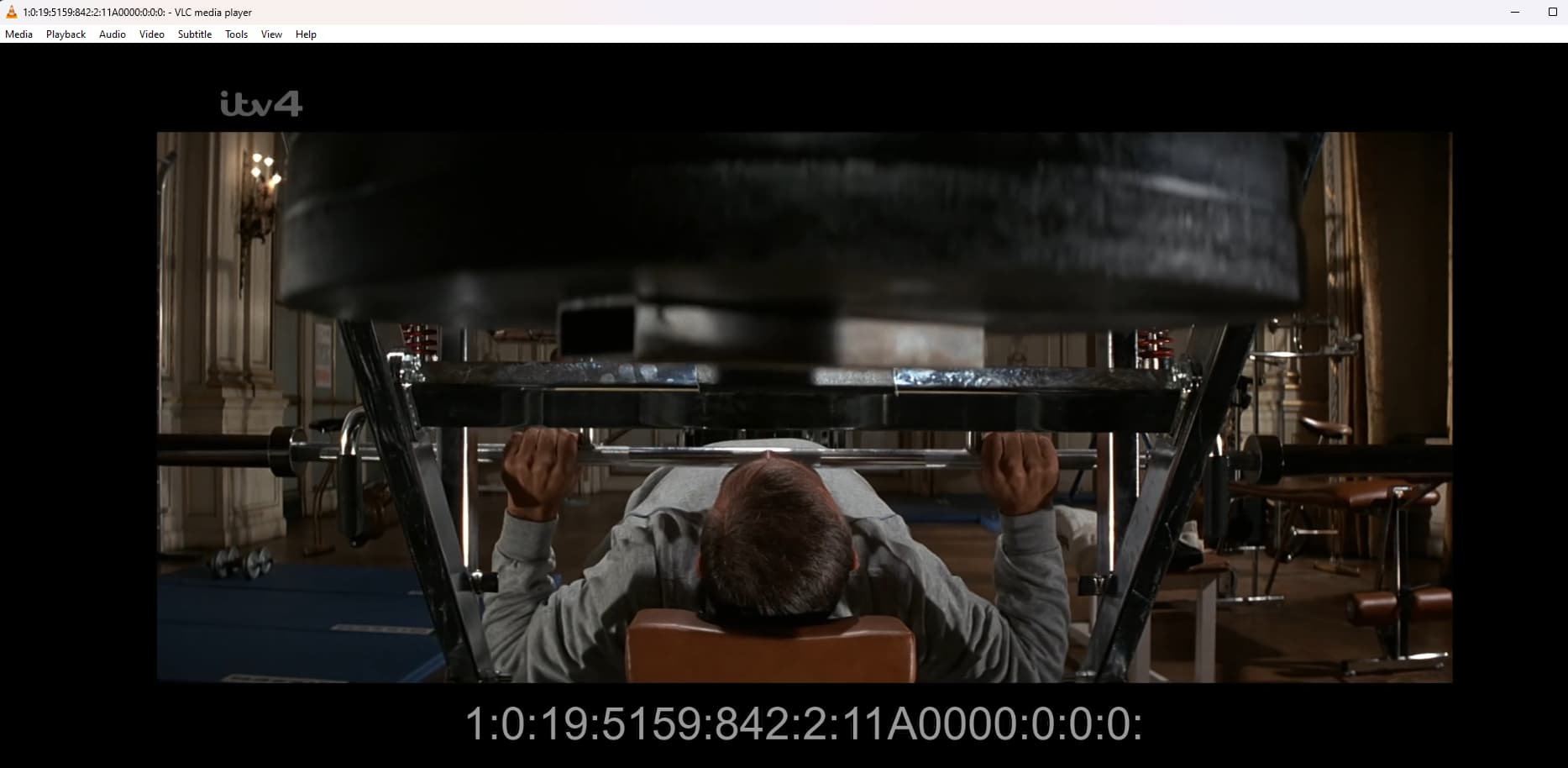
If I open http://192.168.0.16:8001/1:0:19:5159:842:2:11A0000:0:0:0: on VLC it plays great but I have spent hours trying to get this one channel to work with channels. I have read about a huge setup for TVHeadend but surely just for this one channel it must be possible?

Many thanks!

#EXTM3U
#EXTVLCOPT--http-reconnect=true
#EXTINF:-1, (sub b +1000)
#EXTINF:-1,ITV4 HD
#EXTVLCOPT:program=20825
http://192.168.0.16:8001/1:0:19:5159:842:2:11A0000:0:0:0:

1 Like

Welcome to Channels! :slight_smile:

The URL that you posted seems to be incomplete because it is ending with : so it seems it's missing something. Is it just a typo in your post here?

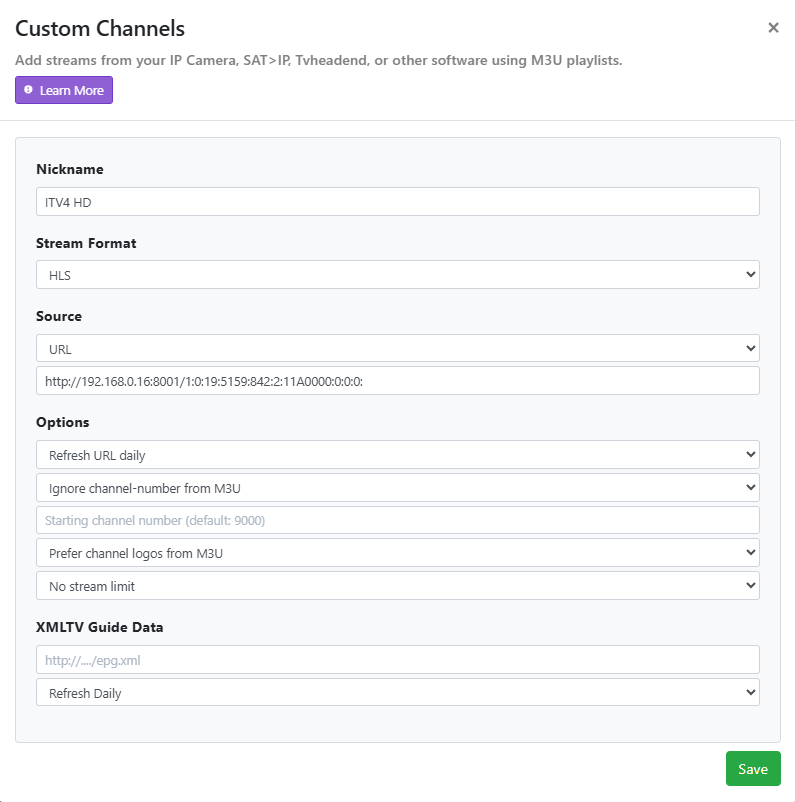
In Channels, have you tried to juste put the URL in the custom source directly?

For the stream format, I don't know if it should be HLS or MPEG-TS (one of them should work).

In the options, make sure to put down a channel number of your choice. You can leave it blank but Channels will assign it a number on its own.

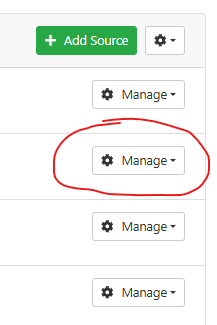
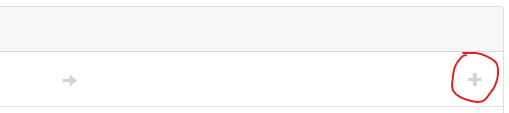
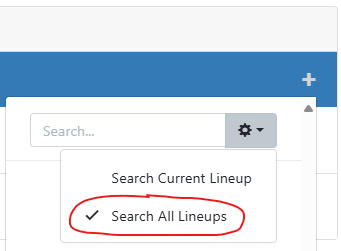
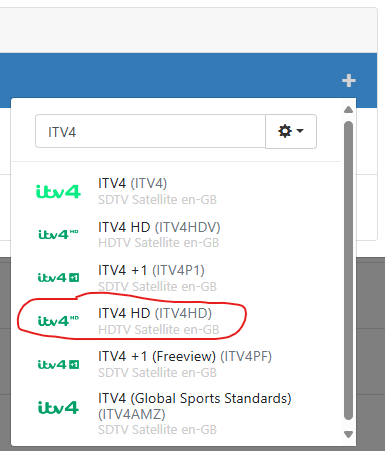
After you create the source, you will want to map it to guide data:

image

image

image

image

I'm not sure if this is something you have already tried but I thought I would mention it anyway.

I hope this helps.

Hi!

Thanks so much for your reply,

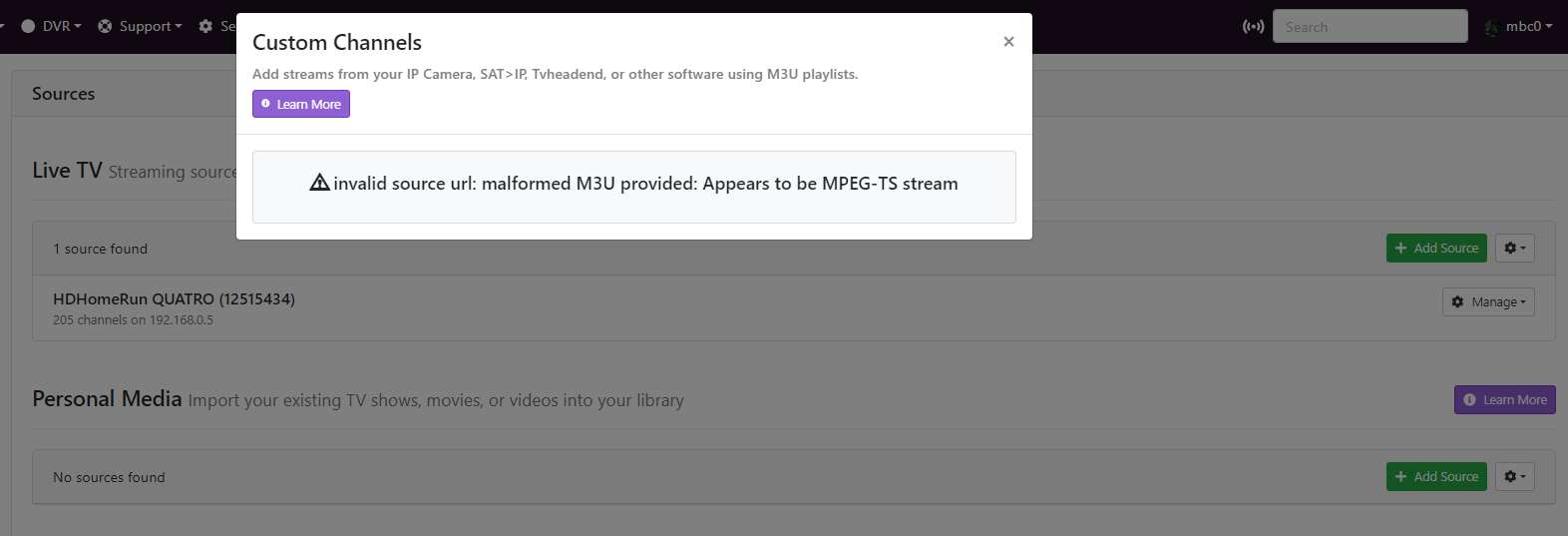
It isn't a typo, if I stream the channel from my Sat Box (ZGEMMA Wooshbuild) it gives me the M3U I posted with the : on the end. I I paste http://192.168.0.16:8001/1:0:19:5159:842:2:11A0000:0:0:0: into VLC it works great. If I paste that same line when adding a source in Channels I get this error

I get that same error if I use that link as a HLS / MPEG-TS or STRMLNK so I guess channels does not understand the link to the stream somehow?

1 Like

If what you posted are your channels, can you show me what the url is please to see if I can modify mine to the same format?

This error message actually provides good information.

First, when using URL source in the custom channel settings, Channels DVR expects a link to a .m3u file. So you can't paste a raw stream URL directly. I should have known this. :man_facepalming: Sorry about this.

Second, Channels has detected that the stream is of type MPEG-TS.

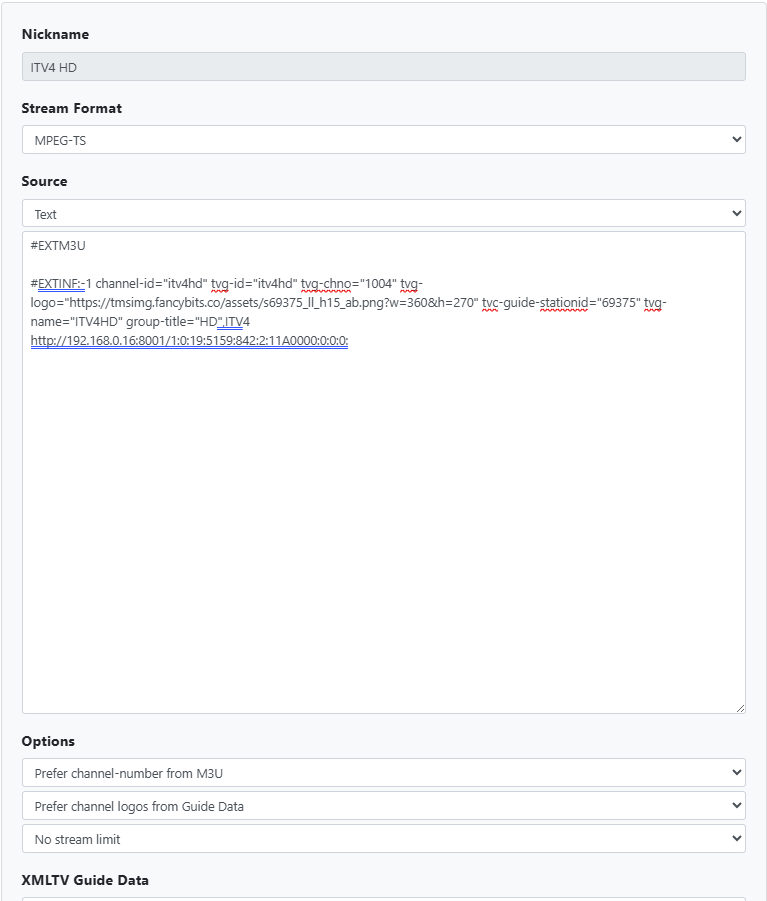
Knowing this now, I think it should work if you do it this way:

Leave the XMLTV Guide Data section empty, it's not needed.

Here is the text that you can copy and paste directly:

#EXTM3U

#EXTINF:-1 channel-id="itv4hd" tvg-id="itv4hd" tvg-chno="1004" tvg-logo="https://tmsimg.fancybits.co/assets/s69375_ll_h15_ab.png?w=360&h=270" tvc-guide-stationid="69375" tvg-name="ITV4HD" group-title="HD",ITV4
http://192.168.0.16:8001/1:0:19:5159:842:2:11A0000:0:0:0:

Where it says tvg-chno="1004" make sure to change it to a channel number of your choice, as long as it's not a number that is already used by your HDHR.

After you set this up, Channels should start downloading guide data.

If the guide data doesn't look correct after you do this, tvc-guide-stationid="69375" will have to be changed. Let's see first if you can get something to work. :crossed_fingers:

I created a fake channel on my server using these exact settings and this is what it looks like in my guide:

Obviously, I can't play anything because the URL is local to your network.
You'll also notice that the times in my guide are 5 hours behind the official times. That's because I'm on the east coast of the USA so 5 hours behind GB time. :wink:

3 Likes

You are an absolute star, thank you so much for taking the time to help, it is really appreciated!
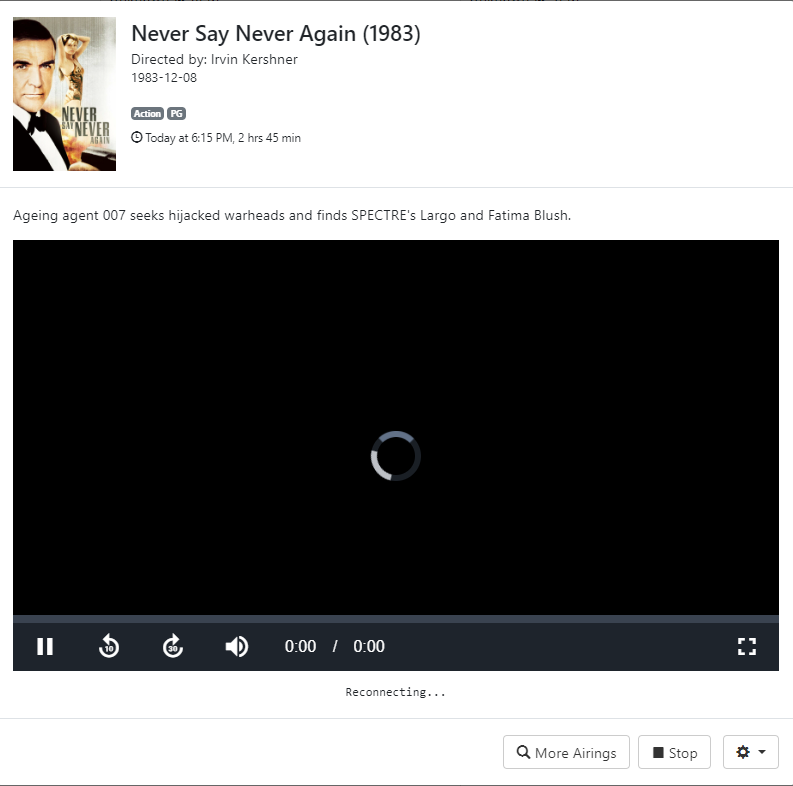
Sadly, the channel does not work but the EPG and icons all look great! lol

I get a spinning circle and it says reconnecting and then the window closes

But in VLC, it works great!

Here are the log errors

2024/10/05 18:36:55.330987 [HLS] Couldn't generate stream playlist for ch9000-dANY-ip192.168.0.4: M3U: Detected MPEG-TS instead of HLS playlist
2024/10/05 18:36:55.331084 [HLS] Stopping transcoder session ch9000-dANY-ip192.168.0.4 (out=0s finished=false first_seq=0 last_seq=-1)
2024/10/05 18:36:56.877901 [ERR] Failed to start stream for ch9000: M3U: Detected MPEG-TS instead of HLS playlist
2024/10/05 18:36:56.877967 [HLS] Couldn't generate stream playlist for ch9000-dANY-ip192.168.0.4: M3U: Detected MPEG-TS instead of HLS playlist
2024/10/05 18:36:56.878033 [HLS] Stopping transcoder session ch9000-dANY-ip192.168.0.4 (out=0s finished=false first_seq=0 last_seq=-1)
2024/10/05 18:37:14.363722 [ERR] Failed to start stream for ch9000: M3U: Detected MPEG-TS instead of HLS playlist
2024/10/05 18:37:14.366670 [HLS] Couldn't generate stream playlist for ch9000-dANY-ip192.168.0.4: M3U: Detected MPEG-TS instead of HLS playlist
2024/10/05 18:37:14.366721 [HLS] Stopping transcoder session ch9000-dANY-ip192.168.0.4 (out=0s finished=false first_seq=0 last_seq=-1)
2024/10/05 18:37:16.049563 [ERR] Failed to start stream for ch9000: M3U: Detected MPEG-TS instead of HLS playlist
2024/10/05 18:37:16.049635 [HLS] Couldn't generate stream playlist for ch9000-dANY-ip192.168.0.4: M3U: Detected MPEG-TS instead of HLS playlist
2024/10/05 18:37:16.049704 [HLS] Stopping transcoder session ch9000-dANY-ip192.168.0.4 (out=0s finished=false first_seq=0 last_seq=-1)
2024/10/05 18:37:18.209387 [ERR] Failed to start stream for ch9000: M3U: Detected MPEG-TS instead of HLS playlist
2024/10/05 18:37:18.212985 [HLS] Couldn't generate stream playlist for ch9000-dANY-ip192.168.0.4: M3U: Detected MPEG-TS instead of HLS playlist
2024/10/05 18:37:18.213057 [HLS] Stopping transcoder session ch9000-dANY-ip192.168.0.4 (out=0s finished=false first_seq=0 last_seq=-1)
2024/10/05 18:37:19.768208 [ERR] Failed to start stream for ch9000: M3U: Detected MPEG-TS instead of HLS playlist
2024/10/05 18:37:19.768270 [HLS] Couldn't generate stream playlist for ch9000-dANY-ip192.168.0.4: M3U: Detected MPEG-TS instead of HLS playlist
2024/10/05 18:37:19.768327 [HLS] Stopping transcoder session ch9000-dANY-ip192.168.0.4 (out=0s finished=false first_seq=0 last_seq=-1)
2024/10/05 18:37:22.089752 [ERR] Failed to start stream for ch9000: M3U: Detected MPEG-TS instead of HLS playlist
2024/10/05 18:37:22.092370 [HLS] Couldn't generate stream playlist for ch9000-dANY-ip192.168.0.4: M3U: Detected MPEG-TS instead of HLS playlist
2024/10/05 18:37:22.092417 [HLS] Stopping transcoder session ch9000-dANY-ip192.168.0.4 (out=0s finished=false first_seq=0 last_seq=-1)
2024/10/05 18:37:23.647257 [ERR] Failed to start stream for ch9000: M3U: Detected MPEG-TS instead of HLS playlist
2024/10/05 18:37:23.647319 [HLS] Couldn't generate stream playlist for ch9000-dANY-ip192.168.0.4: M3U: Detected MPEG-TS instead of HLS playlist
2024/10/05 18:37:23.647393 [HLS] Stopping transcoder session ch9000-dANY-ip192.168.0.4 (out=0s finished=false first_seq=0 last_seq=-1)
2024/10/05 18:37:26.248743 [ERR] Failed to start stream for ch9000: M3U: Detected MPEG-TS instead of HLS playlist
2024/10/05 18:37:26.251852 [HLS] Couldn't generate stream playlist for ch9000-dANY-ip192.168.0.4: M3U: Detected MPEG-TS instead of HLS playlist
2024/10/05 18:37:26.251924 [HLS] Stopping transcoder session ch9000-dANY-ip192.168.0.4 (out=0s finished=false first_seq=0 last_seq=-1)
2024/10/05 18:37:27.889916 [ERR] Failed to start stream for ch9000: M3U: Detected MPEG-TS instead of HLS playlist
2024/10/05 18:37:27.889997 [HLS] Couldn't generate stream playlist for ch9000-dANY-ip192.168.0.4: M3U: Detected MPEG-TS instead of HLS playlist
2024/10/05 18:37:27.890056 [HLS] Stopping transcoder session ch9000-dANY-ip192.168.0.4 (out=0s finished=false first_seq=0 last_seq=-1)

Aha!! It Works!! I stupidly did not select MPEG-TS as the stream type!
Thank you so so much!

Only interesting thing is the channel number? not really important but when I copied and pasted your m3u it gave me channel number 9000, even though the text specified 1004. I changed it to 117 and it is still 9000? Any ideas? seriously though, don't waste any time on it, I am not that bothered!

#EXTM3U

#EXTINF:-1 channel-id="itv4hd" tvg-id="itv4hd" tvg-chno="117" tvg-logo="https://tmsimg.fancybits.co/assets/s69375_ll_h15_ab.png?w=360&h=270" tvc-guide-stationid="69375" tvg-name="ITV4HD" group-title="HD",ITV4
http://192.168.0.16:8001/1:0:19:5159:842:2:11A0000:0:0:0:
image

1 Like

Try the tag channel-number, which is Channels' preferred method per the documentation.

1 Like

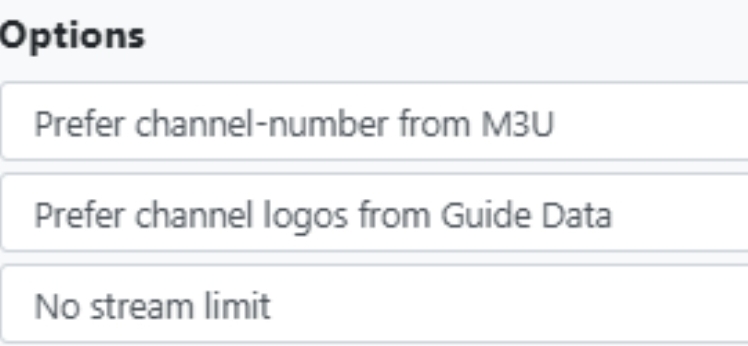
And, in case it still doesn't use your channel number after you try the suggestion from @racameron, make sure you set the options correctly:

1 Like

Fantastic! Did both of your suggestions and now couldn't be better, amazing, thank you so much!

1 Like