
try setting up nextpvr on your plex server and direct channels to nextpvr's m3u output. this would work best with a vpn but will work over a wan just you may get hackers trying to connect to your server. also recommend no-ip for ddns service in case you have a dynamic wan address. Sorry no drm with this solution.
2 Likes
Iwanted to take CNN only from my remote HDHomerun at my second home and bring it into channels DVR here at my main home. But from what i read I don't think its possible
Likely only with a combination of a VPN of sorts and some middleware to ingest HDHOMERUN and then export as a M3U since you don't have a Channels DVR at your remote location.
If you have the ability to remote into that server, you can install Channels DVR there, enable Tailscale on both the remote and local servers, and then be able to share CNN. CDVR is very lightweight in terms of resources, and the learning curve on that is a lot less steep than trying to use some middleware (Threadfin, Dispatcharr, etc).
This would be it. Don't involve Plex at all.
Install another instance of Channels DVR Server where your Plex server is, and add your HDHomeRun Prime to it as a source. You don't need to actually USE this server, but it will be used as a proxy for you.
Then, somehow make it so both locations can see each computer, Tailscale is by far the best solution for this Install it on both computers, and they'll just be able to talk to each other.
Then, export your source as M3U, and add it to your primary Channels DVR Server, and it will just add those channels.
Note: be sure you have good upload bandwidth from the source though.
1 Like
I have channels DVR at that remote location.
It plays CNN perfectly from the FiOS cable TV card with HD home run prime
I just have to reread what you wrote several times to see how I bring it here where I have my main setup with a course channels DVR
That would be fantastic if I can do it here
Of course once FiOS control support for cable cards the point will be moot
Thank you
Setup Tailscale on your remote DVR device and local DVR device.
From your local DVR device connect to your remote DVR device using a browser.
http://tailnetIP:port/admin/settings/sources
Example: http://100.x.x.x:8089/admin/settings/sources
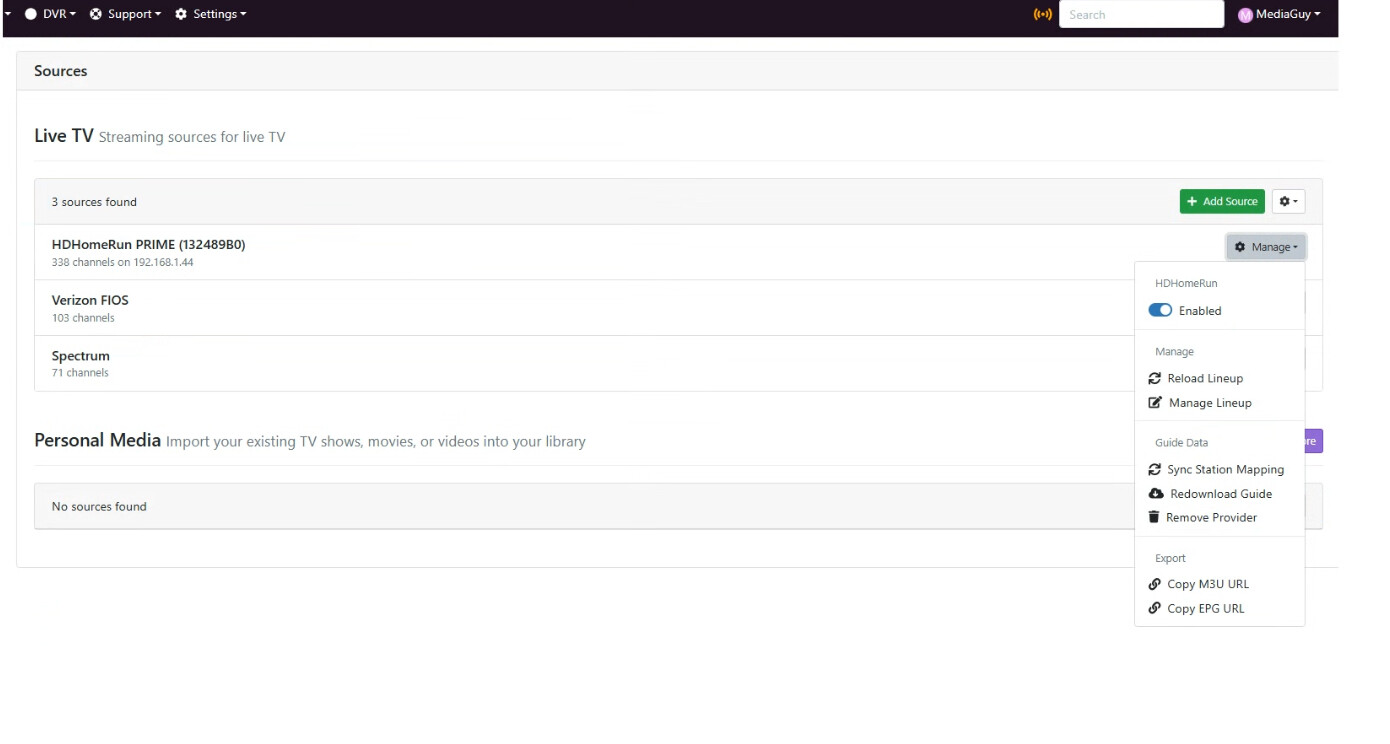
Click the  Manage dropdown next to your HDHomeRun source
Click Copy M3U URL
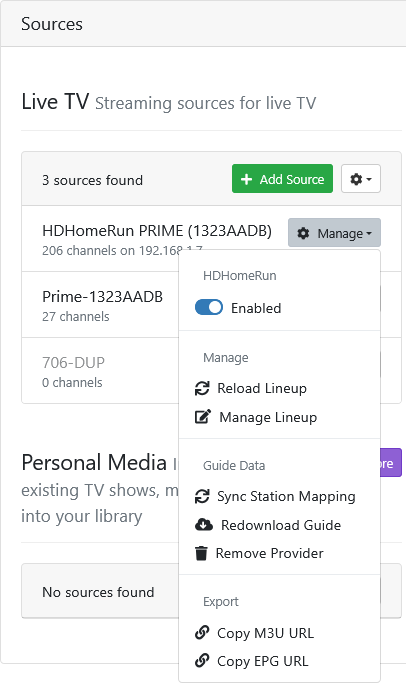
On your local DVR, Create a new Custom Channels source
Choose Stream Format MPEG-TS
Paste the M3U URL you just copied from your remote DVR into the Source URL so it looks like this
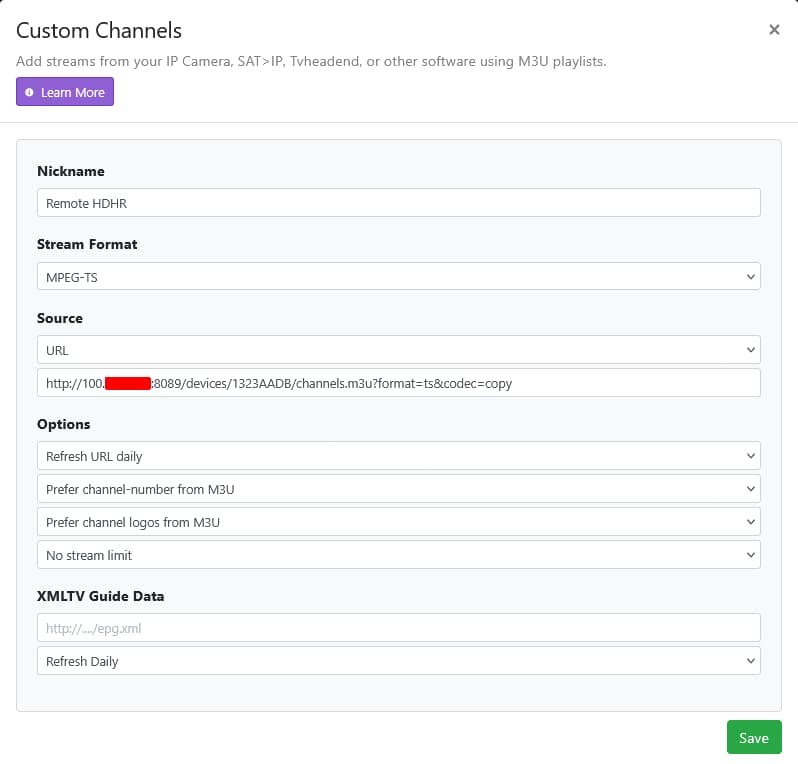
You now have your remote HDHR Tuner available as a local source through Tailscale.
Make sure you have the available upload speed from your remote server and download speed from your local server to stream the number of channels from your remote HDHR Tuner.
IT works !!!!!
Problem is it's not filling the screen . Almost there though !
****Video is 704 x 480 not 1280 x 720 or 1920 x 1080
*EDIT Fixed I chose a SD CNN instead of HD in Channel guide

2 Likes
What is it at the source?
Fixed now. i did not select a HD CNNchannel, instead I had checked off a SD Channel but now EPG is only going out to 12 hours
Delete and Recreate the Guide Database
Settings > Live TV & DVR > Guide Data > Maintenance Delete and Recreate Database
Stay on that settings page until the Status shows all 16 days of guide data has been downloaded
Status Downloading guide data for 2026-08-11 1:30PM
Running tasknow, that will work with Tailspin import from HD Homerun prime/ Channels from remote ? Other sourceswent out in advance
Will know soon Thnaks !
Your local Channels DVR is the one that fetches the guide data and should be the one you run that Delete and Recreate Database on
I did it with where I am now and the remote location still nothing beyond 12 hours
Funny, on remote guide source it reads 338 channels whereas here 411 channels
Thankyou for your help though !!!!!
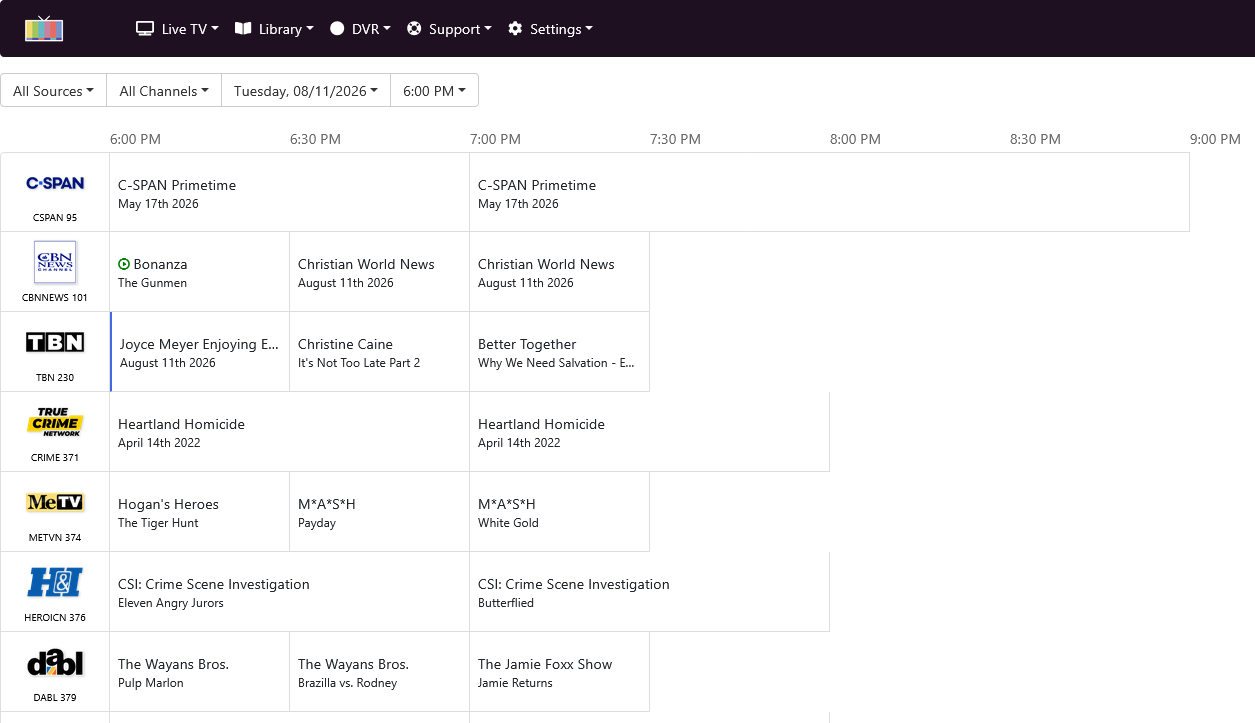
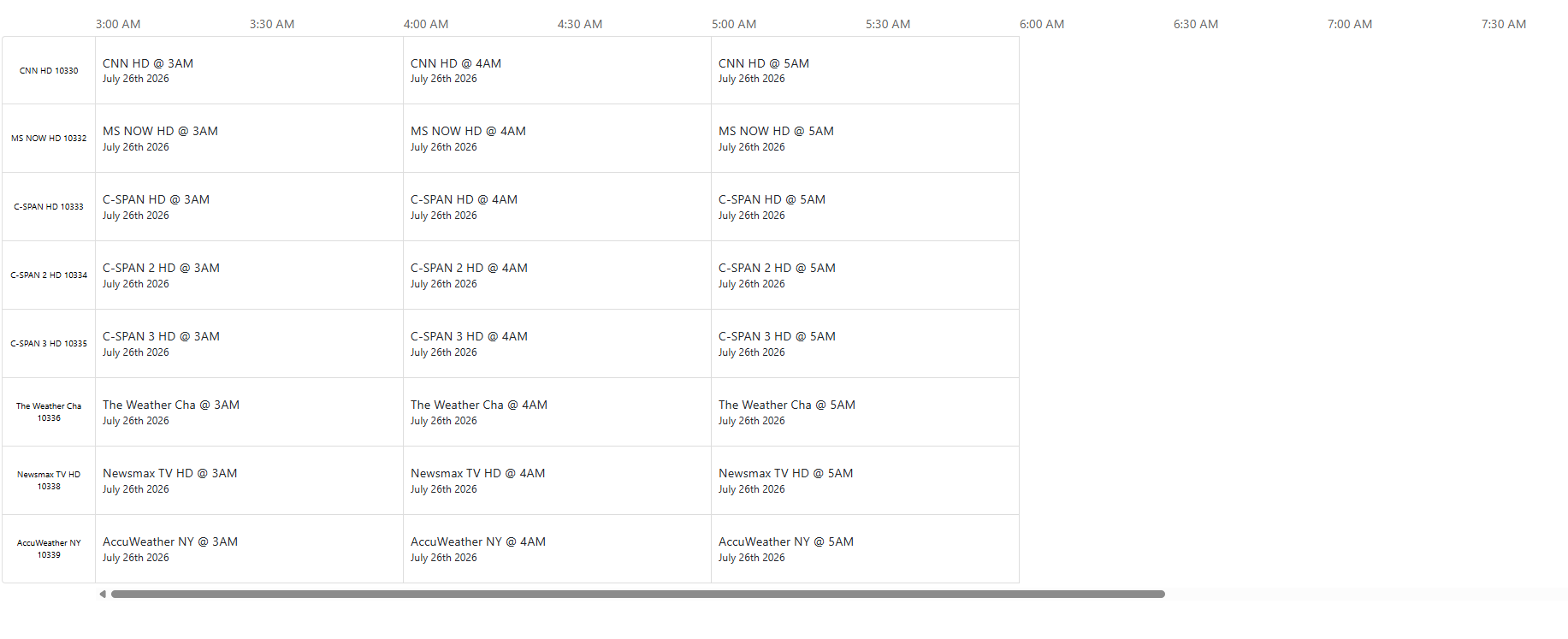
Did you setup your remote Channels DVR with your remote HDHR tuner and select a provider and channel lineup?
https://getchannels.com/docs/channels-dvr-server/quick-guide/installation-setup/#hdhomerun
I don't
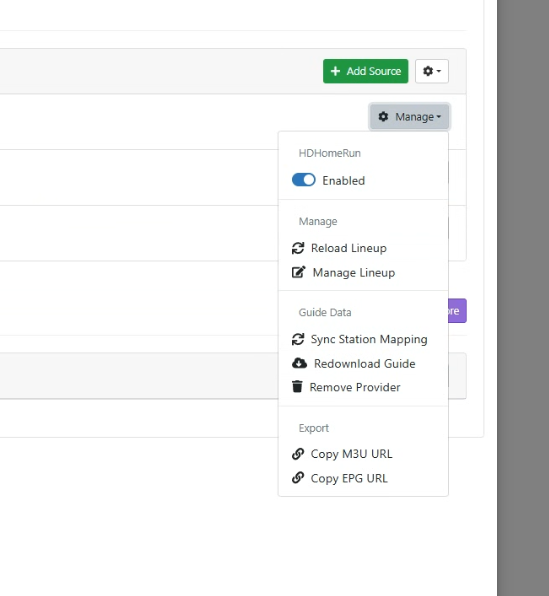
think soit populated byitself if that makes sense. Will go back to remote and attempt that now
On your remote Channels DVR you need to setup the guide provider for your HDHR Tuner
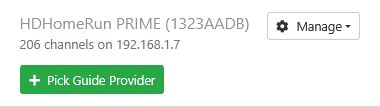
Click on Pick Guide Provider
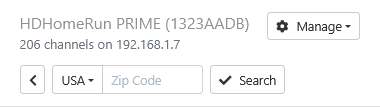
Then enter your Zip Code and click Search
Now select your cable provider
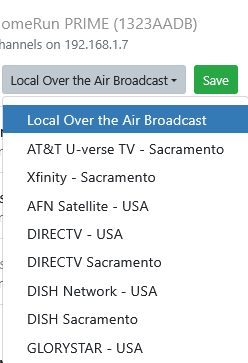
It will then load all cable channels and get 16 days of guide data.
Check your remote DVR web UI guide
Thnak you. Should I delete The original instance of HDR Prime ?
Mine is not OTA, it's QAM via cable card
I have to visit the remote viz remote connect to attempt this
The ironic thing is thaton the remote lineup in Channels DVR it goes out 2 weeks, but here, locally, only 6 hours
Remotely 338 channels, here, locally 411 channels
Should i remove provider and rea-add ?
I never added a provider it just appeared in my sources with all channels and 14 daays of epg
TY so much
1 Like
Yes.
Strange
1 Like