Intel N100 and Transcoding For Remote Viewing?

My current DVR server has a i7-1065G7 CPU, which works fine for transcoding for remote viewing. I'm using it almost accidentally since I needed to quickly replace it in it's prior position when it's SSD died, so it became my DVR server. I'm now once again concerned about it's longevity, so I thought I'd prepare.

I'm seeing good things about the low end N100 CPU. I know it doesn't take much to just act as a DVR server at home, but the transcoding for out of network viewing is more demanding. Is this low end 6 watt CPU up to the task? I should mention it would be running Windows.

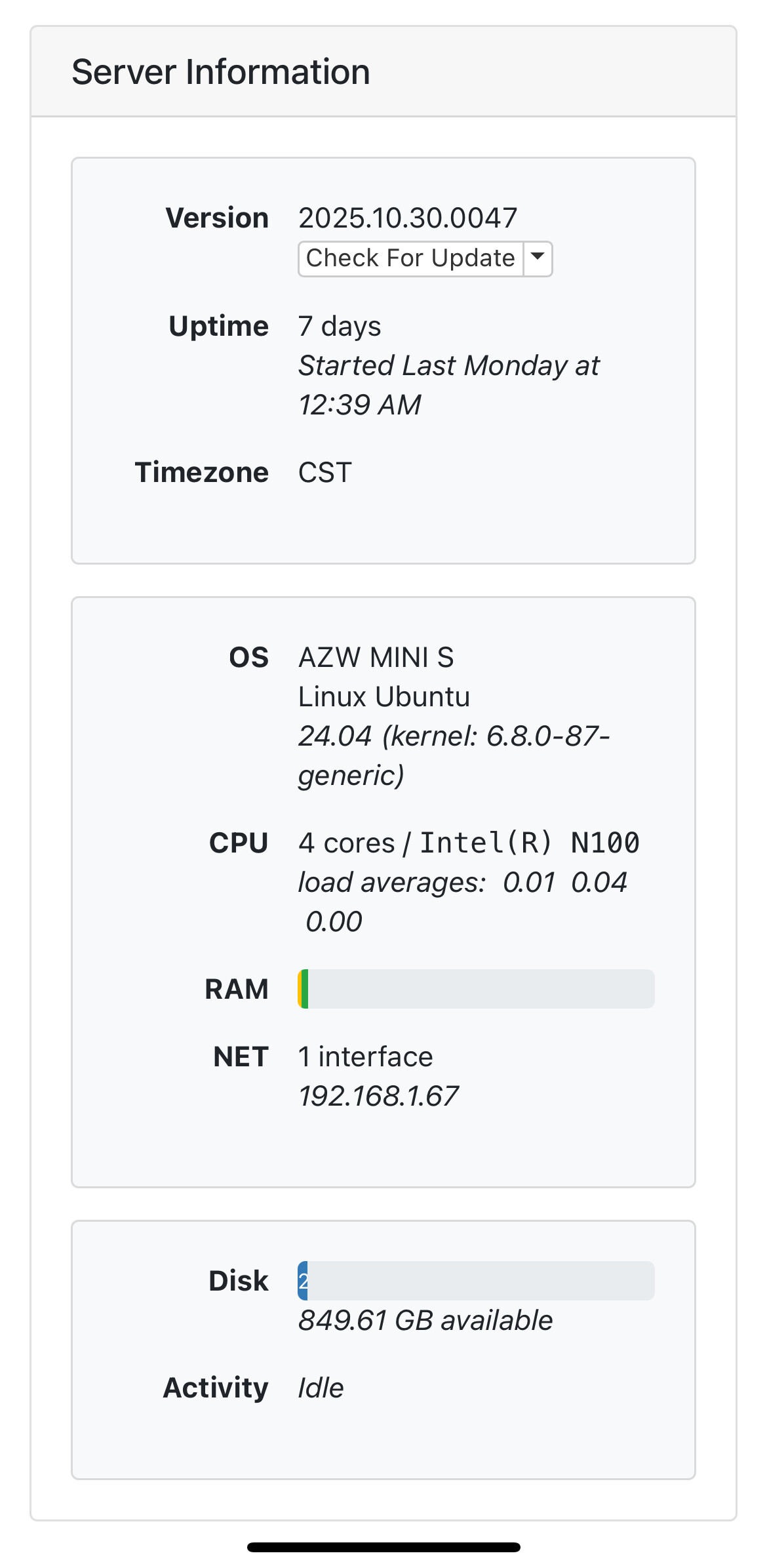
Update: I bought an Asus NUC N150 device, and it works great. Maxes out at about 50% CPU when remote transcoding, and is surprisingly snappy at everything else I do on it.
Are you restricted with your connection speed when you do remote viewing?
If your internet connection can handle it on both sides, just use original quality and you won't have to worry about transcoding.

N100 is good for transcode and turning into a very popular way to run Channels DVR

I often do have a poor connection--it's various campgrounds that may have 800 Mbps down or 25.

I will say using Tailscale and the current Channels software the results have been very good, but I do turn down the resolution.

That's almost too good to be true. The computer prior to the one I'm using now just couldn't cut it, so the one I'm using now losing it's SSD was almost a blessing. But that second computer was more high end in the day, and more expensive. Searching here I saw that last year there was a N100 mini-PC on sale for only about $150.

1 Like

The Beelink n100 has no problems at all transcoding it makes a fine server. The n95 has no issues either.

Thanks. I've seen that brand, but am not familiar with it. I'll check it out.

I think Asus is now the main big player in the NUC market, and I soured on them many years ago due to their tech support website, but it may be time to look at them again. It's been years.

If you are just using it for channels and running docker for some of the community projects just get a beelink and return it to Amazon if you don’t like it. The beelink n100 is overkill for channels and if you want even more overkill get an apple m1, m2, m3.

1 Like

Would you say then that an NAS with an N100 processor can handle transcoding? The UGREEN NASync DXP2800, for example (although I may just DIY for security).

The hardware supports it. I cannot speak to the UGREEN OS and drivers.

The DXP2800 will work perfectly fine. That is what I use (I have 2TB NVME installed as well as 32GB RAM)...

Does a NAS do the integrated PlayOn recording?

PlayOn integration is a feature of Channels DVR on any platform. I have it on a Synology NAS with PlayOn Cloud as one of my sources. Note that the recordings are set up in the PlayOn app. Channels just automatically downloads the completed recordings.

Does that model support hardware transcoding?
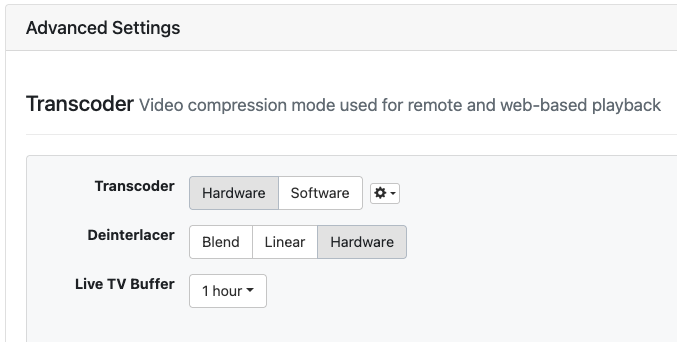
Are you running Channels DVR in a docker container with GPU passthrough?

I am running Channels via Docker and here are my settings:

image

In the docker container, the graphics card performance is off...

1 Like

Thanks. What does your docker compose for Channels DVR look like?
I'm considering other NAS brands when I replace my oldest Synology.

Can you clarify what you mean?

I just assumed you used a docker compose statement to install the Channels DVR server in a docker container. Like this

services:
  # Docker container home: https://hub.docker.com/r/fancybits/channels-dvr
  # image uses host mode networking and port is specified by env variable CHANNELS_PORT
  channels-dvr-8089:
    image: fancybits/channels-dvr:tve                        # use :tve tag, not :latest
    container_name: channels-dvr-8089
    network_mode: "host"                                     # must run in host, not bridge mode
    devices:
      - "/dev/dri:/dev/dri"                                  # to enable hardware transcoding
    environment:
      - CHANNELS_PORT=8089                                   # host port number to use
      - TZ=America/Los_Angeles                               # local timezone in standard linux format
    volumes:
      - "/volume1/docker/channels-dvr-8089:/channels-dvr"    # Channels DVR executables and log directory
      - "/volume1/ChDVR8089:/volume1/ChDVR8089"              # Channels DVR recording directory
      - "/volume1/arkives/importtest:/shares/imports:ro"     # volumes for local content import directories
    restart: unless-stopped

where the device /dev/dri is passed to the container to enable hardware transcoding.

    devices:
      - "/dev/dri:/dev/dri"                                  # to enable hardware transcoding

I think I did the docker run command located at Channels β€” Channels DVR Server but either one should work perfectly fine...The only change was that I added tve as stated in the instructions...

1 Like

Thanks. I was just trying to confirm you could use hardware transcoding with Channels DVR running in a docker container on the UGREEN NAS and this statement confused me.

Have no idea what that meant.