
Last update was about 3 hours ago DVR Pre-Release Notes - #1895 by fancybot
OK, I will have to find a window I am not recording something to install that. Thanks.
1 Like
Now the only problem is where do I download an incremental release that seems to change almost daily?
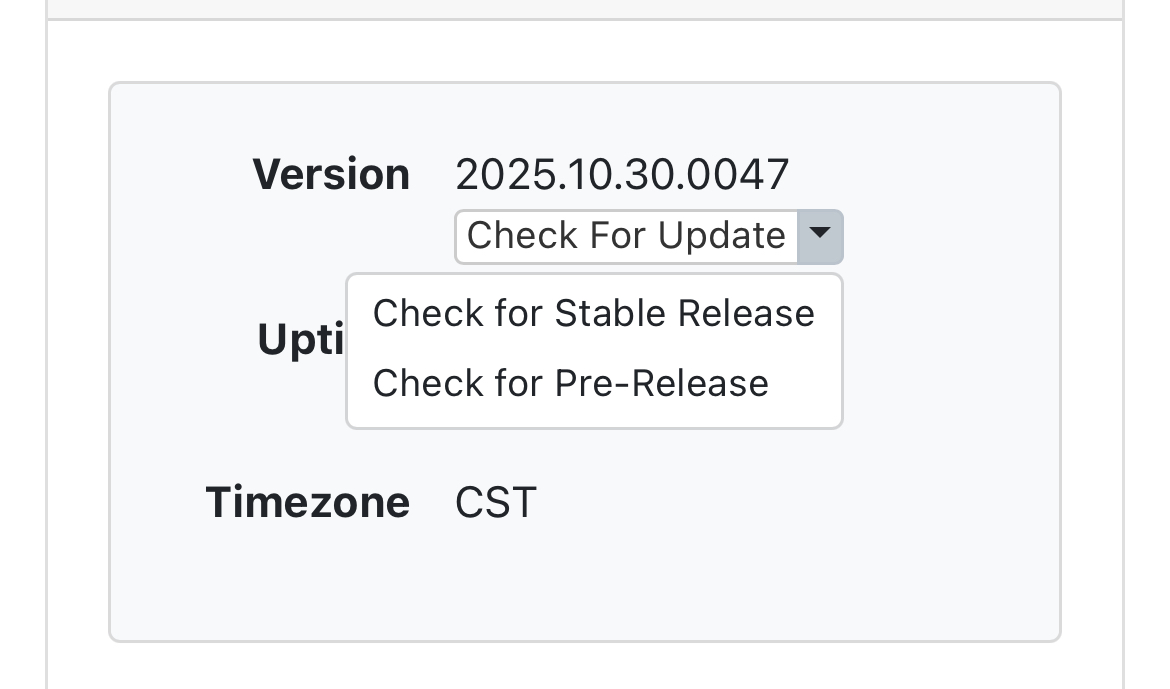
Under settings > status > server information > version. There is an arrow drop down, choose check for pre release.
You can also choose this option while the dvr is actively recording, it will automatically install the update for you when the dvr is idle or you can force it if you want.
Nice, thanks, will do that now.
All I got was this:
Version 2025.10.30.0047
Up to date!
So, does that mean I need to switch to a BETA version? If so I have no idea how to do that.
Step 3 here TVE Troubleshooting tips has a link to this article Pre-Release access for DVR subscribers which explains how to do it.
If your DVR is busy it will wait until it's idle to update.
After it updates, you may have to refresh your browser before it displays the new version.
Thanks guys, I just downloaded the pre-release and will wait for it to install. I may have to force it at the appropriate time since I am usually recording 24/7 so I'll have to find a point where a movie is done recording but that is still fluff until the next one starts on TCM.
Unfortunately that changed nothing, still no Science Channel.
You may need to rescan the Science Channel. If you open your source, press the Scan button, then go down the list, find the channel and select rescan.
in Source  Manage >
  Rescan Channels
Nope, no change. No Science Channel on TVE even though the rescan reported a check mark but it works fine on my TV using the Direct TV app.
Are you able to link up and view the Science Channel from their web page?
https://www.sciencechannel.com/
It plays on the TV with the Direct TV app and I can play it on he webpage. I just can't play it in Channels.
Have you ever updated to the prelease?
I have no issues watching Science channel thru Directv or DirectvStream in Channels!!!
What does your Channels log say when you try to tune to Science Channel? Check your client source (not your dvr server) to make sure you haven't blocked it on the client.
Settings > Manage Sources > Directv (or Directv Stream)
Make sure you have a heart and not a 
1 Like
I updated to pre-release Version 2025.11.19.1617 yesterday.
Win 11.
All good, Science etc
Try playing it in the Channels DVR web UI player from the guide.
Then post what errors show in the Channels DVR log.
Sorry guys, been busy for the last day and couldn't restart yesterday due to important recordings. It appears it updated itself sometime yesterday afternoon about 11 hours ago and now it is working and I have the Science Channel once again.
Thanks to all.