Local Content on Channels Docker

Trying to configure local content directories so I can import my MP4 movies and TV shows. I've got the volumes mounted, but channels complains that it has to be separate from configured channels DVR storage directory.

I'll include my docker-compose.yml I've connected into the instance and the files are available, it just gives me that error when trying to import. Although docker, movies, and TV are all different shares, those shares are all on the same NAS volume. Is that what Channels doesn't like? I started with the volume mapping for movies and TV the same as config and recordings. I can make the mounts look different, I just can't change the source.

version: "3"
services:
channels-dvr:
image: fancybits/channels-dvr:tve
container_name: channels-dvr
network_mode: host
ports:
- "8089:8089"
restart: unless-stopped
devices:
- "/dev/dri:/dev/dri"
volumes:
- "/volume1/docker/channels-dvr/config:/channels-dvr"
- "/volume1/docker/channels-dvr/recordings:/shares/DVR"
- "nfs-movies:/movies:ro"
- "nfs-tv:/tv:ro"

volumes:
data:
nfs-movies:
driver_opts:
type: nfs
o: addr=,ro
device: :/volume1/Movies/MP4
nfs-tv:
driver_opts:
type: nfs
o: addr=,ro
device: :/volume1/TV/TV
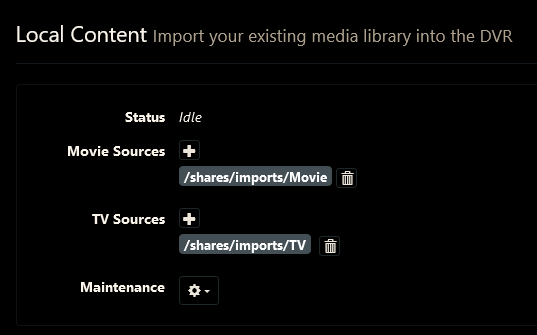
What is the exact error

Also, what do your sources look like on the DVR web UI
Screenshot 2022-03-13 at 21-17-07 Channels Settings

@tmm1

@chDVRuser This is the error I receive when adding sources, so there are none listed.

I got it working. I've seen a lot of different recommendations on where to mount the Movies folder, but the only thing that worked for me was "/Imports/Movies". I didn't have to add it as a search, just scan sources. This would be a good thing to add to the how-to: Channels Support - Import Your Own Movies and TV Shows (getchannels.com) I'm assuming it varies by version. I'm running 2022.02.09.0020

Glad to hear you got it working.
What action did you do to get that error to appear?
I had problems in the past when I used read-only volume mapping in my container that mapped to a read-only remote SMB mount. Removind the ro in the container mapping fixed that.

The error came when trying to add a source under Local Content. I mapped the volumes under /Imports directory. There are still no sources listed under local content, but the system scanned the folders, and they are now available under "Movies". I've seen posts recommending similar, but listing other locations, not /Imports. I've verified they are still mounted read only and things are working fine.