So, you don't have a FIXED IP address for your Channels server, and you let DHCP switch it to another address?
You need to fix that. Switch it back to 102.129.232.12, and in your router, hardcode it to the mac address of the Channels server.

So, you don't have a FIXED IP address for your Channels server, and you let DHCP switch it to another address?
You need to fix that. Switch it back to 102.129.232.12, and in your router, hardcode it to the mac address of the Channels server.
102.129.232.xxx is an Internet IP address from South Africa.
It's not a reserved private IP.
He's talking about his WAN IP address, not local Lan IP address.
I’m not seeing any address, whether LAN or WAN, as indicated in the Channels troubleshooting
From what you have posted so far it looks like you're using IPv6 and that your DVR server is in South Africa.
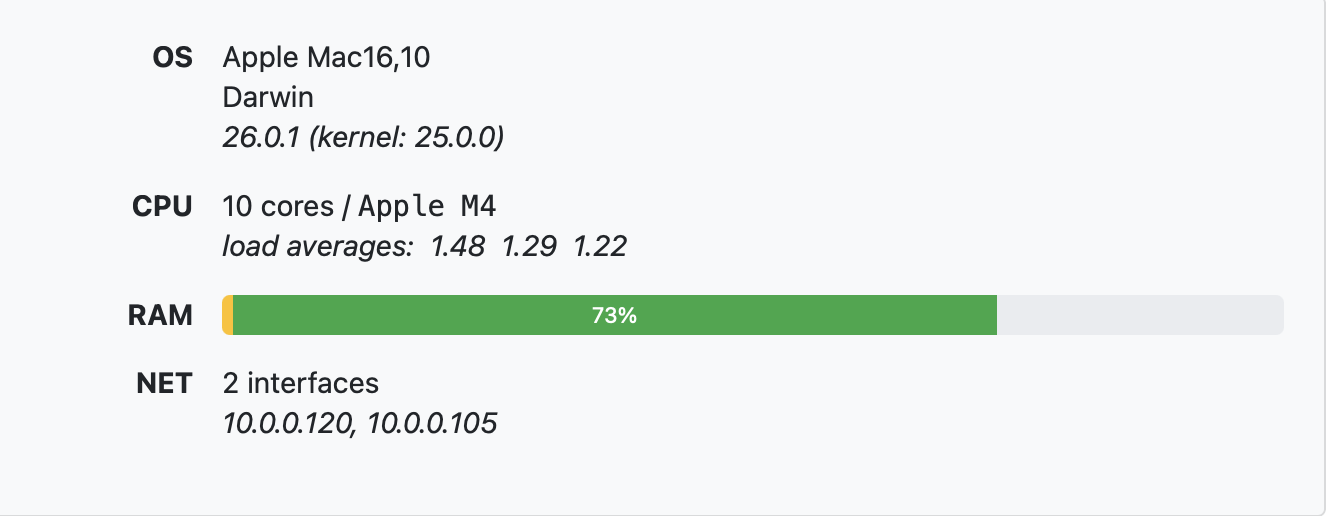
What are you running your Channels DVR Server on.
What does it show in your DVR web UI under Settings > Status for its IP addresses.
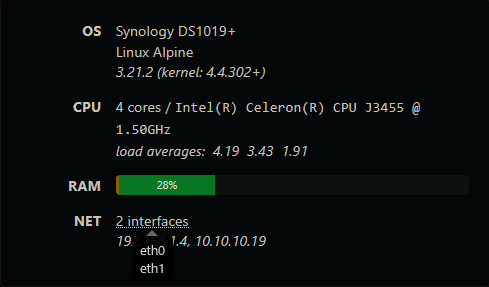
Hover your mouse pointer over "2 interfaces" to see which network adapters they are.
My guess is you have WiFi enabled.
Channels DVR will listen on all your network interfaces and that may be the problem.
Either that or because you're using IPv6.
I did have Wifi and Ethernet enabled, but even aft turned off Wifi, I still got this
I'm also in Northern California and have no problem using it.
Try temporarily disabling IPv6 on the Mac if you can. I only use IPv4 and it's working.
Just double checked Pluto Counting Cars and it's streaming.
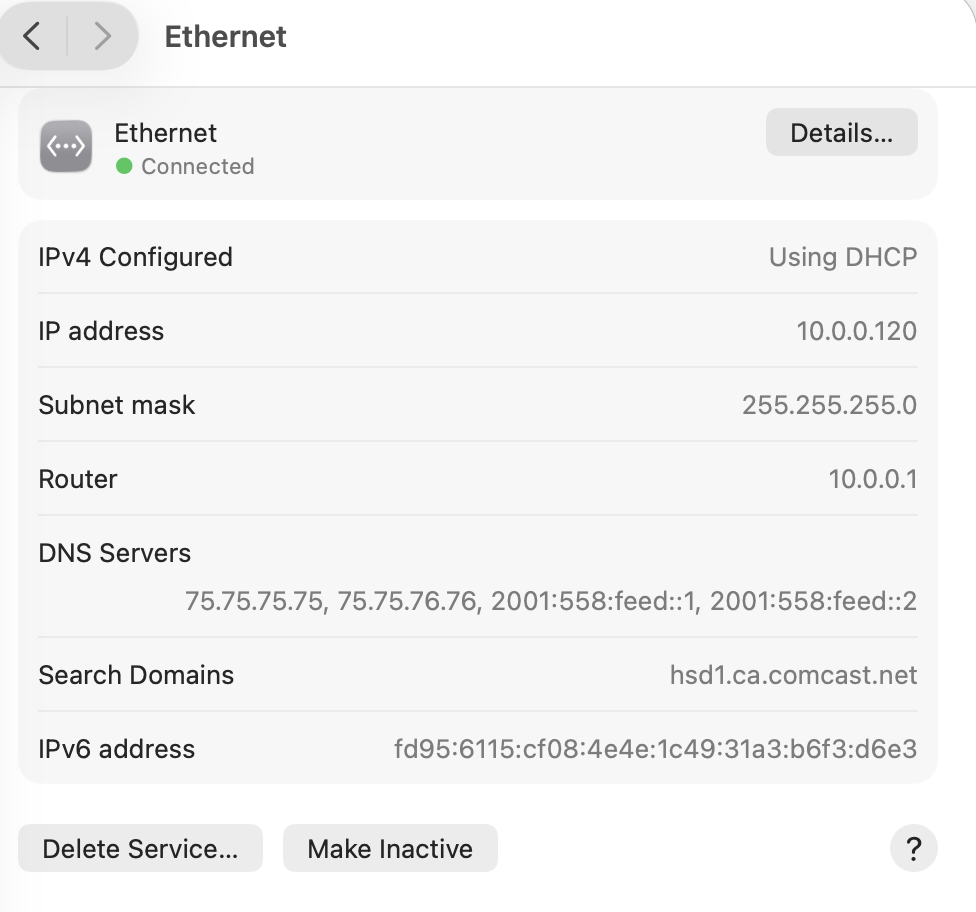
This is my setup
Set IPV6 to "Link-local only", and that didn't make a difference
What error do you get now.
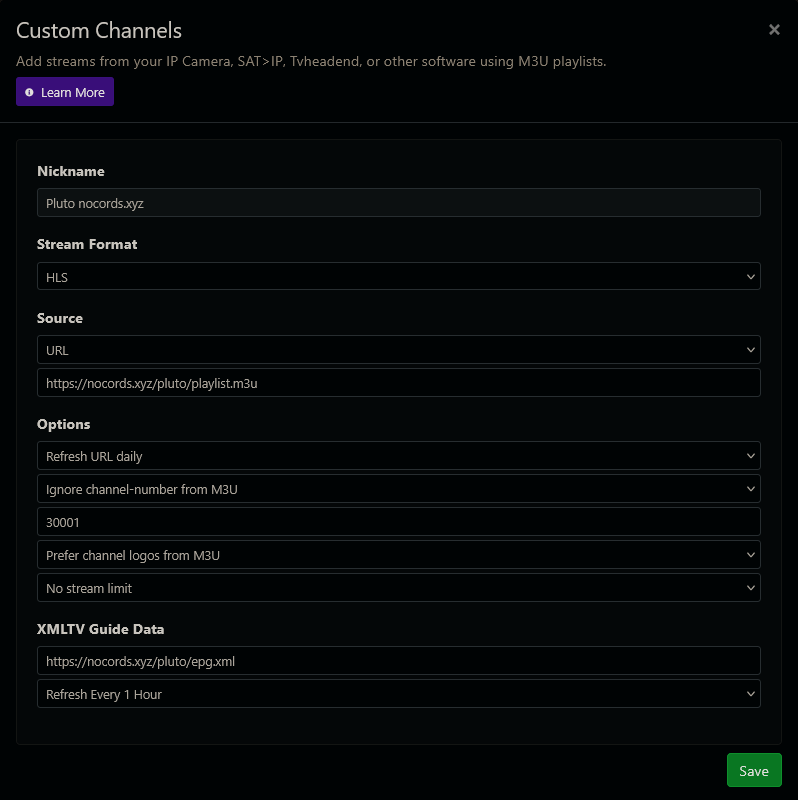
Can you open this in your browser?
https://nocords.xyz/pluto/playlist.m3u
I forgot to reboot the Mac. Once I did that , it worked. Thanks
Must be an issue using IPv6 with the service.
But it’s weird that it worked fine until a few days ago
Yah, seems things always work, until they don't.
Scratch your head too much over it and you go bald.
You could always ask HankLloydRight if your WAN IP is blocked for some reason.
I prefer to find easy workarounds and move on.
Sometimes, just getting questions answered is not worth the time and effort.
Honestly I think this error points to something local (as discovered). If someone was being blocked from Nocords, the error would be 403 Forbidden.
I checked your IPV6 and it’s just Comcast which obviously would not be blocked.
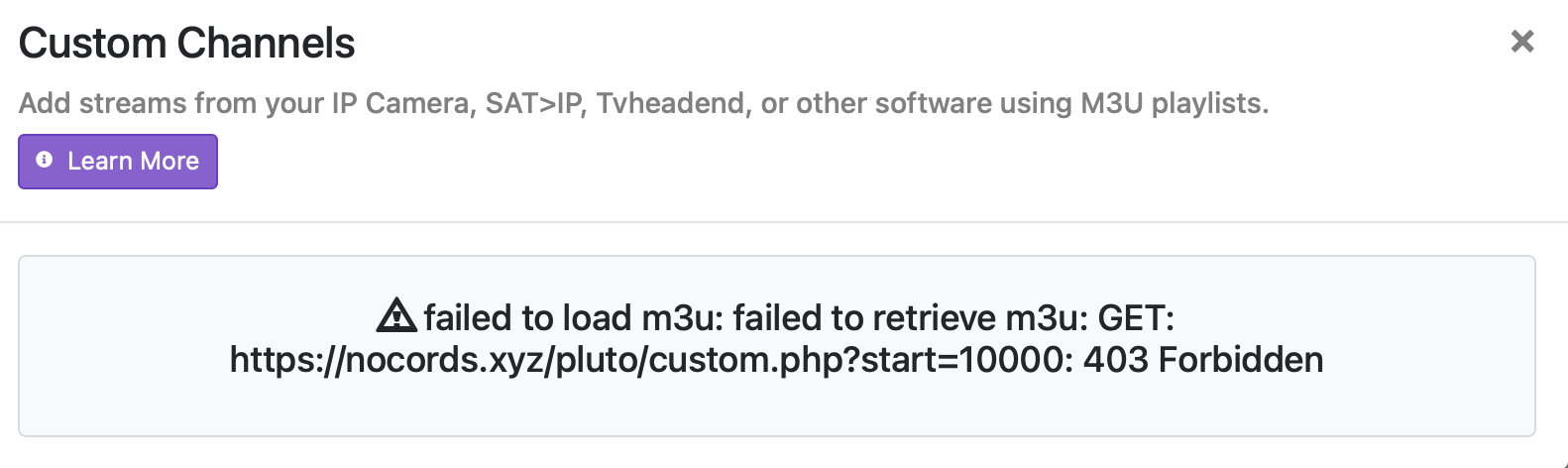
Just switched from AT&T Fiber to Lumos (T-Mobile) and noticed I am getting this - failed to load m3u: failed to retrieve m3u: GET: https://nocords.xyz/pluto/playlist.m3u: 403 Forbidden. Have updated Channels and restarted M4 Mini along the Channels DVR.
Can you get to that site through a browser? Double check the providers DNS settings on your router. Perhaps try changing them to Google's primary public DNS servers which are 8.8.8.8 and 8.8.4.4 for IPv4 and see if that makes a difference.
Browser results in 404 not found. DNS settings on router are 1.1.1.1 and 8.8.8.8. I switched to 8.8.8.8 as primary with same results.
Switch to whatever the default T-Mobile DNS addresses are.
See what that does, just as a test.