
As of v2025.04.30.1508 of Streaming Library Manager for Channels, there are several new features that are all about making my life easier so I can actually just get around to watching content instead of collecting and managing it. I hope you can benefit, too!
First up is Label Management for Stream Link Manager. There's a lot to go into, but basically you can assign labels to Movies, TV Shows, and Video Groups that you have bookmarked and those will automatically be assigned to the programs when the Stream Link/Files are created and updated in Channels. For me, the biggest impetus is the fact that Channels cannot remember labels for movies if they are removed and added back later, which is pretty common occurrence when dealing with streaming content. I was told that the fix would be pretty technically and time consuming, and lower priority, so this resolves the issue for me. You can read more details here:
Just as a note: you can also import all your existing labels and assignments into SLM, so you aren't starting from scratch. In my testing, this also gave me the opportunity to correct a misspelled word that has been driving me nuts forever without having to edit each individual program it was assigned to!
Next, like I said, I've been trying to actually watch stuff instead of being the horrible digital hoarder I am. My biggest goal is to make my library smaller by watching all these programs with a few episodes, especially ones I've recorded or have digital files for as they are just taking up space. As such, I've created a bunch of new reports/queries that make it very easy to get a grip on what exactly I have in Channels.
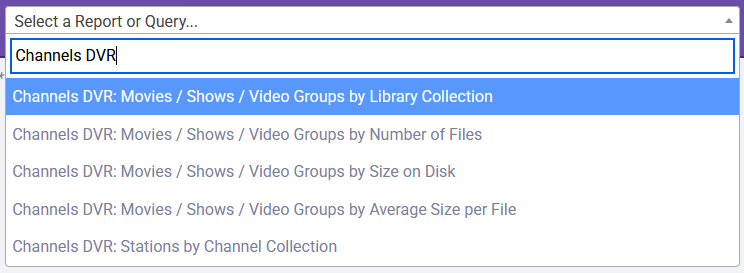
Using these, I can now see all movies, shows, and video groups by the number of files, total size across ALL disks, or the average size based upon those two numbers.
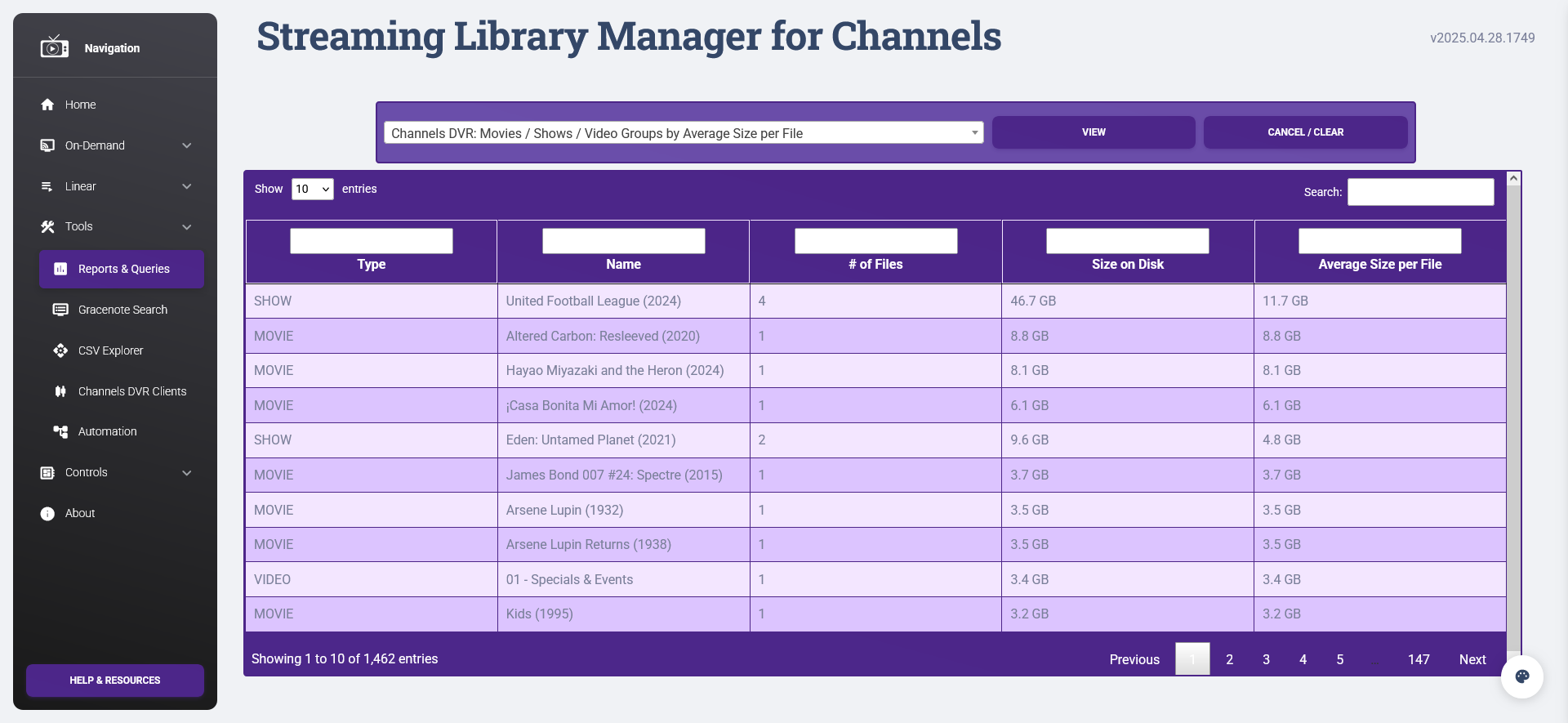
And as you can see, it is inclusive of all those categories at once. Channels has an unfortunate habit of keeping everything separate, but I think of all these things together. Now, Media Tools Manager has the capability to do some really deep and useful analysis across every part of Channels. Is there some other piece of data or information you'd want in an easy to digest format like this?
Along those same lines of looking to save storage capacity, Channels keeps a large amount of "Recording Logs" and "Backups" data. Depending upon your setup, these can take up a large amount of space. As such, there now automation routines to delete anything older than the number of set days:
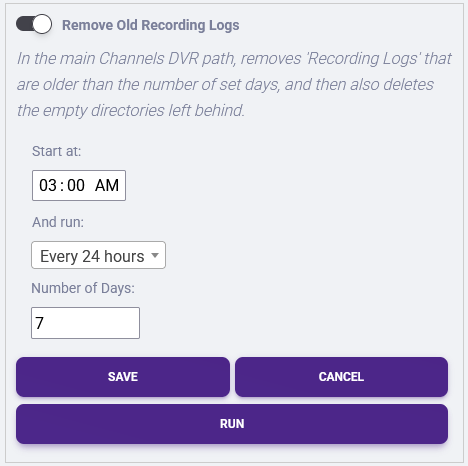
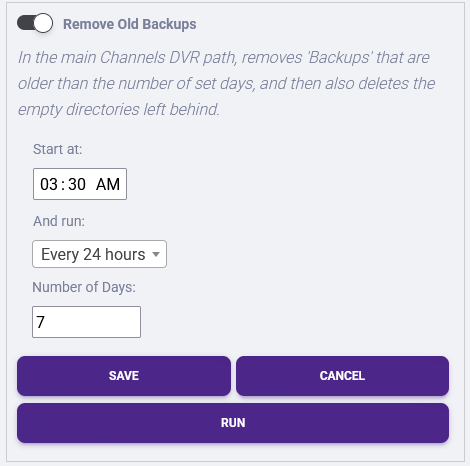
It is perfectly safe to do this as "Recording Logs" are only used for troubleshooting and "Backups" are only necessary for a restore or move. Now you'll have the flexibility to decide how many days of them you are comfortable keeping.
These are only a few of the new and recent features in Streaming Library Manager for Channels. With each new update, my goal is to make the maintenance of media less involved; therefore, if there is something you'd like to see, let me know! A lot of this was also laying the groundwork for some already in-progress future capabilities, so stay tuned for the next step in this program's evolution!