Migration from Linux to Windows

Long story short, I was running Channels in a Linux VM. It worked great for many many years, but I started having performance issues, and decided to migrate to Windows Direct (no VM). The performance increased by 100 fold.

The file paths changed of course, but Linux uses different syntax for paths than Windows. Because of that I now have I lost the Played/Unplayed Status of all of my Shows. Is there a way to get this back without having to go thru manually and change everything to match?
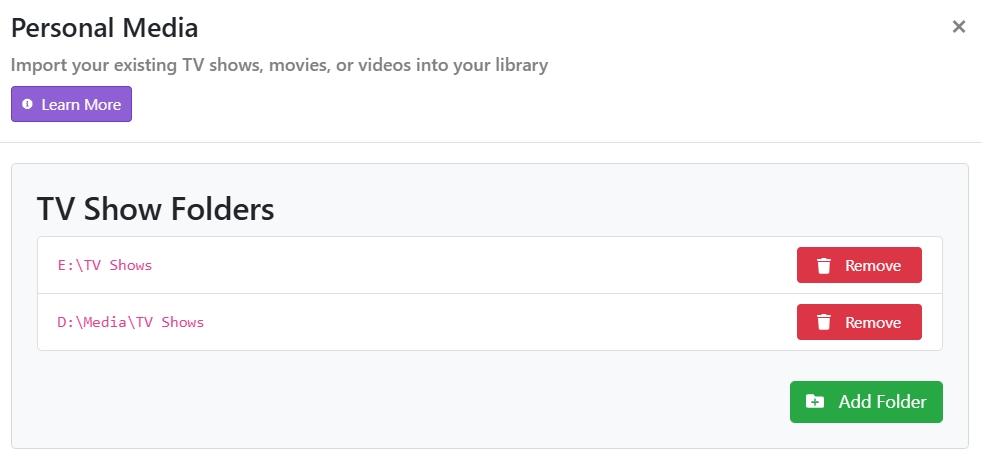
I think the best way of doing it is to follow the instructions from this support page:

That's exactly what I did. It still had the Linux Source Paths, so none of the Shows would able to be watched because the path was wrong. I had to change the paths to Windows nomenclature. It then did a rescan of my library and now all of the Watched/Unwatched Status is gone.

There's no part of the migration where you correct the paths ahead of time.

You must be talking about user specified local content Imports stored as absolute file paths in the database.

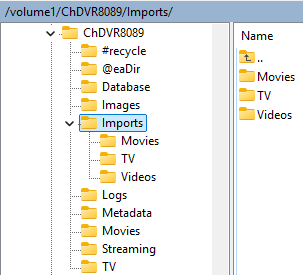
If you put your Imports in the Imports folder they will use relative file paths in the database, Imports/TV/..., Imports/Movies/... and Imports/Videos...

Recordings aren't stored as an absolute path, they use relative paths, TV/... and Movies/...

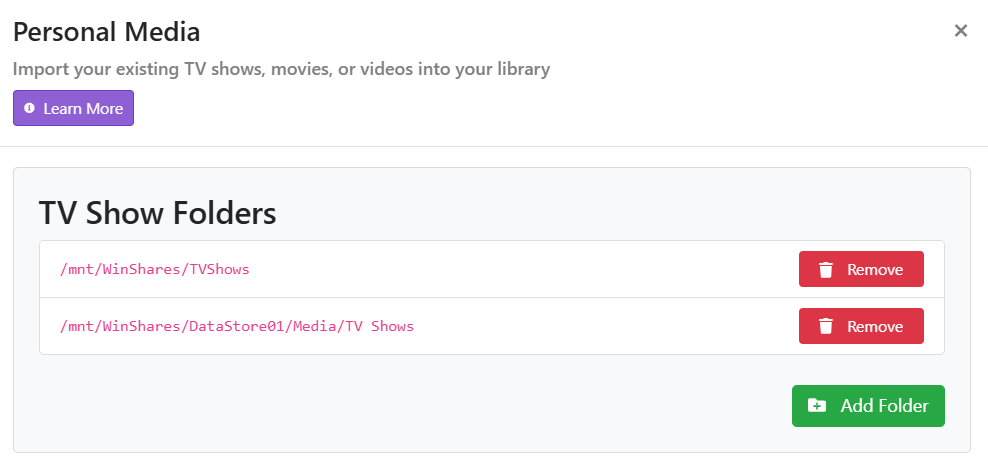
I guess I should have explained it better. Yes, recordings are fine. Its downloaded content that I lost all of the statuses on. I know nothing of this import folder. I just setup sources that point to a drive share on another box. Sonce Linux uses mounts, rather than unc paths, Channels could not find the content. SonI had to point Channels to the new UNC paths.

So I guess the bottom line is, there's no solution other than actually going thru everything and setting each individual episode to watched. "Mark Previous as Watched" marks every single episode in the entire series as watched. This has never worked, and I'm sure it never will.

Screenshot 2026-02-25 134807