Minor comment Re: Commercial Detection

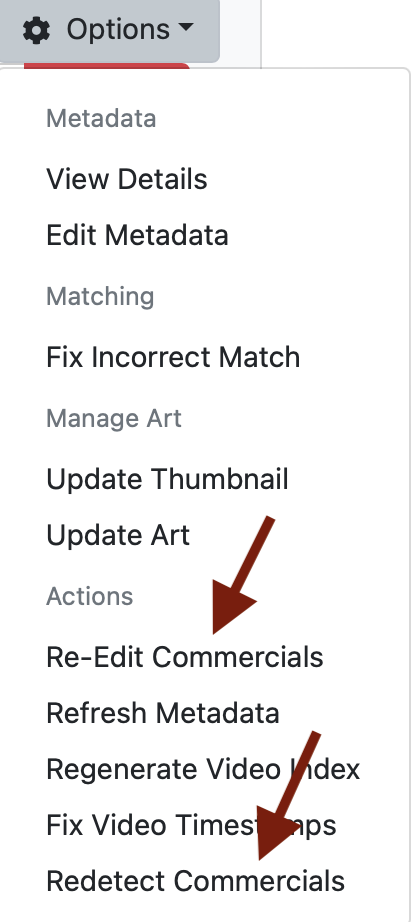
PlayOn downloaded files do not get auto commercial detection, and that's ok as the files have Ad Marks, however, In the File Option, Actions, there is "Re-Edit Commercials" and "Redetect Commercials" choices that does not apply.

I suggest that for PlayOn that "Re-Edit Commercials" be removed and that "Redetect Commercials" be renamed "Detect Commercials"

Again, just a minor comment that doesn't really effect anything.
1 Like

Videos downloaded by playon when configured as a source should commercial detect. At least they did when I last used it a few months ago.

He's talking semantics.
Since the downloaded PlayOn cloud recordings already have chapter markers in the mp4 file that Channels DVR uses as ad markers, they are considered having the commercials already detected, hence Redetect and Re-Edit Commercials appear.

PlayOn recording cannot be edited without first detecting commercials (not Redetecting)
Selecting Re-Edit Commercials reports the error:
"Error retrieving commercial details"
To Edit (not re-edit) first need to Detect Commercials (not Redetect).

My original comment was nothing more than a minor editing suggestion to the menu.

I see what you're saying.
When it's imported, it does have the commercial markers and they display when you play it.
But you cannot edit the commercial markers, like you said it gives an error.

This should be reported as a bug.

You shouldn't have to run comskip on an imported PlayOn cloud recording to edit the commercial markers.

This topic was automatically closed 365 days after the last reply. New replies are no longer allowed.