
Hello...Spectrum cable user here, but missing logos for big channels like TBSHD and ESPNHD, ESPN2HD. Not sure how to correct? Is there a way to manually do it?
Do they appear when using the HDHR app?
If not, that usually means there's a problem with guide data, and posting over at the SD forum in the Guide subforum is your best bet.
settings guide database has a "refresh logos" you could give that a try.
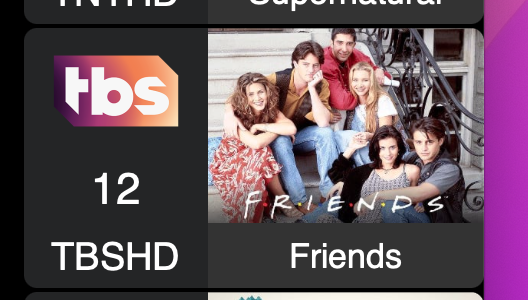

Tried that... didn't help, unfortunately.
Which client(s)? Can you share a picture of the issue?
Web and Apple TV client. It just shows the call letters instead.
What kind of device are you running the server on? Are there any errors in the web ui logs?
Server is on my WD PR4100 NAS as it has been for a couple years. I didn't have this issue when I lived in the DC area on Fios. Now, I'm on Spectrum in Orlando and it's only those channels that have the issue. No errors in the web ui logs that I can see.
Do the channels and logos appear in the Manage Lineup display on the DVR web UI?
If they do, you may just need to force close the client app and relaunch it.
If they don't appear on the DVR server, try Reload Lineup, then Sync Station Mapping.
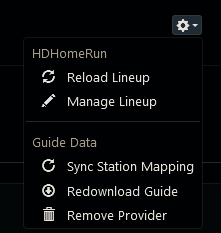
Channels DVR uses Gracenote guide data and logos.
You can check what they have for your provider and zipcode at zap2it.com
Click the button near the top labeled [Change Provider or Time Zone]
Key in your zipcode and click the [Find Providers] button
Choose your Cable Lineup
Then look at the grid guide to see what channel logos they have
Sometimes the same channel will be repeated at a higher channel number like this
 ESPN SD
 ESPN HD
Yup, they're missing from Zap2It... but like you mentioned, the exact same channel further up in the guide (in the 1000's) have the logos. It's just these lower-numbers. Which are not SD on Spectrum, they are also HD. Just dupes. So bizarre. I hadn't thought to look higher.
Since you say the low numbered channels are HD, If you want the logo to appear you can use the pencil icon Manage Lineup in my screenshot above.
Then click the pencil icon at the right of your channel 29 and key in the callsign for the other channel (ESPNHCF in my example from zap2it), then select that and it will map the guide info and channel icon for that channel to your channel 29. Then do the same for TBS and ESPN2.
2 Likes
Thanks, that worked!
1 Like