
Good catch! mlbserver was mistakenly picking up the shorter MLB Network airings on those dates. I just pushed an update that fixes it.
2 Likes
Thanks for the quick update! Oddly enough, Big Inning isn't loading for me at all now but I don't think it has anything to do with the update you pushed because it stopped working before I even updated. In fact, I did the update to see if it would fix it along with the schedule. So not sure if MLB changed something on the back end because I can still access it directly through their app. The error I'm getting in Channels is "Connection Lost: Streaming to the tuner failed. 503 Service Unavailable"
Another fix just pushed for that -- was a simple feed order issue.
2 Likes
Yep, working perfectly now after that update. Thanks once again! I honestly think my Mom has gotten more out of her MLB subscription after I setup mlbserver than she ever would have otherwise. Really appreciate it.
What are the current commands to add mlbserver to portainer? I added from a command at the beginning of this thread and got the admin site to work. then I added the source as a txt file and got every channel to show up. However, not channel will play a game.
Did you add your mlb.tv username/password? You need to pass as environmental variables in the portainer stack. Try the below docker compose along with the environmental variables below. These were taken from bnhf's thread here: A docker-compose for every Channels-related extension -- suitable for Portainer-Stacks!
Docker Compose:
version: '3.9'
services:
  # 2025.02.13
  # GitHub home for this project: https://github.com/tonywagner/mlbserver
  # Docker Hub home for this project: https://hub.docker.com/r/tonywagner/mlbserver
  mlbserver:
    image: tonywagner/mlbserver:${TAG}
    container_name: mlbserver
    ports:
      - ${HOST_PORT}:9999
    environment:
      - TZ=${TZ}
      - data_directory=${DATA_DIRECTORY}
      - account_username=${ACCOUNT_USERNAME}
      - account_password=${ACCOUNT_PASSWORD}
      - fav_teams=${FAV_TEAMS}
      - zip_code=${ZIP_CODE}
    volumes:
      - ${HOST_DIR}/mlbserver:${DATA_DIRECTORY}
    restart: unless-stopped
Environmental Variables:
TAG=latest
HOST_PORT=9999
TZ=America/Denver
DATA_DIRECTORY=/mlbserver/data_directory
[email protected]
ACCOUNT_PASSWORD=password
FAV_TEAMS=0
ZIP_CODE=0
HOST_DIR=/data
Thanks. I did but had an old compose. Once I get this started, can I still use the txt for each team to add as a source rather than an m3u link? Also, how do I add MLB network, game changeer, etc.?
From the github README:
After launching the server or Docker container, you can access it at http://localhost:9999 on the same machine, or substitute your computer's IP address for localhost to access it from a different device. Load that address in a web browser to start using the server and to see more documentation.
You will see example links to use in Channels once you open the web page referenced above.
Thank you. I got everything working perfectly.
Folks here might be interested in the latest update to mlbserver (2025.08.17). It adds the ability to request a team’s radio track in the M3U URL (“&audio_track=radio”), and it will be appended to each stream contained in the M3U. Should work whether that team is home or away, and it will fall back to other audio if not present (for example, spring training games).
5 Likes
Sounds great, can't wait to try it out!
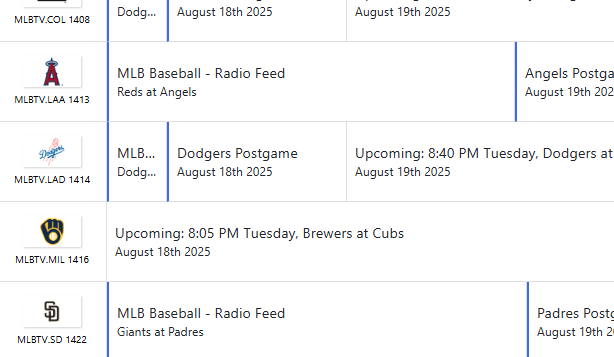
@tonywagner This is awesome. Is there any way that an argument could be passed to the guide.xml so that each entry description could append "- Radio Feed" or something similar? I have both in my guide and have to remember that mlb channels XX-YY are radio and AA-BB are TV audio
Like:
MLB Baseball - Radio Feed
Giants at Padres
You do awesome work and I appreciate it!
Edit, I actually just asked chatgpt to create a tiny reverse-proxy in front of mlbserver that rewrites the XML on the fly so every <title lang="en">MLB Baseball</title> becomes <title lang="en">MLB Baseball - Radio Feed</title>. I'm sure I'm a corner case so this works out just fine for me 
1 Like
The new radio tracks work well... Very slightly out of sync in my testing so far, but I didn't really expect that to be perfect. I do have another issue though I wanted to get feedback on.
When I watch streams using this container on the web client (with my server running on a Synology NAS), I am having trouble with transcoding. Sometimes the streams remux and play fine, but other times they transcode and have constant buffering. Transcoding "normal" TV channels doesn't seem to have any issues, and watching the mlbserver channels on any of my TV's works fine too. It just seems to be transcoding of the mlbserver channels that struggles. I realize my Synology NAS isn't the most powerful by current standards, so that may be part of the problem. Does anyone have suggestions though to either (a) Prevent transcoding when using the web client or (b) Make it run better?
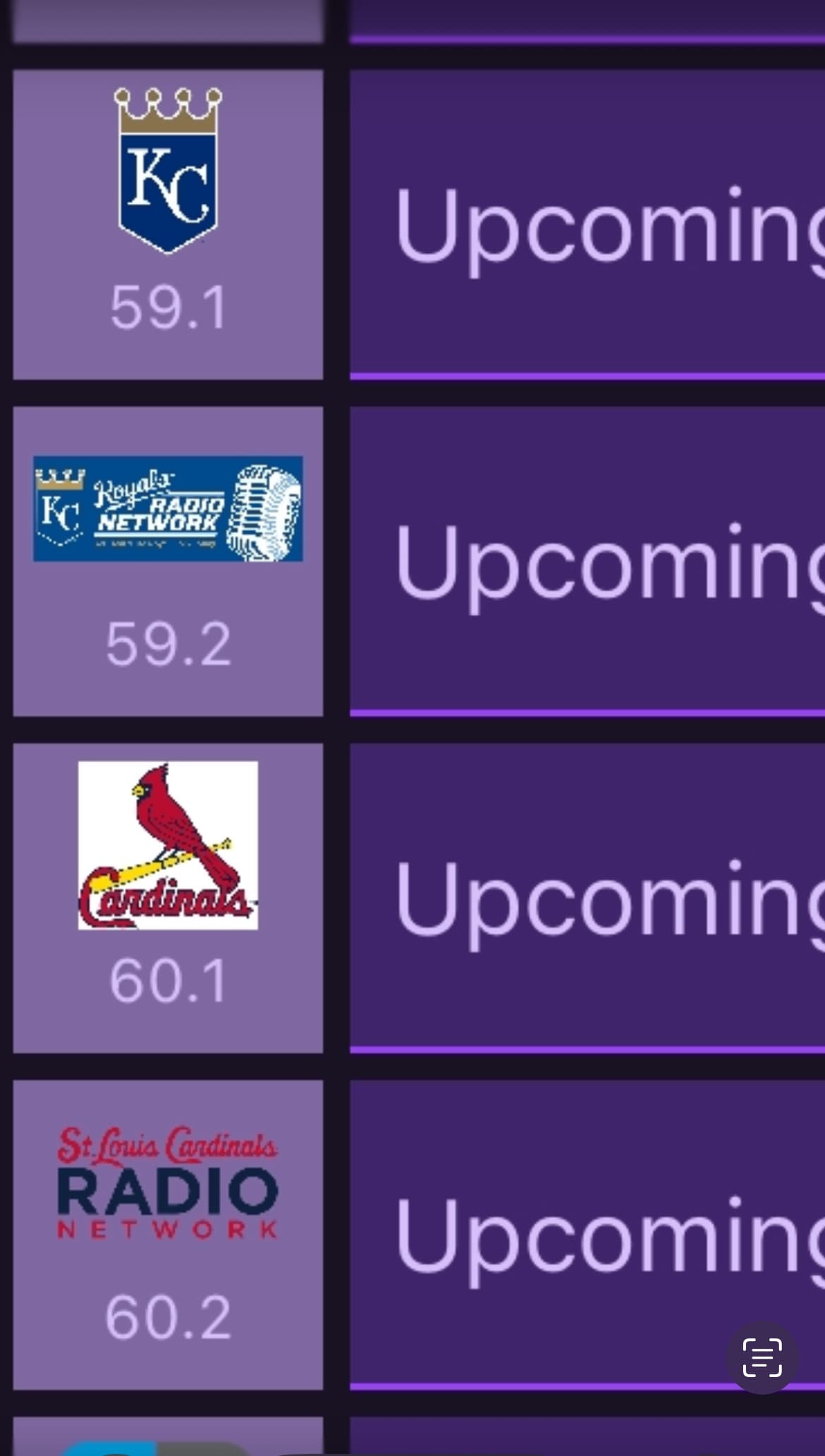
That's cool. Is there a good source for all the radio logos?
Unfortunately not that I could find. I basically just googled for each individual team’s image.
Thats awesome. Can you export your m3u so incan steam them?
This won’t be much help since I only did the 2 teams the family watches.
#EXTINF:-1 CUID="ROYALSRADIO" channelID="ROYALSRADIO" tvg-num="59.2" tvg-chno="59.2" tvg-logo="https://img.mlbstatic.com/mlb-images/image/upload/t_5x2/t_w2208/mlb/cktlfnkygzvwsftoeefa.jpg" group-title="MLBTV",RoyalsRadio
http://192.168.1.202:9999/stream.m3u8?team=KC&mediaType=Video&resolution=best&audio_track=radio


#EXTINF:-1 CUID="CARDINALSRADIO" channelID="CARDINALSRADIO" tvg-num="60.2" tvg-chno="60.2" tvg-logo="https://mmo.aiircdn.com/512/61d888e615fb3.png" group-title="MLB",Cardinals
http://192.168.1.202:9999/stream.m3u8?team=STL&mediaType=Video&resolution=best&audio_track=radio
I know you are looking for a complete m3u with all of the teams logos but I posted this as a sample for other people.
I could probably link them to the logos at the following link, if you think that would useful: MLB Baseball Radio | Free Internet Radio | TuneIn
EDIT: This is now implemented in version 2025.08.19
This is now implemented in version 2025.08.19 as well.