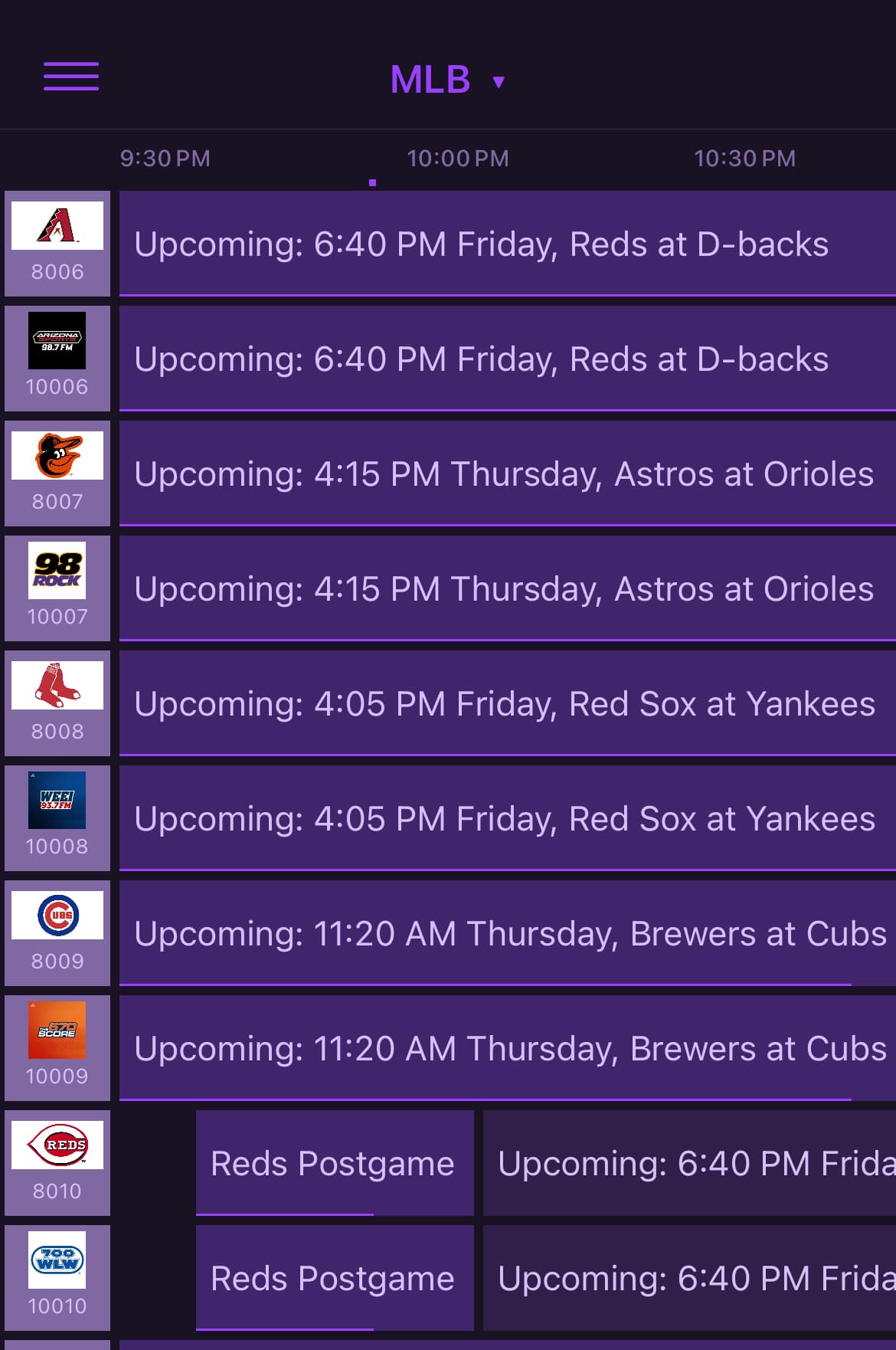
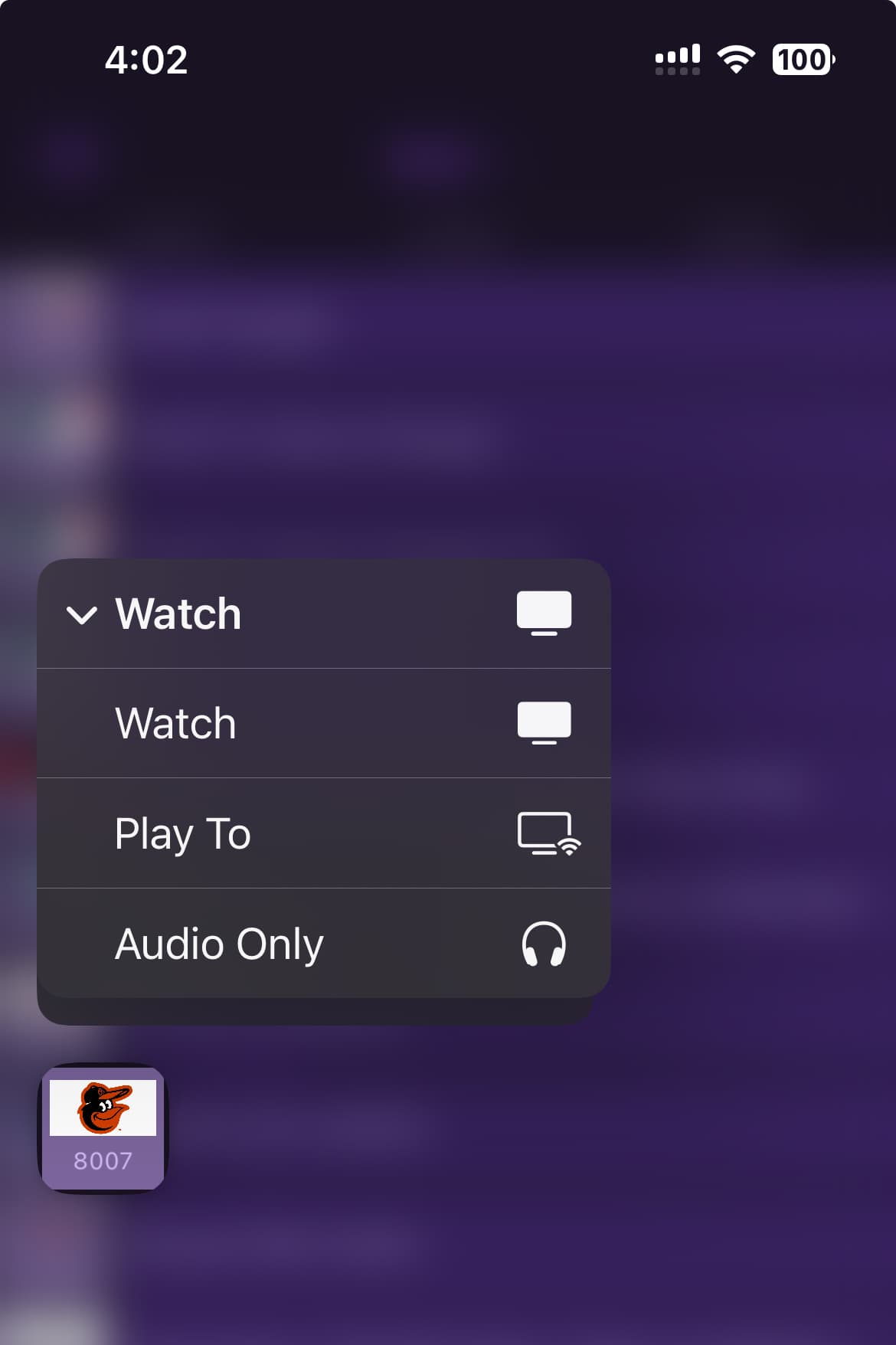
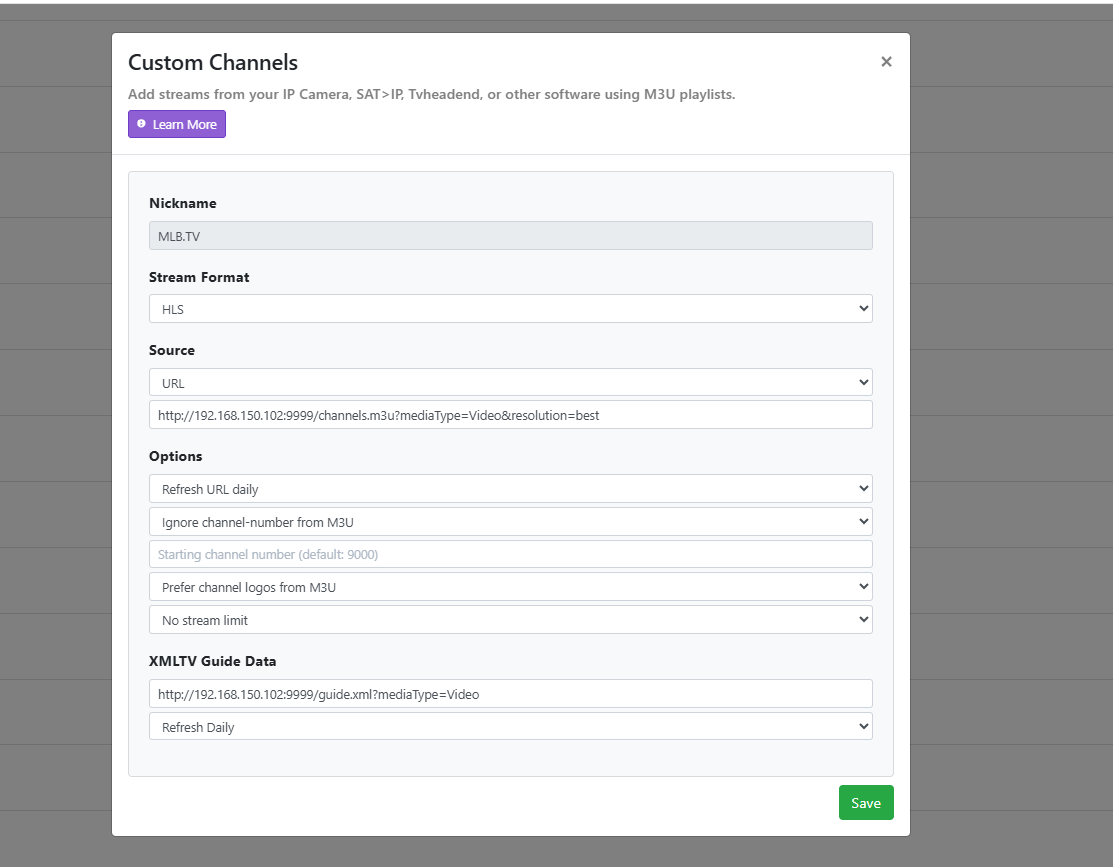
Thank you, Tony. Yes, I'm on the current version. Here is a sample of what I get from the XML URL for the Orioles game coming up in a few hours. Nothing shows in the guide:
<title lang="en">MLB Baseball</title>
<sub-title lang="en">Orioles at White Sox</sub-title>
<icon src="https://img.mlbstatic.com/mlb-photos/image/upload/ar_167:215,c_crop/fl_relative,l_team:145:fill:spot.png,w_1.0,h_1,x_0.5,y_0,fl_no_overflow,e_distort:100p:0:200p:0:200p:100p:0:100p/fl_relative,l_team:110:logo:spot:current,w_0.38,x_-0.25,y_-0.16/fl_relative,l_team:145:logo:spot:current,w_0.38,x_0.25,y_0.16/w_750/team/110/fill/spot.png"/>
<desc lang="en">MASN2. Tyler Wells vs. Martín Pérez.</desc>
<category lang="en">Sports</category>
<category lang="en">Baseball</category>
<category lang="en">Sports event</category>
<episode-num system="original-air-date">2025-09-17 18:10:00</episode-num>
<new/>
<live/>
<sport>Baseball</sport>
<series-id system="team-id">110</series-id>
<episode-num system="game-id">776285</episode-num>
<team lang="en">Orioles</team>
<team lang="en">White Sox</team>
</programme>
<programme channel="MLBTV.BAL" start="20250917123000 -0500" stop="20250917131000 -0500">
<title lang="en">Orioles Pregame</title>
<icon src="https://img.mlbstatic.com/mlb-photos/image/upload/ar_167:215,c_crop/fl_relative,l_team:145:fill:spot.png,w_1.0,h_1,x_0.5,y_0,fl_no_overflow,e_distort:100p:0:200p:0:200p:100p:0:100p/fl_relative,l_team:110:logo:spot:current,w_0.38,x_-0.25,y_-0.16/fl_relative,l_team:145:logo:spot:current,w_0.38,x_0.25,y_0.16/w_750/team/110/fill/spot.png"/>
<desc lang="en"/>
<category lang="en">Sports</category>
<category lang="en">Baseball</category>
<category lang="en">Sports event</category>
<episode-num system="original-air-date">2025-09-17 17:30:00</episode-num>
<new/>
<live/>
<sport>Baseball</sport>
<series-id system="team-id">1101</series-id>
<episode-num system="game-id">776285</episode-num>
<team lang="en">Orioles</team>
</programme>
<programme channel="MLBTV.BAL" start="20250917161000 -0500" stop="20250917164000 -0500">
<title lang="en">Orioles Postgame</title>
<icon src="https://img.mlbstatic.com/mlb-photos/image/upload/ar_167:215,c_crop/fl_relative,l_team:145:fill:spot.png,w_1.0,h_1,x_0.5,y_0,fl_no_overflow,e_distort:100p:0:200p:0:200p:100p:0:100p/fl_relative,l_team:110:logo:spot:current,w_0.38,x_-0.25,y_-0.16/fl_relative,l_team:145:logo:spot:current,w_0.38,x_0.25,y_0.16/w_750/team/110/fill/spot.png"/>
<desc lang="en"/>
<category lang="en">Sports</category>
<category lang="en">Baseball</category>
<category lang="en">Sports event</category>
<episode-num system="original-air-date">2025-09-17 21:40:00</episode-num>
<new/>
<live/>
<sport>Baseball</sport>
<series-id system="team-id">1102</series-id>
<episode-num system="game-id">776285</episode-num>
<team lang="en">Orioles</team>
</programme>
I don't see any errors in Docker either:
2025-09-17 07:24:33.487 | 9/17/2025, 7:24:33 AM guide.xml request : /guide.xml?mediaType=Video from: ::ffff:172.23.0.1 using: Mozilla/5.0 ChannelsDVR+XMLTV/1.0
2025-09-17 07:27:48.748 | 9/17/2025, 7:27:48 AM channels.m3u request : /channels.m3u?mediaType=Video&resolution=1080p60&includeTeams=mlbn from: ::ffff:172.23.0.1 using: Go-http-client/1.1
2025-09-17 07:27:50.406 | 9/17/2025, 7:27:50 AM channels.m3u request : /channels.m3u?mediaType=Video&resolution=1080p60&includeTeams=mlbn from: ::ffff:172.23.0.1 using: Go-http-client/1.1
2025-09-17 07:29:38.187 | 9/17/2025, 7:29:38 AM guide.xml request : /guide.xml?mediaType=Video&includeTeams=mlbn from: ::ffff:172.23.0.1 using: Mozilla/5.0 ChannelsDVR+XMLTV/1.0
2025-09-17 07:30:11.605 | 9/17/2025, 7:30:11 AM guide.xml request : /guide.xml?mediaType=Video&includeTeams=mlbn from: ::ffff:172.23.0.1 using: Mozilla/5.0 ChannelsDVR+XMLTV/1.0
2025-09-17 07:35:19.219 | 9/17/2025, 7:35:19 AM guide.xml request : /guide.xml?mediaType=Video&includeTeams=mlbn from: ::ffff:172.23.0.1 using: Mozilla/5.0 ChannelsDVR+XMLTV/1.0
2025-09-17 07:38:21.378 | 9/17/2025, 7:38:21 AM guide.xml request : /guide.xml?mediaType=Video from: ::ffff:172.23.0.1 using: Mozilla/5.0 ChannelsDVR+XMLTV/1.0
2025-09-17 09:03:00.548 | 9/17/2025, 9:03:00 AM channels.m3u request : /channels.m3u?mediaType=Video&resolution=best from: ::ffff:172.23.0.1 using: Go-http-client/1.1
2025-09-17 09:03:00.638 | 9/17/2025, 9:03:00 AM channels.m3u request : /channels.m3u?mediaType=Video&resolution=1080p60&includeTeams=mlbn from: ::ffff:172.23.0.1 using: Go-http-client/1.1
2025-09-17 09:03:00.653 | 9/17/2025, 9:03:00 AM channels.m3u request : /channels.m3u?mediaType=Video&resolution=best&includeTeams=bal from: ::ffff:172.23.0.1 using: Go-http-client/1.1
2025-09-17 09:03:04.364 | 9/17/2025, 9:03:04 AM guide.xml request : /guide.xml?mediaType=Video&includeTeams=mlbn from: ::ffff:172.23.0.1 using: Mozilla/5.0 ChannelsDVR+XMLTV/1.0
2025-09-17 09:04:22.676 | 9/17/2025, 9:04:22 AM guide.xml request : /guide.xml?mediaType=Video from: ::ffff:172.23.0.1 using: Mozilla/5.0 ChannelsDVR+XMLTV/1.0
2025-09-17 09:07:37.735 | 9/17/2025, 9:07:37 AM homepage request : / from: ::ffff:172.23.0.1 using: Mozilla/5.0 (Windows NT 10.0; Win64; x64) AppleWebKit/537.36 (KHTML, like Gecko) Chrome/140.0.0.0 Safari/537.36
2025-09-17 09:08:50.544 | 9/17/2025, 9:08:50 AM guide.xml request : /guide.xml?mediaType=Video from: ::ffff:172.23.0.1 using: Mozilla/5.0 (Windows NT 10.0; Win64; x64) AppleWebKit/537.36 (KHTML, like Gecko) Chrome/140.0.0.0 Safari/537.36
2025-09-17 09:10:41.878 | 9/17/2025, 9:10:41 AM homepage request : / from: ::ffff:172.23.0.1 using: Mozilla/5.0 (Windows NT 10.0; Win64; x64) AppleWebKit/537.36 (KHTML, like Gecko) Chrome/140.0.0.0 Safari/537.36
2025-09-17 09:11:45.988 | 9/17/2025, 9:11:45 AM channels.m3u request : /channels.m3u?mediaType=Video&resolution=1080p60&includeTeams=mlbn from: ::ffff:172.23.0.1 using: Go-http-client/1.1
2025-09-17 09:12:06.864 | 9/17/2025, 9:12:06 AM channels.m3u request : /channels.m3u?mediaType=Video&resolution=best from: ::ffff:172.23.0.1 using: Go-http-client/1.1
2025-09-17 09:12:07.065 | 9/17/2025, 9:12:07 AM channels.m3u request : /channels.m3u?mediaType=Video&resolution=best from: ::ffff:172.23.0.1 using: Go-http-client/1.1
2025-09-17 09:12:20.359 | 9/17/2025, 9:12:20 AM channels.m3u request : /channels.m3u?mediaType=Video&resolution=best from: ::ffff:172.23.0.1 using: Go-http-client/1.1
2025-09-17 09:14:31.213 | 9/17/2025, 9:14:31 AM guide.xml request : /guide.xml?mediaType=Video from: ::ffff:172.23.0.1 using: Mozilla/5.0 (Windows NT 10.0; Win64; x64) AppleWebKit/537.36 (KHTML, like Gecko) Chrome/140.0.0.0 Safari/537.36
2025-09-17 09:16:50.597 | 9/17/2025, 9:16:50 AM guide.xml request : /guide.xml?mediaType=Video from: ::ffff:172.23.0.1 using: Mozilla/5.0 ChannelsDVR+XMLTV/1.0
2025-09-17 09:16:50.920 | 9/17/2025, 9:16:50 AM guide.xml request : /guide.xml?mediaType=Video&includeTeams=mlbn from: ::ffff:172.23.0.1 using: Mozilla/5.0 ChannelsDVR+XMLTV/1.0
2025-09-17 09:20:49.223 | Version 2025.08.20
2025-09-17 09:20:50.102 | 9/17/2025, 9:20:50 AM mlbserver started at http://172.23.0.2:9999
2025-09-17 09:20:55.246 | 9/17/2025, 9:20:55 AM channels.m3u request : /channels.m3u?mediaType=Video&resolution=best&includeTeams=bal from: ::ffff:172.23.0.1 using: Go-http-client/1.1
2025-09-17 09:20:55.518 | 9/17/2025, 9:20:55 AM channels.m3u request : /channels.m3u?mediaType=Video&resolution=1080p60&includeTeams=mlbn from: ::ffff:172.23.0.1 using: Go-http-client/1.1