Mlb.tv update

No notthat i am aware of. I dont actually need the ports since i am using macvlan, I just left them in there so I can remmeber how to get to the UI.

    environment:
      - TZ=America/New_York
      - data_directory=/mlbserver/data_directory
      - account_username=xxxx
      - account_password=xxxx
      - zip_code=0
      - fav_teams=0
    ports:
      - 9999:9999
      - 9998:10000
    networks:
      IoT-enp10s0-macvlan-network:
        ipv4_address: 192.168.12.39
@tonywagner found it
The bug is on the line that constructs the download.ts URL for alternate audio segment rewriting

http://127.0.0.1:' + session.data.port + newline

session.data.port is undefined at the time this runs, causing ffmpeg to receive segment URLs like http://127.0.0.1:undefined/segment.ts?... which fail with "Port missing in uri".

Fix that I applied to my container that works (line 939 of index.js):

'http://127.0.0.1:' + (session.data.port || 9999) + newline
1 Like

That's strange, because session.data.port is defined before the webserver event starts, and it is called in numerous other places.

Are you building your own Docker image? Did you adjust the Dockerfile? For Docker, the internal port is hardcoded there.

Yes! At least in the mlbserver web interface -- you just check the box next to a stream to add it to the "multiview" and then adjust its audio sync value and start the "multiview". With only one stream in the "multiview" it simply leaves the video untouched but shifts the audio track as specified.

You can't currently specify this in a stream URL, though.

no I just edited direclty in the container. If I repull it will be overwritten

While on the topic of radio feeds, last season there was talk about making the “home” radio feed play even when the team was away and the url was set to home radio feed. Was this ever implemented? For example this url

http://192.168.1.202:9999/stream.m3u8?team=KC&mediaType=Video&resolution=best&audio_track=radio

would play radio feed if the team was playing at home but if they were away there would be no audio.

Either I’m missing something or there is an issue

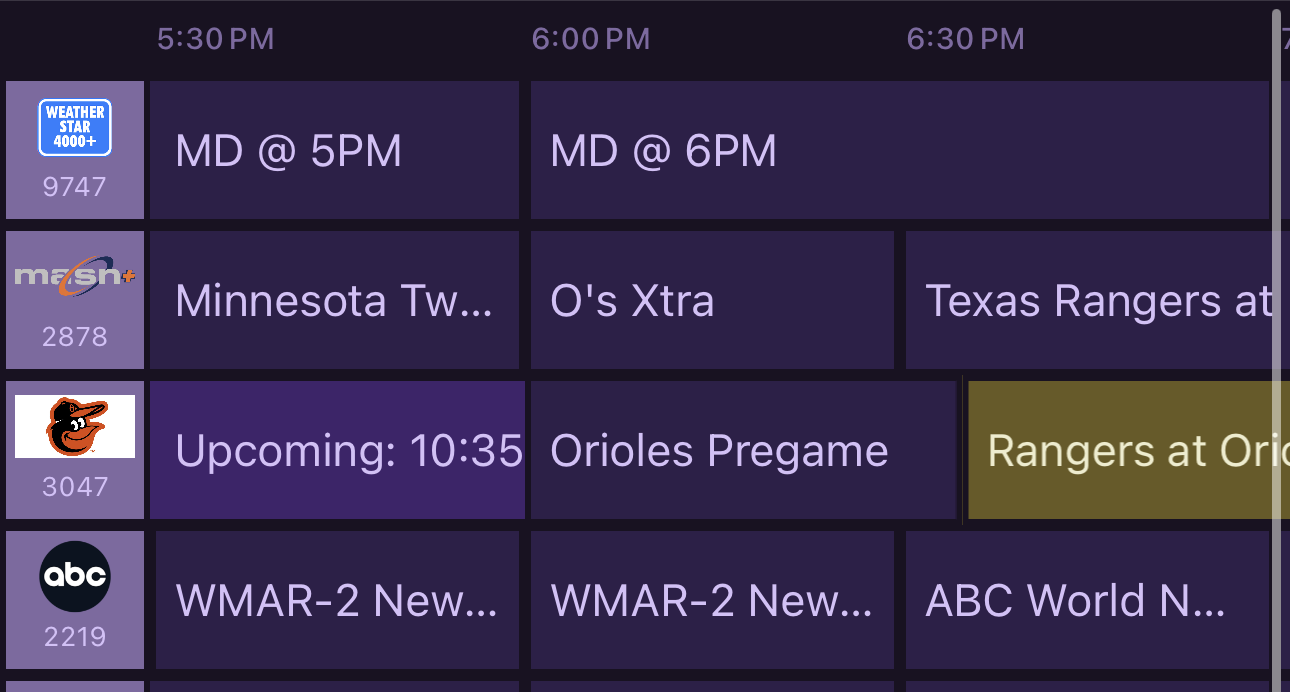
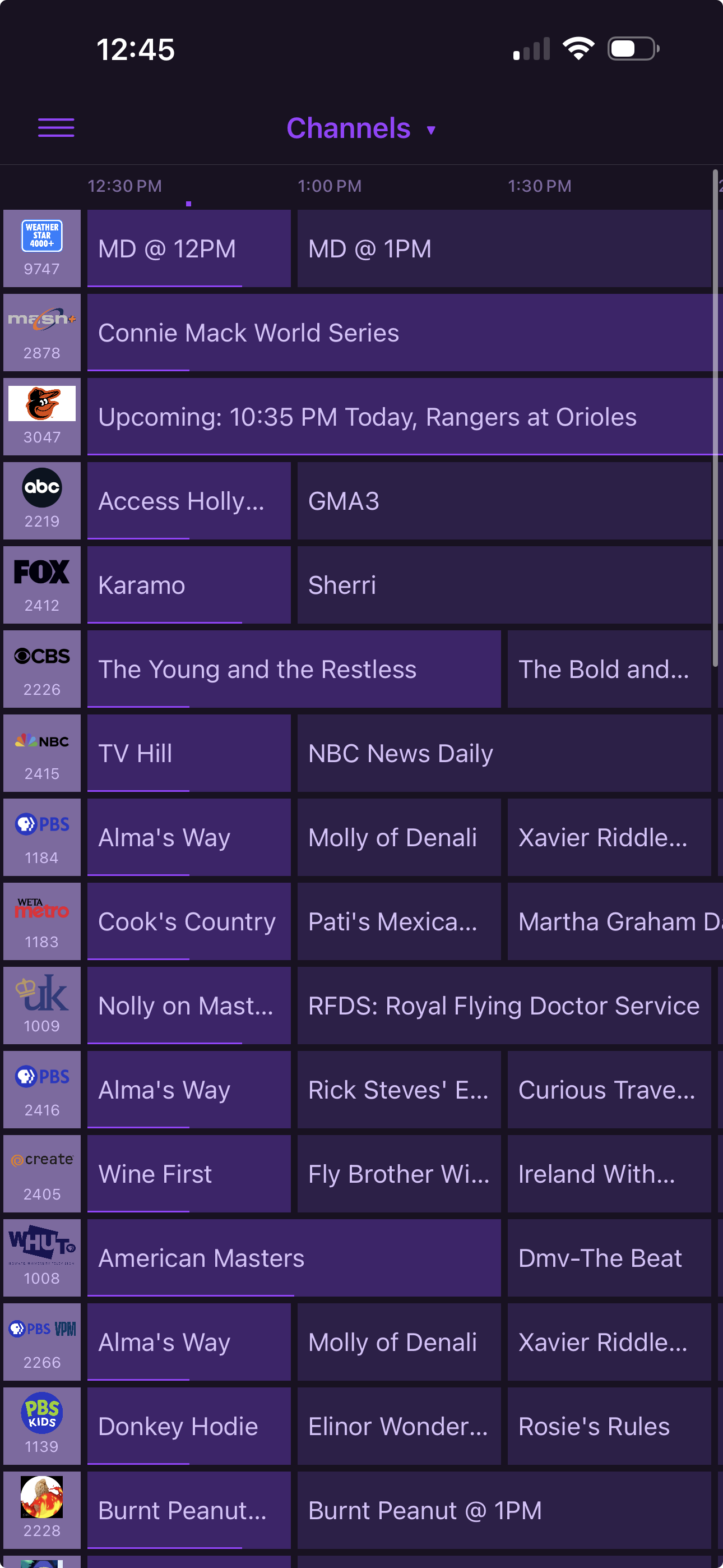
In the guide data when a game is not airing there is a four hour mistake for the starting time

Game is at 630 but it says 1030

The container time zone is set correct

Yes, I think this works as desired now. It's the "By team w/ radio" example on the mlbserver web interface.

"audio_track=radio" now pulls the radio feed for whatever "team=" is specified in the stream URL. So in your example, it should force KC's radio feed along with the video, regardless of whether KC is home or away. I even tried it with last night's national TV game (CLE at SEA) and it pulled the correct radio broadcast for each.

1 Like

Is it also incorrect on future days?

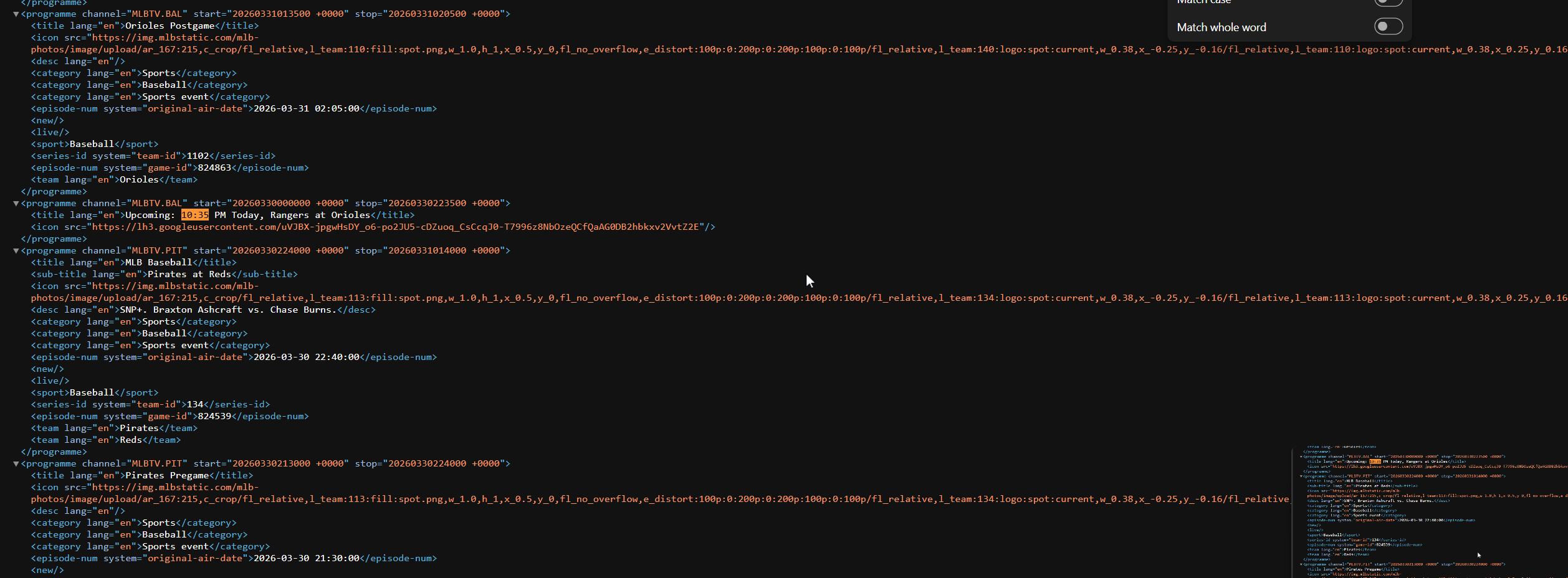
Do you see the same "Upcoming: 10:35" event if you pull a fresh XML file from mlbserver and open it in a text editor?


Yep and this is the linking i'm using

http://10.1.1.136:9999/guide.xml?mediaType=Video&offAir=channels

Also same thing tomorrow - i've been seeing it since spring training when i started watching

Your screenshot shows all the program start/stop times in UTC (with the offset "+0000"). It should show them in your specified time zone followed by the correct offset (i.e. "-0400" for EDT).

I've confirmed that's what happens if the TZ environment variable is omitted or invalid in your Docker command or compose file, so you may want to double-check that. Correcting it and recreating the container are sufficient to fix the XML output -- no need to clear the container's data.

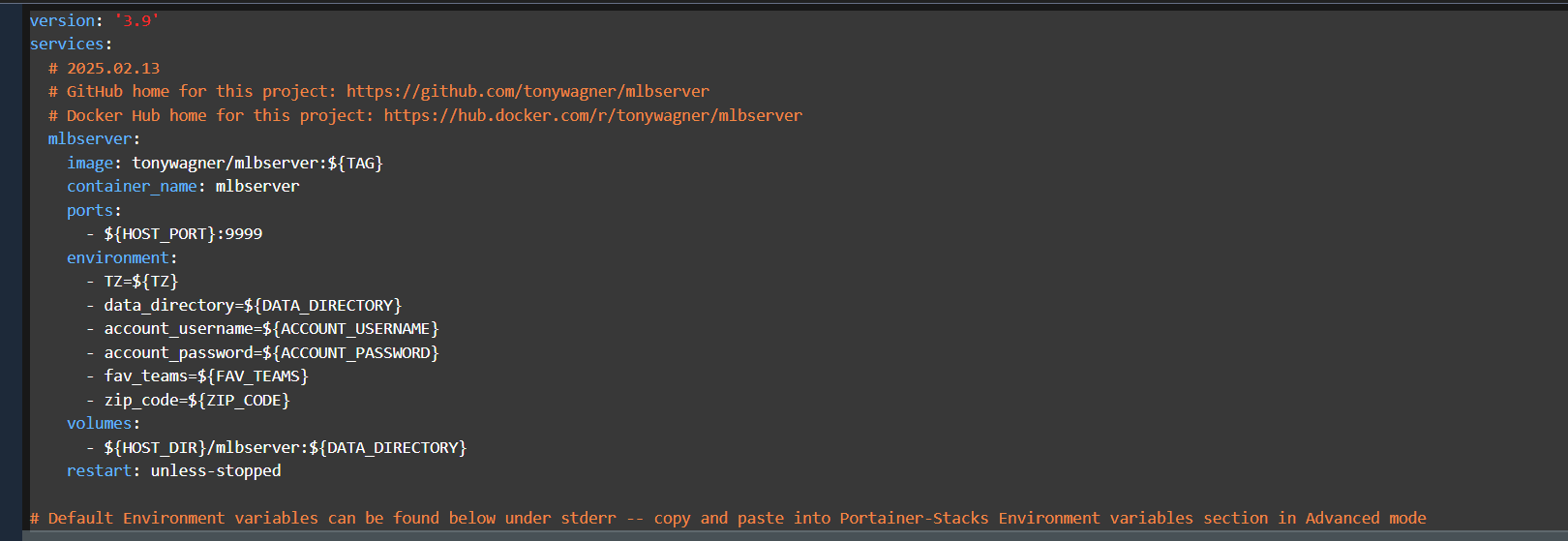
Odd - this is my stack from one-click

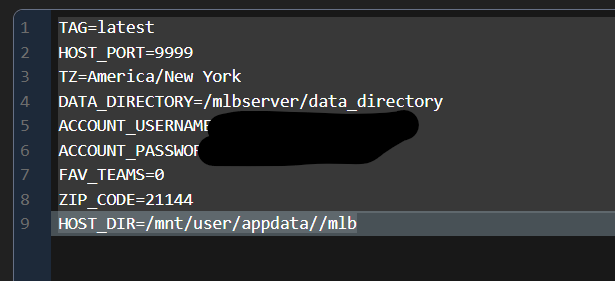
and the environmental is
image

Thanks. I think "America/New_York" needs an underscore!

I found the cause of this. You must have done a "Clear session and cache" command in the mlbserver web interface, correct? That causes "session.data.port" to be undefined, but only until the next container restart. So you shouldn't need your patch anymore, and in any case I'll address this in the next update.

well public humiliation is the best way to learn! :rofl:Thanks - i ran that through and now it says 6:35 like it should - didn't even connect with it being utc
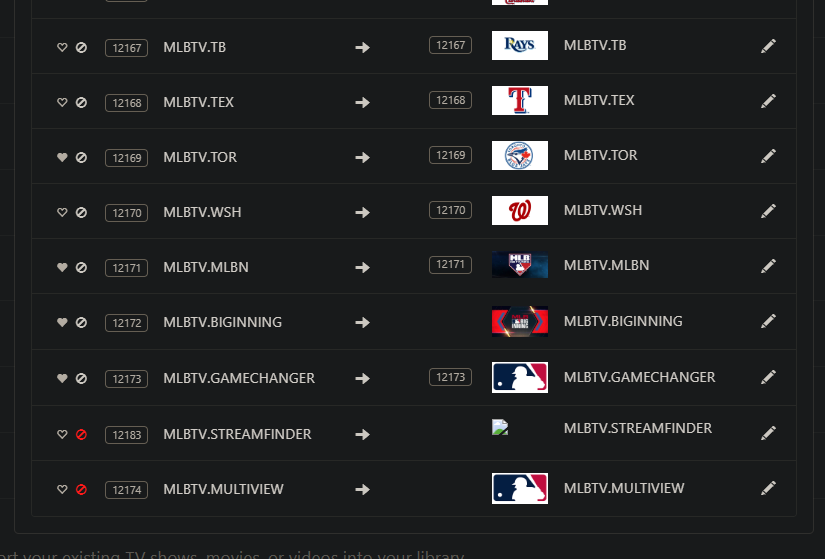
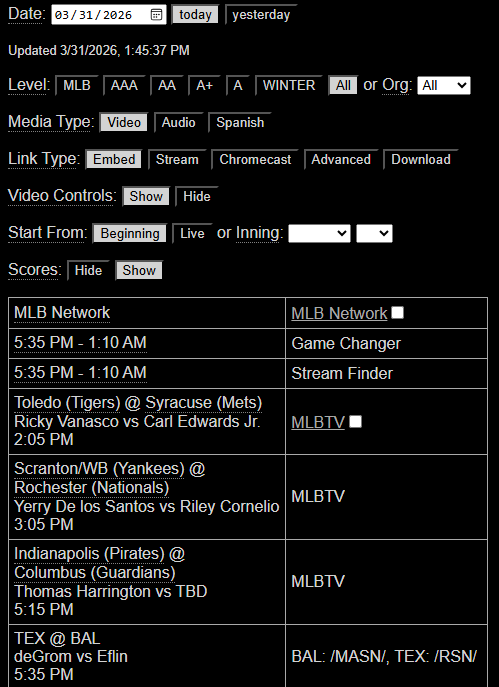
Is Big Inning still available through this? I had the container and source in Channels disabled from last season until today. The only thing I've changed about the setup so far is that I updated the container to the latest version. I had a few season passes that I unpaused and Channels was able to pick games up through there but for the Big Inning I'm not seeing anything in the guide. Guessing that might have something to do with how it looks different under "Manage Lineup" compared the all the others. Not sure if something changed in the off/preseason that I might have missed?

Yes, but the Big Inning schedule scraper had to be updated recently, so be sure you are using the latest mlbserver version.

I had pulled the latest image before I reenabled the container and source in Channels. It's version 2026.3.27-2 per the text at the bottom of page.

I'm running that version and I see a Big Inning box at the top of today's game list in the web interface, as well as in my M3U/XML feeds. Have you inspected those?

What URL parameters are you using to fetch your M3U/XML?


This is what I see for today.

For my M3U I'm using:
http://192.168.86.32:9999/channels.m3u?mediaType=Video&resolution=best

For my XML I'm using:
http://192.168.86.32:9999/guide.xml?mediaType=Video&includeTeamsInTitles=true&offAir=true

The XML I tried changing as it was previously using the legacy value of "channels" instead of "true." Both looked the same in Channels so I went ahead and left it at true. I initially set this up about a year ago with Project One-Click but otherwise haven't changed any values for the M3U/XML. What would be the most preferred XML format currently?