
I had my Channels DVR server running on a Mac for several years. I just moved it to a Windows PC and used the restore function in Channels with a database backup. Everything looks and works fine except all the movies I have in the Imports folder are appearing twice in my Library. The files themselves are not duplicated. Any suggestions?
The paths changed when you moved your server and it reindexed your movies. They are considered unique by path.
Channels DVR Server doesn’t automatically remove the record of your content if the files are missing (in the case of an unmounted drive or other scenarios) so you have multiple records.
Go to the Sources section of Settings in your Channels DVR Server web admin and run a Prune, and it will remove all content without a matching file on disk.
It did not work. When you say "run a Prune", does that mean click on the gear icon under the Personal Media section and select "Prune Removed Media"? I tried that, it didn't do anything. Note that I don't have any source folders listed in the Personal Media section. The Imports folders are under D:\DVR\Imports\Movies and D:\DVR\Imports\TV. The D: drive is an external hard drive that was on my Mac and is now attached to my new Windows machine hosting the Channels DVR server.
Ahh then they’re sort of dangling. Prune will only prune attached sources.
And yours are still in there from your restore. You’ll want to go to Settings > General > Library Databases and use the Manage Recordings Database action to find missing items and delete them.
Tried that. Under Missing/Deleted in the Manage Recordings Database popup it says "No deleted recordings found!".
I think the D:\DVR\Imports subdirectories and files are from an import I did years ago, possibly when I was moving from one machine to another for hosting the Channels DVR server; originally I was using a Raspberry Pi, then a Mac, and now this Windows PC. Any other options I can try? Any chance I can move the files to a new Personal Media folder and import them in that way? Or would I lose or the metadata associated with my movies and TV shows?
For the dupes, bring up the details on them and see where Channels DVR thinks the files are.
Options > View Details
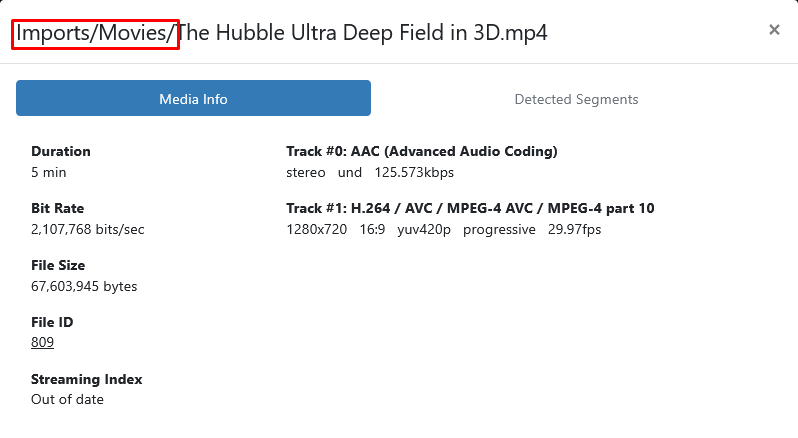
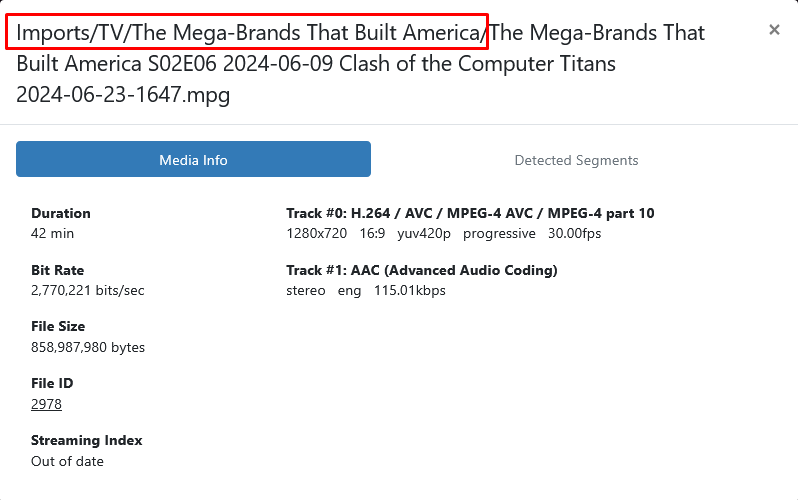
Can you be more specific about where to find this? Options>View Details?
From DVR > Manage > Movies it's Options > View Details
From Library > Movies it's Manage > View Details
Thanks. I think I figured out a solution. I moved all my Movie and TV files out of D:\DVR\Imports and into new Personal Media folders, and did a scan, The Channels library now has 3 entries for each movie and TV show, and I just manually delete the 2 out of the 3 that don't work. Any way I can have Channels auto delete the old D:\DVR\Imports entries from the Library since the files no longer exist?
Yes, run the Prune Removed Media, then empty the Trash
Thanks for your help. All is good now!
Thanks for your help. All OK now!
1 Like