NESN 360 - Boston RSN

Brand new user here. I was mostly interested in using Channels DVR for the TVE from Verizon Fios. I am currently a CableCARD user, and I know they will be eliminating QAM (TiVo) at some point in the future. ChannelsDVR "looked" like a great way to keep Fios without having to rent their DVR equipment. I checked all of the TVE stations I care about and I was able to get access to all including my RSN, NESN.

I am able to log into NESN360 at https://watch.nesn.com/ with my cableco credentials. Unfortunately it did not come up in my channel scan.

First question. Is there a way to watch this currently? Secondly, if I was to purchase NESN360, would there THEN be a way to incorporate it into Channels DVR? Is there any service I could subscribe to where NESN does work? (I guess that would be Fubo or DirectTV Stream.)

The reason I'm asking, if I can't get it through Verizon TVE, I would get something else along with a subscription to NESN for $20/Mo.

I could just stick with the HDHomeRun DVR for OTA and maybe something like Sling or YTTV. Bummer.
:frowning_face:

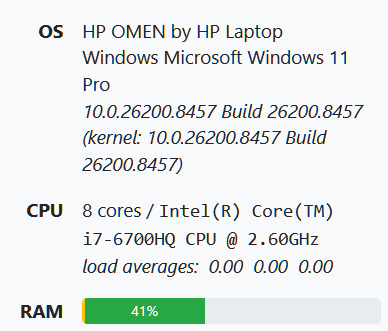
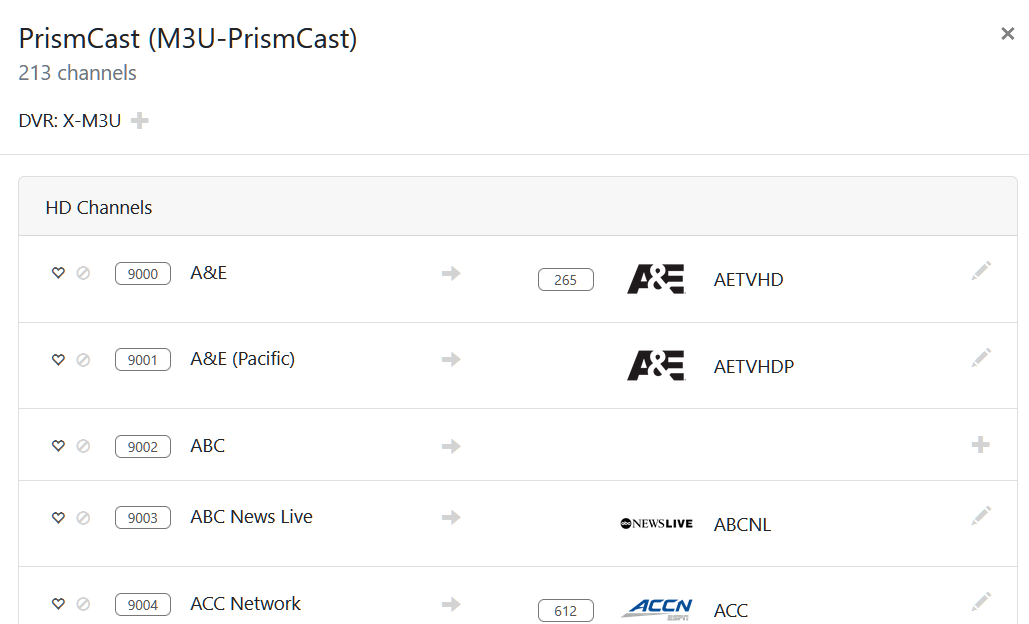
What are you using for your dvr server? CPU model? If it has some decent power you can add all your missing Verizon channels with a community project called PrismCast.

PrismCast link here

It might be a little too complicated for me from reading the thread. A lot of this stuff is over my head, but I will look into it.

image

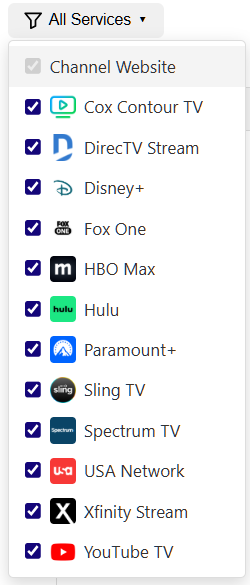
Damn, I got almost all the way there and it does NOT include Verizon Fios!

ETA: I'm surprised I got that far. I loaded all of the stations into my guide. Anything I tried to play wanted a TVE login from another provider. Unfortunately, not my current one. Oh well. Thanks for the tip.

Those are prebuilt services. You can still add Verizon it just has to be manual URLs.

1 Like

Oh, OK, Do you have a pointer to a guide?

Under channels tab select manage channels then add new channel. Use the watch nesn link in your first post. Then you will open a novnc page to login.

OK, Thanks Rice. I will fool around with it a little more!

Just going off memory basically it’s 3 main steps.

  1. Create the channel with name and url and Gracenote id under advanced for guide data. Try 10996 for Gracenote id but your area may be different.

  2. Now the new channel will show in the channel list under channels tab. Choose the option to verify the channel then you will get a pop up. Proceed to step 3 leaving the pop up up.

  3. Open a new tab at ip you used to open PrismCast but instead of ip:5589 use ip:6080/vnc.html Choose the novnc link on that page and the channel page should be waiting for you. Login there then back to the pop up tab and select done.

Reload m3u in channels and test. It may take up to 10 seconds to load the channel.

Thanks again. Still working on it. I found the Gracenote ID for NESN, 35308.

Found it here on Channels from @closernin7

https://tvlistings.gracenote.com/grid-affiliates.html?aid=orbebb#

Put your zipcode in and select a provider. Search the channel you want and then right click on the channel logo and select open in new tab. In the link will be find a number that is the graceid for that channel.

Example:
https://zap2it.tmsimg.com/h3/NowShowing/ 10809/s10003_ll_h15_ac.png?w=55

10809 is the graceid for this channel.

I got NESN added as a source, and it looked like it would work, but it just wouldn't play. It is 2FA via email, which is probably part of the problem. I was able to add ESPN, ESPN2 and ABC using my Fios credentials. A lot of work for 2 stations (I already have ABC OTA).

I followed these instructions on Github.

Quick Start with Channels DVR

  1. Start PrismCast and open http://localhost:5589 in your browser
  2. Authenticate with your TV provider - Click "Login" on any channel that requires authentication, complete the login in the browser window that opens, then click "Done"
  3. Add to Channels DVR:
  • Go to Settings → Custom Channels → Add Source
  • Select M3U Playlist
  • Enter: http://<your-prismcast-host>:5589/playlist
  • Set Stream Format to HLS

That's it! Your channels will appear in the Channels DVR guide. Channels with a channel number configured in PrismCast will include it in the playlist for guide mapping.

I assume you entered the email code in the vnc browser window and watched the channel from there? Is it asking for 2fa after the initial 2fa login? Does Verizon fios have their own website to watch live tv via web browser?

Yes.

It makes you enter your email address and then it sends an email with a 6 digit code. (You don't really log in.) Then you pick your cable provider.

No, it is direct to nesn.com. [edit: Actually, I should say I don't think so. They do have a phone app but it does connect to their STB.)

Thank-you for suggesting I should try entering it by itself, since I didn't realize when I first tried PrismCast, that you could make your own small playlist. Definitely a steep learning curve for me. Between installing the node.js and learning Channels, I'm exhausted! I have an HDHR Quad with built in DVR that is totally plug and play. Channels is a whole other ball of wax! :upside_down_face:

What a bummer. I don’t have NESN but you might post over at the main PrismCast thread to see if anyone has been able to add it via the nesn website with a different profile setting.

1 Like