No clients will connect

So tonight I was trying to watch a recordingbfeom a Fire TV stick and it said it couldn't detect a Channels DVR Server. So I tried from my phone and same thing. I have had no problems in the past. Two things have changed and I'm not sure which is the problem.

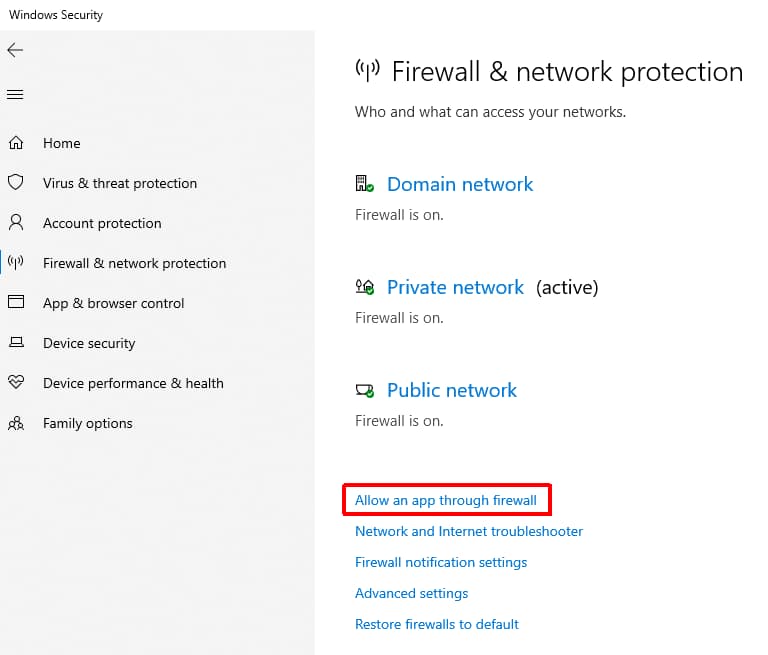
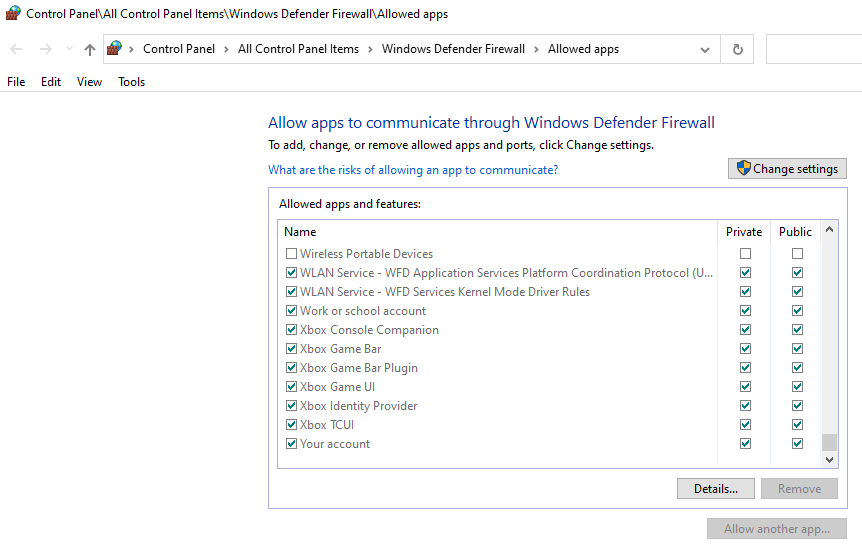
First a recent update to the program seems to have started getting me the warning banner about Windows Defender blocking Channels and tells me to go set the app in Control Panel. When I do that I see multiple entries for Channels DVR with all being checked for Private except one thatvis Public and not active. I try removingvthay one, butvit just comes back.

The other thing that changed is a new router installed within the past week. Is there something I should check in the router? I don'trecall having to set anything in the old router. Keep in mind this is all in Windows 11.
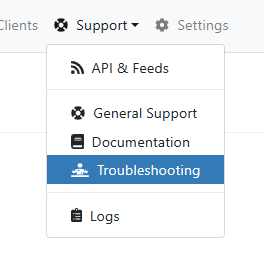
Is everything green on the server when you run:

image

1 Like

Most likely this caused the IP address of your Channels DVR server to change.
Set the router to give the Channels DVR Server a reserved DHCP IP address

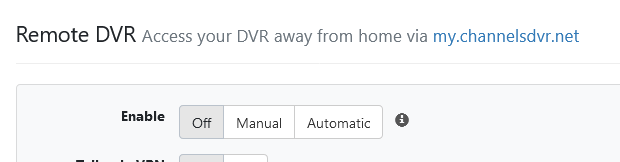
Then toggle Enable Bonjour Discovery off, then on in the DVR web UI Settings

Also toggle Remote DVR Access if you use it to access the DVR remotely
Screenshot 2023-07-26 at 19-15-23 Channels Settings

1 Like

So, I did what was suggested with the DHCP Reservation for the PC. I then toggled the Bonjuor off and on. This did seem to fix the DNS error which was showing red when I did the troubleshooting test that was recommended above. But I still cannot connect to the server through the clients. It still isn't seeing it.

The Troubleshooting test is coming back red on system firewall. The problem is, as explained above, Windows Defender Firewall shows Channels DVR about 5 times and all but one are checked active.The active ones all are checked Private; the other is checked Public. As all of the devices are on the same local network, I can't see how this or the port would be an issue. Again, I'm not trying to remote access, unless I'm not understanding remote access.

Can you tell the client to connect to the IP address of the server?
Or is that what you're doing?

Yeah, I tried putting in the IP adress, both with and without port number. No joy. It says no server found. If I type the IP address of the PC into the web browser on the PC the server admin displays. Also all references on the sever admin Settings page show the PC IP address, so it looks like the server is reading everything properly.

Do you have another PC or device on the same network with a browser?
If so, try using the browser on it to bring up the DVR web UI http://192.168.1.4:8089 (replace 192.168.1.4 with its IP address)
If the other device can't reach it you have a firewall or network issue.

Ok. I tried on the web browser on my phone. It timed out. So the question becomes what would prevent local devices on the same network from connecting? Is is most likely the firewall issue or is there something on the router that needs set?

Does the port need to be opened for local acces or is that specifically a remote access thing?

1 Like

Could be firewall or router.
My guess is Windows Firewall.
If other devices on your network can communicate with each other, but not the PC, probably Windows.

You can remove the Firewall rules for Channels DVR in Windows Security and let it add a new one.


1 Like

I removed the rules and let it recreate. Still no luck. So I guess it must be a router setting. I assume that maybe the port has to be openedor forwarded. Does that make sense for local access?

Not unless your router has firewall rules for local LAN access.
They usually only firewall traffic to/from the WAN (Internet).

Sounds like windows firewall may be blocking access to the listening port. Disable windows firewall and see if you are able to connect your client/reach the web console

The other thing to check is make sure your router is allowing WiFi clients access to your LAN.
That's assuming your clients and phone are using WiFi.

It appears that my firewall was not set up correctly. I had the Private set but the Public was blocked. Apparently it required the Public to be allowed. Still not sure why sinceit should all be local network comms but it's working.

Ok. Maybe that wasn't the problem the entire time. So everything was working on the Fire TV and phone app. Then suddenly it wasn't. I think the problem is that I have my PC set to sleep after so many minutes. I have it set to wake up to record which seems to work fine. But apparently if I don't wake it prior to launching the apps, they don't connect. Again thats sort of a let down if that's the way it works. When I launch Plex there is no issue if the PC is asleep.

Nevermind. I guess Plex does the same thing. For some reason I thought it didn't. I do wish there was a way to send a wake signal to the PC. Bummer.

Best to leave your dvr on 24/7 or you will experience problems like this.

1 Like

This topic was automatically closed 365 days after the last reply. New replies are no longer allowed.