
I am trying to troubleshoot this. I have the Nvidia driver installed on UnRaid. I have the container configured as described here [Hardware transcoding inside Docker using Nvidia GPU](https://nvidia instructions). It passes the nvidia-smi "test" inside and outside of the container. Hardware transcoding is available inside the channels web application. I also have an app in unraid where I can "see" what the gpu is doing. When playing a movie the channels app attempts to use the gpu and then eventually stops and the encoder/decoder levels drop to 0%. I think the nvidia docker setup is OK because I have Plex installed and using the gpu for transcoding without the same hiccups and stalls. Any known issue with Unraid 7.2.4 and using an nvidia card? I'm fairly sure it was working before this. Also the web player is unwatchable but it seems many people have issues with that in the forums so maybe a separate issue. I deleted the docker and the app settings and started over, I can provide some logs after the movies are finished scanning as right now it's just spamming movies.
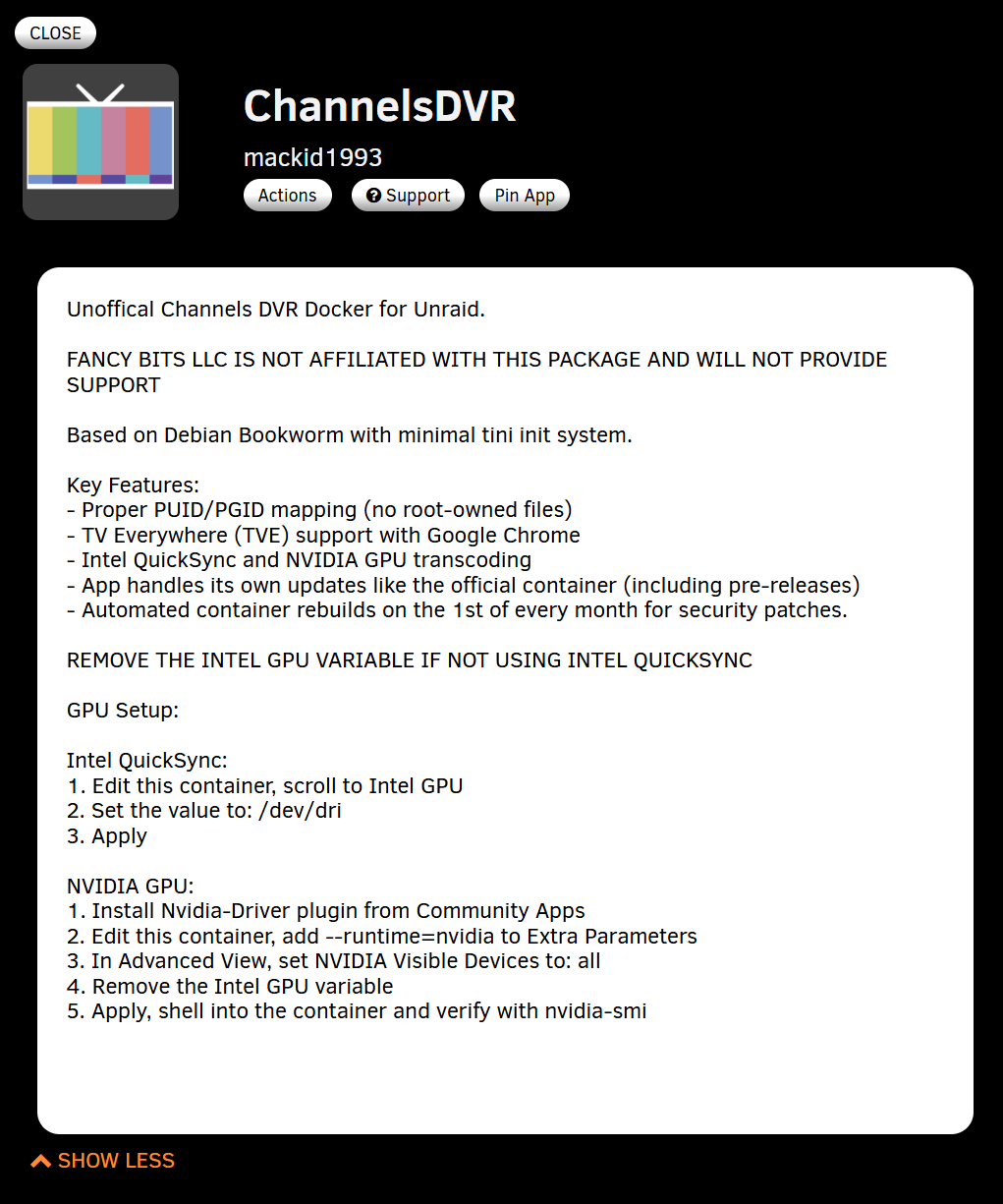
You can try my container if you want. It's in CA as well. I tested with a Quadro P400 before putting it out there.
I did and ran into the same issues. Is a 1070ti too old for driver version 580.142? I thought I read they were starting to mothball some of the older cards.
I had no issues with a P400. That's an ancient card. I'm really unsure then.
Did some more testing, here is the error message that gets spammed.
2026/03/26 06:56:37.503693 [ENC] Starting encoder for A movie (2016).mkv in /shares/DVR/Streaming/sessions/file4-ip192.168.1.93-494443024/encoder-0-2530599839 at 0 (0.000000) (encoder=hevc_nvenc, codec=hevc, acodec=aac, resolution=1080, deinterlacer=hardware, bitrate=3532, segment_size=0.01)
2026/03/26 06:56:37.878365 [HLS] ffmpeg: file4-ip192.168.1.93:  [h264 @ 0x3fd2780] decoder->cvdl->cuvidCreateDecoder(&decoder->decoder, params) failed -> CUDA_ERROR_INVALID_VALUE: invalid argument
2026/03/26 06:56:37.878494 [HLS] ffmpeg: file4-ip192.168.1.93:  [h264 @ 0x3fd2780] Using more than 32 (33) decode surfaces might cause nvdec to fail.
2026/03/26 06:56:37.878581 [HLS] ffmpeg: file4-ip192.168.1.93:  [h264 @ 0x3fd2780] Try lowering the amount of threads. Using 16 right now.
2026/03/26 06:56:37.878638 [HLS] ffmpeg: file4-ip192.168.1.93:  [h264 @ 0x3fd2780] Failed setup for format cuda: hwaccel initialisation returned error.
2026/03/26 06:56:38.186356 [HLS] ffmpeg: file4-ip192.168.1.93:  Failed to negotiate pixel format between 'graph 0 input from stream 0:0' and 'auto_scale_0':
2026/03/26 06:56:38.186498 [HLS] ffmpeg: file4-ip192.168.1.93:      graph 0 input from stream 0:0 (buffer)
2026/03/26 06:56:38.186614 [HLS] ffmpeg: file4-ip192.168.1.93:      ↓ yuv420p
2026/03/26 06:56:38.186715 [HLS] ffmpeg: file4-ip192.168.1.93:      ↑ yuv420p
2026/03/26 06:56:38.186797 [HLS] ffmpeg: file4-ip192.168.1.93:      auto_scale_0 (scale)
2026/03/26 06:56:38.186914 [HLS] ffmpeg: file4-ip192.168.1.93:      ↓ yuv420p, yuyv422, rgb24 (+177 more)
2026/03/26 06:56:38.186990 [HLS] ffmpeg: file4-ip192.168.1.93:      ⚠️ hwupload needed ⚠️
2026/03/26 06:56:38.187061 [HLS] ffmpeg: file4-ip192.168.1.93:      ↑ cuda
2026/03/26 06:56:38.187164 [HLS] ffmpeg: file4-ip192.168.1.93:      Parsed_yadif_cuda_0 (yadif_cuda) [requires cuda]
2026/03/26 06:56:38.187229 [HLS] ffmpeg: file4-ip192.168.1.93:      ↓ cuda
2026/03/26 06:56:38.187309 [HLS] ffmpeg: file4-ip192.168.1.93:      ↑ cuda
2026/03/26 06:56:38.187384 [HLS] ffmpeg: file4-ip192.168.1.93:      Parsed_scale_cuda_1 (scale_cuda) [requires cuda]
2026/03/26 06:56:38.187456 [HLS] ffmpeg: file4-ip192.168.1.93:      ↓ cuda
2026/03/26 06:56:38.187543 [HLS] ffmpeg: file4-ip192.168.1.93:      ↑ yuv420p, nv12, p010le (+12 more)
2026/03/26 06:56:38.187615 [HLS] ffmpeg: file4-ip192.168.1.93:      format
2026/03/26 06:56:38.187679 [HLS] ffmpeg: file4-ip192.168.1.93:      ↓ yuv420p, nv12, p010le (+12 more)
2026/03/26 06:56:38.187776 [HLS] ffmpeg: file4-ip192.168.1.93:      ↑ yuv420p, yuyv422, rgb24 (+221 more)
2026/03/26 06:56:38.187844 [HLS] ffmpeg: file4-ip192.168.1.93:      out_0_0 (buffersink)
2026/03/26 06:56:38.187933 [HLS] ffmpeg: file4-ip192.168.1.93:  Impossible to convert between the formats supported by the filter 'graph 0 input from stream 0:0' and the filter 'auto_scale_0'
2026/03/26 06:56:38.188029 [HLS] ffmpeg: file4-ip192.168.1.93:  Error reinitializing filters!
2026/03/26 06:56:38.188097 [HLS] ffmpeg: file4-ip192.168.1.93:  Failed to inject frame into filter network: Function not implemented
2026/03/26 06:56:38.188204 [HLS] ffmpeg: file4-ip192.168.1.93:  Error while processing the decoded data for stream #0:0
2026/03/26 06:56:38.188277 [HLS] ffmpeg: file4-ip192.168.1.93:  [aac @ 0x2dbb980] 2 frames left in the queue on closing
2026/03/26 06:56:38.188360 [HLS] ffmpeg: file4-ip192.168.1.93:  [aac @ 0x2dbe400] 2 frames left in the queue on closing
2026/03/26 06:56:38.188515 [HLS] ffmpeg: file4-ip192.168.1.93:  [aac @ 0x2ebc000] 2 frames left in the queue on closing
2026/03/26 06:56:38.188586 [HLS] ffmpeg: file4-ip192.168.1.93:  [aac @ 0x2dcf9c0] 2 frames left in the queue on closing
2026/03/26 06:56:38.288993 [ENC] Encoder stopped for A movie (2016).mkv in /shares/DVR/Streaming/sessions/file4-ip192.168.1.93-494443024/encoder-0-2530599839 after starting from 0 without encoding any segments
I think this has to do with movies that are using avc1. I found a few more movies that exhibit this behavior and they all report in VLC as
Codec:H264 - MPEG-4 AVC (part 10) (avc1)
This topic was automatically closed 30 days after the last reply. New replies are no longer allowed.