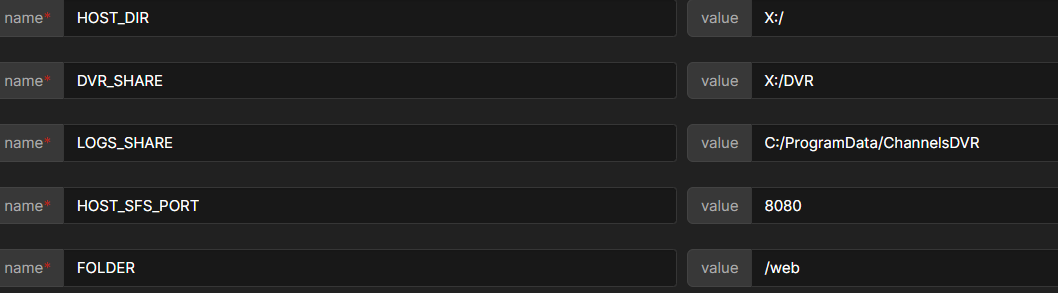
Something's a little funky in this section I think. Given OliveTin is running on Debian Linux, all of the SHARE paths are relative to your Linux system. So you shouldn't be using any Windows paths.
Paths need to be local on your Linux system, or you need to create Docker Volumes to reference SMB (or NFS) shares. There's also a third option, which I don't believe you're using, which is to mount an SMB or NFS share to your local file system.
You mentioned installing OliveTin locally on other systems, and that's also an option, but then you have multiple instances of OliveTin. If you want one central OliveTin instance then you need to set things up just like we did with DVR #1.
Also, one slight change should be made here, channels-dvr-logs2 should be channels-dvr2-logs. I'll be posting a new Docker Compose, and pushing a new container fairly soon that will support up to 3 DVRs from one OliveTin instance. The only modification that would need to be made (with up to 3 DVRs), is to uncomment Docker Volume names for any Docker Volumes you've created.
Otherwise, the idea is that compose will work without changes. And, in the EZ-Start fashion, the OliveTin Environment Variables Generator/Tester Action will handle 3 DVRs. I'll post here once I've pushed this update.